


📘🔐 Special file: Nuki Smart Lock Ultra
This article is part of my complete file from installation to accessories to home automation.
- I replace my Danalock V3 with a Nuki Smart Lock Ultra
- I connect the Nuki Smart Lock Ultra to my home automation
- I add a Nuki Keypad 2 NFC to my Smart Lock Ultra ← you are here 🎯
- I add a Door Sensor to my Nuki Smart Lock Ultra
When I installed the Nuki Smart Lock Ultra At home, I immediately felt that I had reached a milestone.
Here is the direct link to the previous article: I replace my Danalock V3 with a Nuki Smart Lock Ultra
The lock is faster, more discreet, more pleasant to use on a daily basis, and I finally feel like I have a modern solution.
But after a few days, I realised that I was still missing a link: a simple, immediate and universal way to enter the home, without systematically depending on a smartphone or a physical key.
That's exactly why I added the Nuki Keypad 2 NFC to my installation.
On paper, it is “just” a remote keyboard with fingerprint reader and NFC.
In practice, it is this small accessory that transforms a very successful connected lock into a real family solution, immediately adopted by everyone at home.
🤔 Why I added a Keypad 2 NFC
With the Smart Lock Ultra alone, the experience was already excellent.
I could open with the app, automate scenarios, manage my access and integrate the lock into my home automation installation.
But in real life, there were always the same questions: How does my wife do if she doesn't want to take out her phone? How do my daughters do it? How can I give someone simple access without explaining my home automation? And above all, how can the opening of the door be made as natural as a gesture of everyday life?
The Keypad 2 NFC responds precisely to this need.
Nuki offers several access modes on a single product: code, fingerprint and ‘Tap to Unlock’ via NFC with a compatible smartphone or watch.
👨👩👧👧 A real product designed for the family
The product can handle up to 200 codes, 20 unique fingerprints and 35 NFC keys.
In other words, we are not facing a geek gadget, but rather a system designed for a family, guests, relatives or temporary access.
✨ What this product actually does
What I like about Nuki Keypad 2 NFC, it does not replace the lock: He completes it intelligently.
Installed outdoors, it becomes the easiest entry point for everyone.
You can type a code, put your finger on the fingerprint reader, or approach your phone as you would with a contactless payment.
Apple Home Key or Samsung Digital Home Key can also be used.
And even without a Matter hub, the Nuki app mode already allows NFC to be opened with a compatible smartphone, but with certain usage limits.
📱 Several opening methods
- Opening by code.
- Fingerprint opening.
- NFC opening with compatible smartphone.
- NFC opening with compatible watch depending on the ecosystem used.
- Access management directly from the Nuki application.
It is this mixture that makes the product interesting.
Not everyone has the same habits. My wife prefers what is immediate and obvious. My daughters immediately understand the principle of a code or a fingerprint.
For my part, I especially appreciate having several ways to get into the house without ever being dependent on a single method.
🛠 A really simple installation
As is often the case with Nuki, installation is probably the most reassuring thing.
The manufacturer announces a installation in a few minutes, without tools, with a fixation designed for the outside and a guided configuration in the application.
This is exactly the impression I had: the location is chosen, the keypad is fixed, the association is launched in the app, and then the access configuration is set up directly.
📍 The choice of location
I took the time to choose a convenient, visible but discreet location at your fingertips when you arrive in front of the door.
I wanted the use to be obvious from day one, without having to aim for a specific place or make an unnatural gesture.
Once in place, the Keypad 2 NFC integrates very well visually. It remains compact and does not give the impression of a cumbersome technical housing.

⚙ The association with the Smart Lock Ultra
The association with the Smart Lock Ultra was uncomplicated.
The application guides the steps, followed by the creation of access codes, the registration of fingerprints and the setting of rights.
Nuki also provides temporary and individualized access, which allows you to reason quickly in real use.
👨👩👧👧 The test of everyday life at home
The real test was not technical. The real test was the house.
This is always where a connected product reveals its real value: Does it simplify life or add complexity?
On this point, the Keypad 2 NFC clearly surprised me in the right direction.
Acceptance was immediate, and this is probably the best indicator.
💡 An excellent WAF
My wife immediately understood the operation, without explanation. My daughters found the principle obvious, almost playful.
You put your finger down, type a code, approach a phone, and the door opens.
There is no learning curve, no complicated interface, no dependency on an application.
The product disappears behind its use.
🚪 The Uses That Really Change Life

🔢 The Code
The code remains perfect for occasional access or for people who do not want to use an app.
Important point: this is the basis of the operation. You can't configure anything without creating at least one code.
In the Nuki app, I go to Keypad and use:
then
Once the 6-digit code is set, it works immediately.
🧩 Temporary Codes
Nuki makes it possible to create up to 200 codes with precise rules:
– opening hours,
– days,
– repetitions,
– Limited duration.
This is extremely convenient for managing ad hoc access.
Just check "Limited time access" when adding the code.

You can define an hour, a day of the week, a repetition, it is really well thought out.
👆 Fingerprint
This is the simplest method on a daily basis.
For my youngest daughter, who has neither a smartphone nor a connected watch, it is ideal: more key, more risk of forgetting.
With regard to the elderly (grandparents), I have not been able to register certain fingerprints.
👴 Why fingerprints can be a problem?
With age:
– the skin becomes drier (less conductive),
– the reliefs of the footprints are less marked,
– the sensor captures information less well.
Result: the registration may fail.
In this case, the code remains the most reliable solution.
📲 The NFC
NFC is the most “spectacular” feature: We approach his phone as if to pay contactless.
Nuki calls it Tap to Unlock.
📲 The two modes proposed by Nuki
The official documentation is clear: You have to choose a mode.
| Nuki app mode | Connected Home Mode |
|---|---|
| It's just a phone call. | Smartwatch or phone. It must support either the Apple Home key or Samsung Home digital keys. |
| Unlock your phone first. Unlock your phone, then tap it on the Keypad. On iOS, you also need to type a notification. The Nuki app will then unlock your door. No need to open the app manually. |
Tap to Unlock instantly. Unlock using the Home digital key in your wallet. In Express mode, your phone can stay locked. |
| Nuki app required. | Home automation system required. You need a Matter-compatible home automation hub. It works with Apple Home and Samsung SmartThings. |
| Adjust settings and manage users via the Nuki app. | Adapt settings and manage users via the Connected Home and Wallet app. |
| For all users of the Nuki app. | For users of the Connected House. Must be added via your Connected Home app. iOS users can only add other iOS users, and Samsung users can only add other Samsung users. |
NFC 📲 in Nuki Application Mode
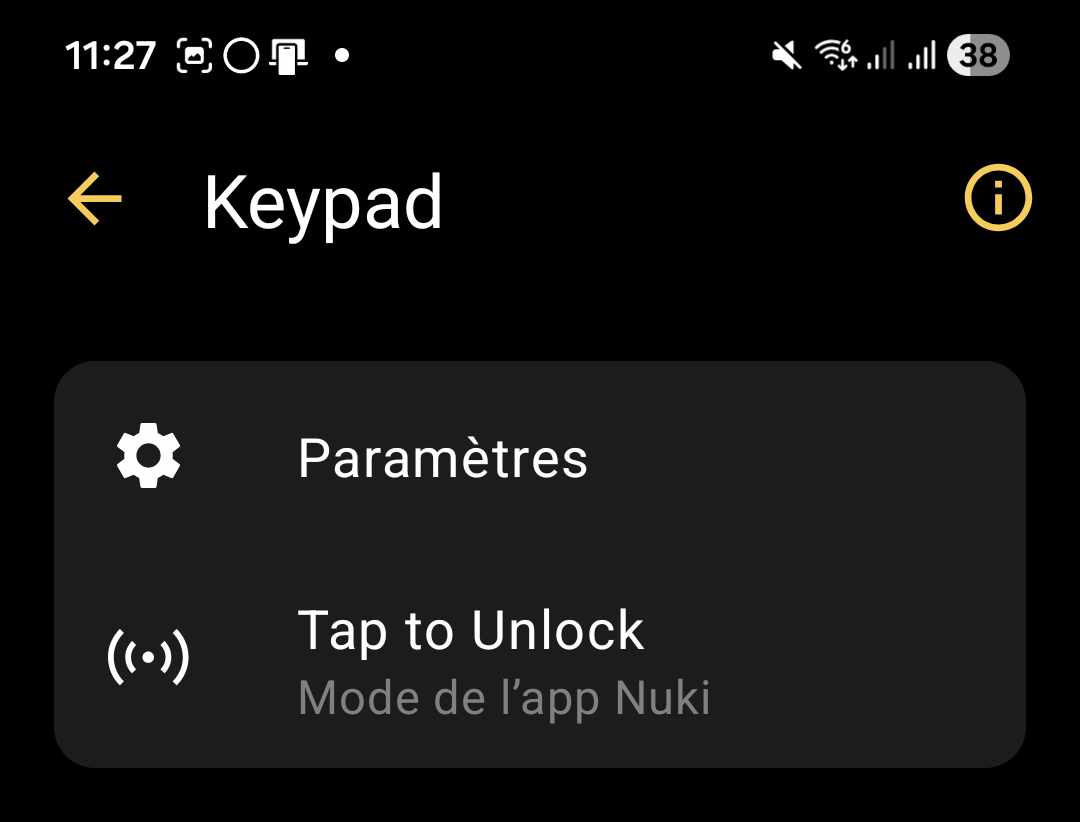
I have configured this option: it worked … then non… then again … then more.

This mode requires unlocking the phone, which breaks the experience.
Conclusion: Inconvenient, I give up, especially since it is random.
📲 NFC in Connected Home Mode
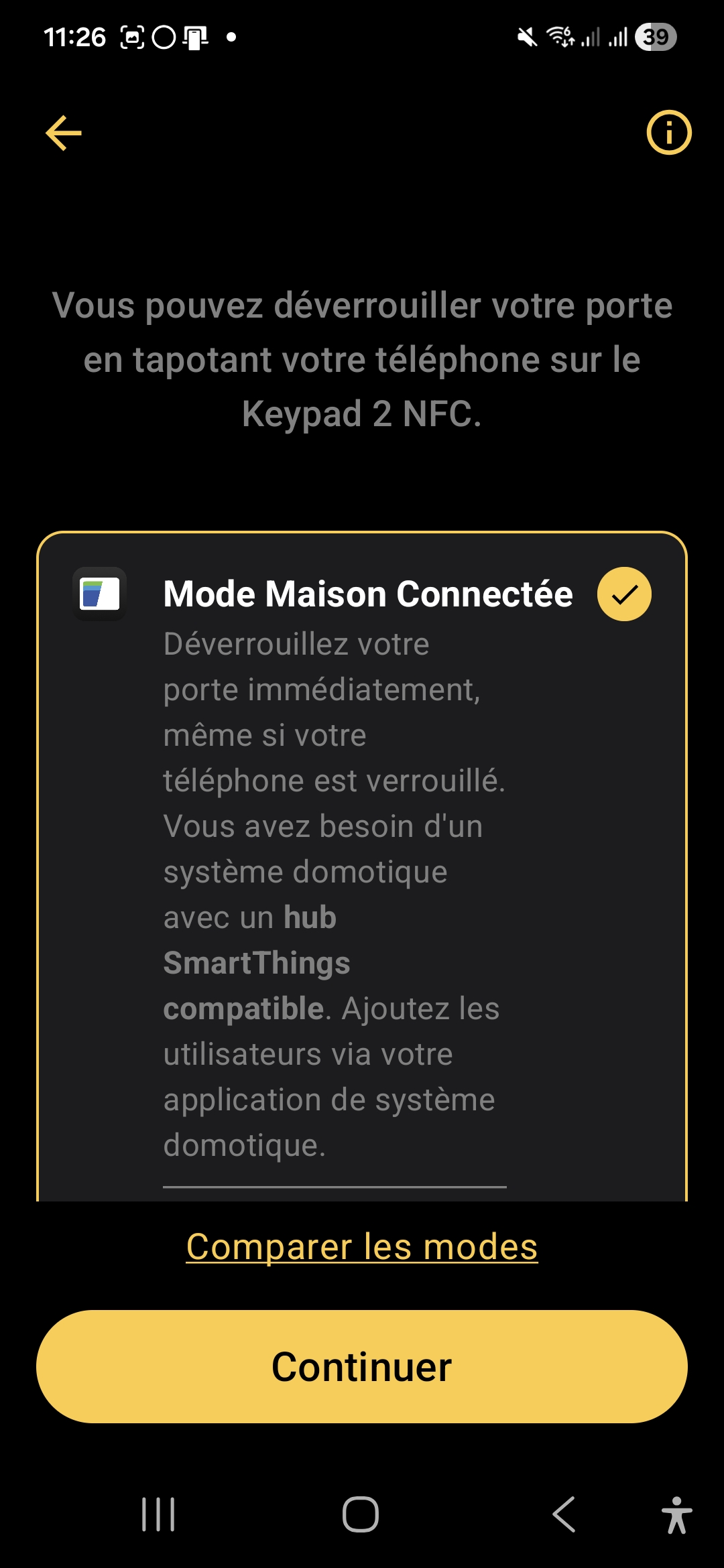
When switching to this mode, the Nuki application gives us these indications:

When I click on Open SmartThings, this switches me to the application SmartThings which was already installed on my smartphone.
And now I'm looking for what I have to do … I can't find, I'm going back to look the Nuki Documentation.
I am told to check that:
- my lock is compatible, it is ok, it is a Smart Lock Ultra ✅
- my smartphone must be an Apple, that is not my case, or a mobile device Samsung with Samsung Wallet and SmartThings App. I discover this and I am finally lucky, my Samsung is compatible And I have Samsung Wallet and SmartThings App ✅.
- I also need a Samsung Matter/Thread hub, This is the ⛔ 😰 cold shower.
I don’t have any of the 4 hubs on offer and the link is failing.
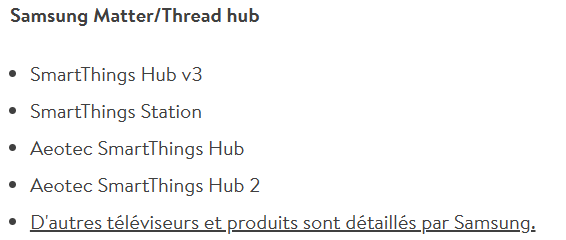
While I had read everywhere, on all Nuki’s publications, the information Matter Hub (see image below), for the first time I am being told about SmartThings Hub. I am concerned about that.

I review the documentation and understand that I have confused two things : Hub Matter and Tap to Unlock compatibility, two very different things.
Now I'm a little lost. I have a Nabucasa hub configured in Matter and at this point I do not know if it will be compatible.
The Nuki Help Page is no longer of much help to me.
During my search, I come across this Declaration : "One of Nuki's core principles is to make the new features accessible to all users, regardless of manufacturer," said Jürgen Pansy, co-founder and Chief Innovation Officer.
At this point, this is at odds with what I just discovered because I understand that Apple and Samsung share the cake together.
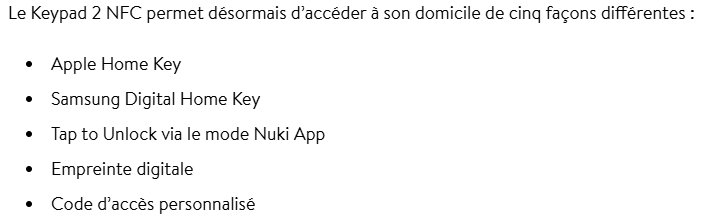
The last 3 are the modes I have already tested. But here the technique used is precise. It is therefore necessary to Samsung Digital Home Key.
📲 Samsung Digital Home Key – what is it?
Recently, Samsung launched a feature that really transforms the experience: the Samsung Digital Home Key. This is the Samsung equivalent of Apple Home Key on iPhone.
In practice, it is revolutionary: Imagine the typical situation where you arrive at your door, with your hands full:
– Phone locked : no need to unlock it
– Without application : No need to open the Nuki app
– NFC : you're just approaching your phone from the keyboard
– Fast : 1-2 seconds
This is automatic, invisible, and that really feels like a digital key.
The Samsung Digital Home Key is based on the standard Aliro 1.0.
Security is maximum :
– The keys are stored in the Samsung Knox Safe Box
– Protection by biometrics or PIN
– We can Disable remote key
– The key is limited to your lock
🔒 Samsung Digital Home Key with Nabu Casa Matter?
Short answer: NO, I can't. ⛔
Without SmartThings app + SmartThings Hub → Digital Home Key IMPOSSIBLE.
🛑 Conclusion on Tap to Unlock
It's time to close on this Tap to Unlock mode, finally, I finish these essays by disabling it.
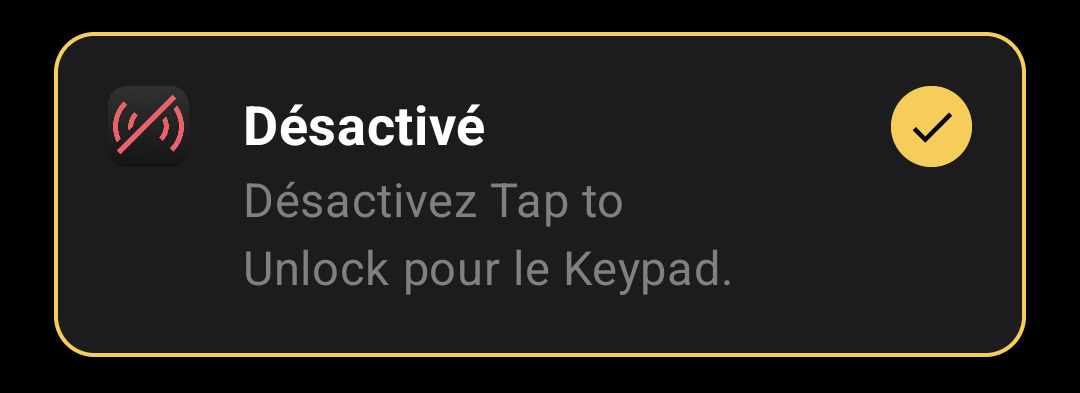

In the end, I understand Nuki's logic quite well. By relying on the security mechanisms of Apple and Samsung, the brand clearly seeks to provide a smoother, more modern and arguably more reassuring experience.
It is regrettable, however, that moving in this direction is a step away from the idea of digital sovereignty.
In my case, I did not test further, so I do not know if the information remains only on the equipment, or if some data also transits through cloud services.
And it is precisely this point that, in my view, deserves clarification.
🔒 What opening methods do I finally choose?
Finally, on the Keypad, I will use two modes of opening the lock:
✅ The Code, it is in any case essential, I give a permanent 6-digit code.
✅ The fingerprints, two or three fingers per person in my household, we can add 20.
These two modes are mostly used by my daughters when they come home from middle school or high school.
As far as I am concerned, I have activated Auto Lock mode, which automatically unlocks when I arrive close to home. This mode does not use the Keypad.
🛡 Security: the point I didn't want to neglect
On this type of product, the issue of safety is central.
The Keypad 2 NFC is not a simple generic NFC reader or a basic keyboard.
Nuki says it applies end-to-end encryption for every NFC interaction, fingerprint, and code.

🔐 Why it is not just a clonable badge
Concretely, this means that one does not follow the logic of a rudimentary badge that one would easily copy.
👤 The case of fingerprints
Fingerprints are managed locally on the equipment.
⚠ What you need to know before you crack
📵 The question of compatibility
The Keypad 2 NFC is very convincing, but we must keep in mind that if we do not want to sign an exclusivity agreement with Apple or Samsung, we will be really very limited.
🛍 Finally which model of Keypad to choose at Nuki?
- Between the Keypad and Keypad 2, there is no photo: If I want the opening with the fingerprints, it is imperative to take the Keypad 2.
- Between Keypad 2 and Keypad 2 NFC, the NFC functionality appeared. The price difference is ‘only’ €20. Which can make you hesitate.
✅ My Feeling After Installation
On a daily basis, the Nuki Keypad 2 NFC brings exactly what was missing from the Smart Lock Ultra : Simplicity of immediate access, without dependence on the smartphone.
It is clearly this small element that transforms a high-performance connected lock into a truly family-friendly solution.
In my use, the code + fingerprint duo is more than enough and covers 100 % needs. The NFC, although very promising on paper, remains today too dependent on closed ecosystems.
On the security side, Nuki’s approach is reassuring and consistent, although some areas would deserve more transparency.
In the end, the Keypad is not a gadget accessory, it is almost an indispensable element.
Without him, the Smart Lock Ultra remains an excellent technological solution. With him, it becomes simply obvious.
💭 What I would have liked with this product
Despite its high quality, it lacks some features that would make the Keypad 2 NFC even more successful:
🔓 A universal NFC aperture, without being forced to choose between Apple or Samsung. Ideally, a fully Matter/Aliro-compatible implementation with any Matter hub (such as Nabu Casa), without a locked ecosystem. This is probably not a matter for Nuki, but rather for Samsung or Apple, which I am asking to open their doors to ….
📊 A more detailed usage history: know who opened the door, at what time, and with what method (code, fingerprint, NFC). This would be very useful for tracking college feedback, managing speakers, or simply having more traceability.
🔔 Real-time notifications when a fingerprint or code is used, with the ability to receive an alert if temporary access expires or if a fingerprint is attempted multiple times without success.
⚙ Finally, I would have just loved to be able to use the Keypad 2 to open the portal for example. It is ideally placed on my porch, a particular code could trigger a home automation action!!
These developments would make the product not only more universal, but also more suitable for users who want to remain independent of large ecosystems.










 English
  French
  Spanish
  Chinese
  German