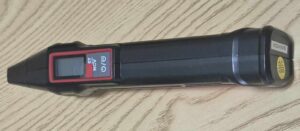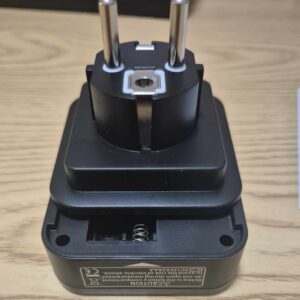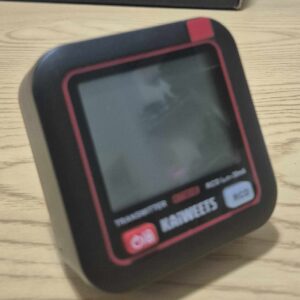
I'm testing the Kaiweets KT301E circuit breaker locator

🎯 No more round trips in front of the electrical panel !!

I will be honest, since I have the Kaiweets KTL01, I feel much more serene before touching an electrical circuit.

But there is still a small galley that I meet regularly: I know how to cut a circuit breaker, I know how to check that a socket is off, but I do not always know which circuit breaker powers the socket on which I want to intervene.

Result: I go down to the board, I cut a circuit breaker, I go up, I test the plug, I go down again, I try the next one... And sometimes I cut several circuits outright to be quiet.

It is exactly for this kind of situation that I wanted to test the Kaiweets KT301E, a digital circuit breaker locator.

The idea is simple: a transmitter is plugged into the socket to be identified, then a receiver is passed in front of the circuit breakers in the switchboard. When the correct circuit is found, the device shall clearly indicate it.

Here is my feedback after several uses in concrete situations.

⚡ Why this locator in my home automation toolbox

I install a lot of home automation equipment: Zigbee sockets, modules behind switches, sensors, power supplies, sirens, various boxes.

And before each installation, there is often an electrical step.

The problem is not just cutting power. That is to know: which circuit to cut.

With my KTL01, I check the presence of tension. With the KT301E, I want to identify the circuit breaker concerned without going back and forth between the part and the board.

The KT301E is designed to quickly identify the circuit breaker connected to an outlet or point of use, by means of a transmitter connected to the outlet and a receiver passed in front of the switchboard.

But it is not limited to this function: the transmitter also serves as a socket tester and makes it possible to control the condition of the wiring, the presence of mains voltage and protection by circuit breaker.
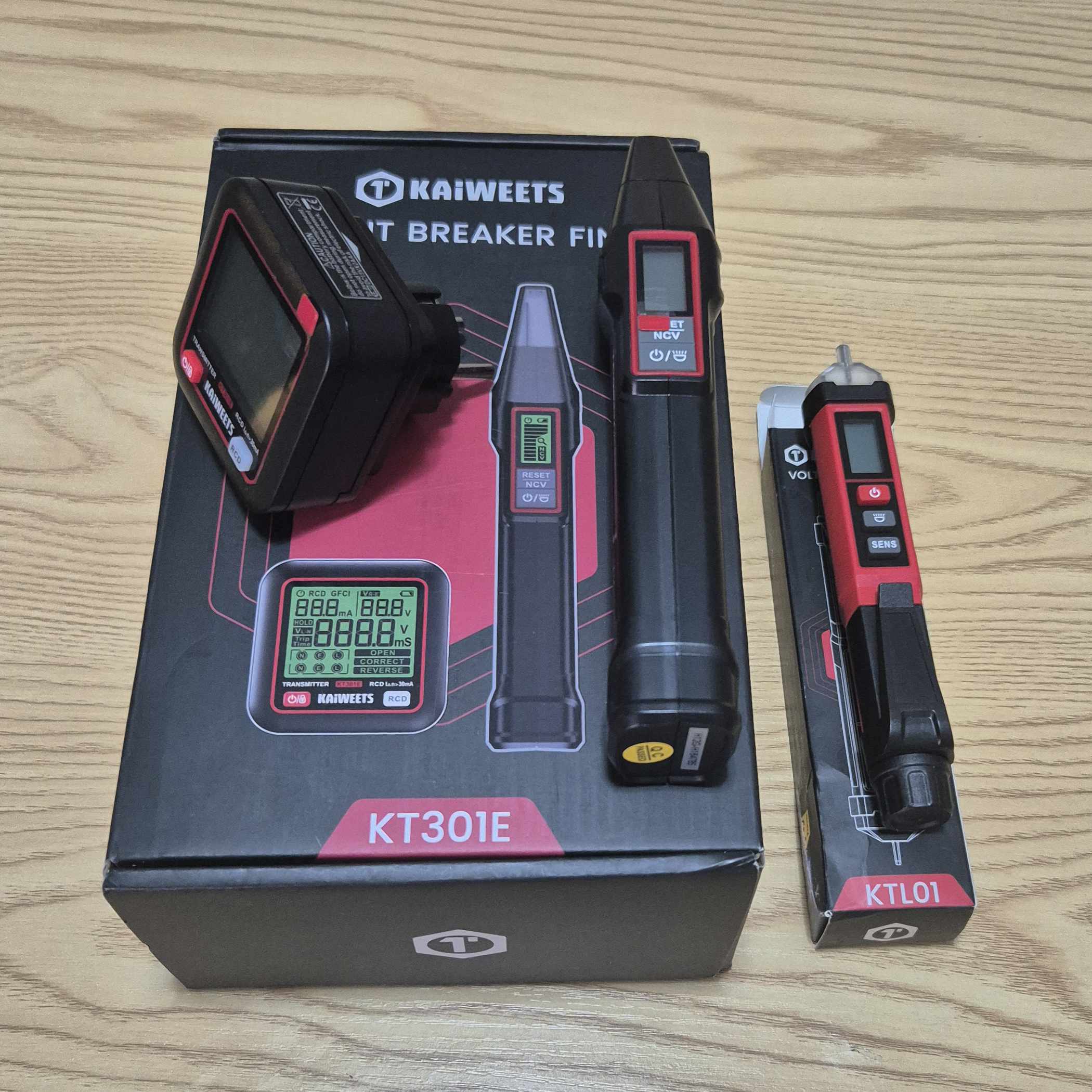
For a DIY do-it-yourselfer, it is a tool that complements the KTL01 well: one alerts on the presence of voltage, the other helps to find the right circuit breaker.

🏢 Who is Kaiweets?

Kaiweets is a Chinese brand specialising in electrical measuring devices and tools for both professionals and private individuals.

I had already tested their KTL01, a contactless voltage tester that convinced me of its simplicity and pen format. The KT301E belongs to the same logic: an accessible tool, designed for everyday interventions.

Here, we are no longer talking only about detecting a voltage, but about find the circuit that feeds an outlet.

🔍 Why I chose the KT301E among the Kaiweets models

Kaiweets offers several circuit breaker locators, with more or less advanced functions. Here are the models I have identified:

Model Type Circuit breaker location Socket test RCD / GFCI test NCV Screen
KT301E Circuit breaker locator + plug tester Yes Yes Yes Yes Backlit LCD
KT301P Circuit breaker locator + plug tester Yes Yes Yes Yes Backlit LCD
KT301 Circuit breaker locator Yes No No No LED / indicator

My choice of KT301E addressed a number of criteria:

  • Circuit breaker location : This is the main function that interests me, to avoid cutting several circuits blindly.
  • Built-in plug tester : the transmitter also makes it possible to control the wiring and voltage
  • RCD test / differential : practical for quickly verifying that a DDR is triggered
  • NCV mode : the receiver can also detect a non-contact voltage
  • Backlit LCD screens : more readable than simple LEDs, especially in a dark technical room
  • European version : operation on the European sector, therefore adapted to a French installation
  • Format kit : transmitter for socket, receiver for array

The KT301P is very close, including GFCI and NCV test functions. The more basic KT301 focuses on the location of the circuit breaker.

For my use, the KT301E offers the best compromise between circuit breaker locating, plug control and differential test.

🔍 I check the received model
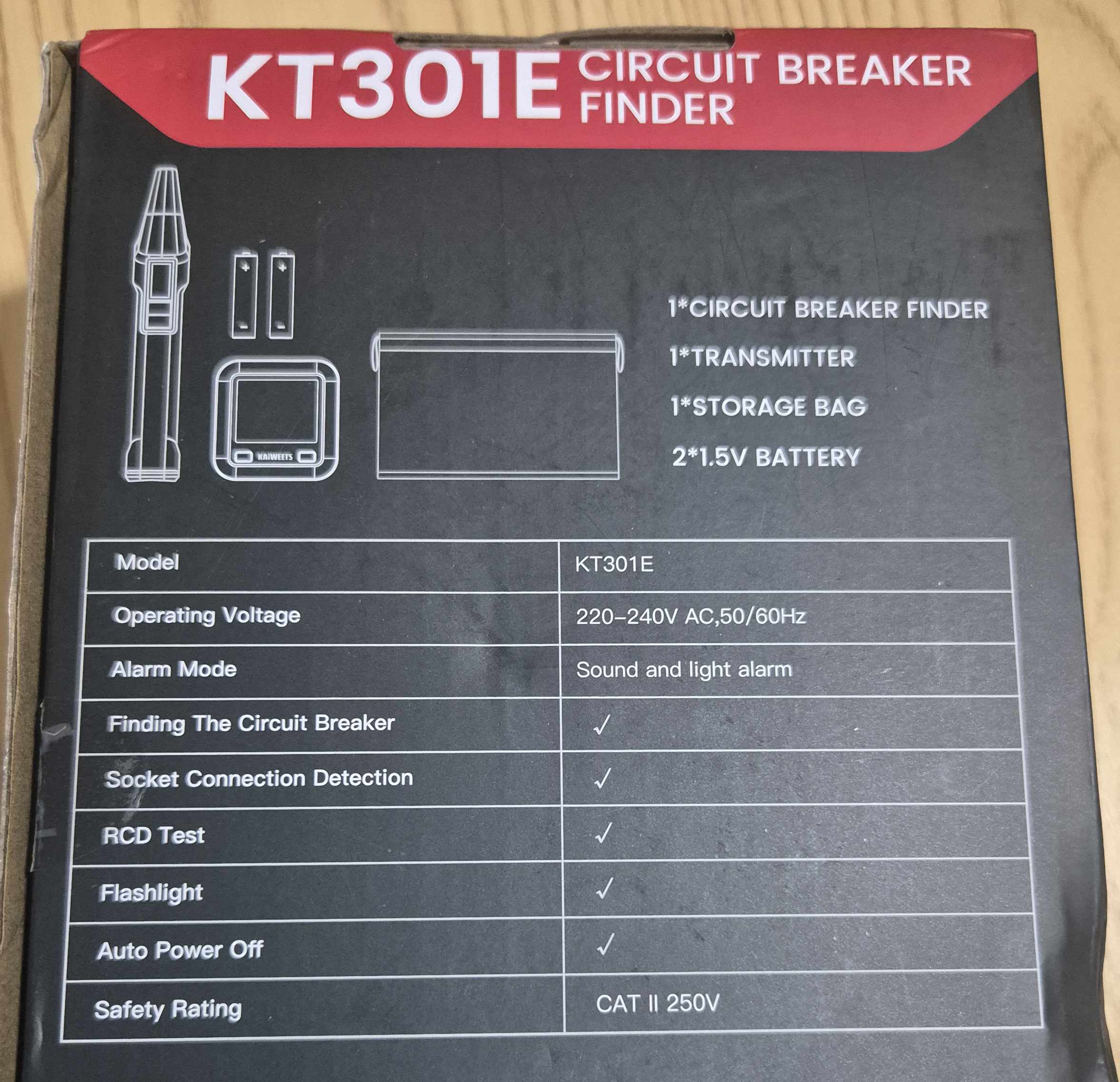
  • On the carton : reference KT301E visible
  • Type of equipment : Digital circuit breaker locator with socket tester
  • Composition : Transmitter + receiver
  • Main function : identification of the circuit breaker supplying an outlet
  • Related functions : plug control, RCD test, NCV detection
  • Power supply : AAA batteries, to be installed in the transmitter and receiver
  • Operating voltage : compatible with the European sector

🛒 Where to buy the Kaiweets KT301E?

Here is the link to the page dedicated to KT301E.

I referenced the sellers and prices.

📦 Unpacking and First Impressions

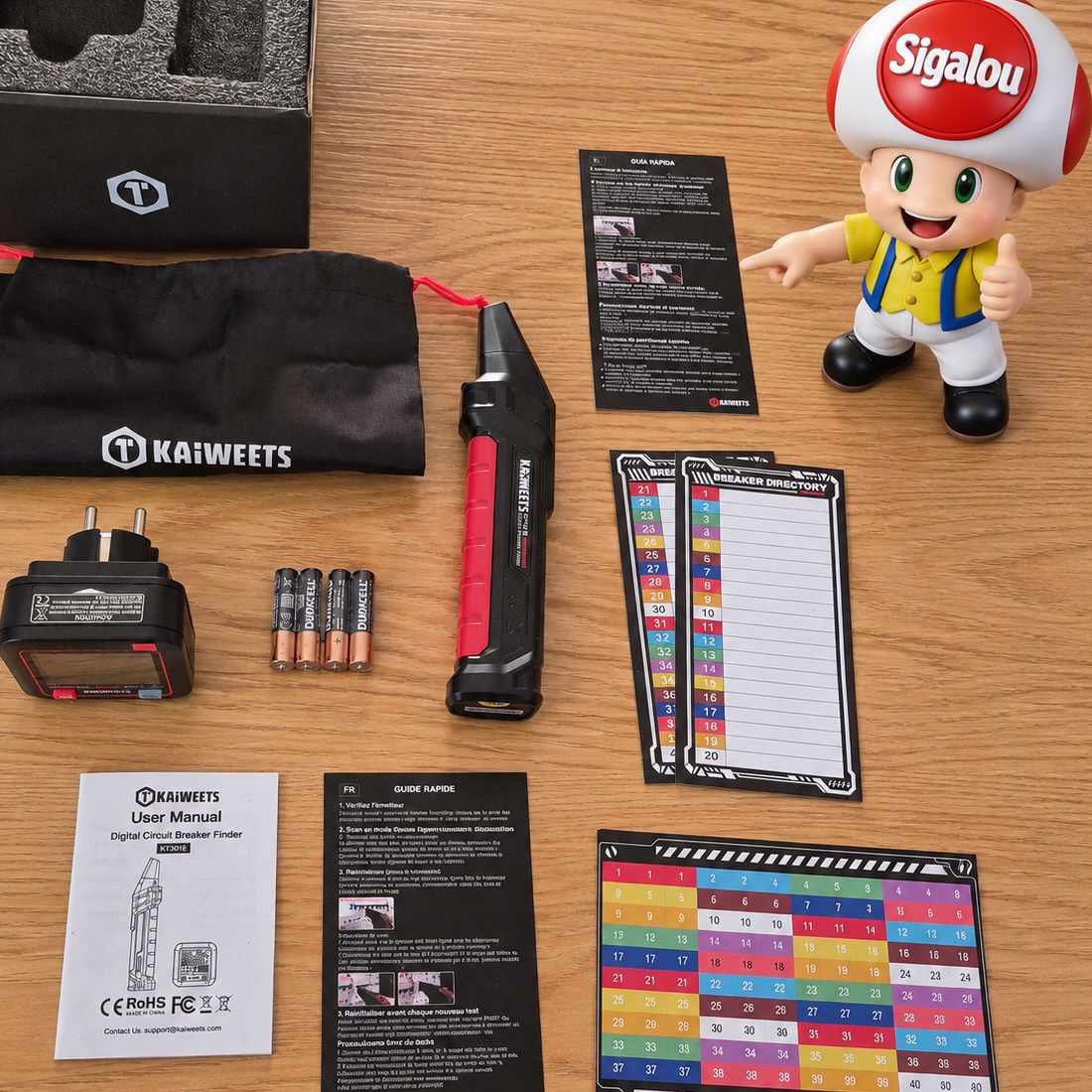
At the reception, I unpack everything: transmitter, receiver, AAA batteries, instructions.
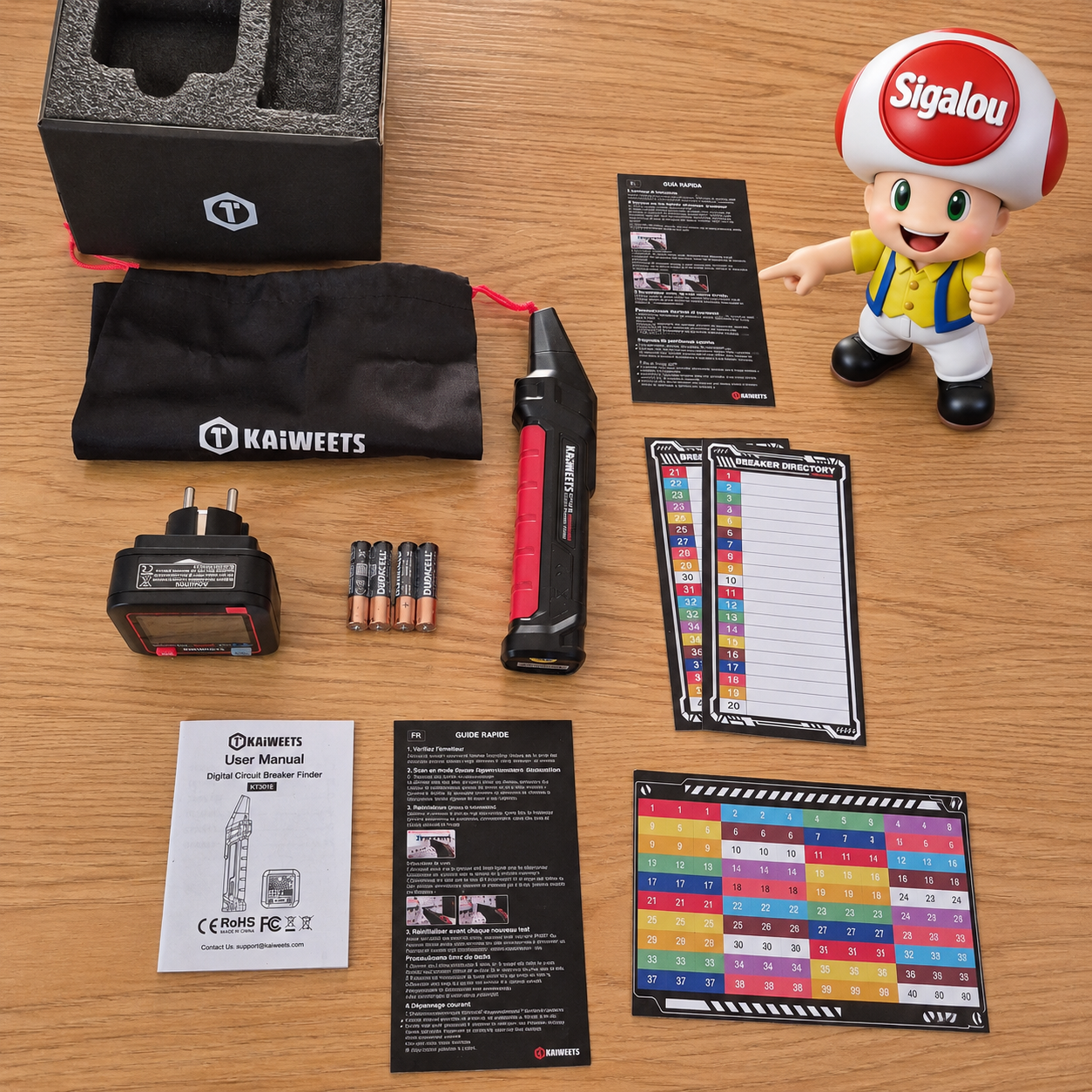
The kit consists of two distinct components:

  • Issuer : it plugs directly into the socket to be identified
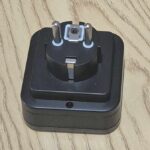
 

  • The receiver : it happens in front of the circuit breakers of the board

My first reflex is to compare the size of the two cases. The transmitter is compact and plugs into a socket. The receiver is a little larger, with an LCD screen and a built-in lamp.

The whole gives the impression of a simple product, without frills, but well thought out for domestic use.

🔧 Power on: I install the batteries

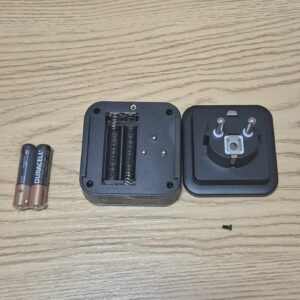
I note that the batteries supplied are Duracell, but it is still a good brand of quality, congratulations to the manufacturer.
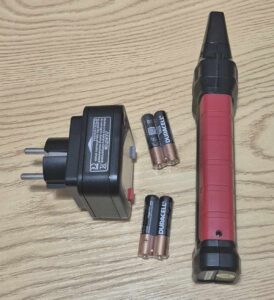
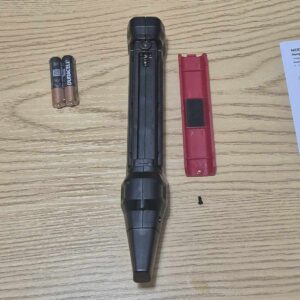
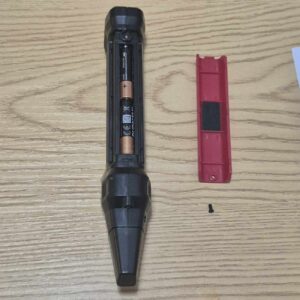
Batteries are not pre-installed. I therefore open the transmitter compartment and insert the AAA batteries in accordance with polarity.

On the issuer, the manual explains:
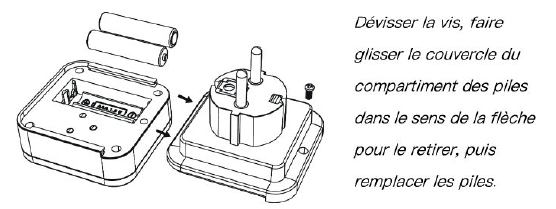
I do the same operation on the receiver.

Once the batteries are in place, I turn on both devices. The screens light up with backlight.

The appliance has an automatic shutdown after a period of non-use, which avoids empty batteries after occasional use.

🏡 First test: I control a socket

Before I start looking for a circuit breaker, I start with the most immediate function: the socket test.

I plug the transmitter into an outlet in the living room.
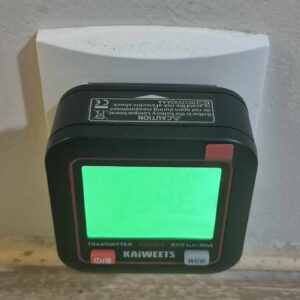
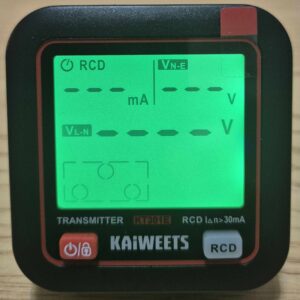
The screen then displays information on the voltage and status of the wiring. This is a good reflex before connecting home automation equipment, especially if you are working on an old installation.
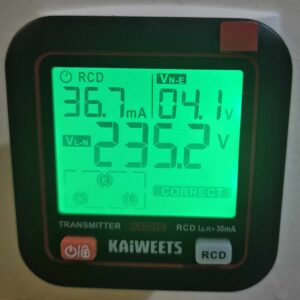
On a properly wired outlet, the display is clear and stable. This is reassuring, especially before installing a connected socket or module behind a switch.

I am surprised for a few seconds by saying to myself, well, he is in French, he says ‘CORRECT’ to me and then I realise that this is also said to be correct in English 🤣In any case, whatever the language, it is already a good sign.

⚡ I test the differential 30 mA

Then I test the RCD function, i.e. the differential test.

In France, we talk more often about DDR or 30 mA differential. The principle is simple: I press the RCD button of the issuer...
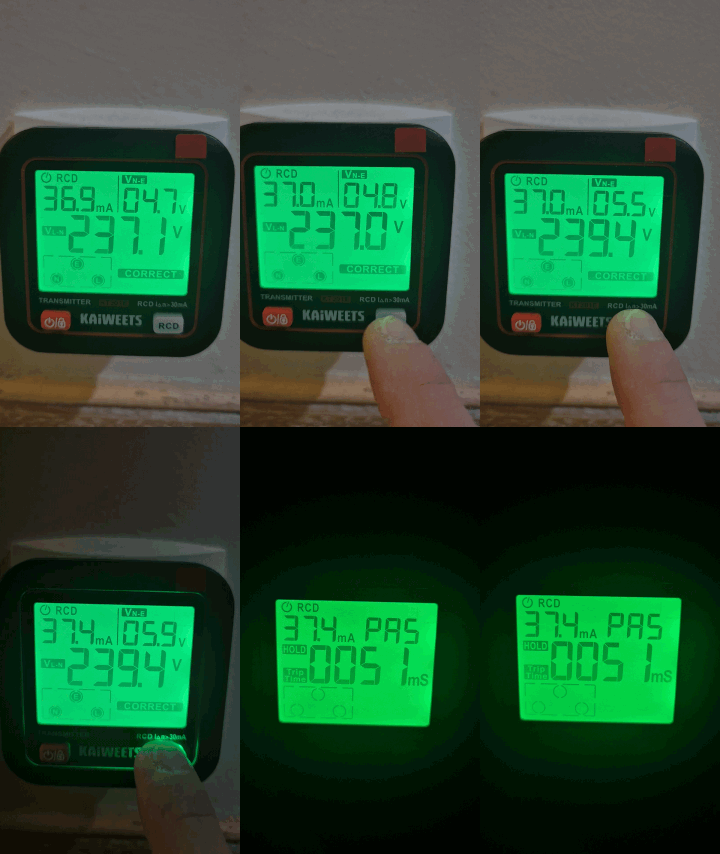
What's going on?

The differential 30 mA that protects this row is triggered: the circuits placed under its protection are then no longer fed. We see that the light also cuts off, it is in the same row.

The transmitter remains on and keeps the result on the screen. So I can take the time to read the different indications.

On my test, the KT301E displays a current of 37.4 mA and a trip time of 51 ms, or 0.051 seconds. The differential therefore reacted quickly to the tester's solicitation.

Be careful not to confuse the two values: milliamps (mA) correspond to the test current displayed by the device, while milliseconds (ms) correspond to the recorded trigger time.

The value of 37.4 mA should not be presented as a precise measure of the actual threshold of my differential: here I report what the KT301E displays during this test.

The indication ‘PAS’, accompanied by the green background, means that the device considers the test to have been passed. As for “HOLD”, this indicates that the result is kept on the screen: I read the stored result, not a measurement that continues to evolve.

The manual also specifies an important point: if the trigger time exceeds 100 ms, i.e. one tenth of a second, the screen switches to orange and displays ‘Err’.

On my essay, the recorded time is 51 ms: I am therefore below this threshold.

However, I keep an important nuance: the 100 ms correspond to the alert criterion adopted by the KT301E for this test. This is not a one-size-fits-all regulatory limit on its own to declare any differential compliant or defective.

What interests me here is to check concretely the reaction of the protection: I started the test from a socket, the differential of the row was triggered and the KT301E recorded his reaction time.

This is an interesting function to quickly check that a differential is triggered.

🔎 The main test: I find the right circuit breaker

Now let's get to the heart of the matter: find the circuit breaker that powers a socket.

For example, in my row which has just broken down (see previous paragraph), I have a breaker with Plugs Living room (4) Kitchen (2) and another with Kitchen Plug (6) So I can be in doubt if I want to know where one of my kitchen sockets is connected.
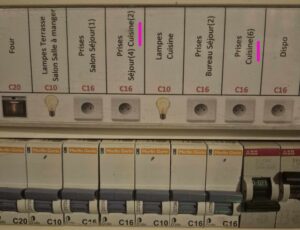
I choose an outlet whose circuit I already know. This will allow me to check whether the KT301E find the right circuit breaker.

I plug the transmitter into the outlet.
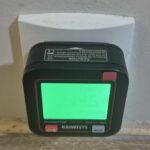
Then I take the receiver and go in front of the switchboard.

The method is simple:

  1. I plug the issuer into the socket to be identified.
  2. I turn on the receiver.
  3. I move it away from the board to reset it.
  4. I go back slowly in front of each circuit breaker, without jumping from one to the other.
  5. I observe the signal strength, beeps and indications on the screen.
  6. I confirm when the buzzer becomes continuous and the red LED lights up.
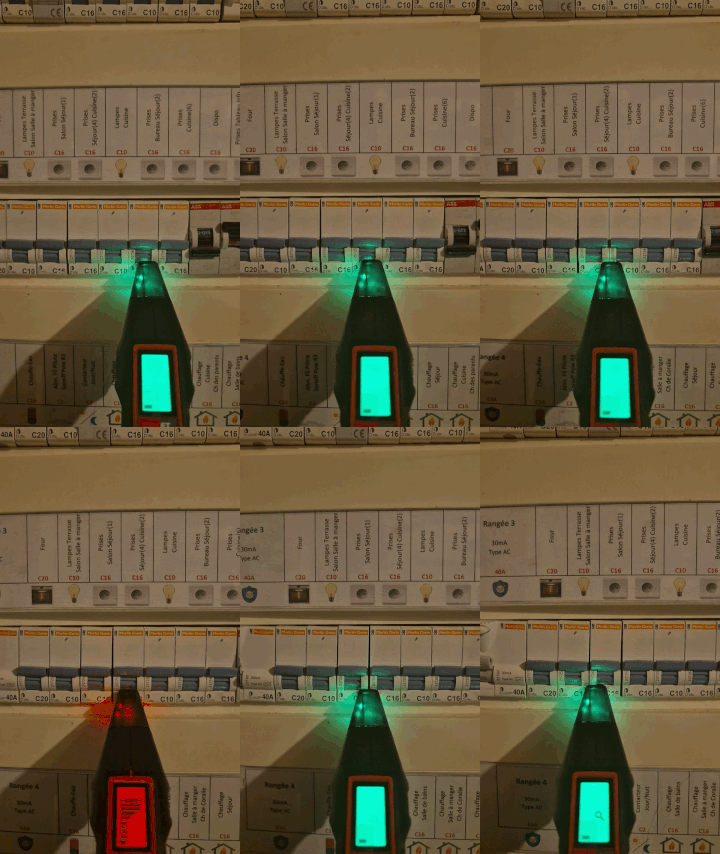
At first, the signal is weak. Then, as I approach the correct circuit breaker, the beeps get closer and the receiver indicator increases.

When I pass the right circuit, the buzzer becomes continuous and the red LED lights up.

I then repeat the passage a second time, to confirm the result. It’s almost magical!

In a dense table, with several circuit breakers close to each other, this avoids a misinterpretation.

🔄 Plug upside down: I test phase/neutral reversal

I continue with another function of the KT301E : control of the polarity of the plug.

The idea is to check whether the phase and the neutral arrive at the locations expected by the tester. This is done with the transmitter plugged into the socket, not with the receiver’s NCV mode.
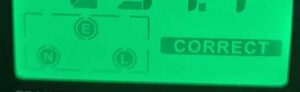
If the KT301E detects a phase/neutral reversal, displays the corresponding indication and its backlight turns orange. The screen therefore immediately catches my attention: it does not find the expected polarity.
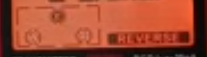
Note that I do not have to do the RCD test with an outlet whose wiring is indicated as correct, in accordance with the instructions.

🔦 The NCV mode: contactless detection

The receiver also integrates an NCV mode, for Non-Contact Voltage, i.e. non-contact voltage detection.

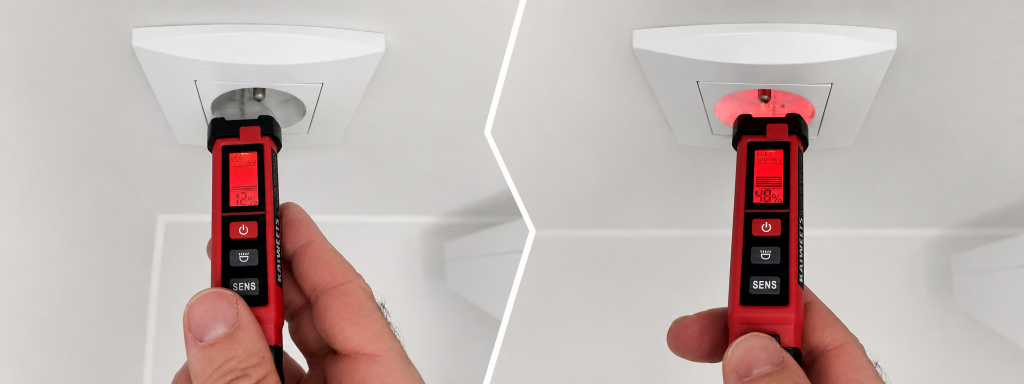
I find here the principle of my KTL01 : approach the detector to an outlet or cable to detect the presence of a voltage, without directly touching the driver.

But at the first try, I'm looking a little bit at how to activate this function! It is not enough to turn on the receiver: the NCV mode selection control must then be pressed for a long time.

So I turn on the receiver and then hold down this control to switch to NCV mode. For this use, I do not need to plug the transmitter into a socket: the receiver works on its own.

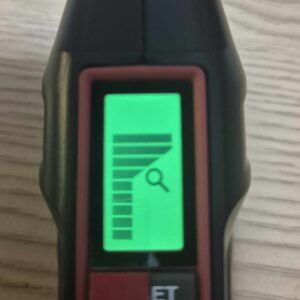
When the mode is activated, the screen displays NCV
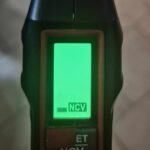
Once the mode is activated, I approach the tip of the receiver from a powered outlet.

When a voltage is detected, the receiver emits an audible signal, the detection LED turns red and a bar on the screen indicates the intensity of the received signal. Nothing complicated, it works perfectly.

Warning: this bar represents a detection intensity, not a voltage measurement in volts. It does not therefore make it possible to read ‘230 V’ directly as on the transmitter plugged into a socket.

It is a practical function to have this identification directly on the KT301E.

For this specific need, however, I continue to favor my KTL01 : its pen size and sensitivity adjustment are more natural to handle when approaching a socket or cable.

So both devices share the same basic function, but that doesn't mean their detection ranges, sensitivity, or behavior are the same.

And I keep the same safety rule: the absence of a signal does not prove the absence of voltage. The NCV mode remains a tracking aid and does not replace a voltage-free check with a suitable device before any intervention.

⚙✘ My tips for using

  • Always start with a known catch : this makes it possible to check that the transmitter and receiver are working properly
  • Reset the receiver remotely from the array : This is an important step before starting the scan
  • Repeat the scan twice : useful when the board is dense or the circuit breakers are close
  • Use the built-in lamp : very practical in a dark technical room
  • Test outlet before spotting : this already makes it possible to check that the circuit is powered and that the wiring seems correct
  • Confirm result : cut the identified circuit breaker, then check that the socket is off
  • Keep the KTL01 at your fingertips : the KT301E identifies the circuit, the KTL01 helps to check the voltage before intervening
  • Turn off manually after use : even if the automatic shutdown exists, I prefer to avoid emptying the batteries unnecessarily

💬 My opinion after several uses

✅ Strengths:

  • Very convenient to find a circuit breaker without cutting the whole house
  • Transmitter and receiver easy to understand
  • Integrated socket test, useful before a home automation installation
  • Detection of phase/neutral inversions, with indication on the screen and orange backlight, to be interpreted according to the direction of connection
  • Appreciable RCD differential test to verify that a DDR is triggered
  • Backlit LCD screens and integrated lamp
  • NCV mode as a bonus
  • Automatic shutdown after non-use
  • Interesting addition to the KTL01

❌ Weaknesses:

  • Needs to follow the method well to get reliable tracking
  • The result must always be confirmed before intervention
  • Less compact than a simple pen-type NCV tester
  • The notice should be more detailed on specific cases.

My verdict: The Kaiweets KT301E does not replace my KTL01, it completes it.

The KTL01 remains my reflex to check for voltage before touching a cable or module. The KT301E, he becomes my ally to quickly find the circuit breaker that powers a socket.

For anyone who regularly installs connected sockets, modules or home automation equipment, it is a tool that can save valuable time and avoid unnecessary back and forth between the room and the electrical panel.

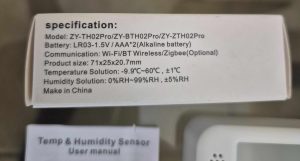
I test the temperature/humidity sensor Zigbee ZY-ZTH02Pro

I am particularly curious, I come across a low-cost Zigbee thermometer and humidity sensor with screen.

The model ZY-ZTH02Pro focus on the essentials: temperature, humidity, battery and Zigbee2MQTT integration.

I saw him pass by, is he up to the task of equipping several parts without blowing up the budget?

At this rate, it is a great opportunity to multiply the measuring points.

🔍 I check the received model

  • On the carton : exact model ZY-ZTH02Pro
  • Type of equipment : temperature and humidity sensor with display
  • Protocol : Zigbee 3.0
  • Power supply : 2 AAA batteries not included
  • Intended installation : placed on a piece of furniture or fixed to the wall, with double sided provided
  • Measuring ranges : indoor ambient temperature and humidity
  • Dimensions / IP : compact format for indoor use, no special protection rating

🛒 Where to buy this equipment?

Here is the link to the page dedicated to ZY-ZTH02Pro.

I will refer to the sellers and prices as I find them.

Always beware of imitations on AliExpress and mistranslated cards. Check the exact model name and reviews before ordering.

📦 Unpacking and First Impressions

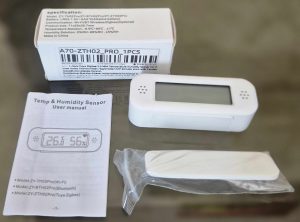
At the reception, I unpack: the Sensor ZY-ZTH02Pro, its package leaflet and its packaging.

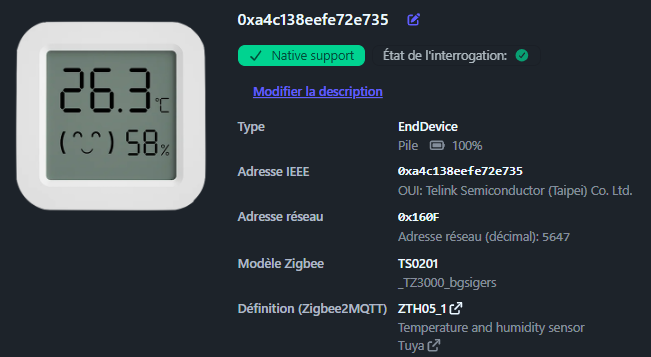
Good surprise, the format is really compact and the screen is well readable, even on a table or shelf. The numbers are big, the humidity icon is clear.

Correct plastic, low-end, we are not on the quality of the Sonoff SNZB-02D or an Aqara. But this is not surprising at this price.

This model is minimalist: no battery provided, but a double sided to fix it.

🔧 Opening box and battery

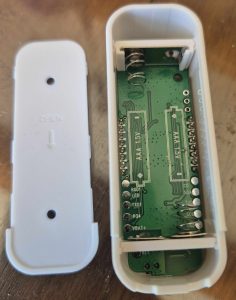
This equipment is not supplied with a battery. On the box, it is indicated 2 x AAA.

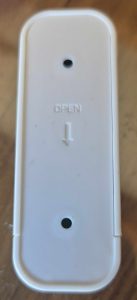
The opening remains classic on this kind of small sensor, with a rear hatch that is easy to remove to access the battery. No screws, just a clip.

I use these batteries. I'll check the meaning before I close.

I always take a few seconds to check the state of the battery before pairing. This avoids many false problems at the time of Zigbee integration.

🔗 I pair in Zigbee2MQTT

  • I switch Zigbee2MQTT to peering mode from the interface.
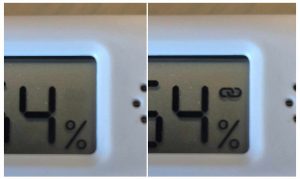
  • The sensor pairing starts as soon as I put the battery on. A small link logo flashes at the top right of the screen.

  • When paired, the icon stops flashing. Perfect, often less than 10 seconds.
  • Detected as TS0201. It can be inferred that this ZY-ZTH02Pro shares the same firmware base as other business models.
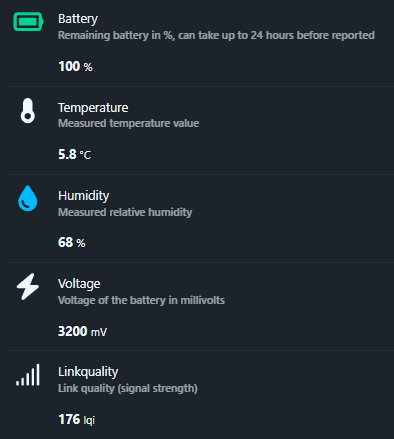
  • Entities detected: battery, temperature, humidity, voltage

The exhibitions available are simple and clean, which suits me very well for basic and efficient home automation use. Just what it takes to historize and display.

The image does not match, it is that of a TH03 or TH05.

🏠 Integration in Home Assistant

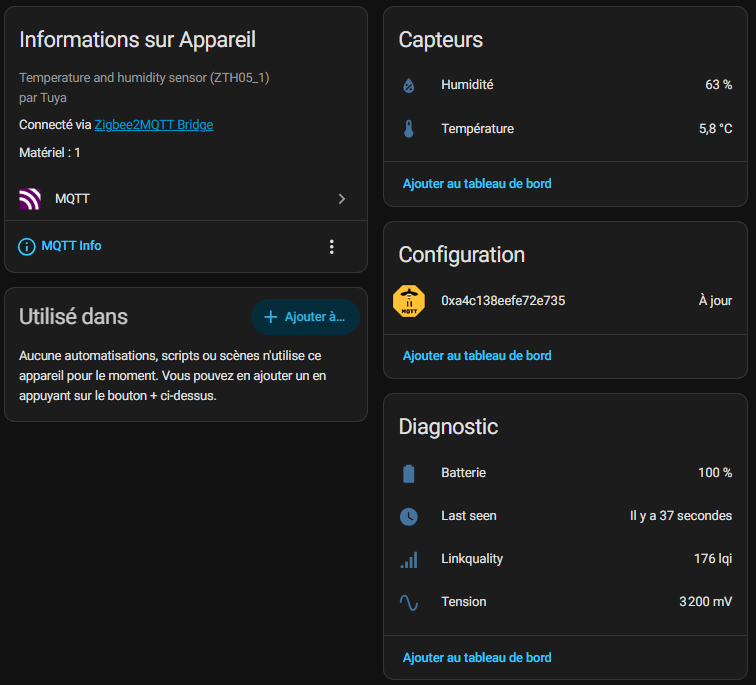
I then find the device in Home Assistant with the usual entities retrieved by Zigbee2MQTT. I therefore have the temperature, humidity, battery level and battery voltage.

What I appreciate here is immediate integration. I do not need a complex trick to start historising the measurements or displaying them on my dashboard.

Formats are good, nothing to do or configure. Units °C and % are correct, the graphics are generated without problems.

📊 My first measurements

I always start by comparing this type of sensor with one or two other devices already in place. This allows me to quickly see if the ZY-ZTH02Pro Tells anything or stays within a credible range.

Well, honestly, he's good at almost nothing. I have several thermometers of several brands, they are not far from each other.

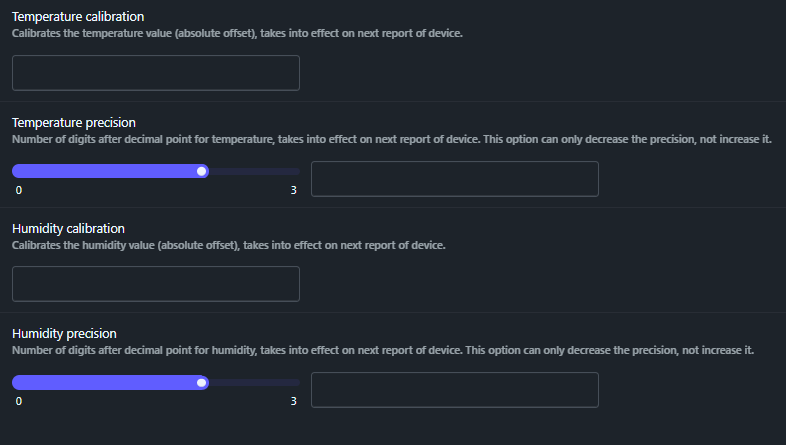
The manufacturer has planned a possible correction thanks to offsets, bravo! Thus, if I am certain that it shifts by 0.2 °C, I offset this value in Zigbee2MQTT.

Please note that the offset will be applied to the value displayed in Zigbee2MQTT and Home Assistant, but not on the thermometer screen. The screen remains on the raw sensor measurement.

I even advise to decrease the accuracy to 0.1, so 1 digit after the comma. This saves the battery, you do not need the temperature to the nearest 0.01, 0.1 is more than enough indoors. And no decimal places for humidity.

📅 Installation and monitoring of batteries

  • Installed on : 30/08/2026

As this model works on battery, I always keep an eye on the battery level and the voltage raised. This is often more useful than the simple percentage, especially on small economic sensors.

I note the date of installation in a table or in a note, to be able to estimate the actual lifetime of the battery over time.

🔍 What communities say

Problems: I went through the community forums, few specific feedbacks on the ZY-ZTH02Pro. This is a good sign, no major bugs reported en masse.

Some messages indicate that the accuracy may vary slightly depending on the location, the battery used and the frequency of data retrieval. Nothing unusual about this type of sensor.

We must therefore avoid comparing it to a high-end weather station. It is designed for ambient monitoring, not for reference measurement.

My tips: I allow the sensor to stabilise a few hours after installation, compare with another known probe, then apply a temperature or humidity calibration in Zigbee2MQTT if necessary.

💬 My opinion after commissioning

✅ Forts: very low price, readable screen, simple Zigbee2MQTT integration, temperature and humidity measurements, battery and voltage tracking, compact format.

❌ Weak: very basic finish, precision to be checked according to use, sensor especially designed for simple ambient monitoring, not for a reference measurement, no battery or double-sided provided.

My verdict: for its price, I find this ZY-ZTH02Pro frankly interesting.

I would gladly use it to equip several rooms in the house on a low budget, especially if I want to multiply the measuring points without exploding the total cost of my Zigbee installation.

I'm testing the Kaiweets KTL01 non-contact voltage tester

🎯 Electrical safety before home automation!!

I will be honest with you: I have long been afraid to touch my electrical circuits. A few years ago, when I wanted to change a socket, I neglected to check whether the circuit breaker was properly cut.

Result: an unpleasant ⚡ discharge that shook me well and reminded me that electricity does not forgive. Since that day, before each intervention, I have become paranoid.

And that’s exactly why I have the Kaiweets KTL01, a non-contact voltage tester that prevents me from reliving this moment.

On this blog, I test a lot of Zigbee equipment, sensors and home automation modules. But before installing them, you often have to touch electricity. Here is my full feedback after several weeks of use.

⚡ Why this tester in my home automation toolbox

After my chestnut, I changed the way I worked.

No more trusting the circuit breaker alone.

I need to systematically check that there is no tension before touching a wire.

Whether it is to install a Zigbee jack, a Sonoff module, a siren or a sensor, I always start by checking that the circuit is off.

The Kaiweets KTL01 offers me this security: it detects the presence of an electric field linked to an alternative voltage, without contact, directly through the cable insulation.

And the icing on the cake: it makes it possible to compare the intensity of the signal between phase and neutral, which helps me with wiring. No more the stress of wondering if I cut the right circuit.

🏢 Who is Kaiweets?

Kaiweets is a Chinese brand specialising in electrical measuring devices and tools for both professionals and private individuals.

The brand says it was created in 2018. However, the first legal traces I found date back to 2019, when Shenzhen Xinsuicheng Trading Co., Ltd., a company that owns Kaiweets brands and markets the products on different platforms, was founded in Shenzhen.

For the KTL01, the manual designates as manufacturer Shenzhen Wanhe Innovation Technology Co., Ltd., also installed in Bao’an District in Shenzhen. The tester is marked "Made in China". However, it is necessary to remain precise: the documentation identifies Kaiweets as a manufacturer, but it is not clear whether the plant is owned directly by Kaiweets or whether it is an industrial partner in charge of production.

Kaiweets also has a contact office in Hong Kong under the name KAIWEETS Technology Limited.

For Europe, the mark indicates that it relies on local stocks to shorten delivery times, but it does not publish the precise address of its European warehouse. The Manual of the KTL01 also mentions CET Product Service Sp. z o.o. in Poland as the European representative. It is a regulatory relay for the European Union, not necessarily a distributor or an after-sales service.

On the commercial side, Kaiweets sells directly on its site and also goes through platforms such as Amazon, TikTok Shop or ManoMano. The brand is also looking for wholesalers and distributors and runs an affiliate programme. We are therefore facing a recent Chinese brand, mainly focused on international e-commerce, with declared manufacturing in Shenzhen and logistics and regulatory relays in Europe.

🔍 Why I chose the KTL01 from the Kaiweets

Kaiweets offers several voltage testers, each with its own specificities. Here is a precise comparison of the models I have identified:

Model Type Detection NCV Beach Dual-range Phase/neutral Screen Security
KTL01 NCV Pen Tester Contactless 12-1000V AC Yes (12-1000V / 70-1000V) Yes (by intensity) Color LCD % + bar CAT IV 1000V
HT100S NCV Pen Tester Contactless 12-1000V AC Yes (12-1000V / 70-1000V) Yes (by intensity) LCD % + bar CAT III 1000V / CAT IV 600V
HT100 NCV Pen Tester Contactless 12-1000V AC Yes (12-1000V / 48-1000V) Yes (by intensity) LCD + bar CAT III 1000V / CAT IV 600V
VT200 NCV Pen Tester Contactless 12-1000V AC Yes Yes (by intensity) LED Bars CAT III 1000V / CAT IV 600V
KTS01 Screwdriver Tester Contact + NCV 3-300V AC No Yes (by intensity) LCD indicator Not specified
KTS02 Screwdriver Tester Contact + NCV 3-300V AC No Yes (by intensity) LCD indicator Not specified
ST100 Smart Multimeter Pen Contact + NCV 12-1000V AC No Yes (by intensity) LCD 4000 counts CAT III 600V

My choice of KTL01 It focused on a number of criteria:

  • CAT IV 1000V : the KTL01 offers the highest safety in the range, unlike the HT100S (CAT III 1000V / CAT IV 600V) and ST100 (CAT III 600V)
  • Phase/neutral indication by intensity : like other NCV models, it allows to compare the signal intensity between phase and neutral, crucial for my home automation installations
  • Informative Color LCD Screen : percentage + graphic bar + colours, more readable than the LEDs of the VT200 or the single screen of the HT100
  • Dual-range (12-1000V / 70-1000V) : versatility to avoid false positives near transformers, absent on the ST100
  • Compact pen format : fits in the pocket, practical clip, more discreet than a complete multimeter like the ST100
  • Built-in flashlight : practical for darkboards, absent on KTS01/KTS02
  • Auto stop 5 minutes : better compromise than 3 minutes (HT100, VT200) or 15 minutes (ST100)

The ST100 tempted me with its precise AC/DC measurements (up to 600V) and its multimeter functions (resistance, capacity, frequency, diode, phase sequence), but for my use (check no voltage before intervention), the KTL01 I'm more than enough.

The KTS01/KTS02 are test screwdrivers, practical but limited in range (3-300V) and without dual-range.

The HT100S is very similar to the KTL01, but with slightly lower safety (CAT III 1000V / CAT IV 600V).

The VT200 has an LED display that is too basic for my use.

The KTL01 therefore offers the best compromise security/features/price.

🔍 I check the received model

  • On the carton : reference KTL01 perfectly visible
  • Type of equipment : Non-contact voltage tester (NCV) with phase/neutral indication by signal intensity
  • Protocol : Passive Electromagnetic Detection
  • Power supply : 2 x 1.5V AAA batteries (to be installed, supplied)
  • Detection ranges : 12-1000V AC (High Sensitivity), 70-1000V AC (Low Sensitivity)
  • Dimensions / IP : pen size, pocket clip, CAT IV 1000V

🛒 Where to buy the Kaiweets KTL01?

Here is the link to the page dedicated to KTL01.

I referenced the sellers and prices.

📦 Unpacking and First Impressions

At the reception, I unpack everything: tester KTL01, 2 AAA batteries, multilingual leaflet.

The case is compact, fits in one hand.

The LCD screen is well protected by a film.

My impression: solid finish, reactive buttons, sturdy clip for the pocket.

🔧 Powering on: I install the batteries

Batteries are not pre-installed. I'm unscrewing the back cover of the tester. I place the two supplied AAA batteries respecting the polarity (+ and -).

I'm back on the hood.

I press the red button: the screen lights up with backlight.

I test the SENS button to switch between High Sensitivity (12-1000V) and Low Sensitivity (70-1000V).

The integrated LED lamp is activated with the dedicated button (centre).

Automatic shutdown occurs after 5 minutes without use.

First test on a socket of the show: immediate beep, red screen. Perfect, it works at this point.

🏡 My security ritual before every home automation installation

Before touching a thread, I now have an immutable ritual.

First, I switch off the general circuit breaker or the circuit breaker concerned.

Then I take my KTL01 in my pocket.

I activate it in high sensitivity (12-1000V).

I pass the tip near the wire to be stripped, the socket to be changed, the module to be installed.

If the screen remains green and silent: This is a good sign, but I remain cautious.

If it beeps and turns red: I'm going back, I'm going to check my circuit breaker again.

This ritual, I do systematically now. It takes 10 seconds, but it prevents me from being discharged again.

Attention: an absent signal does not prove the absence of voltage. The KTL01 may not detect some conductors (blinded, in metal sheath, too far away, etc.).

I therefore do not consider it to be a voltage-free tester (VAT) in the regulatory sense.

⚡ Differentiate phase and neutral: assistance in locating

A feature I tested: comparison of the signal strength between phase and neutral.

The manual indicates that the phase wire usually produces a stronger signal than the neutral. To perform this test, I can even test it in nothing to disassemble, facing each hole in a socket.

I compare the percentage displayed and the bar graph.

The hole that generates the most intense signal is usually the phase (right here), while the neutral produces a weaker signal.

On the phase, the % varies between 40 and 60% on one socket and neutral between 5% and 15%.

I notice that the tester does not blink and sound the same way.

This indication, however, depends on the distance between the tester and the driver, the insulation, the arrangement of the wires and the structure of the socket.

A good old tester screwdriver can confirm the phase but you have to touch the copper.

🔎 Follow a driver: a possibility to be checked

The signal of the KTL01 evolves when I move the tester along a driver.

This observation may be interesting to follow an accessible cable, but it does not allow to conclude with certainty that a break is at the point where the signal disappears.

A decrease in signal may be caused by distance, thickness of insulation, metal sheath, shielding or the position of my hand.

To really look for a break, you have to use a suitable device, for example a continuity tester or a cable locator.

⚙ My tips for use

  • High sensitivity : for 120V/240V domestic circuits, wide detection, this is my main use
  • Low sensitivity : near transformers, grouped circuit breakers, to avoid interference
  • LED lamp : very useful in dark paintings or poorly lit basements
  • Pocket clip : I always keep it on me, like a screwdriver
  • Auto Stop : saving batteries, but turning it off manually after each use
  • Systematic testing : always test on a known power socket before intervention
  • Phase/neutral : compare signal strength, not automatic identification

🔍 What communities say and tests online

Positive points noted:

  • Reliable detection from 12V in High Sensitivity
  • LCD screen with percentage and very readable graphic bar
  • CAT IV 1000V, EN61010-1 compliant for safety
  • Compact, practical clip, appreciated LED lamp
  • Excellent value for money (~20-25€)
  • Signal intensity phase/neutral indication

Limits indicated:

  • Low sensitivity (70-1000V) can miss very low voltages
  • Possible false positives near transformers or bundled cables
  • Multilingual notice but not always very detailed

My personal tips after several weeks:

  • Always test on a known power outlet before you start
  • Keep the KTL01 in the pocket with the clip, always at hand
  • Never trust only the circuit breaker: always check with the tester
  • Use signal comparison for my socket wiring and luminaires
  • Take it out before each home automation installation: Zigbee, module, plug, etc.

💬 My opinion after several weeks of use

✅ Strengths:

  • Reliable and fast NCV detection on 120V/240V home
  • Clear LCD screen with percentage + graphic bar + colors (red/green)
  • Dual-range (12-1000V / 70-1000V) very practical according to context
  • Signal intensity phase/neutral indication, useful for wiring
  • Compact pen size, pocket clip, built-in LED lamp
  • CAT IV 1000V safety, the highest in the Kaiweets range
  • Price accessible for these features (~20-25€)
  • Reassures me before each intervention, ends the paranoia
  • Perfect complement to my home automation toolbox
  • Best compromise security/features/price in the Kaiweets range

❌ Weaknesses:

  • Low sensitivity not very useful below 70V (thermostats, doorbells)
  • Some false positives near transformers or bundled cables
  • Notice could be more detailed on borderline cases

My verdict: The Kaiweets KTL01 became my inseparable companion for all my electrical and home automation interventions.

After my bad experience, he gave me the psychological security I needed.

Its informative LCD display, its reliable detection and its ability to compare the intensity of the signal between phase and neutral make it a tool that I always keep in my pocket.

For ~€20-25, this is the best compromise in the Kaiweets range for regular home automation use, especially thanks to its CAT IV 1000V certification.

I highly recommend it to all Domotic handymen, especially those who have already taken a "chestnut" like me.

It is well worth it to sleep quietly before touching a wire, a Zigbee socket or a Sonoff module.

📊 Full technical data sheet

Characteristic Specification
Model Kaiweets KTL01
Type Non-contact voltage tester (NCV) with phase/neutral intensity indication
Detection range 12-1000V AC (High Sensitivity), 70-1000V AC (Low Sensitivity)
Frequency 50-60 Hz
Security CAT IV 1000V, double insulation, IEC 61010-1 compliant
Power supply 2 x 1.5V AAA batteries (to be installed)
Automatic shutdown Yes, after 5 minutes
Low battery indicator Yes, 2.5V < alert, 2.3V auto < shutdown
Screen Backlit LCD with percentage + graphic bar
Alerts Sound (buzzer) + visual (red/green LED)
LED lamp Yes, dedicated button
Phase/neutral indication Yes, by comparison of signal strength
Operating temperature -10°C to 50°C
Dimensions Pen size, ~150mm x 30mm
Weight ~80g with batteries
Colour Orange and black
Warranty 36 months (according to seller)

I test a Zigbee socket for less than 10 €

⚠ Safety Warning

This test describes the home automation behaviour of a generic Zigbee socket below €10 (integration, measurements, Zigbee traffic, etc.). It does not constitute an electrical safety test bench within the meaning of independent laboratories.

This type of low-cost socket, without a strong brand or clearly verifiable certification, is not not suitable high-consumer or critical appliances (washing machines, tumble dryers, radiators, water heaters, ovens, etc.). For these uses, I recommend products from identified manufacturers, with serious documentation, explicit certifications and reputation to defend.

I now reserve this type of equipment for modest charges, in scenarios where a possible default would remain limited. Everyone remains responsible for their choices: do not take this test as a security validation, but as a home automation feedback.

I am now testing a Zigbee jack for less than €10, a generic model purchased from several different sellers, with no real brand highlighted.

I wanted to check if this type of first prize take could really find its place in Zigbee2MQTT and Home Assistant, without blowing up my budget or degrading my Zigbee network.

At this price, I am mainly looking for a simple socket, able to make on/off cleanly, to reassemble coherent measurements, and to remain reliable over time, for reasonable charges Not for the worst consumers in the house.

🎯 My objectives

I need a connected socket to control a charge and track its power consumption.

I therefore chose this generic model, sold in several very similar forms depending on the shops.

My idea is simple: check if this very economical take can really serve on a daily basis, without complicating my life in Zigbee2MQTT and Home Assistant, limiting it to prudent uses.

I also want to understand how far I can trust him. A connected socket is not just a home automation gadget. It is a device connected to the mains, which must hold the load, measure correctly, and not become a weak point in the house. On this point, I cannot replace laboratory tests: my tests remain those of an informed user, not a certification body.

🔍 I check the received model

  • On the technical sheet : the reference is not really clear.
  • On the carton : the packaging is identical from one seller to another.
  • Type of equipment : Zigbee wall socket with consumption measurement.
  • Protocol : Zigbee.
  • Power supply : sector.
  • Intended installation : Testing in Home Assistant.
  • Measuring ranges : power, current, voltage, energy.
  • Dimensions / IP : compact format, indoor use.

I also note the presence of a CE marking on the label.

I take it up, of course, but without giving him blind trust. The subject of fake logos or ‘China Export’ markings very close to the real CE logo reminds us that we cannot just use a pictogram on a cardboard to talk about security.

On this type of first-rate material, I like to remain cautious and look above all at the actual behaviour of the product, bearing in mind that this does not replace tests conducted by independent laboratories.

🛒 Where to buy this equipment?

I cannot speak here of a real trade mark in the classical sense of the word. It is a generic product, visibly distributed by several different sellers with the same photos, the same promises and, ultimately, products that look identical.

The price recorded varies between €8 and €10, depending on the periods, promotions and probably also the mood of the sellers.

This is exactly the type of purchase where a lottery share is accepted.

On sales sites, there is no clear distinction between a good series and a less successful series.

Everything looks the same to the eye. However, behind the same shell, the behavior can vary depending on the batch, firmware or manufacturing quality.

I still give the link to the Sigalou Lab Sheet TS011F to the seller from whom I bought the test.

📦 Unpacking and First Impressions

At the reception, the cardboard is at the size of the socket.

The product is properly kept inside, so I cannot say that the packaging is sloppy.

On the other hand, a detail quickly leaps to the eye: the ink on the label is drooling on almost all the models I have received. At first glance, it almost feels like the boxes are coming dirty. In fact, it is above all a print linked to a very average print quality.

The catch, itself, surprises me rather well. Plastic is serious, and I find it close to that of some major brands.

I don’t feel the hollow gadget or ultra-low-end plastic effect at all. This is even one of the first good points of this product.

The instructions for use, on the other hand, frankly deserve the medal of the useless document. There is, so I cannot say that he is absent, but he brings almost nothing. Fortunately, in a Zigbee2MQTT and Home Assistant environment, I do without difficulty.

Comparison with the Nous A7Z

I like the Nous A7Z that I have been using for several years, here is a small physical comparison (La Nous is always on the right in the image).


🔧 Power On

I simply start my test: I'm plugging in the plug.

As soon as the power is turned on, the blue LED on the button starts flashing immediately. This is exactly the behaviour I was hoping to see. This means that the socket enters directly into pairing mode, without complicated manipulation.

I find this important, especially for a generic product. When a low-cost device wastes me time from the first minute, it already leaves with a disability.

This is not the case here. The plug behaves properly from the first connection.

🔗 I pair in Zigbee2MQTT

  • I am authorising Zigbee2MQTT to be paired.
  • I'm plugging in the plug.
  • The blue LED flashes immediately.
  • The catch shall be detected without delay.
  • I rename it as Testing.
  • I enable the update of the Home Assistant Entity ID.

The association is going exactly as I had hoped. In a few seconds.

I do not need to start over, unplug, or try exotic manipulations. Everything is done naturally, which is always nice on a generic product without serious documentation.

In Zigbee2MQTT, the socket is recognized as TS011F with the definition TS011F_plug_3.

TS011F is exactly the same Zigbee model as the We Plug A7Z which I like, which I tested here: I'm testing the Zigbee We A7Z plug

It appears as a Tuya plug with polling consumption monitoring. This detail is very interesting, because it partly explains its behaviour and some measurement peculiarities.

🏠 Integration in Home Assistant

Once renamed, I go to Home Assistant.

I go through the parameters, then the development tools, then the view of the states. I just type taken, and I'll see you right away Testing. I then click on the equipment sheet to look in detail at everything it sets out.

In Device Information, I find the essential elements: Smart plug (with power monitoring by polling) (TS011F_plug_3), the manufacturer Tuya, connection via Zigbee2MQTT Bridge, firmware 500+TZSKT11RM106 and equipment indicated at 2.

For a generic take, I find the integration clean, readable and reassuring.

I also see maps of controls, sensors, configuration, activity and diagnostics. This view is very useful because it shows that the socket is not just visible in Home Assistant: it is properly integrated, with clearly separated and actionable functions.

📊 Exhibitions Zigbee2MQTT

I then look at the list of exhibitions in Zigbee2MQTT, because it is she who tells me precisely what I will be able to exploit in Home Assistant and in my automations. And there, the plug turns out to be rather complete for a model sold at this price.

  • State : on/off condition of the socket.
  • Countdown : stop after a defined period of time.
  • Power outage memory : behavior after power outage.
  • Indicator mode : LED management.
  • Power : instant power.
  • Current : instant current.
  • Voltage : measured voltage.
  • Energy : Cumulative energy.
  • Child lock : locking the physical button.
  • Linkquality : Zigbee link quality.

I am always attentive to this point, because some economic catches are much less talkative.

Here I find the essentials for serious use.

I can pilot, measure, diagnose, and adjust some practical behaviors without special DIY.

The catch is also recognized as router. This point counts a lot in a Zigbee installation, because a plug that is permanently connected is not only used to control a load.

It also strengthens the network's network. This is a bonus that I always appreciate.

⚙ Parameters I Set

I like it when a device offers options, but I like it even more when I can keep it simple. On this catch, I do not need to change everything to achieve consistent behaviour. So I keep a deliberately sober configuration.


  • Countdown : I'll leave it at 0.
  • Power outage memory : I put on Restore.
  • Indicator mode : I put on off/on.
  • Child lock : I leave on Off.

  • Calibrations and offsets : I am not touching it.

The setting Restore for the return after cut seems logical to me. If the socket was turned on before a cut, it comes back on. If it was switched off, it remains switched off. This is exactly the behaviour I expect in a serious home automation installation.

I also leave the Child lock disabled. My daughters have grown up, so I no longer need to lock the physical button. This detail may seem anecdotal, but it is also this kind of option that shows that a catch like this can adapt to very different life contexts.

As for the calibration parameters, I prefer not to touch them as long as the measurements seem consistent to me. I'm not here trying to turn this socket into a laboratory instrument. Above all, I want a simple, usable and reliable device for everyday home use.

🧠 What the reference TS011F _plug _3 hides

The reference TS011F_plug_3 is not an unimportant detail. Zigbee2MQTT describes it as a take with consumption measurement by polling.

Clearly, it is not always the catch that spontaneously pushes all its measures. It is often questioned by Zigbee2MQTT at regular intervals to recover voltage, current, power and energy.

This point explains the presence of the parameter measurement poll interval in the specific parameters. It makes it possible to define the frequency of querying the measurements. By default, the logic remains reasonable (60s), and in my case I prefer to keep this standard behavior rather than wanting to force more aggressive updates. It should be noted that this can be deactivated if it is not useful. This saves Zigbee network traffic.

I read that this reference also has a small reputation in home automation communities. Some series work perfectly. Others go back from blocked measurements to zero, or behave less cleanly depending on the firmware or versions of the integration. This is exactly the kind of important nuance to know before buying multiple copies of the same model.

In my case, with the firmware 500+TZSKT11RM106, the socket behaves correctly. Measurements go back up, the on/off works, and the overall integration is clean. So I obviously came across a good series, which further reinforces the good surprise side of this test.

⚠ My Doubt About First Prize Takes

I also prefer to remain honest on one point: this type of catch at very low prices is still a source of concern.

The CE marking is present, but it is not enough for me to resolve all the questions. I cannot know, at the time of purchase, whether I come across a perfectly controlled production or a more approximate batch.

So I always keep simple questions in mind: How will the socket behave if I go up in amperage? Will it heat up? Staying well in time? Getting safe? Aging properly?

Without concrete proof of default on my copy, I will not play the alarmist, but I find it healthy to keep this reasonable doubt.

I am also wary of overly simplistic speeches. We are often told that you have to buy more locally to avoid these risks, while many more expensive products are also made in China.

In my view, the real issue is not only the country of manufacture. It is above all the level of control, the specification and the consistency between the series. And now, who can know?

Probably not the final buyer, but independent laboratories and serious brands that pay for real checks.

In the end, I simply conclude that this doubt persists without it having to turn into paranoia.

I test, I observe, I keep common sense, and I no longer use this type of socket on the most demanding or critical devices. This is probably the most reasonable position on this kind of product.

🔌 I'm testing the physical button

I then check the physical button. He does exactly what I expect: a real local on/off. I press, the plug turns on or off. It is not a simple configuration button disguised as a command. It is a real manual control, usable on a daily basis.

For me, this point is very important. A connected socket that remains usable locally retains a form of common sense. In case of network problems, maintenance or just to go fast, I can always act directly on it.

⚡ I look at the electrical measurements

I then move on to the first values raised by the plug. When empty, I find a tension around 221 to 222 V, a power to 0 W, a current at 0 A and an energy to 0 kWh at the time of start-up. All this seems to me to be consistent.

I am obviously not comparing this socket to a professional metrology device, but for domestic use, the readings look clean and credible.

This is exactly what I expect from a consumption tracking plug in Home Assistant. When I want to know if my refrigerator is running or not, this is more than enough.

My feeling at this stage is pretty good: the measurements are consistent, the display is clear, and I don’t need to touch the calibrations to get something workable. At this price, it is already a very good basis.

🩺 I check the health of the Zigbee network

As this plug works with measurements taken by polling, I also wanted to check that it does not spam my Zigbee network. This is important because some sockets or settings can quickly add unnecessary traffic to an already loaded network.

To do this, I use the functionality Health by Zigbee2MQTT. It allows me to look at the total number of messages processed, as well as the number of messages per second. I just filter on Testing to observe his actual behavior.

The result is good. On my capture, I see 89 messages and approximately 0.0557 message per second. For me, it is very good. I don't see any signs of network spam or abnormal behavior. It will have to be confirmed with longer use.

This is reassuring, as it confirms that this catch can remain in production without visibly degrading the health of the Zigbee network.

🧹 I keep a clean record in Home Assistant

Once the tests have been completed, I disable the entities I no longer need in Home Assistant. I prefer to keep a clean, readable interface, and avoid multiplying unnecessary sensors or controls in my daily life. If I need to reactivate them one day, I can always adjust this afterwards in Zigbee2MQTT.

On the final view, I find a clear sheet with the information on the device, the main control, the useful sensors, the configuration retained, the recent activity and the diagnostic part. I really like this step, because it turns a simple technical test into a real clean integration for sustainable use.

This is also a point that is often missing in home automation product testing. Many show the pairing, but not the final state in production. However, it is often here that we see whether a device is really pleasant to live with or not.

🔍 What communities say

Issues raised: some TS011F series no longer correctly expose measurements, remain stuck at zero, or behave differently depending on the firmware and versions of the Zigbee integration.

What I get from it: with this type of Tuya jack first prize, there is always a bit of chance. When buying, there is really nothing to distinguish between a good series and a bad one. My copy behaves correctly, but this variability is part of the game.

My tips: I always start with a unit test, I check the exposures, I monitor the measurements, I look at the health of the network, and I never buy in large quantities until I have validated a first copy. And now, I reserve the tests with strong loads for products from identified brands, designed for this and accompanied by clear certifications.

💬 My opinion after commissioning

✅ Forts: very low price, immediate pairing, correct plastic, consistent measurements, physical on/off button, Zigbee2MQTT integration and own Home Assistant, useful router role, reasonable Zigbee traffic.

❌ Weak: no real brand, ridiculous notice, poorly printed label, quality difficult to judge at the time of purchase, reasonable doubt about the consistency between the series and the actual performance over time, lack of solid safety guarantees for high loads.

My verdict: I find this catch frankly interesting for its price for modest uses.

This is a good surprise, especially because she does the work without complicating my life. I still have an important reserve, as always with the first prize catches without real traceability or solid certification.

Without becoming paranoid, I simply prefer to remain lucid.

As long as you know what you are buying, that you are testing properly, and that you keep common sense, this can find its place in a low-budget home automation installation. but not on the most critical devices or the heaviest loads.

Comparative Smoke detectors/heat Zigbee – June 2026

Introduction and objectives

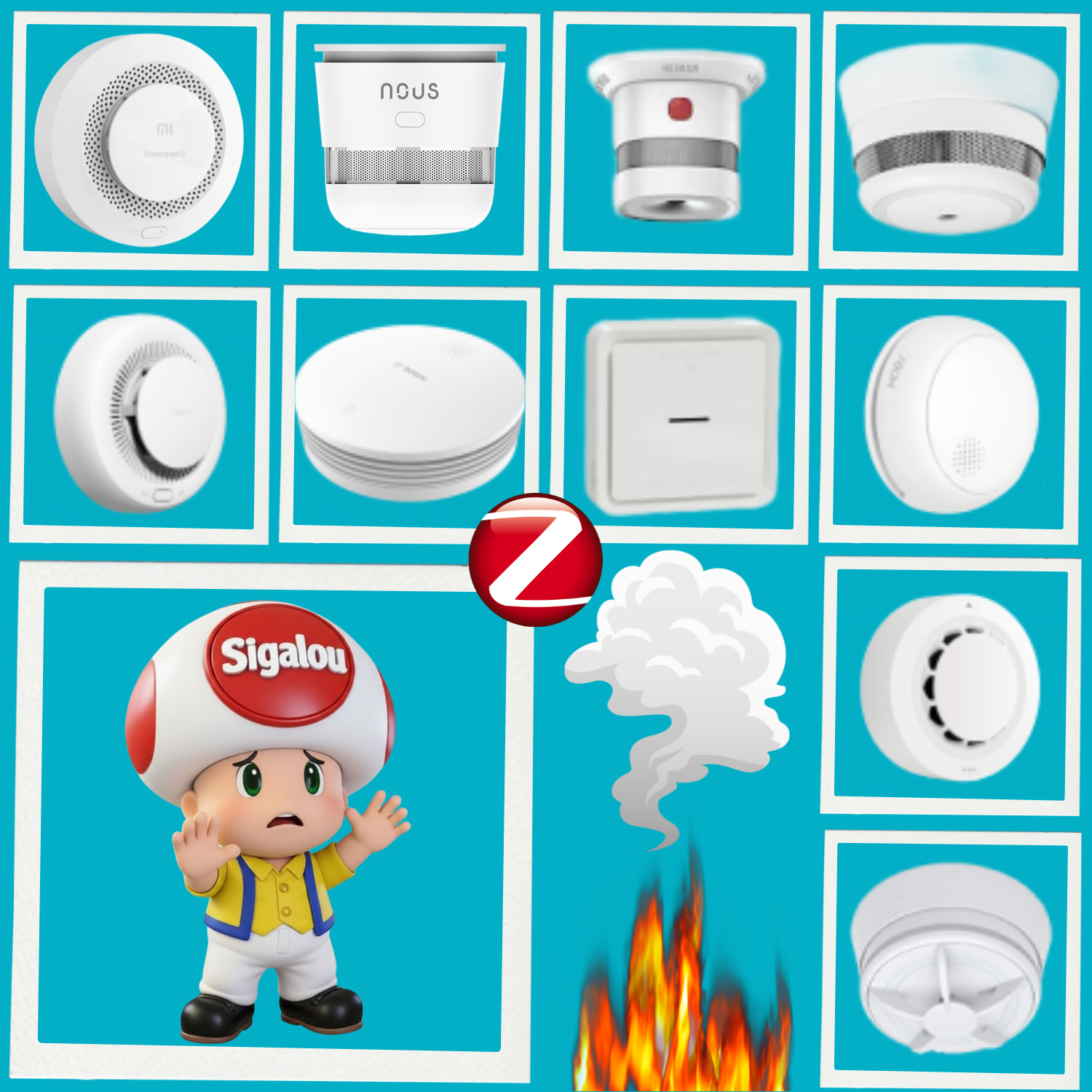
In a world where home automation transforms our homes into smart and secure spaces, Zigbee smoke and heat detectors are indispensable allies.

Compatible with Home Assistant via Z2M or ZHA, these devices combine reliable detection (smouldering smoke or anti-false positive heat) with smooth integration for instant alerts, push notifications and life-saving automations.

Objectives of the Comparative

This guide, based on tests carried out mid-2026, evaluates 10 consumer models according to price (11-120€), autonomy (3-10 years), EN14604/CE standards mandatory in France, and advanced features such as smoke density, hush, tamper or OTA.

Priority: legal security and HA supervision, eliminating non-compliant.

Read More

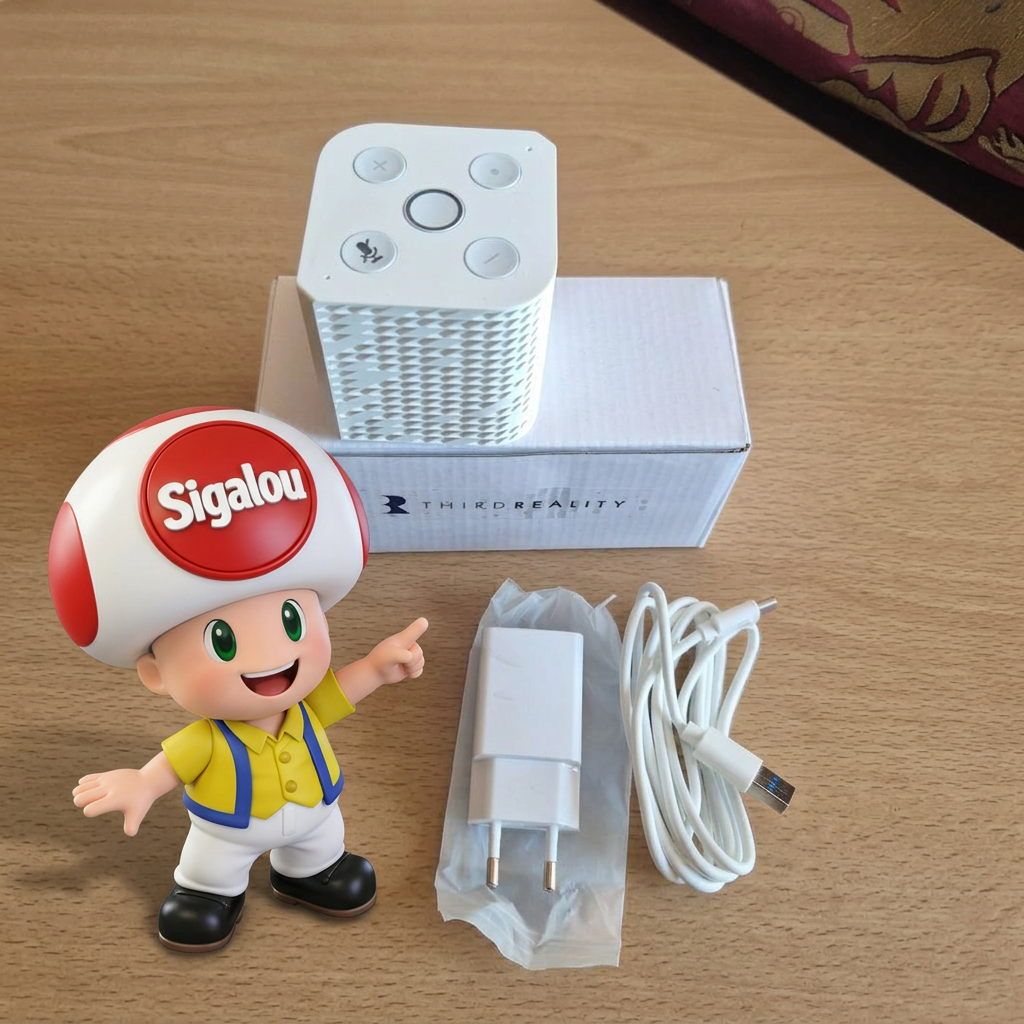
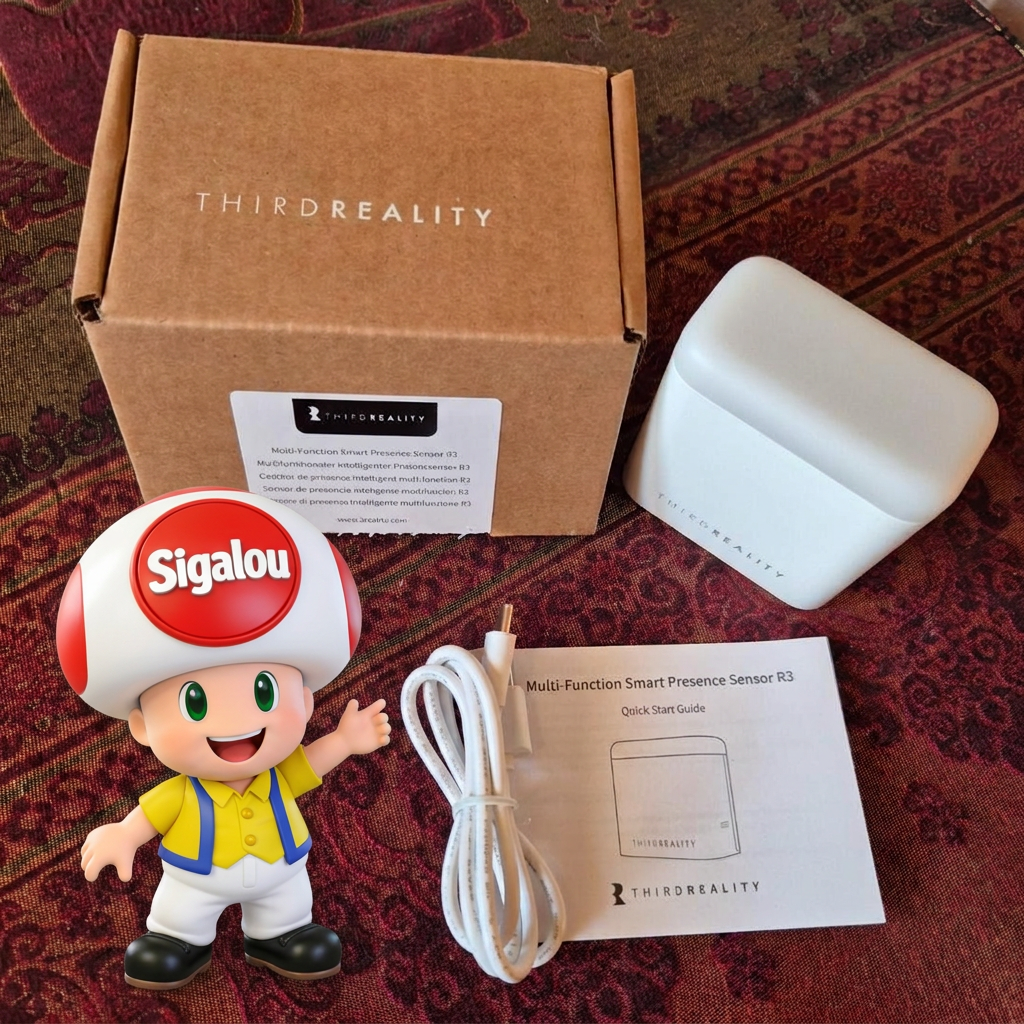
I'm testing the Voice & Music Assistant Dev Edition by Third Reality

When we think of voice assistant for the house, we still think very quickly about Alexa, Google Home or, on the open home automation side, at Home Assistant Voice Preview Edition from Nabu Casa.

That is precisely why the THIRDREALITY Voice & Music Assistant Dev Edition intrigued me. It promises both voice, home assistant integration and a real audio role with Music Assistant.

I therefore did not want to test it only as a voice satellite. What I wanted to know was whether it could really become a useful little audio player in a Home Assistant installation, able to play a local MP3, broadcast an internet radio and drive cleanly from Home Assistant. In short, check whether it is a simple curious product or a device that really deserves a place in the current home automation ecosystem.

In this article, I take the whole route, from unpacking to commissioning, then to the first concrete audio uses with Music Assistant, RadioBrowser and a station launch in YAML. This test is also an opportunity to replace this box in front of the official product of Nabu Casa, but also in the face of wider public solutions such as Alexa and Google Home.

Read More

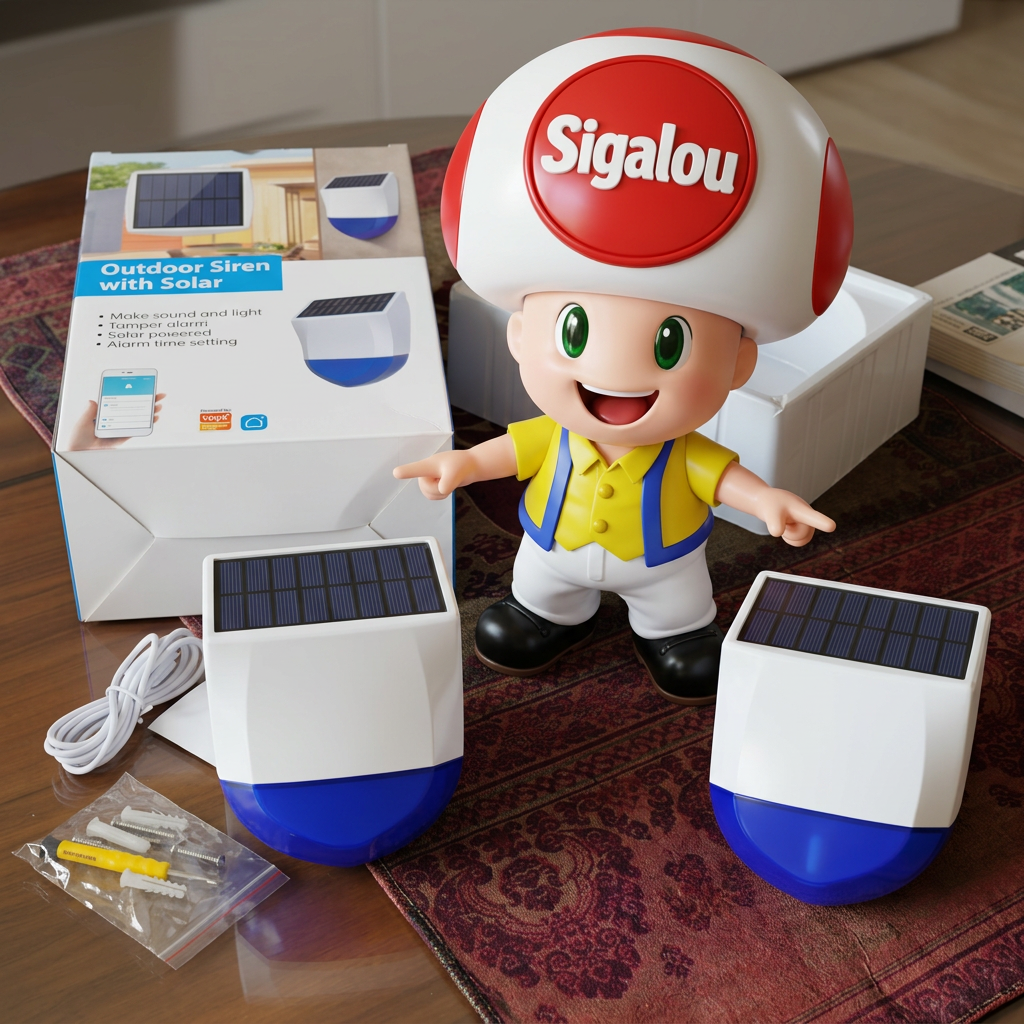
Néo reviews the sealing of its external siren Zigbee NAS-AB06B2

I still remember this early December 2025, my siren Zigbee outdoor NEO NAS-AB06B2, star of my initial test and my Zigbee siren comparison, had gone offline.

I climb the ladder, I dismantle … and there, disaster: full of water, the circuit soaks. I try an emergency resuscitation, nothing to do, the battery works perfectly, it is full, it is the electronic card that does not leave. Rip the mermaid!

More than a year of impeccable service reduced to nothing by inadequate sealing. I was disgusted because it was the only real good outdoor siren Zigbee.

My doubt at its reception was the ability of the solar collector to hold over time, its ability to provide more energy than the siren consumes, it worked perfectly, the fault of the siren was its tightness.

Once the mourning has been done and I admit to many requests from visitors to my blog who asked me for news of my mermaid, as it also came to them to make their souls determined, I order a new one. NAS-AB06B2 to autopsie the problem and offer my loyal readers a tutorial to tweak with putty. And there, total surprise! When I open it, I discover that NEO has reviewed its copy: the manufacturer had to receive tons of returns like mine and upgraded the model without changing the reference. Without indicating anything on the box, but by making some modifications that I will present to you.

Read More