I'm testing the Zigbee Button 22WZ

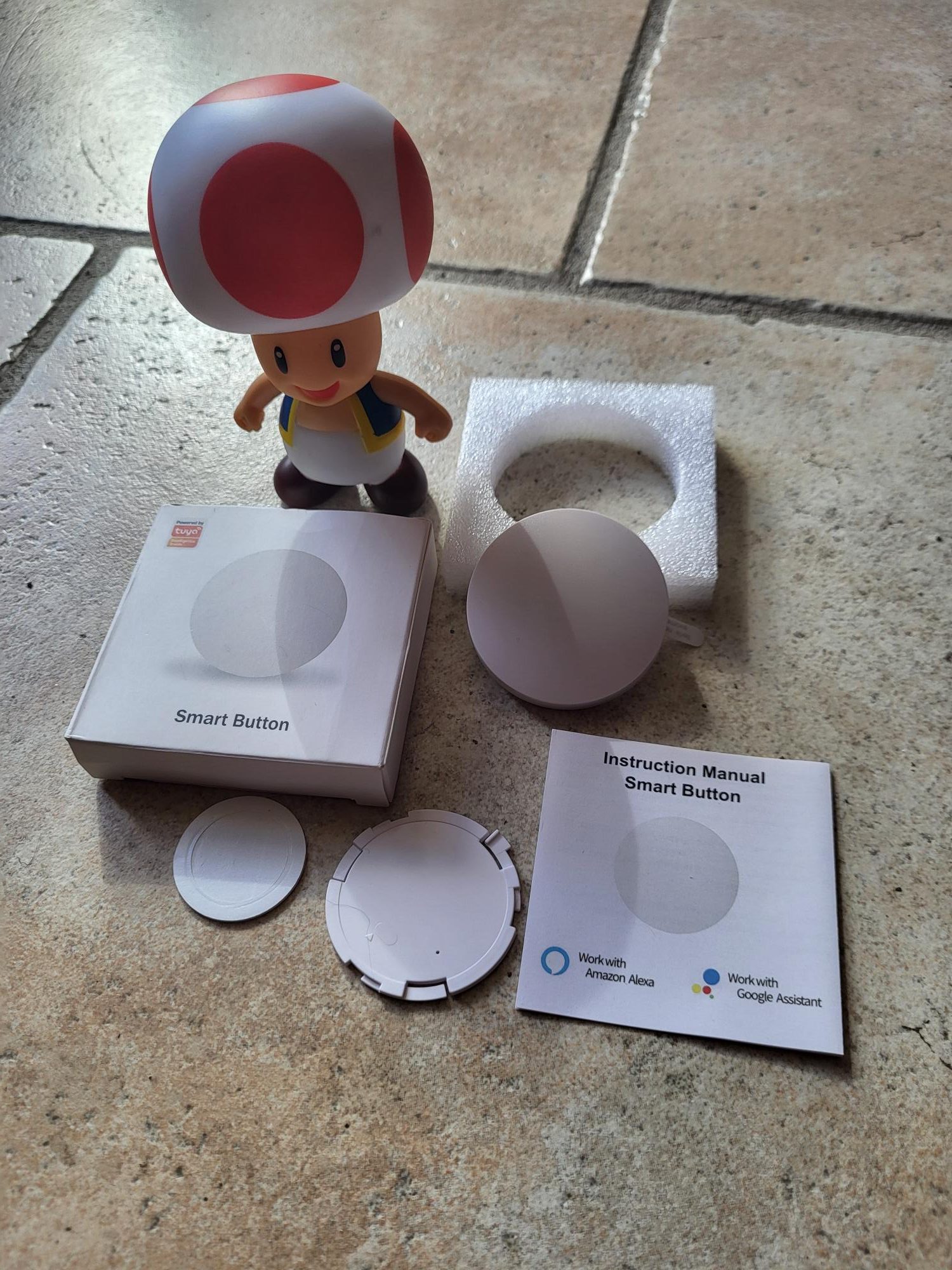
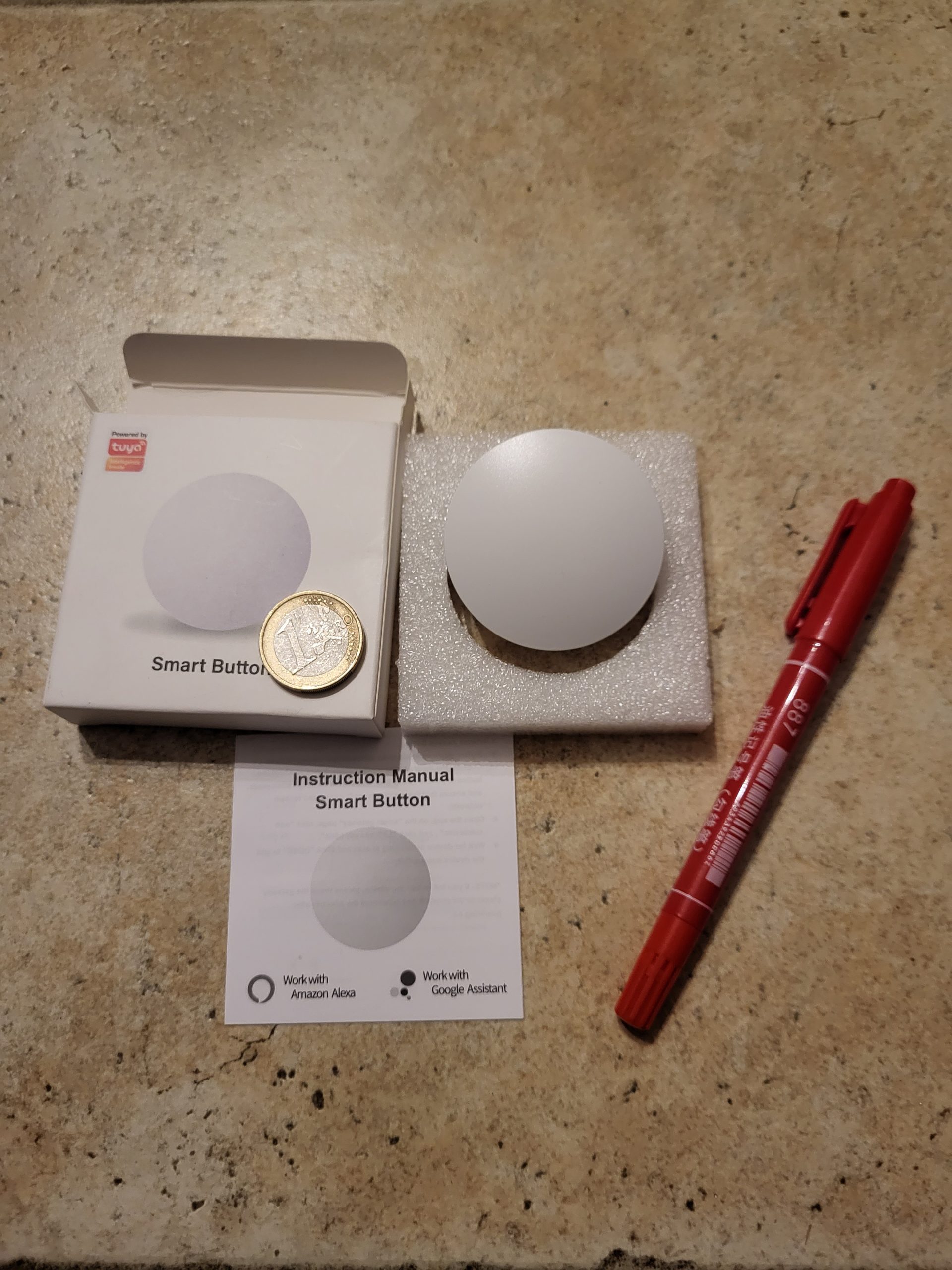
The Zigbee Tuya button that I received comes in a single carton marked only ‘Tuya’, with no obvious technical details. A small label on the side confirms the Zigbee and Zigbee2MQTT compatible model, avoiding cloud-only WiFi versions. This immediate verification reassures because Zigbee2MQTT allows a complete local integration, without constant internet connection or privacy risks related to the remote Tuya cloud. Here I explain how to identify a real Zigbee model for secure and responsive home automation.
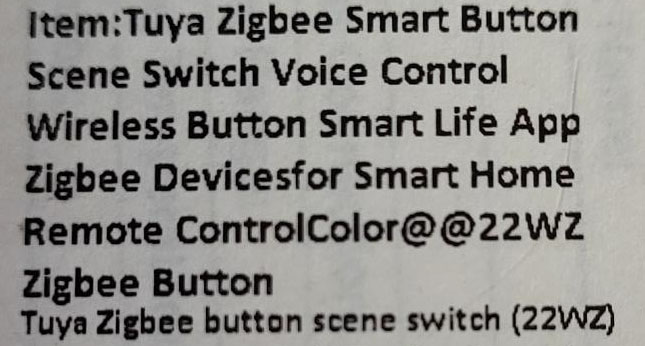
Zigbee button box with model label confirming compatibility
Label confirming the Zigbee model on the button box.

I distinguish Zigbee button versions

This type of button exists in several variants according to Chinese manufacturers. The one tested previously shares the same compact shape and functions: single, double and long pressures. In the world of low-cost home automation, copies are very similar, but Zigbee2MQTT compatibility remains the decisive criterion. Always check the exact reference to avoid WiFi disguised as Zigbee.

Where to order this reliable Zigbee button?

1established Domadoo 🔗 ❌
2established Amazon 🔗 ❌
3established AliExpress 🔗 ✅ 6,30 €
➡ Vide-Grenier of Sigalou 🔗 ✅ Purchase price in batch (link ‘verify available’)

I prefer Domadoo for its reliable and responsive French service, or Amazon for 24-48h delivery with easy returns. On AliExpress, I check three key points: the precise reference in the description, the actual photos of the seller (not generic), and an evaluation rate >98% on +100 sales. This protects against mislabeled counterfeits or WiFi models.

I integrate the button into Zigbee2MQTT step by step

I start Zigbee2MQTT in pairing mode via the web interface accessible at the IP address of the Zigbee coordinator. I then open the button by gently removing the plastic tab that blocks the included CR2032 battery. This standard 3V button battery provides 1 to 2 years of battery life depending on the frequency of use, and is replaced without tools by simply lifting the rear cover.
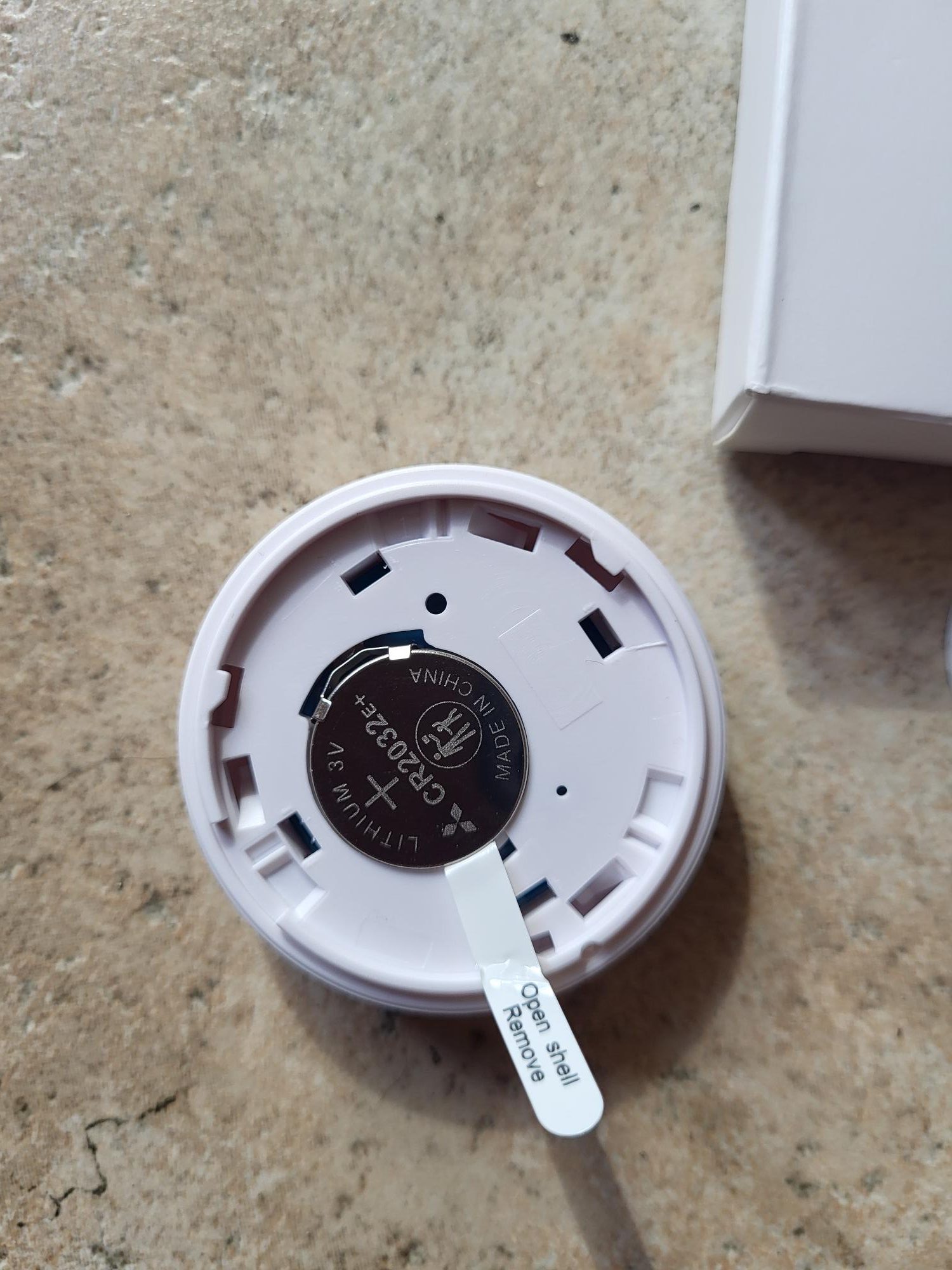
Removal of the CR2032 battery plastic tab from the Zigbee button
Simple removal of the tab to activate the CR2032 battery.

To open the case if necessary, I rotate the rear cover 2-3 mm counterclockwise. Attention: the clip system is fragile, excess force breaks the bindings. When inserting the battery, a red LED flashes 5-10 seconds to signal automatic pairing. Without visible reset, just press firmly in the center of the battery 5 seconds to force the pair mode if nothing happens.
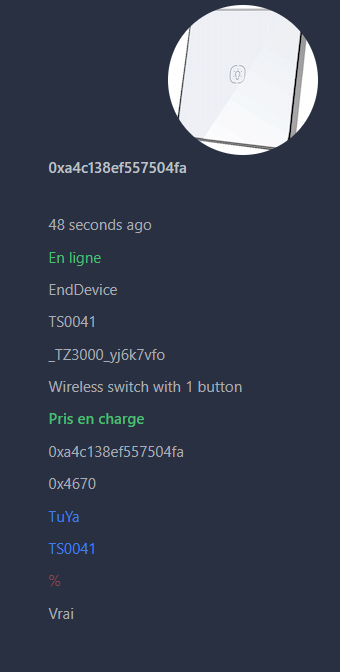
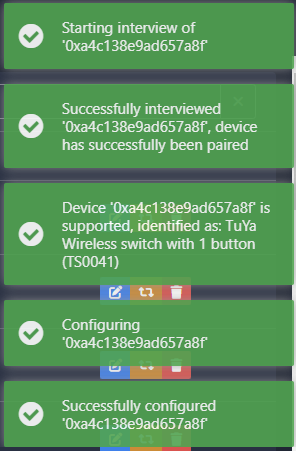
Zigbee2MQTT interface showing successful pairing of the Zigbee Tuya button
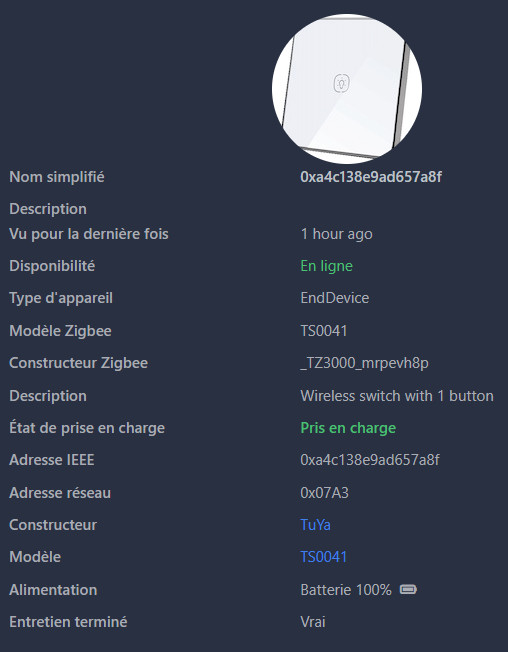
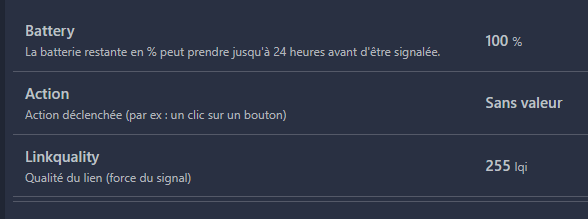
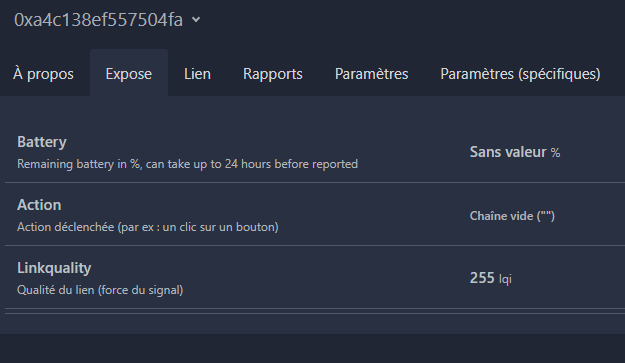
Zigbee button details in Zigbee2MQTT with Reactive Action field
On the left: successful pairing in less than 30s. On the right: "Action" field reacts to single, double, long press.

The pairing finishes in less than 30 seconds, the button is displayed with a generic icon but perfect functions. Single, double or long pressures are displayed instantly in ‘Action’. The battery level is not reported, typical of basic Chinese firmware: schedule a change every 18 months or note the date of installation.

The button works natively in Home Assistant

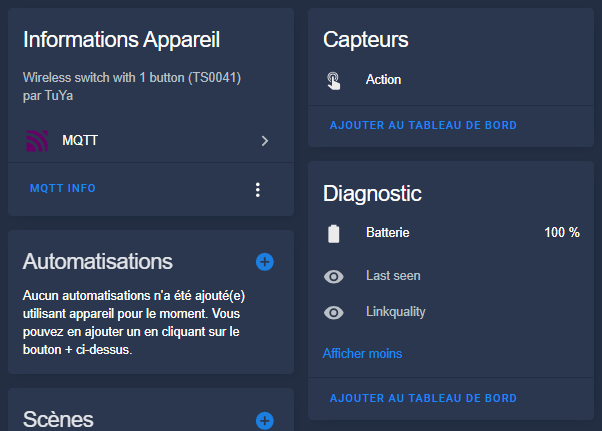
Once in Zigbee2MQTT, the button automatically synchronizes in Home Assistant via the MQTT integration. No extra adjustment is required: the "Action" sensor exposes all events ready for automation.
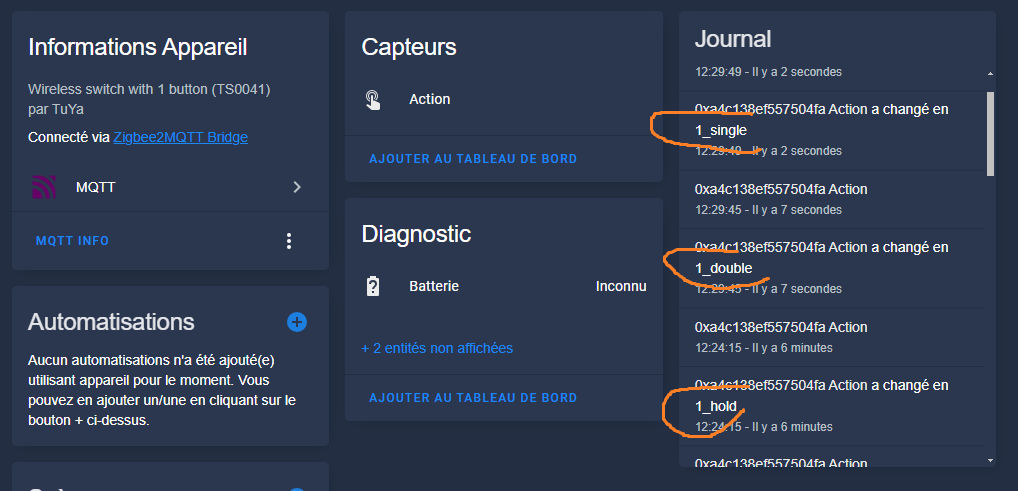
Functional Zigbee Tuya Button Action Sensor in Home Assistant
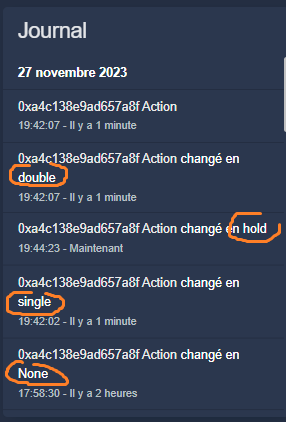
Single, double, hold states recognized natively for rapid local automations.

Single, double and long pressure triggers are ideal for turning on groups of lights, throwing scenes or multi-equipment scripts. Latency remains below 200 ms in Zigbee LAN, much higher than slow and internet-dependent Tuya cloud solutions.

I'm testing the Zigbee Button RSH-SC07

The Zigbee button market is experiencing a significant price increase for popular models like Sonoff or Aqara. I tested this cheap Zigbee 22WZ button, purchased with my own funds without sponsorship, to check its native integration into Zigbee2MQTT and avoid the Tuya cloud ecosystem.

Zigbee 3.0 Button Certification

I check the model Zigbee 22WZ received

The cardboard only mentions "Tuya", but a precise label confirms Zigbee compatibility. This reassures me because my objective is direct integration via Zigbee2MQTT, without going through the Tuya Smart application, which requires a cloud account and exposes me to risks of external dependence.

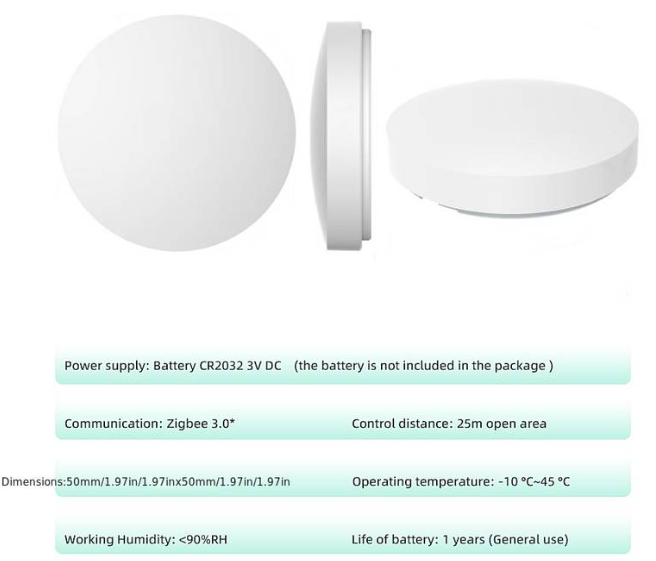
The technical specifications indicate a Zigbee 3.0 certification, a CR2032 battery included, and several possible actions: single support, double support, long support. Zigbee 3.0 ensures better interoperability between brands and an extended mesh network range of up to 100m indoors thanks to the repeaters.

Zigbee 22WZ Button Technical Specifications

Where to buy this Zigbee button at a low price?

At the time of this feedback:

  • Not yet listed on Amazon, but watch the arrivals.
  • Available at Temu around 15€ (not personally tested).
  • On AliExpress, price between €9 and €11 on promotion, but a multitude of identical references: choose sellers with >95% positive and >100 sales.
  • In my garage sale at cost price if stock remains.

I integrate the button into Zigbee2MQTT step by step

I switch Zigbee2MQTT to pairing mode via the web interface (Permitter join: ON, 255 seconds). I open the button by rotating the anti-clockwise rear cover by 2-3mm without forcing – an important trick to avoid breakage.

I insert the CR2032 battery by pulling the protective tab. Immediately, the blue LED near the battery flashes quickly, signaling the Zigbee pairing mode. Zigbee2MQTT detects the device in seconds: model TS0601 _TZE200 _zqp2d5dt or similar, exhibited "action" with single, double, long press.

Pairing mode activated LED flashes Successful integration into Zigbee2MQTT

The pairing succeeds perfectly, the button exposes the right entities.

Button displays: single/double/long action

A simple press changes the "Action" field to "single", double to "double", long to "long _press". The battery is displayed at 100% initially; Check it after 1-2 months of actual use.

I find the button in Home Assistant

Via the Zigbee2MQTT > MQTT integration, the button automatically appears as the _zigbee _action sensor.button. Single/double/long _press states are natively recognized for creating automations or scripts.

Built-in button in Home Assistant

Example of simple automation: trigger "action == single" > lights living room light. For double: active "cinema" scene. Long press: "Good night" scenario. Copy and paste into YAML Automations to test.

Recognised action states: single, double, long_press

This Zigbee 22WZ button offers excellent value for money to extend Tuya cloud-free home automation. It consumes little (estimated battery >2 years), perfectly integrates Zigbee2MQTT/Home Assistant, ideal for advanced automations.