


⚠ Safety Warning
This test describes the home automation behaviour of a generic Zigbee socket below €10 (integration, measurements, Zigbee traffic, etc.). It does not constitute an electrical safety test bench within the meaning of independent laboratories.
This type of low-cost socket, without a strong brand or clearly verifiable certification, is not not suitable high-consumer or critical appliances (washing machines, tumble dryers, radiators, water heaters, ovens, etc.). For these uses, I recommend products from identified manufacturers, with serious documentation, explicit certifications and reputation to defend.
I now reserve this type of equipment for modest charges, in scenarios where a possible default would remain limited. Everyone remains responsible for their choices: do not take this test as a security validation, but as a home automation feedback.
I am now testing a Zigbee jack for less than €10, a generic model purchased from several different sellers, with no real brand highlighted.
I wanted to check if this type of first prize take could really find its place in Zigbee2MQTT and Home Assistant, without blowing up my budget or degrading my Zigbee network.
At this price, I am mainly looking for a simple socket, able to make on/off cleanly, to reassemble coherent measurements, and to remain reliable over time, for reasonable charges Not for the worst consumers in the house.
🎯 My objectives
I need a connected socket to control a charge and track its power consumption.
I therefore chose this generic model, sold in several very similar forms depending on the shops.
My idea is simple: check if this very economical take can really serve on a daily basis, without complicating my life in Zigbee2MQTT and Home Assistant, limiting it to prudent uses.
I also want to understand how far I can trust him. A connected socket is not just a home automation gadget. It is a device connected to the mains, which must hold the load, measure correctly, and not become a weak point in the house. On this point, I cannot replace laboratory tests: my tests remain those of an informed user, not a certification body.
🔍 I check the received model
- On the technical sheet : the reference is not really clear.
- On the carton : the packaging is identical from one seller to another.
- Type of equipment : Zigbee wall socket with consumption measurement.
- Protocol : Zigbee.
- Power supply : sector.
- Intended installation : Testing in Home Assistant.
- Measuring ranges : power, current, voltage, energy.
- Dimensions / IP : compact format, indoor use.
I also note the presence of a CE marking on the label.
I take it up, of course, but without giving him blind trust. The subject of fake logos or ‘China Export’ markings very close to the real CE logo reminds us that we cannot just use a pictogram on a cardboard to talk about security.
On this type of first-rate material, I like to remain cautious and look above all at the actual behaviour of the product, bearing in mind that this does not replace tests conducted by independent laboratories.
🛒 Where to buy this equipment?
I cannot speak here of a real trade mark in the classical sense of the word. It is a generic product, visibly distributed by several different sellers with the same photos, the same promises and, ultimately, products that look identical.
The price recorded varies between €8 and €10, depending on the periods, promotions and probably also the mood of the sellers.
This is exactly the type of purchase where a lottery share is accepted.
On sales sites, there is no clear distinction between a good series and a less successful series.
Everything looks the same to the eye. However, behind the same shell, the behavior can vary depending on the batch, firmware or manufacturing quality.
I still give the link to the Sigalou Lab Sheet TS011F to the seller from whom I bought the test.
📦 Unpacking and First Impressions

At the reception, the cardboard is at the size of the socket.
The product is properly kept inside, so I cannot say that the packaging is sloppy.
On the other hand, a detail quickly leaps to the eye: the ink on the label is drooling on almost all the models I have received. At first glance, it almost feels like the boxes are coming dirty. In fact, it is above all a print linked to a very average print quality.
The catch, itself, surprises me rather well. Plastic is serious, and I find it close to that of some major brands.
I don’t feel the hollow gadget or ultra-low-end plastic effect at all. This is even one of the first good points of this product.
The instructions for use, on the other hand, frankly deserve the medal of the useless document. There is, so I cannot say that he is absent, but he brings almost nothing. Fortunately, in a Zigbee2MQTT and Home Assistant environment, I do without difficulty.
Comparison with the Nous A7Z
I like the Nous A7Z that I have been using for several years, here is a small physical comparison (La Nous is always on the right in the image).


🔧 Power On
I simply start my test: I'm plugging in the plug.
As soon as the power is turned on, the blue LED on the button starts flashing immediately. This is exactly the behaviour I was hoping to see. This means that the socket enters directly into pairing mode, without complicated manipulation.
I find this important, especially for a generic product. When a low-cost device wastes me time from the first minute, it already leaves with a disability.
This is not the case here. The plug behaves properly from the first connection.
🔗 I pair in Zigbee2MQTT
- I am authorising Zigbee2MQTT to be paired.
- I'm plugging in the plug.
- The blue LED flashes immediately.
- The catch shall be detected without delay.
- I rename it as Testing.
- I enable the update of the Home Assistant Entity ID.

The association is going exactly as I had hoped. In a few seconds.
I do not need to start over, unplug, or try exotic manipulations. Everything is done naturally, which is always nice on a generic product without serious documentation.
In Zigbee2MQTT, the socket is recognized as TS011F with the definition TS011F_plug_3.
TS011F is exactly the same Zigbee model as the We Plug A7Z which I like, which I tested here: I'm testing the Zigbee We A7Z plug
It appears as a Tuya plug with polling consumption monitoring. This detail is very interesting, because it partly explains its behaviour and some measurement peculiarities.
🏠 Integration in Home Assistant
Once renamed, I go to Home Assistant.
I go through the parameters, then the development tools, then the view of the states. I just type taken, and I'll see you right away Testing. I then click on the equipment sheet to look in detail at everything it sets out.
In Device Information, I find the essential elements: Smart plug (with power monitoring by polling) (TS011F_plug_3), the manufacturer Tuya, connection via Zigbee2MQTT Bridge, firmware 500+TZSKT11RM106 and equipment indicated at 2.

For a generic take, I find the integration clean, readable and reassuring.
I also see maps of controls, sensors, configuration, activity and diagnostics. This view is very useful because it shows that the socket is not just visible in Home Assistant: it is properly integrated, with clearly separated and actionable functions.
📊 Exhibitions Zigbee2MQTT
I then look at the list of exhibitions in Zigbee2MQTT, because it is she who tells me precisely what I will be able to exploit in Home Assistant and in my automations. And there, the plug turns out to be rather complete for a model sold at this price.

- State : on/off condition of the socket.
- Countdown : stop after a defined period of time.
- Power outage memory : behavior after power outage.
- Indicator mode : LED management.
- Power : instant power.
- Current : instant current.
- Voltage : measured voltage.
- Energy : Cumulative energy.
- Child lock : locking the physical button.
- Linkquality : Zigbee link quality.
I am always attentive to this point, because some economic catches are much less talkative.
Here I find the essentials for serious use.
I can pilot, measure, diagnose, and adjust some practical behaviors without special DIY.
The catch is also recognized as router. This point counts a lot in a Zigbee installation, because a plug that is permanently connected is not only used to control a load.
It also strengthens the network's network. This is a bonus that I always appreciate.
⚙ Parameters I Set
I like it when a device offers options, but I like it even more when I can keep it simple. On this catch, I do not need to change everything to achieve consistent behaviour. So I keep a deliberately sober configuration.
- Countdown : I'll leave it at 0.
- Power outage memory : I put on Restore.
- Indicator mode : I put on off/on.
- Child lock : I leave on Off.

- Calibrations and offsets : I am not touching it.
The setting Restore for the return after cut seems logical to me. If the socket was turned on before a cut, it comes back on. If it was switched off, it remains switched off. This is exactly the behaviour I expect in a serious home automation installation.
I also leave the Child lock disabled. My daughters have grown up, so I no longer need to lock the physical button. This detail may seem anecdotal, but it is also this kind of option that shows that a catch like this can adapt to very different life contexts.
As for the calibration parameters, I prefer not to touch them as long as the measurements seem consistent to me. I'm not here trying to turn this socket into a laboratory instrument. Above all, I want a simple, usable and reliable device for everyday home use.
🧠 What the reference TS011F _plug _3 hides
The reference TS011F_plug_3 is not an unimportant detail. Zigbee2MQTT describes it as a take with consumption measurement by polling.
Clearly, it is not always the catch that spontaneously pushes all its measures. It is often questioned by Zigbee2MQTT at regular intervals to recover voltage, current, power and energy.
This point explains the presence of the parameter measurement poll interval in the specific parameters. It makes it possible to define the frequency of querying the measurements. By default, the logic remains reasonable (60s), and in my case I prefer to keep this standard behavior rather than wanting to force more aggressive updates. It should be noted that this can be deactivated if it is not useful. This saves Zigbee network traffic.
I read that this reference also has a small reputation in home automation communities. Some series work perfectly. Others go back from blocked measurements to zero, or behave less cleanly depending on the firmware or versions of the integration. This is exactly the kind of important nuance to know before buying multiple copies of the same model.
In my case, with the firmware 500+TZSKT11RM106, the socket behaves correctly. Measurements go back up, the on/off works, and the overall integration is clean. So I obviously came across a good series, which further reinforces the good surprise side of this test.
⚠ My Doubt About First Prize Takes
I also prefer to remain honest on one point: this type of catch at very low prices is still a source of concern.
The CE marking is present, but it is not enough for me to resolve all the questions. I cannot know, at the time of purchase, whether I come across a perfectly controlled production or a more approximate batch.
So I always keep simple questions in mind: How will the socket behave if I go up in amperage? Will it heat up? Staying well in time? Getting safe? Aging properly?
Without concrete proof of default on my copy, I will not play the alarmist, but I find it healthy to keep this reasonable doubt.
I am also wary of overly simplistic speeches. We are often told that you have to buy more locally to avoid these risks, while many more expensive products are also made in China.
In my view, the real issue is not only the country of manufacture. It is above all the level of control, the specification and the consistency between the series. And now, who can know?
Probably not the final buyer, but independent laboratories and serious brands that pay for real checks.
In the end, I simply conclude that this doubt persists without it having to turn into paranoia.
I test, I observe, I keep common sense, and I no longer use this type of socket on the most demanding or critical devices. This is probably the most reasonable position on this kind of product.
🔌 I'm testing the physical button
I then check the physical button. He does exactly what I expect: a real local on/off. I press, the plug turns on or off. It is not a simple configuration button disguised as a command. It is a real manual control, usable on a daily basis.
For me, this point is very important. A connected socket that remains usable locally retains a form of common sense. In case of network problems, maintenance or just to go fast, I can always act directly on it.
⚡ I look at the electrical measurements
I then move on to the first values raised by the plug. When empty, I find a tension around 221 to 222 V, a power to 0 W, a current at 0 A and an energy to 0 kWh at the time of start-up. All this seems to me to be consistent.
I am obviously not comparing this socket to a professional metrology device, but for domestic use, the readings look clean and credible.
This is exactly what I expect from a consumption tracking plug in Home Assistant. When I want to know if my refrigerator is running or not, this is more than enough.
My feeling at this stage is pretty good: the measurements are consistent, the display is clear, and I don’t need to touch the calibrations to get something workable. At this price, it is already a very good basis.
🩺 I check the health of the Zigbee network
As this plug works with measurements taken by polling, I also wanted to check that it does not spam my Zigbee network. This is important because some sockets or settings can quickly add unnecessary traffic to an already loaded network.
To do this, I use the functionality Health by Zigbee2MQTT. It allows me to look at the total number of messages processed, as well as the number of messages per second. I just filter on Testing to observe his actual behavior.

The result is good. On my capture, I see 89 messages and approximately 0.0557 message per second. For me, it is very good. I don't see any signs of network spam or abnormal behavior. It will have to be confirmed with longer use.
This is reassuring, as it confirms that this catch can remain in production without visibly degrading the health of the Zigbee network.
🧹 I keep a clean record in Home Assistant
Once the tests have been completed, I disable the entities I no longer need in Home Assistant. I prefer to keep a clean, readable interface, and avoid multiplying unnecessary sensors or controls in my daily life. If I need to reactivate them one day, I can always adjust this afterwards in Zigbee2MQTT.

On the final view, I find a clear sheet with the information on the device, the main control, the useful sensors, the configuration retained, the recent activity and the diagnostic part. I really like this step, because it turns a simple technical test into a real clean integration for sustainable use.
This is also a point that is often missing in home automation product testing. Many show the pairing, but not the final state in production. However, it is often here that we see whether a device is really pleasant to live with or not.
🔍 What communities say
Issues raised: some TS011F series no longer correctly expose measurements, remain stuck at zero, or behave differently depending on the firmware and versions of the Zigbee integration.
What I get from it: with this type of Tuya jack first prize, there is always a bit of chance. When buying, there is really nothing to distinguish between a good series and a bad one. My copy behaves correctly, but this variability is part of the game.
My tips: I always start with a unit test, I check the exposures, I monitor the measurements, I look at the health of the network, and I never buy in large quantities until I have validated a first copy. And now, I reserve the tests with strong loads for products from identified brands, designed for this and accompanied by clear certifications.
💬 My opinion after commissioning
✅ Forts: very low price, immediate pairing, correct plastic, consistent measurements, physical on/off button, Zigbee2MQTT integration and own Home Assistant, useful router role, reasonable Zigbee traffic.
❌ Weak: no real brand, ridiculous notice, poorly printed label, quality difficult to judge at the time of purchase, reasonable doubt about the consistency between the series and the actual performance over time, lack of solid safety guarantees for high loads.
My verdict: I find this catch frankly interesting for its price for modest uses.
This is a good surprise, especially because she does the work without complicating my life. I still have an important reserve, as always with the first prize catches without real traceability or solid certification.
Without becoming paranoid, I simply prefer to remain lucid.
As long as you know what you are buying, that you are testing properly, and that you keep common sense, this can find its place in a low-budget home automation installation. but not on the most critical devices or the heaviest loads.













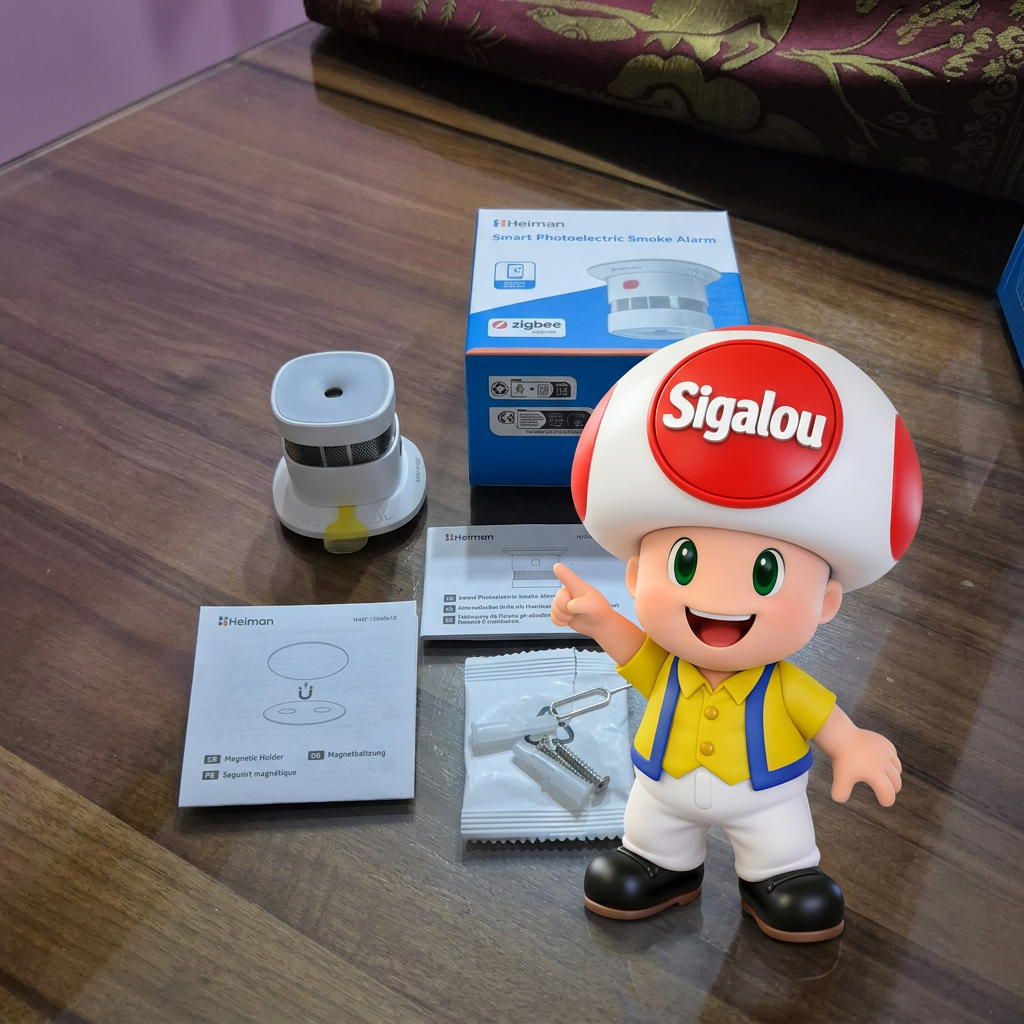


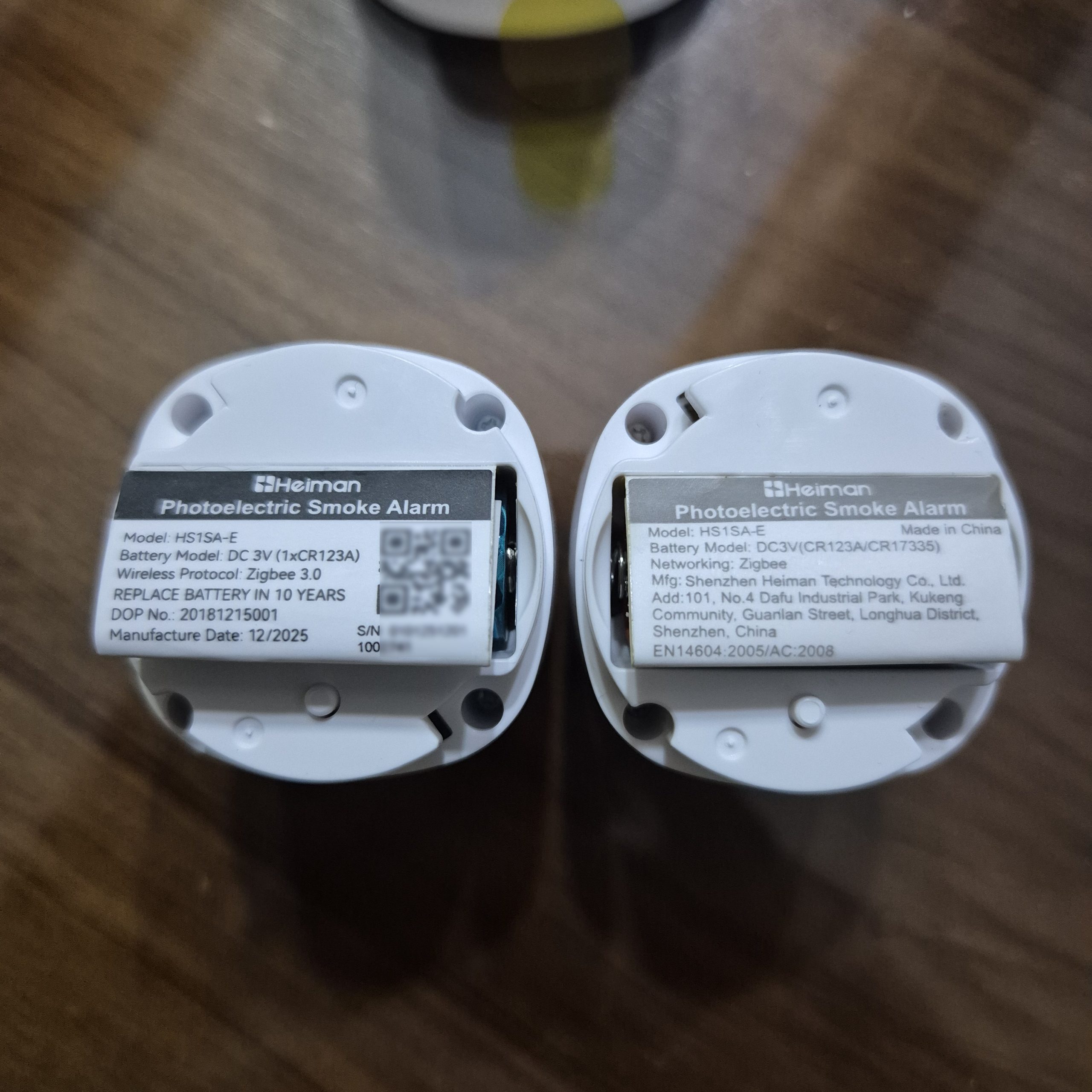

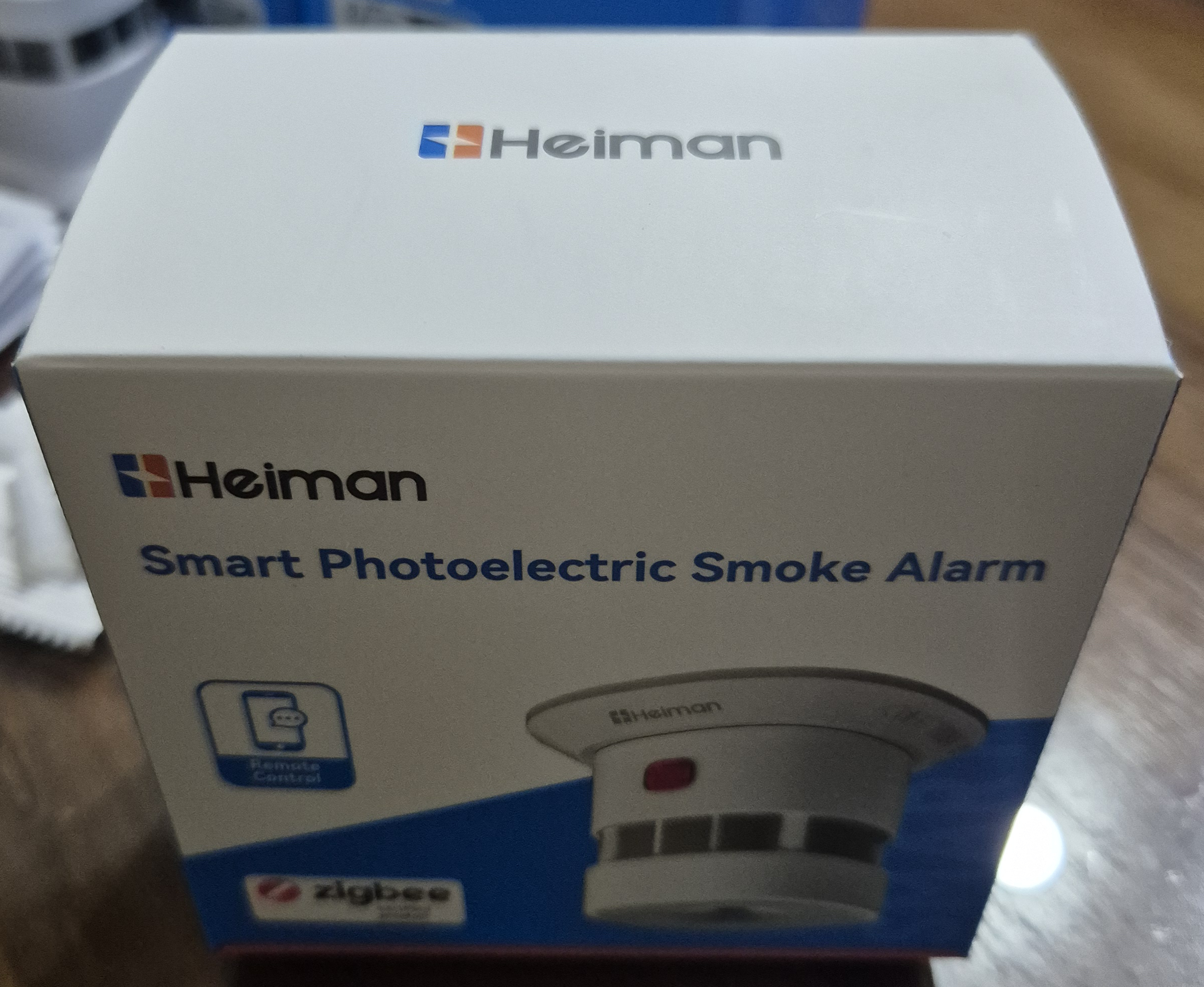

 I remove the base (just unscrew a few degrees), then I pull the tab to power the detector.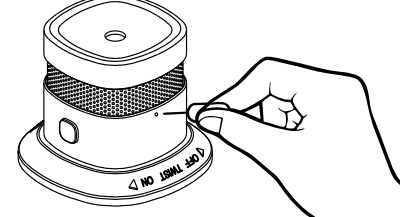



 English
  French
  Spanish
  Chinese
  German