

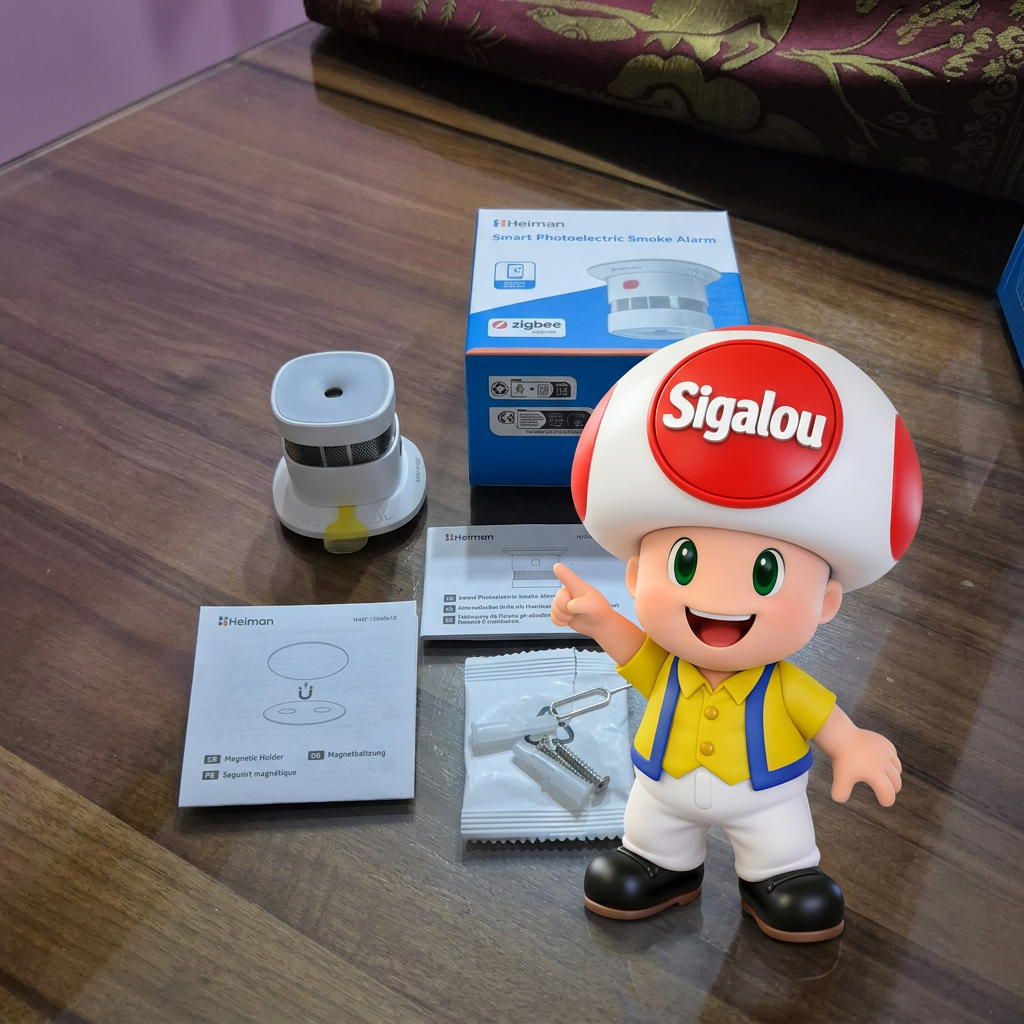
🎯 My objectives
I have had smoke detectors for a very long time. Heimann HS1SA-E to protect my home, this economic module gives me full satisfaction for basic use.
When writing my comparison of Zigbee smoke detectors, I asked Heimann whether they were considering an evolution of that product.
And surprisingly, an update of the HS1SA-E was being developed, they sent me three copies of the new product which should be the HS1SA-E-PLUS with a lot of evolutions in the Zigbee exhibitions, as I will explain later.
Three products because one of the great novelties is the interconnection of detectors, so I will test this.

🔍 HS1SA-E or HS1SA-E-PLUS?

The HS1SA-E is on the left and the HS1SA-E-PLUS is on the right, unless the opposite is the case. I am kidding of course, they are completely identical from the outside.
To find out who is who, you have to compare the labels inside.
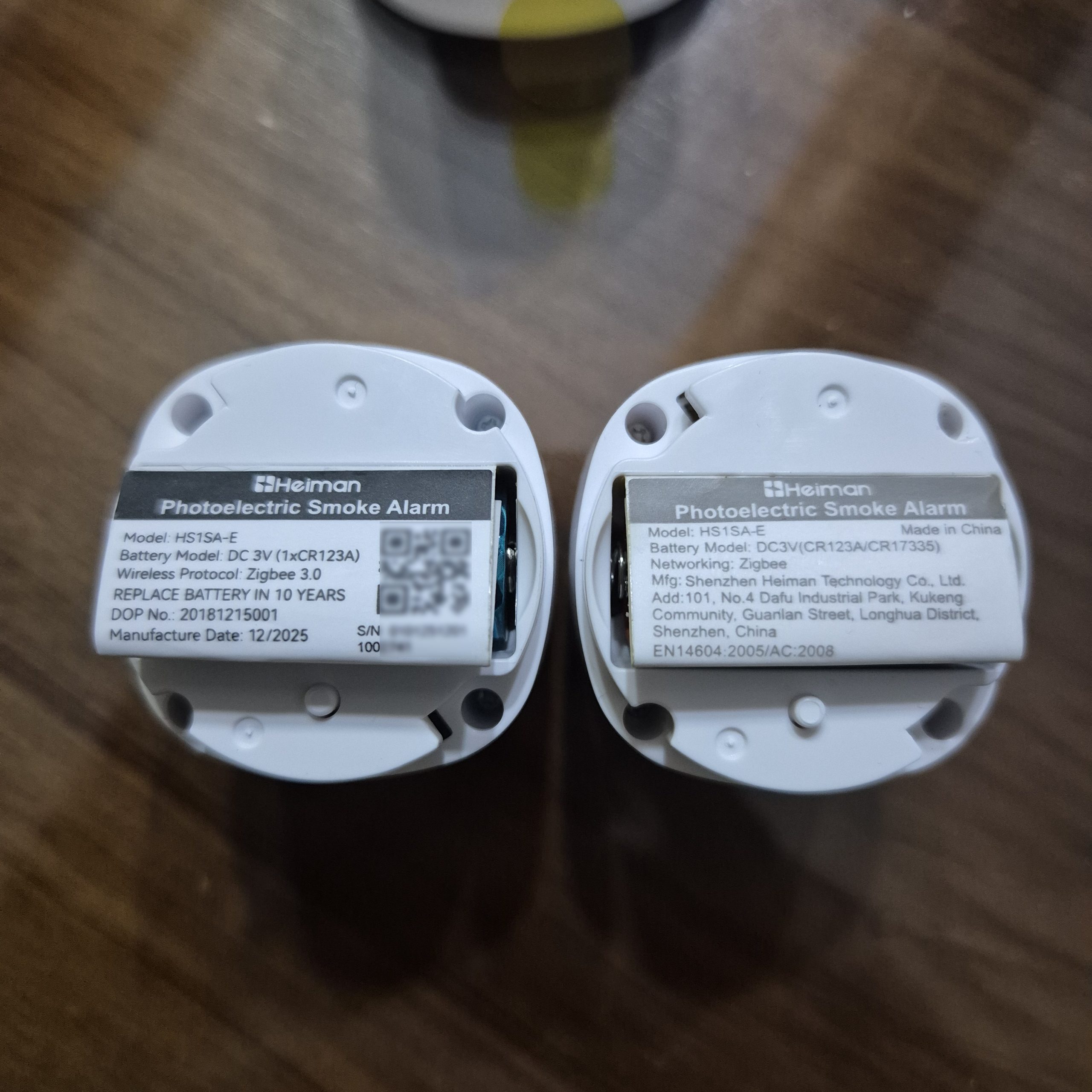
I received a pre-release, both are mentioned HS1SA-E, I think the reference of the new one would be changed in the marketed versions.
In the image, the new one is on the left, with the QR Code, it is mentioned Manufacture Date: 12/2025.
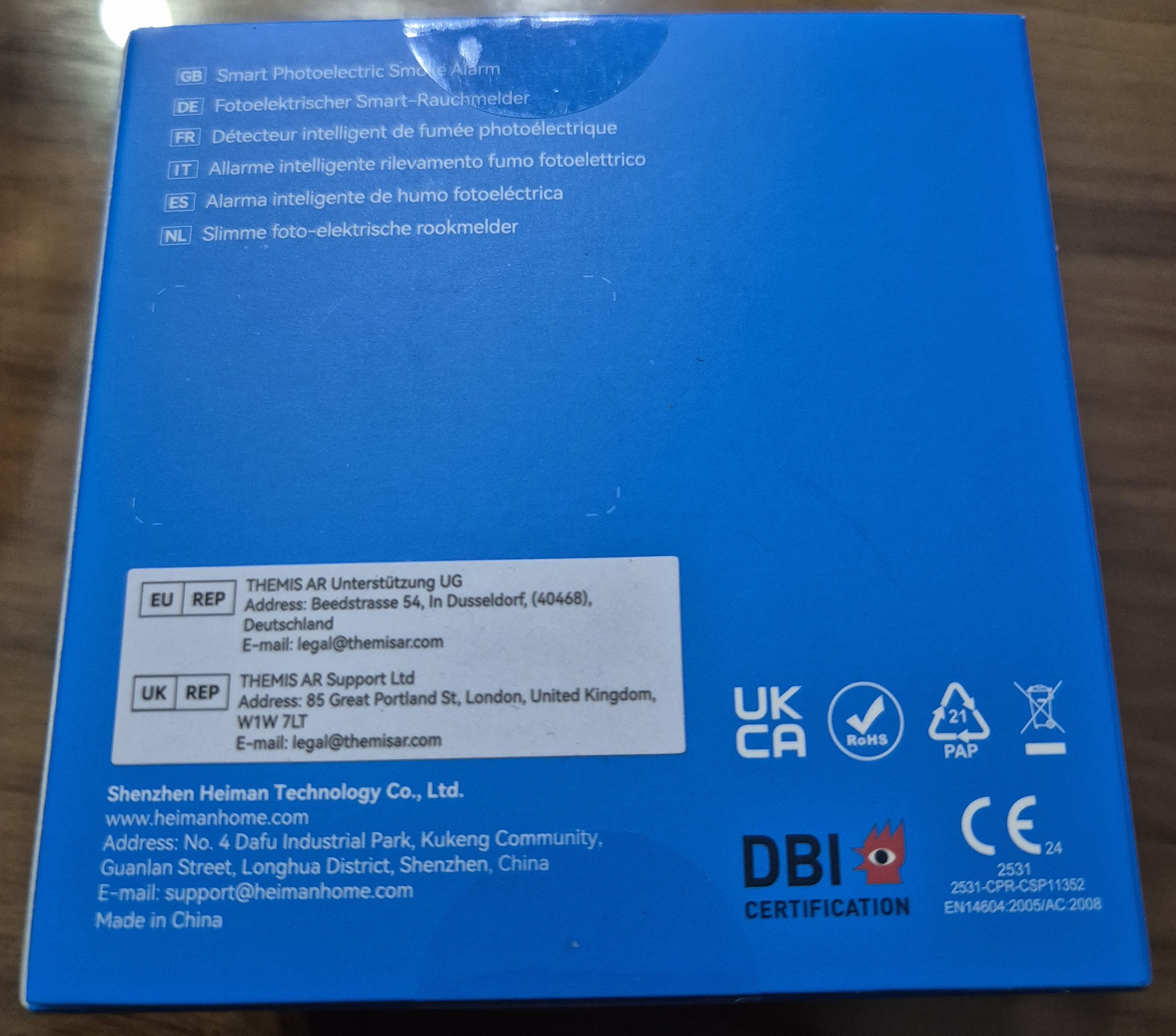
Here is the complete label, once unfolded:

I take the opportunity to raise the certifications present
- UKCA : Replaces the CE marking in the United Kingdom ‑.
Indicates that the detector complies with UK regulations on product safety, EMC, radio, etc.
Mandatory for placing on the market in Great ‑ Britain (England, Scotland, Wales).
- Marking house (Building)
Product symbol for residential use (dwellings).
It is often seen on smoke detectors that comply with home safety standards in Europe.
Above all, points to the area of use, rather than an autonomous legal certification.
- Zigbee : Zigbee logo with "certified product" label.
Attests that the device has passed the Zigbee Alliance compliance tests for Zigbee 3.0 (interoperability, radio protocol, security).
Globally relevant for the home automation ecosystem, not country-specific.
- EC : Regulatory marking for the EU and EEA countries (Norway, Iceland, Liechtenstein) and often accepted in Switzerland.
Indicates compliance with European directives (safety, EMC, RED radio, etc.), allowing placing on the market in all these countries.
Notified body number ‘2531’
Identifies the body that has assessed conformity (here a European Notified Laboratory for the Radio Equipment/Construction Products Directive).
This number complements the EC and is recognised in the EU/EEA.
- EN14604:2005/AC:2008 European standard specifying requirements for smoke detectors for household use.
Mandatory or highly recommended in most EU countries for residential smoke detectors (France, Germany, Belgium, etc.).
Recognised also by some non-EU countries that adopt EN standards.
- DBI Certification (logo eye/flamm e + "DBI CERTIFICATION")
Danish organization ("Dansk Brand- og sikringsteknisk Institut") accredited to certify fire safety products.
Certification especially relevant for Denmark and the Nordic countries where insurance/authorities can value it.
Strengthens the credibility of the product on European markets, without being mandatory everywhere.
- Barred bin
WEEE (Waste Electrical and Electronic Equipment) symbol.
Indicates that the detector should not be disposed of with household waste but in a specific recycling channel.
Used in the EU, the UK ‑ and more widely in Europe.
🔍 I check the received model
- On the technical sheet : HS1SA-E (to become HS1SA-E-PLUS) Zigbee 3.0 optical smoke detector ,
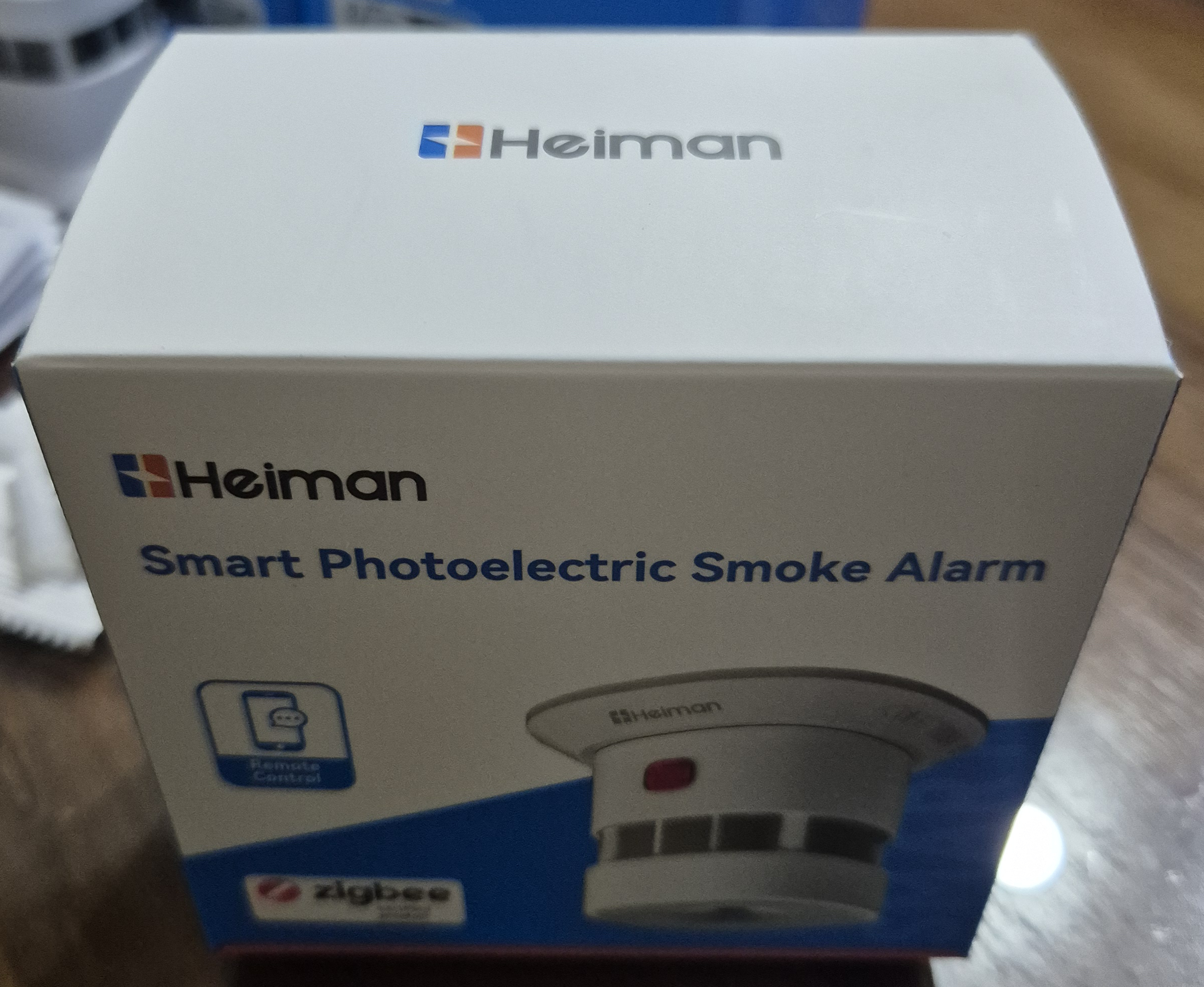
- On the carton : Heimann HS1SA-E (which will become HS1SA-E-PLUS) clearly indicated
- Type of equipment : Smoke detector
- Protocol : Zigbee
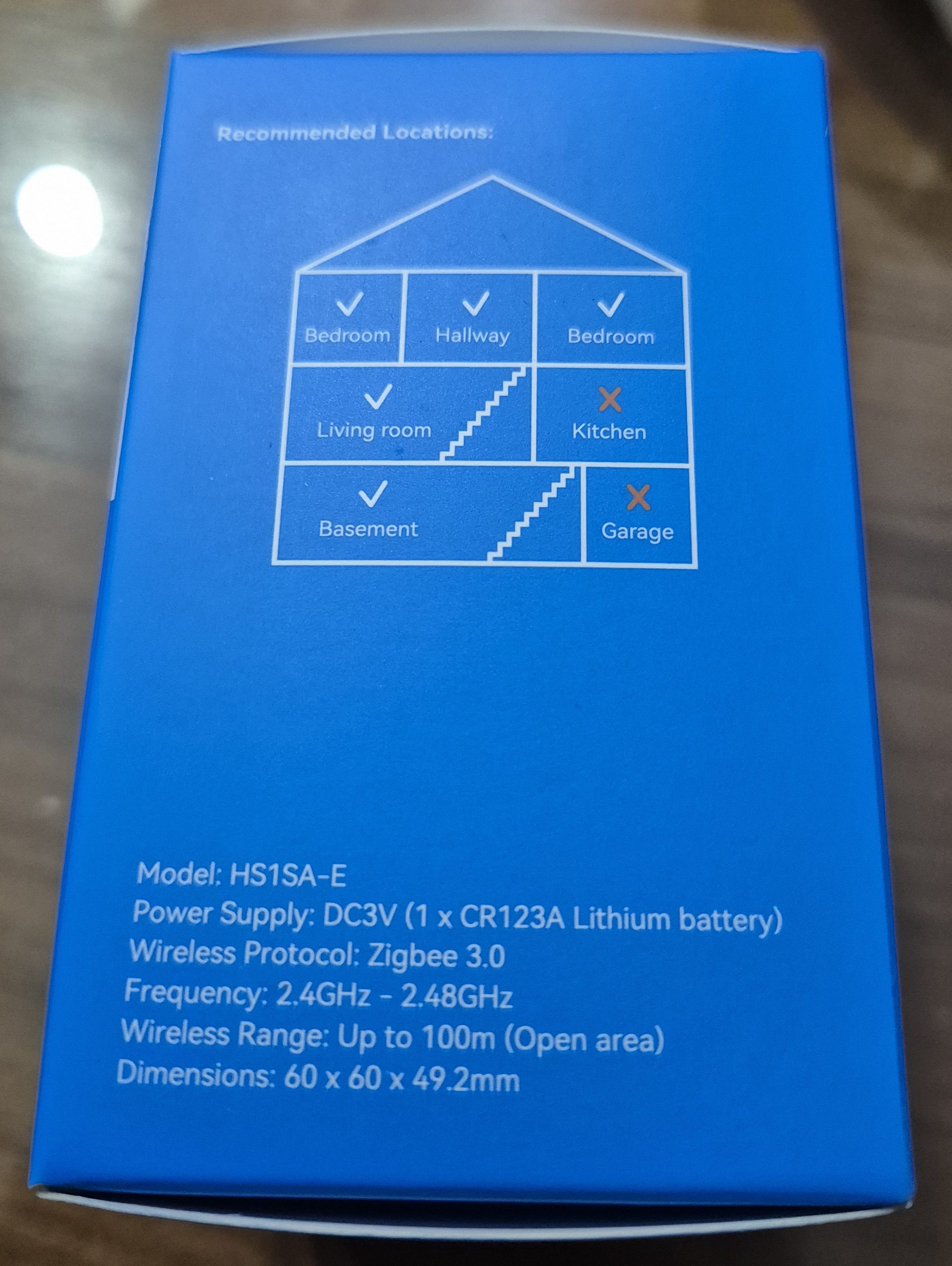
- Power supply : CR123A battery (3V), estimated duration 10 years
- Intended installation : Ceiling, living rooms
📦 Unpacking and First Impressions
 |
 |
 |
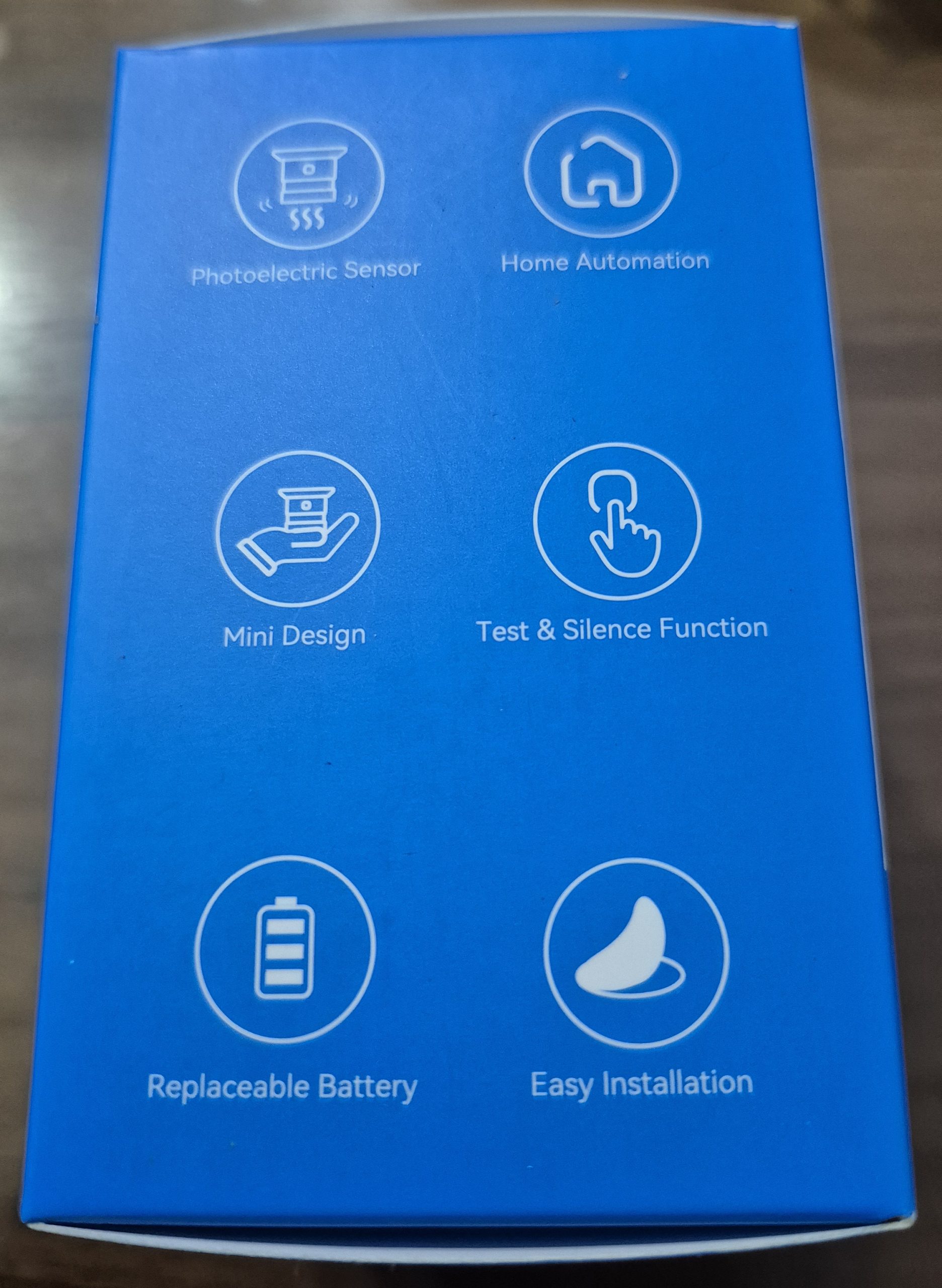 |
📦 Product Description
The detector is compact, comes with a bracket to glue or screw to the ceiling. A metal plate system, a set of screws and a reset tool.

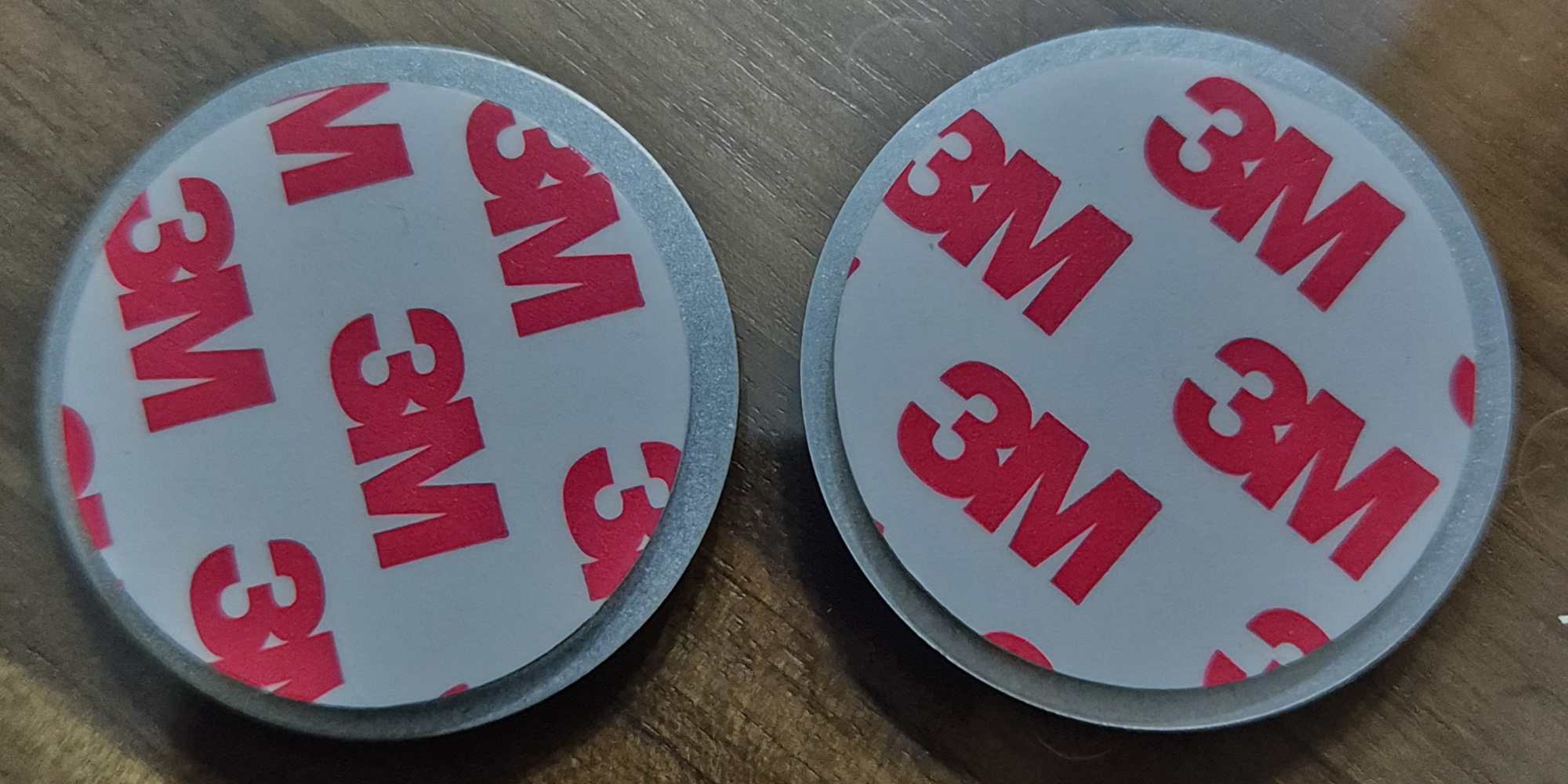
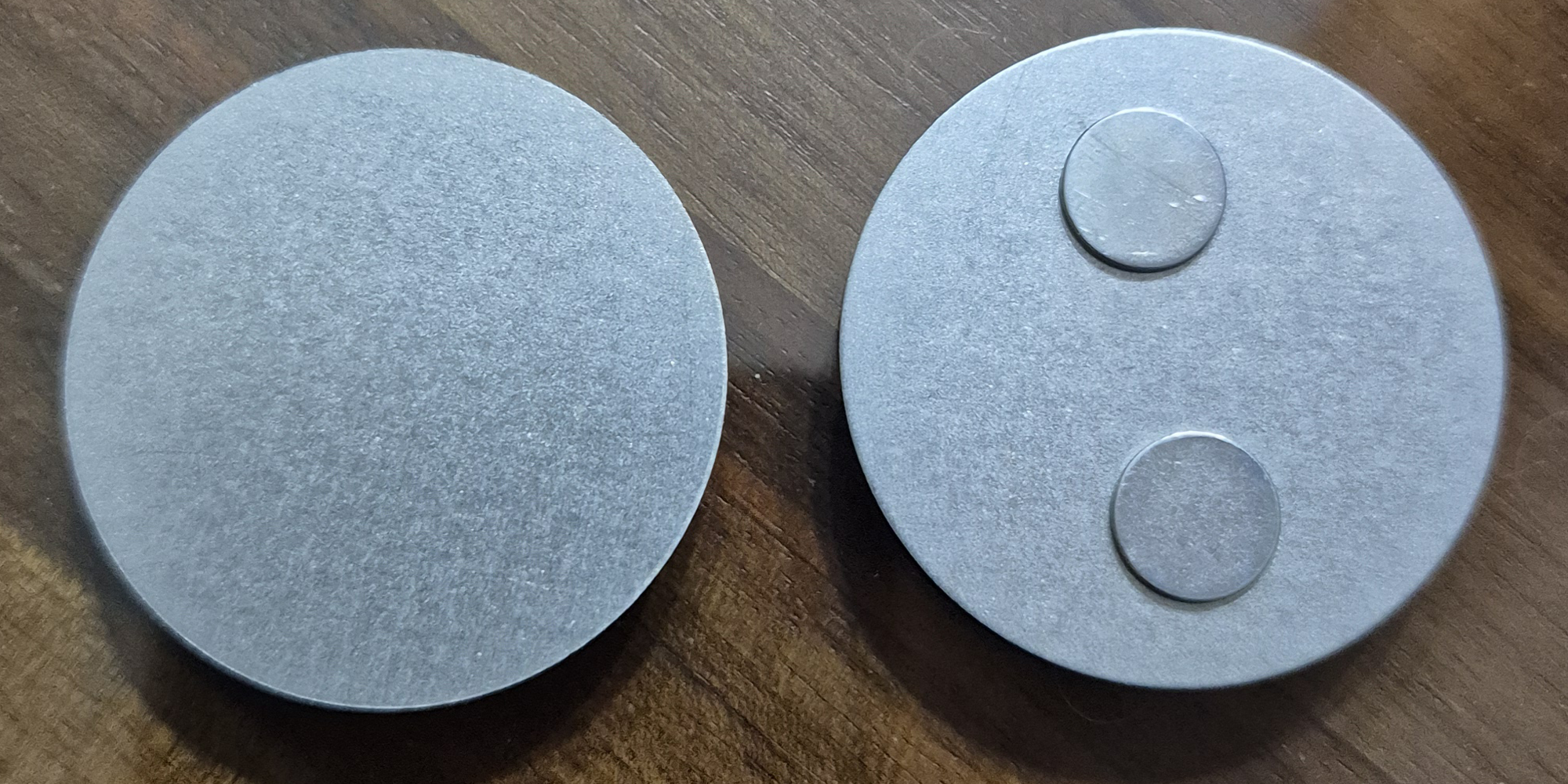
The new model offers an awesome magnetic plate system with two magnets and 3M double-sided
🛒 Where to buy this equipment?
Here is the link to the page dedicated to HS1SA-E-PLUS. I referenced the sellers and prices.
🏡 Where I install it
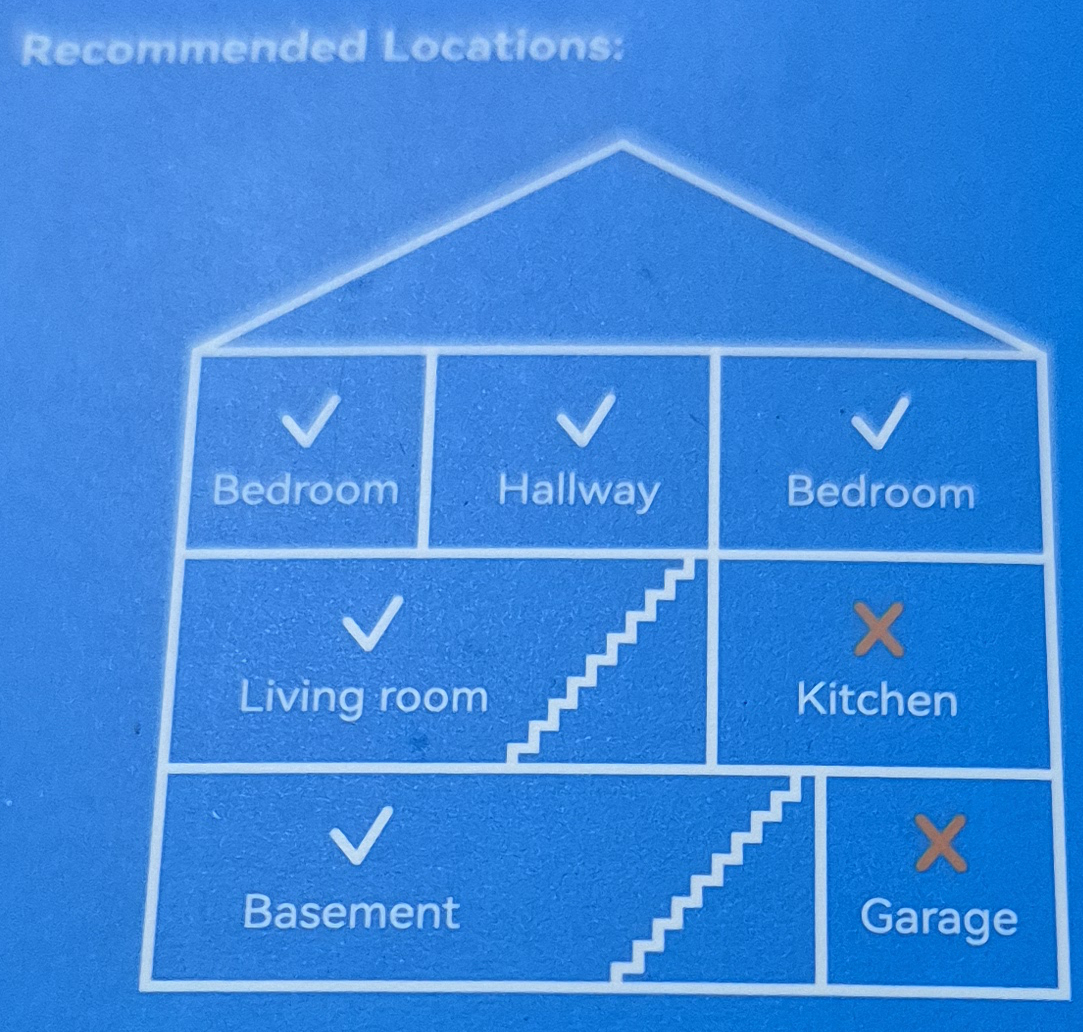
For reliable measurements, I choose the ceiling in the center of the room. I avoid corners, kitchens or garages for false positives because of kitchen smoke or dust.
🔋 I spot the yellow tab that has to isolate the battery
 I remove the base (just unscrew a few degrees), then I pull the tab to power the detector.
🔗 I integrate this detector with Zigbee2MQTT
I put Zigbee2MQTT in pairing mode when I remove the tab, but nothing happens (this is not automatic on this model).
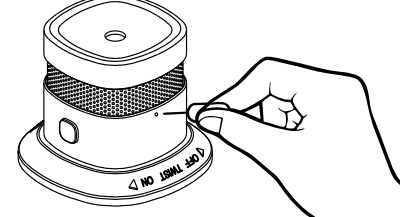
So I find the small hole on the side, I slide a trombone into it to press for a few seconds until the LED flashes green.
The pairing starts immediately and, in a few seconds, the module is integrated!
Below are the 3 new products detected in HS1SA-E-PLUS and at the top, the previous product recognized in HS1SA-E.

🖊 I am renaming the device
in Heimann Test 01 to continue the tests.

Exhibition details of Zigbee2MQTT
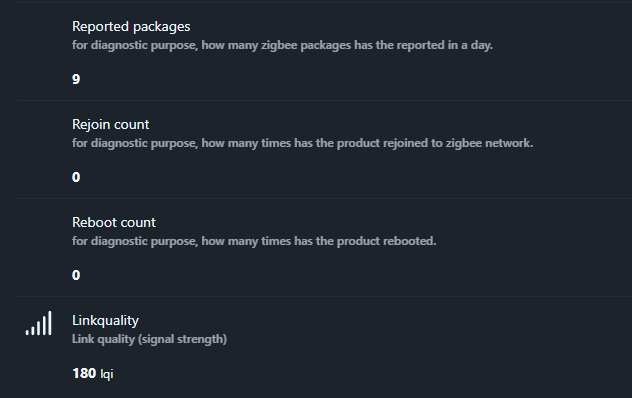
Exhibition details of Zigbee2MQTT
🔋 Battery
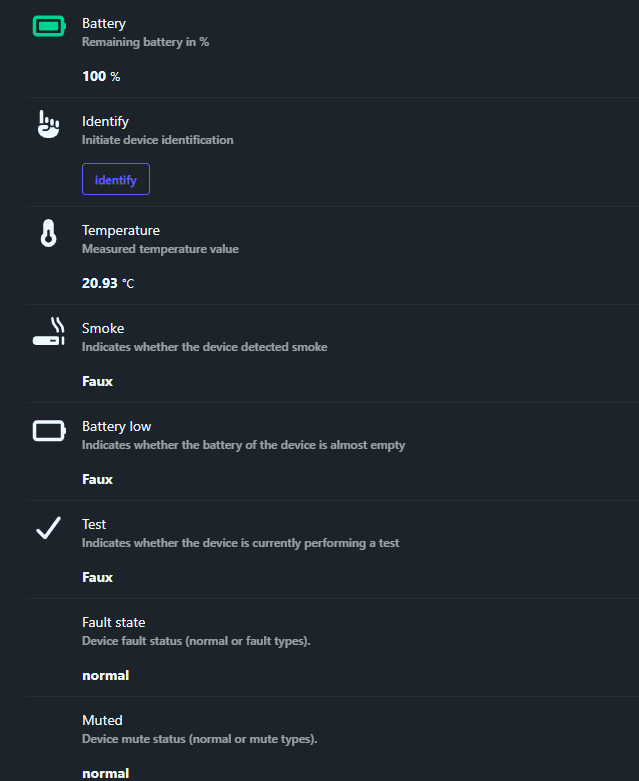
The exhibition Battery corresponds to percentage of battery remaining reassembled by the detector. In practice, it is the simplest indicator for monitoring day-to-day autonomy, e.g. 100% Just after installation.
I display it on my Home Assistant dashboard to quickly spot an abnormal drop. When the level passes low (typically under 20%), I plan to replace the CR123A battery before having any unwanted beeps or loss of supervision. One can choose to do a digital test on this exhibition or use the exhibition Battery low which is binary, each its preference, the device gives the choice.
🔎 Identify
The exhibition Identify is used to identify physically the detector. When I trigger this action, the detector starts a flashing LED so I know which one is which.
This is very useful if I install several identical detectors in the house. I can rename them cleanly in Zigbee2MQTT without making a mistake.
🌡 Temperature
The exhibition Temperature goes up a measured temperature by the detector (in °C). This is not the main function of a smoke detector, but it is a practical fact, e.g. 20.9°C.
I can display it on the dashboard, or use it in a simple automation (ventilation, window, heating). I keep in mind that this is not a dedicated precision probe, but rather a bonus for contextualising the environment.
🔥 Smoke
The exhibition Smoke indicates whether the detector has detected smoke as a binary state (True/False). As long as there is nothing to report, I see “False” on the dashboard.
This is the most important exposure for safety, as I use it to trigger notifications and emergency scenarios. For example: immediate push notification, ignition of lights, opening of flaps, and possibly triggering of additional sirens.
🪫 Battery low
The exhibition Battery low is a binary indicator that signals whether the battery is almost empty. Even if the “Battery” value can still show a percentage, this status is an excellent alert trigger as it represents a “critical” threshold on the device side.
I use it to send a priority notification and to avoid delaying battery replacement. The objective is clear: Do not wait until the detector switches to regular beep mode or becomes unstable on the network.
🧪 Test
The exhibition Testing indicates whether the detector is performing a test. It is a binary state (True/False) that becomes “True” during the test phase and then returns to “False” afterwards.
I use it to check that my automations respond correctly to a test without triggering a general panic. This mode is designed to be used in dashboard, notification and automation.
🛠 Fault state
The exhibition Fault state corresponds todefault state of the detector. It indicates whether the device is in a normal state, or whether it is recovering from a type of problem (depending on the possible ‘fault types’).
I display it on my security dashboard because a defect can be as important as an alarm. If this status changes, I plan an on-site check (battery, fouling, positioning) and I monitor Zigbee stability.
🔇 Muted
The exhibition Muted indicates whether the detector is currently in silent mode or in normal condition. The important clarification is that this status is mostly relevant when the detector has been silenced during an alarm state, and not as a mere permanent “silent mode”.
I use it to visually confirm that a mute has been applied after a false positive. It is also very convenient to avoid “believing” that the alarm is switched off when it is not.
✅ Trigger Selftest
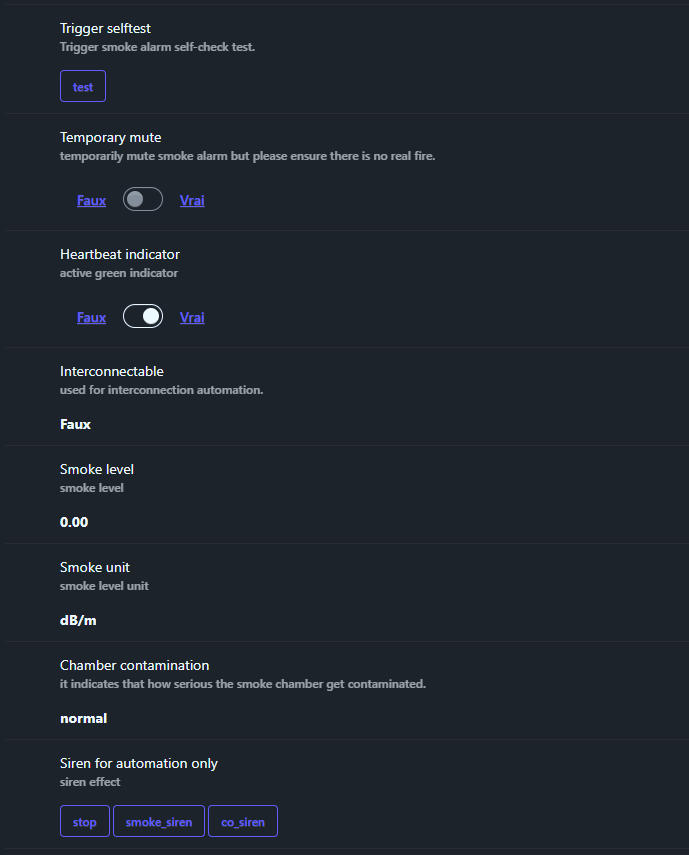
The exhibition Trigger selftest triggers a remote self-test of the detector. The idea is simple: I can check periodically that the device is responding, without physically pressing the button.
The self-test lasts long enough (approximately 21 seconds) for the automation to have time to act. In my case, when I run a self-test, I watch that Testing switches to “True”, that Smoke does not switch to “True”, and I listen to the test beeps (2 times 3 beeps) to validate the correct operation.
🤫 Temporary Mute
The exhibition Temporary mute allows for ask the detector to switch to remote mute mode. It is a very useful command when the alarm sounds for a non-dangerous cause, but it must be used with common sense: I always check that there is no real fire start before turning off the sound.
Behavior depends on the context.
- In low battery status, if I click on Temporary mute, the button can automatically return to its original state: this is normal, as the low-battery warning sound can only be switched off for 12 hours, then the device resumes its warning.
- In alarm status (smoke), I can activate or deactivate the mute, which is ideal to manage a false positive (steam, dust) while keeping my hand from the dashboard and without pressing the button on the device.
💡 Heartbeat indicator
The exhibition Heartbeat indicator is used to activate or deactivate the indicator light (heartbeat). The aim is to manage the flashing of the LED, which is often useful to confirm that the device is alive, but sometimes annoying in a room.
The documentation recommends not disabling it “blindly”: if I switch off the LED, I compensate with a periodic check (programmed self-test) and an unavailable device detection (offline) in Home Assistant.
🔗 Interconnectable
The exhibition Interconnectable is planned for theinterconnection between detectors (logical “if one detects, the others react”). The explanation provided indicates that this exposure is thought of as an automation trigger, simpler and more flexible than relying solely on “Smoke” or “Test” to control external sirens.
I would use it to create a global alert: if a single detector triggers, I ring other devices (sirens, speakers, other detectors) so that the alert is audible everywhere.
At this stage, I need to test with at least two detectors to test this.
📈 Smoke level
The exhibition Smoke level goes up a measured smoke level as a numeric value (e.g. 0.00 under normal conditions). This is finer information than a simple “Smoke = True/False”.
I can use it for prevention: display the trend on a dashboard, or trigger a ‘pre-alert’ notification if the level rises gradually before the alarm is triggered.
I also have a air quality monitor In the room, I will be able to see if the smoke detector reacts when the air quality monitor informs me that the indoor air quality has become poor.
📏 Smoke unit
The exhibition Smoke unit specifies theunit associated with the measure ‘Smoke level’. In the documentation, this unit is designed to facilitate scripts and automations, especially because the product is intended for international use.
Concretely, it prevents me from making assumptions in my automations. I can also adjust my thresholds if I change my model later, keeping a consistent logic.
🧼 Chamber contamination
The exhibition Chamber contamination indicates the level offouling of the smoke detection chamber.
The possible values are:
- normal : Clean room, optimal detection.
- light_contamination : Light contamination, watch.
- medium_contamination : Medium contamination, clean soon.
- critical_contamination : Critical contamination, clean or replace immediately.
I can use it to schedule an automatic notification as soon as light_contamination, and a strong alert to critical_contamination. This prevents the dust from rendering the detector inoperative without my noticing it.
📢 Siren for automation only
The exhibition Siren for automation only allows for control the siren via a home automation action.
This feature is just great for home automation enthusiasts. Three buttons can be activated: stop, smokesiren or Cosiren, so we have a choice between two ringtones. Too bad, it is a bit limited, but it is already huge to build scenarios.
I intend to use it only in a controlled setting: tests, scenarios, or interconnection. This allows me, for example, to trigger the siren of a detector from an automation, without waiting for it to detect smoke itself.
📦 Reported packages
The exhibition Reported packages is a meter that indicates how many Zigbee packets the device published over a 24-hour period. This is a very useful diagnostic data if I find that the battery is emptying too quickly.
In this context, “reported” means sent / transmitted : this is the total number of Zigbee packets that the detector sent to the network over a day. These packets correspond to ‘reporting’ messages (automatic states such as battery, temperature, smoke level, link quality, etc.). Each time the detector goes up a state, a change, or a periodic heartbeat, it counts +1 packet.
If this meter becomes abnormally high, I must look for the cause (unstable network, too chatty parameters, radio interference).
🔁 Rejoin count
The exhibition Rejoin count indicates how many times The detector joined the Zigbee network again.
In diagnosis, it is a clear indicator of stability: the more it goes up, the more likely my network is to be limited to where the detector is. If I see frequent joins, I add a Zigbee router (plug, router bulb) nearby or I bring the coordinator closer.
I am gaining both alert reliability and battery life.
🔄 Reboot count
The exhibition Reboot count counts the number of restarts of the apparatus. It is still a purely diagnostic fact, but it can help detect unstable behaviour.
If this meter increases, I suspect a weak battery, a firmware problem, or an unstable internal power supply. In any case, I prefer to investigate quickly, because a smoke detector must remain reliable continuously.
📶 Linkquality
The exhibition Linkquality represents the quality of the Zigbee link (LQI). It is not a direct “safety” indicator, but it is an excellent thermometer to know if the detector communicates easily with the network.
If the LQI is too low or fluctuates a lot, I review the placement or add a Zigbee router. I keep in mind that good Zigbee communications increase the chances of alerts and statuses rising quickly, especially in real-life situations.
Details of Zigbee2MQTT parameters
🧩 Temperature calibration
The exhibition Temperature calibration allows foradjust the absolute temperature reported by the detector. By entering an offset value (e.g. +1.5°C or -0.5°C), I compensate for measured deviations from a reliable reference probe.
I use it to refine the measurements in a specific room, especially if I compare it with other in-house sensors. This calibration is set to within 0.1°C. This is very useful to compensate for the positioning of the sensors, often on the ceiling, and therefore with a few degrees more than the temperature at human height.
Attention: this calibration directly impacts all temperature deferrals, so I test after setting and note the value for reproducibility.
🎯 Temperature precision
This parameter defines the number of decimal places displayed for temperature (e.g. 0 for integer, 1 for 21.0°C, 2 for 21.05°C). It controls the accuracy of the deferral without changing the actual measurement.
I choose 1 or 2 decimal places for a display readable on dashboard without unnecessary overload. More decimals = slightly longer reports (minor impact conso), but increased visual accuracy for fine trends.
⏱ Identify timeout
This setting fixes the duration in seconds during which the detector flashes its LED during an Identify command (range 1 to 30 seconds, default value 3 seconds).
I adapt it to my needs: short (5s) for fast location, long (20s) if I struggle to spot among several detectors. This avoids relaunching the Identifier several times during installation or maintenance.
🏠 I find the detector in Home Assistant
I can find my equipment there right away.

Controls are present.
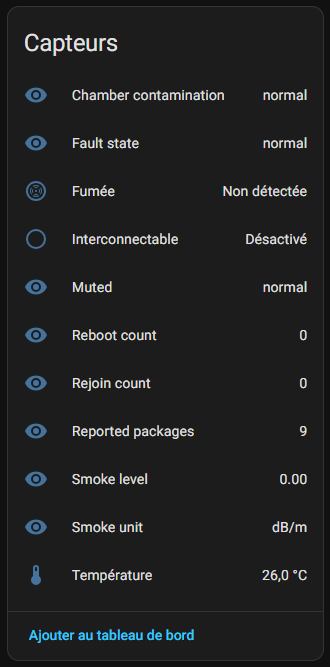
I find all available sensors
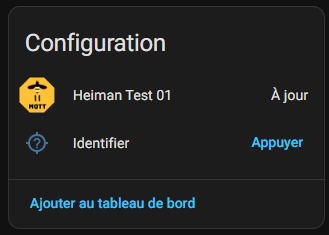
In Configuration, I find the OTA update option (great!) and the identification command that flashes the detector.
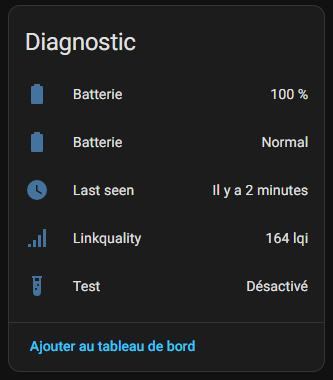
Finally in Diagnosis, I have all the elements. Please note that at home I have automatically activated Linkquality and Last Seen, if it may be of interest, I have produced a Retex which explains this:
I notice that two elements have the same name Battery, I do not know if it is a concern for integration or some other reason, I will have to be careful to rename them so as not to get confused.
📑 For archive: instructions for use
🔗 I pair in Zigbee2MQTT
- I pass Z2M in peering mode
- I remove the tongue from the battery 5s, the led flashes green a few times but nothing happens.
- and put it back for quick pairing
- Detected as "HS1SA-E" or "smoke _zigbee"
- Entities: battery, smoke, tamper, linkquality, test
friendly_name: _fumee _chambre device_class: smoke smoke: binary_sensor.smoke battery_low: binary_sensor.battery_low test: button.test
🏠 Integration in Home Assistant
I can find the device in HA: entities smoke (smoke state), battery, test. Alarm badge with siren and push notification. Everything works perfectly.
📊 My first measurements
| Date | Smoked state | Battery % | Testing | Notes |
|---|---|---|---|---|
| 02/03/2026 | Clear | 100% | okay | Installation |
| 03/03/2026 | Clear | 100% | okay | Stable |
⚙ Automations I am considering
- Alert : If smoke detected, siren home + SMS + opening shutters
- Comfort : Automatic monthly test + low battery alert
📅 Installation and monitoring of batteries
- Installed on 02/03/2026 (Parental room)
💬 My opinion after commissioning
✅ Forts: Quick detection, perfect Z2M/HA integration, long battery life, affordable price.
❌ Weak: No CO, moderate siren, no outside.
My verdict: Excellent for home automation Zigbee! Recommended for all beginners fire safety.
- To compare everything: Comparison Smoke detectors/heat Zigbee
- Product page to find sellers: HS1SA-E-PLUS
 English
  French
  Spanish
  Chinese
  German