

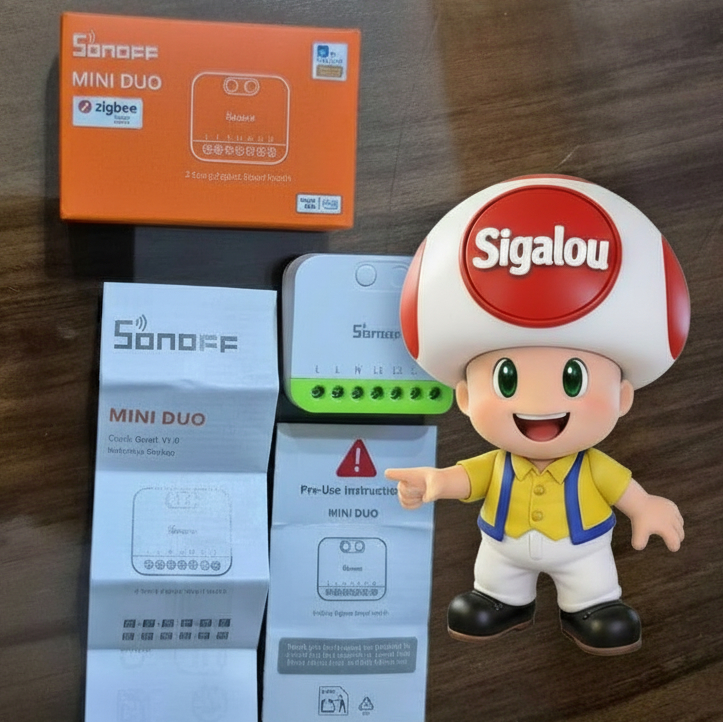
Compact 16A double relay for my lights
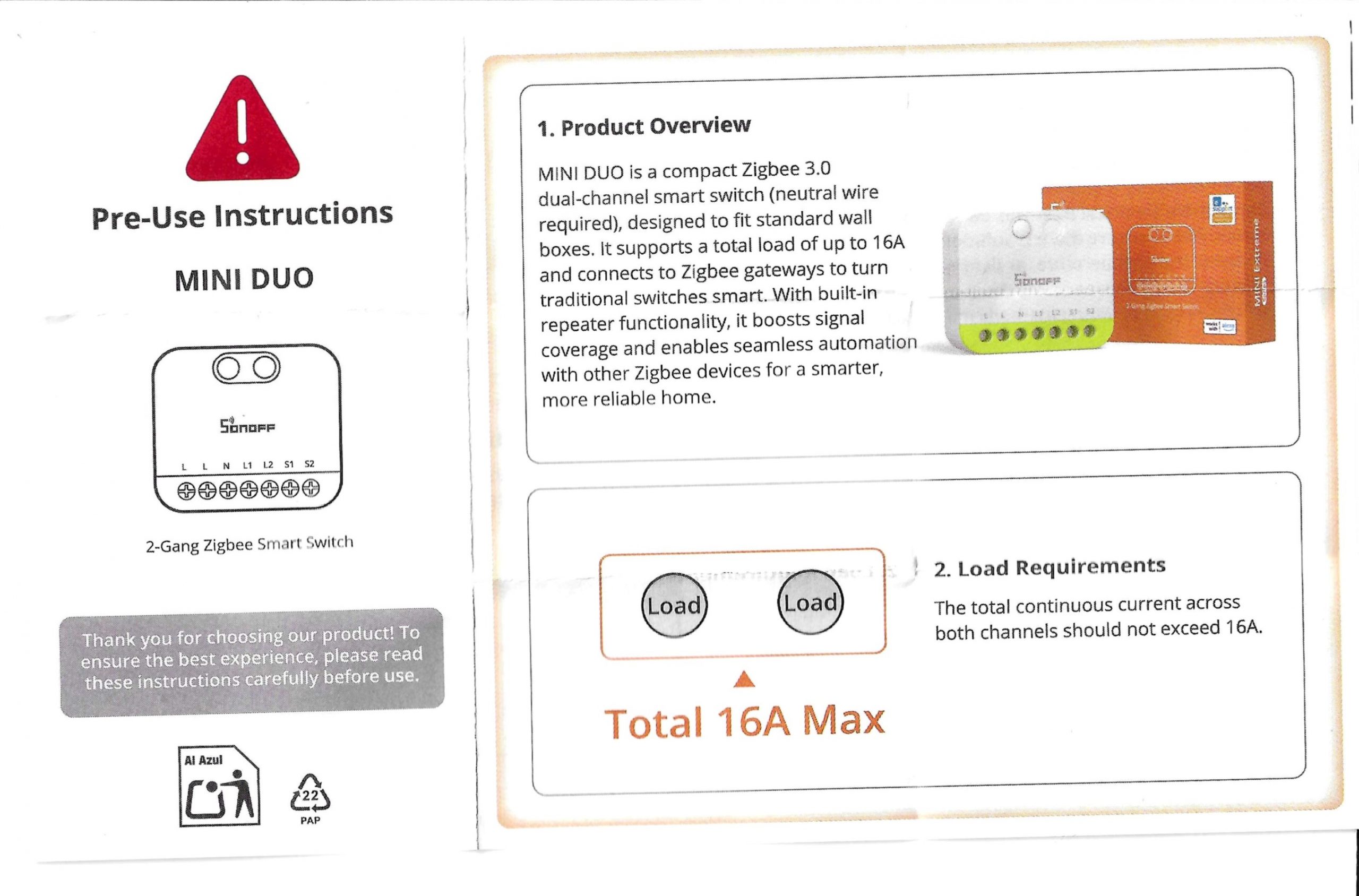
The Sonoff MINI DUO Zigbee (reference MINI-ZB2GS) is a Zigbee 3.0 dual relay micro-module with neutral, designed to fit behind a standard wall switch and drive two circuits up to a total of 16A.
MINI DUO Zigbee: why I'm testing it
I was looking for a Zigbee Dual Relay Micro Module capable of controlling two lighting circuits while remaining very compact, to be installed behind an existing switch. The Sonoff MINI DUO Zigbee (MINI-ZB2GS) promises 10A per channel, 16A in total, true Zigbee repeater mode and simple integration into modern Zigbee ecosystems.
Perfect for managing the kitchen and living room, the two switches are next to each other, with the neutral and a common phase.
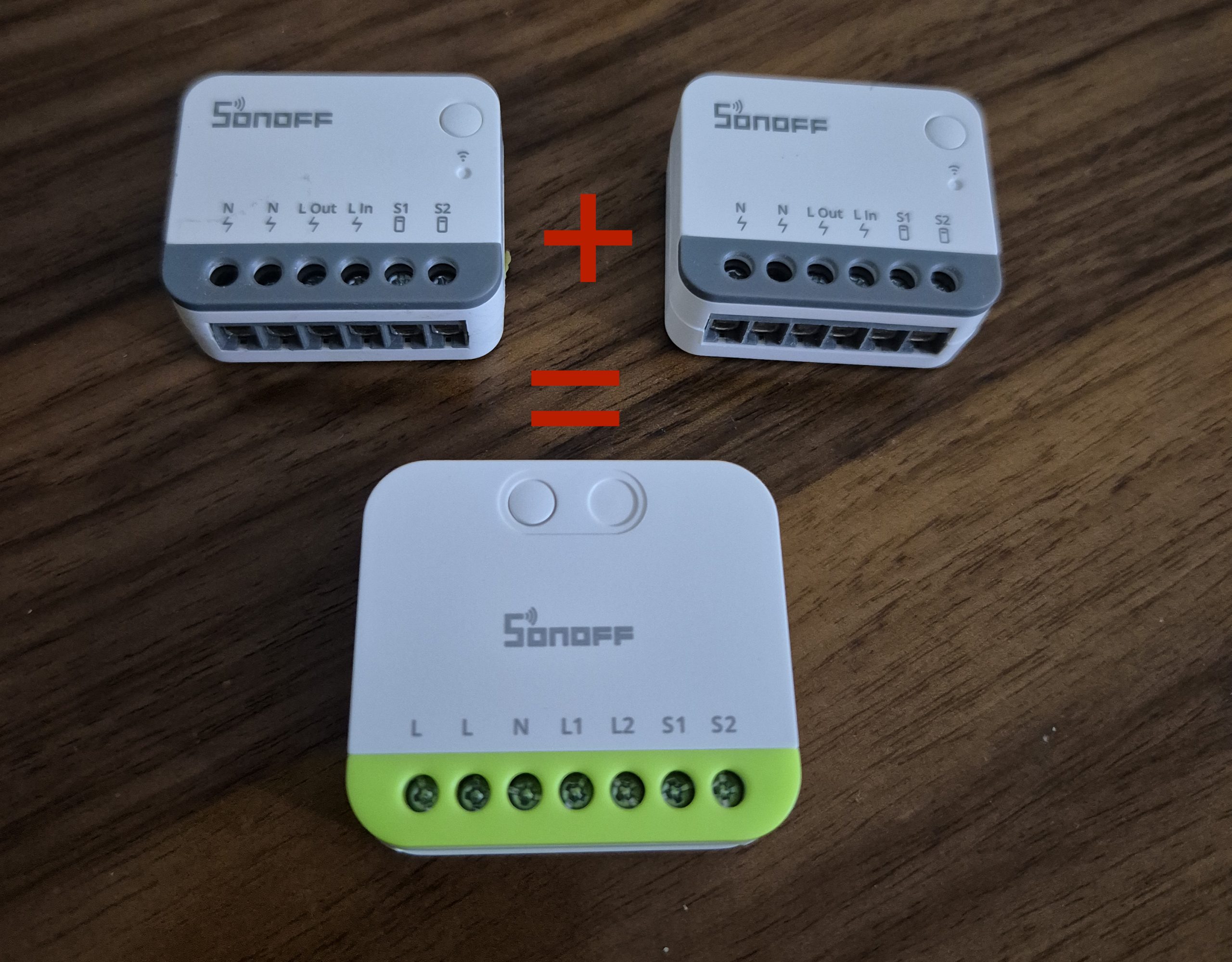
So I replace two modules ZBMINIR2 by this module ZB2GS.
🔍 I check the received model
- On the technical sheet : Sonoff MINI DUO Zigbee, model MINI-ZB2GS, MINI Extreme series.
- On the carton : mention 2-Gang Zigbee Smart Switch, max 10A charge per gang, 16A total, Zigbee 3.0.
- Type of equipment : On/Off double relay built-in micro-module, with neutral, Zigbee router function.
- Protocol : Zigbee 3.0 (IEEE 802.15.4).
- Power supply : 110–240 V~ AC, 50/60 Hz, phase + neutral mandatory.
- Intended installation : behind a double wall switch to control two light circuits (e.g. living room + hallway) or light + controlled socket.
- Measuring ranges : resistive load 10A per outlet, max. 16A cumulative, operating temperature -10 °C to 40 °C, humidity 5–95%RH (non-condensing).
- Dimensions / IP : 45 × 39.4 × 16.8 mm, PC plastic housing, indoor use (no outdoor IP index).
🛒 Where to buy this equipment?
I have centralised all pricing information and reseller links for the Sonoff MINI DUO Zigbee MINI-ZB2GS in the Labo Sigalou, to compare shops easily.
This product has not been offered to me by anyone, this feedback is not sponsored, the equipment goes to my personal installation.
📦 Unpacking and First Impressions
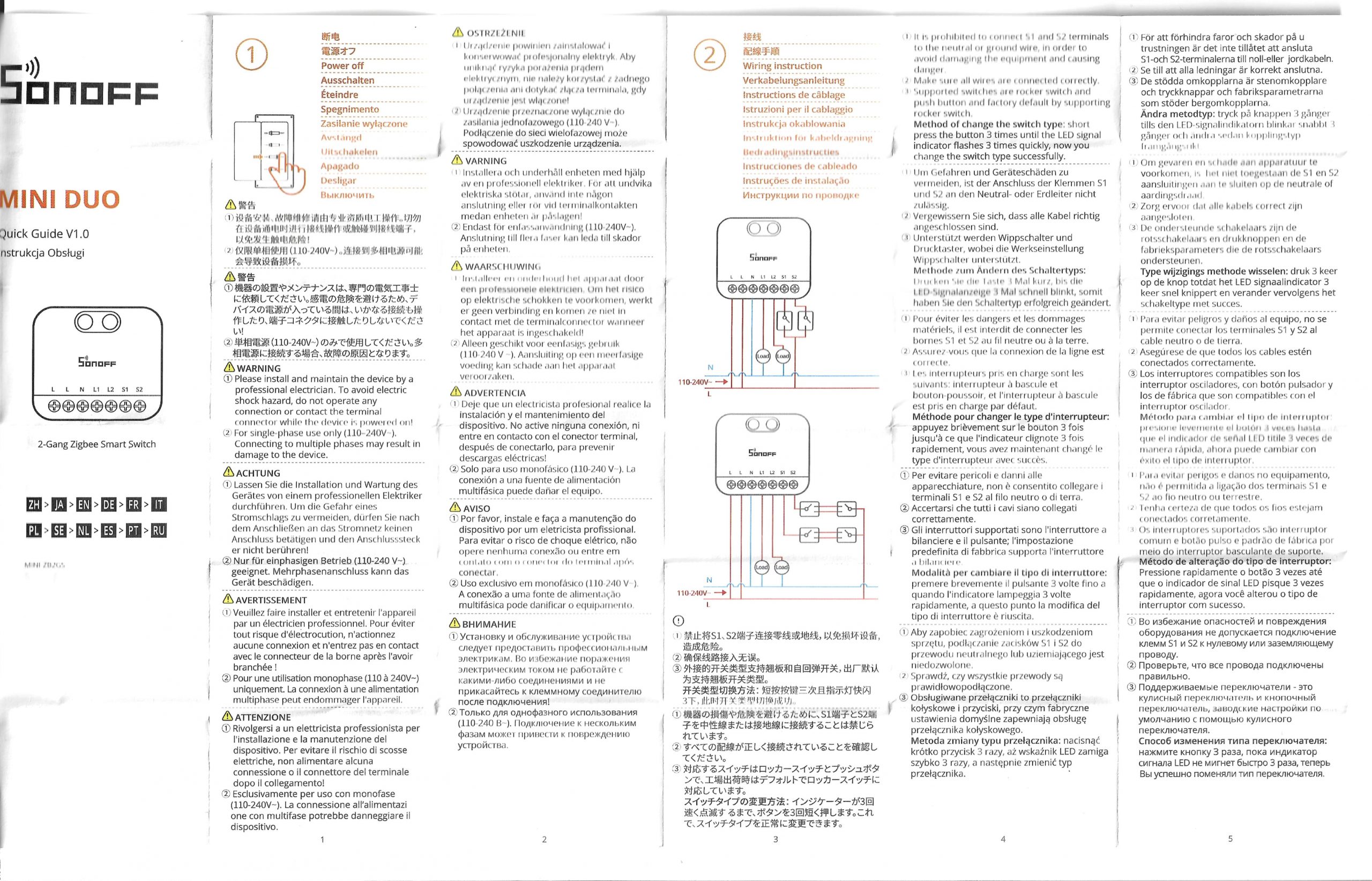
At the reception, I unpack everything: the MINI DUO Zigbee module, a multilingual leaflet (including the full English version), and the markings directly printed on the façade to identify L, N, L1, L2, S1 and S2. I find the format really compact for a dual relay, with a readable front side and an easily accessible pairing button, which simplifies the on-set tests before embedding.
🔧 Power On / Enclosure Opening
I do not open the case, it is not intended to be dismantled by the user and I prefer to keep the original isolation. The power is turned on directly in 230 V with phase and neutral, respecting the terminals L and N, and a circuit breaker or RCBO 16A upstream as recommended in the package leaflet. On ignition, the LED starts flashing slowly, indicating that the module is ready for Zigbee pairing.
🏡 Where I install it
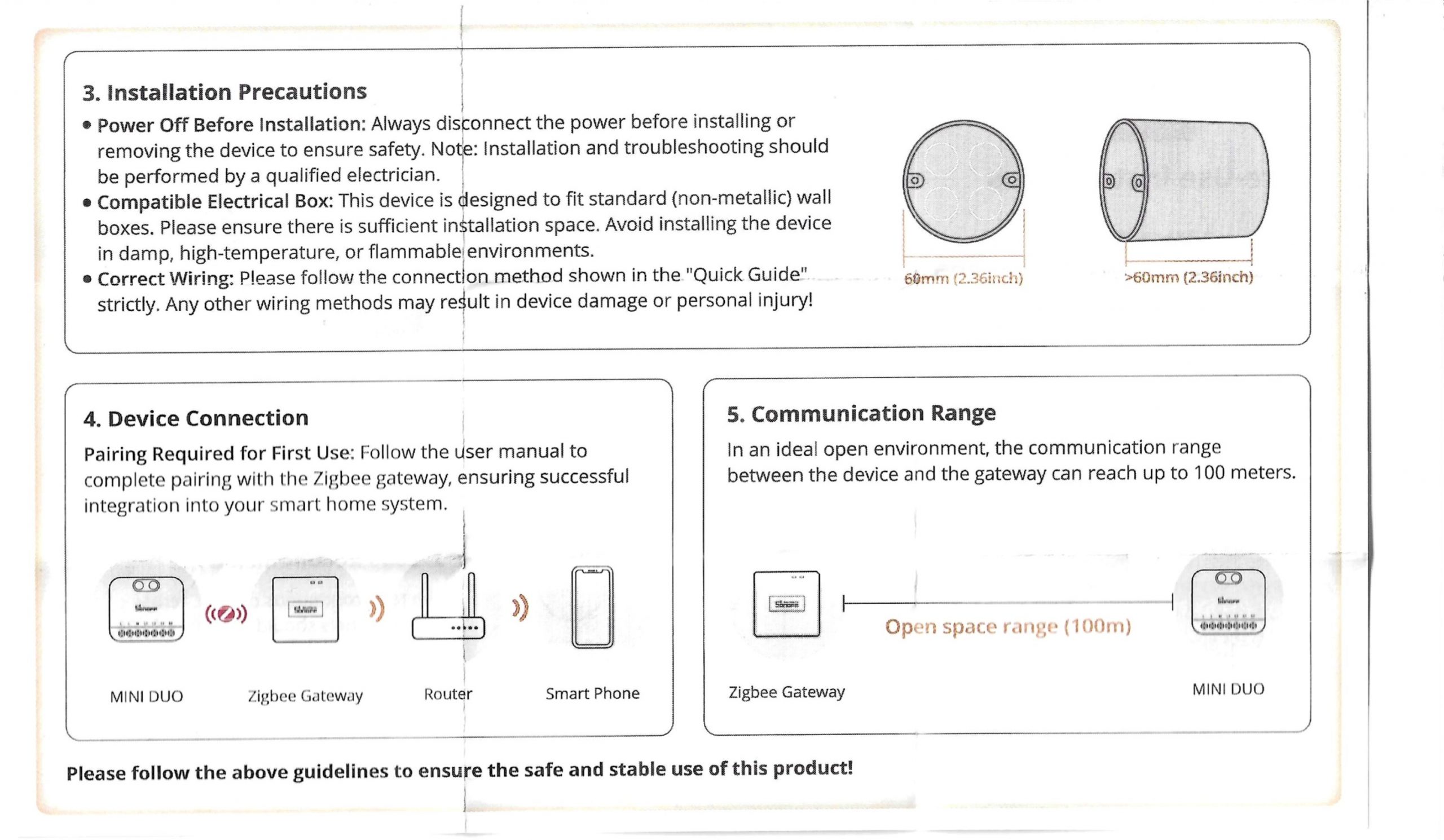
For this test, I plan to install it behind a double wall switch that controls two separate lighting circuits (e.g. kitchen and living room). I choose a rather deep recess box, because even if the MINI DUO is very compact, the wiring and switch still have to be housed. I avoid humid or exposed environments (unprotected bathroom, exterior) since the module is intended for standard indoor use.
🧷 I cable the MINI DUO Zigbee
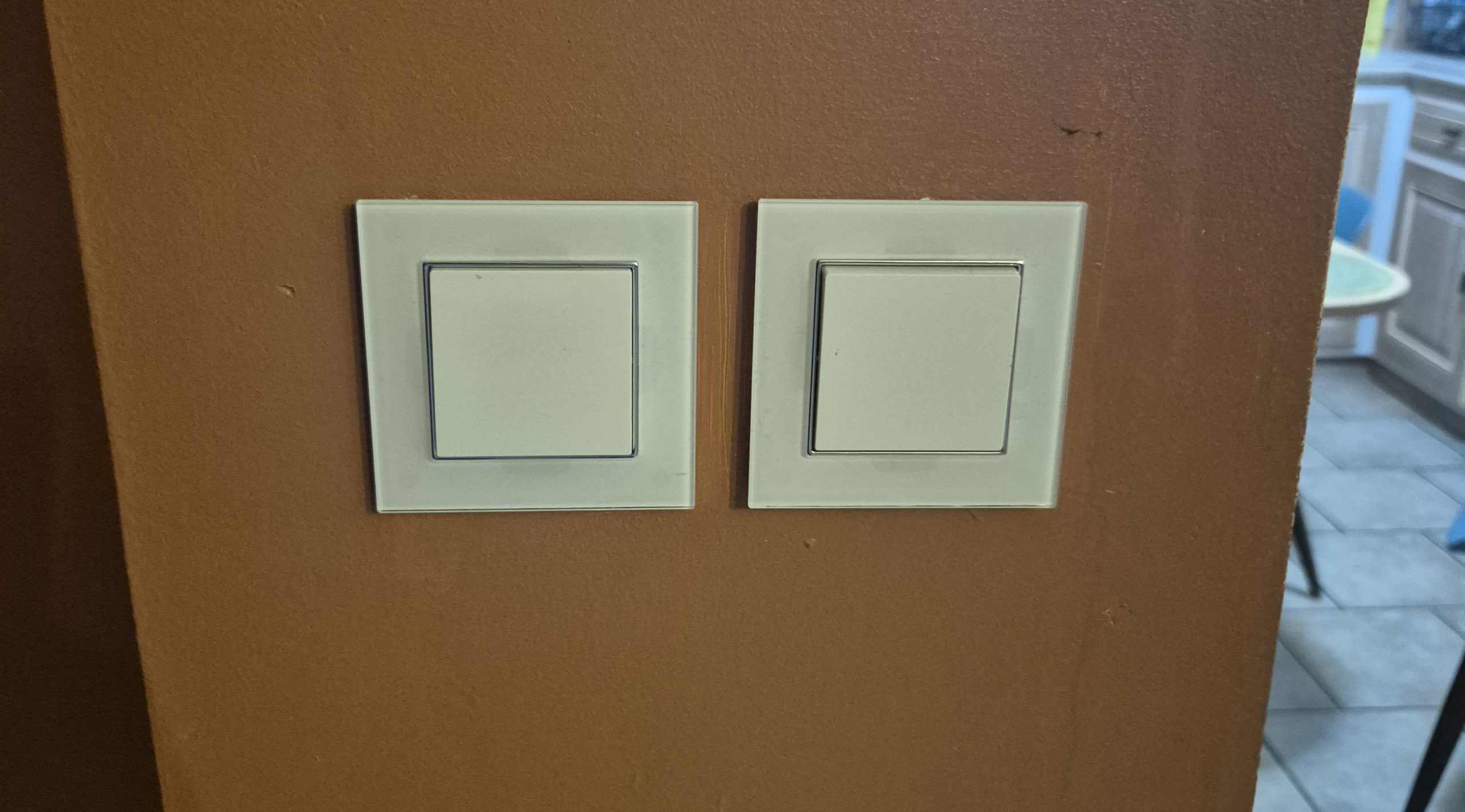
I cut the current at the circuit breaker, then I go to the wiring following the diagram and the screen-printed terminals on the module.
- Arrival of food : I connect the supply phase on the terminal L (common bornier) and the neutral on the terminal N, respecting the recommended sections (1.5 mm ² to 2.5 mm ² rigid or flexible copper).
- Outputs to lamps : I connect the two lamp returns on L1 and L2, each corresponding to an independent relay (gang 1 and gang 2).
- Switch inputs : I connect the two wires coming from the double switch on S1 and S2, without ever connecting these terminals to the neutral or to the ground, as indicated in the package leaflet.
- Upstream protection : I place the module behind a 16A circuit breaker or RCBO, because the package leaflet requires appropriate protection before the device.
I would point out that this module is intended only for a 110–240 V~ single-phase installation: Connecting it over several phases is explicitly forbidden and would risk destroying it.
💡 I choose the type of switch
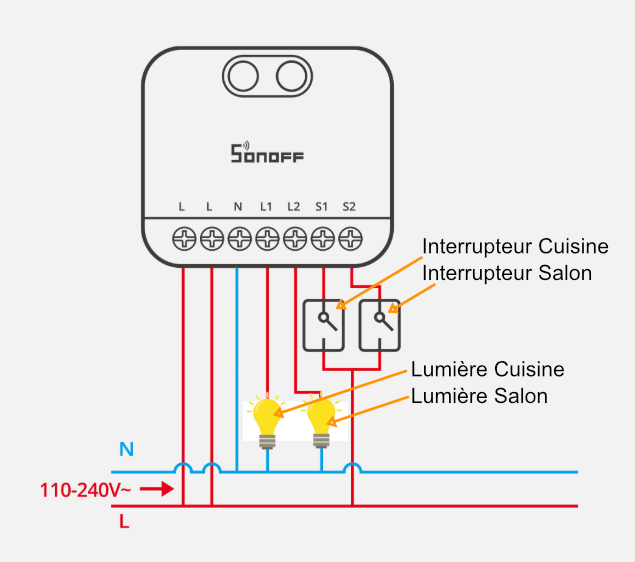
The MINI DUO Zigbee accepts classic rocker switches and momentary push-buttons, allowing existing aesthetics to be maintained or switched to push-buttons as usual. By default, the device is set to switch toggle mode. To change the type of control, I press the module button three times quickly, and the blue LED flashes three times to confirm the change. This can also be done from Zigbee2MQTT.
🔌 I'm powering up
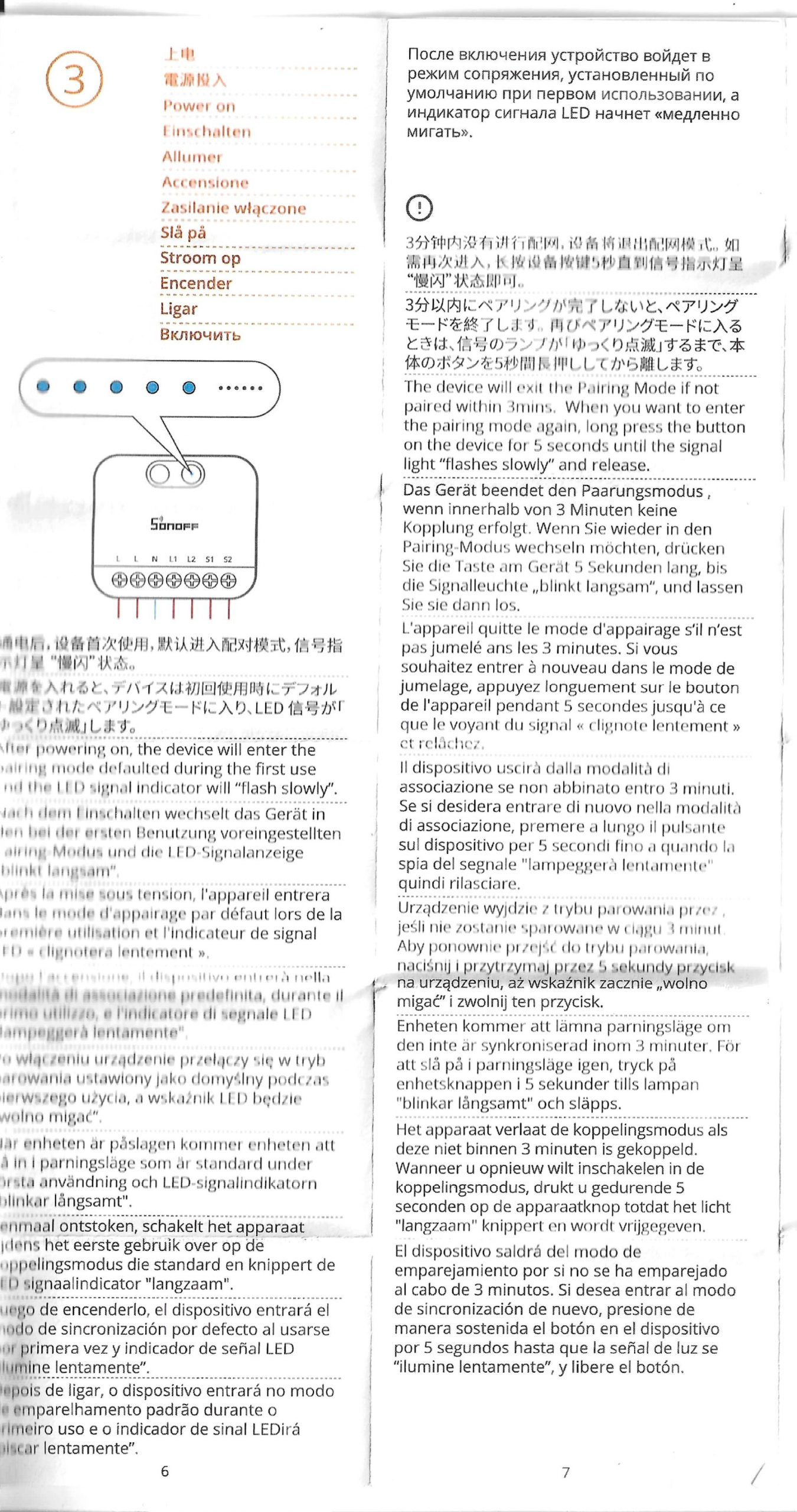
Once the wiring is complete and the housing is closed cleanly, I put the power back on the switchboard and monitor the module's blue LED. When first powered on, the MINI DUO automatically enters pairing mode for about 3 minutes, the LED then flashes slowly. If I do not add it within this time, it goes out of pairing mode and I can restart it by holding the 5-second button until the LED starts flashing slowly again.
🔗 I pair in Zigbee2MQTT
- I pass Zigbee2MQTT in peering mode (Permit Join activated a few minutes).
- I put the MINI DUO in pairing mode (first power on or press the button for 5 seconds until the LED flashes slowly).
- The module usually appears as “MINI-ZB2GS” in the list of Zigbee2MQTT devices, with its two relays and several configuration options.
- Typical exposed entities: two switches (switch 1 and 2), power _on _behavior, S1/S2 input trigger mode (external _trigger _mode), detach relay mode and on _time / delayed power on options.
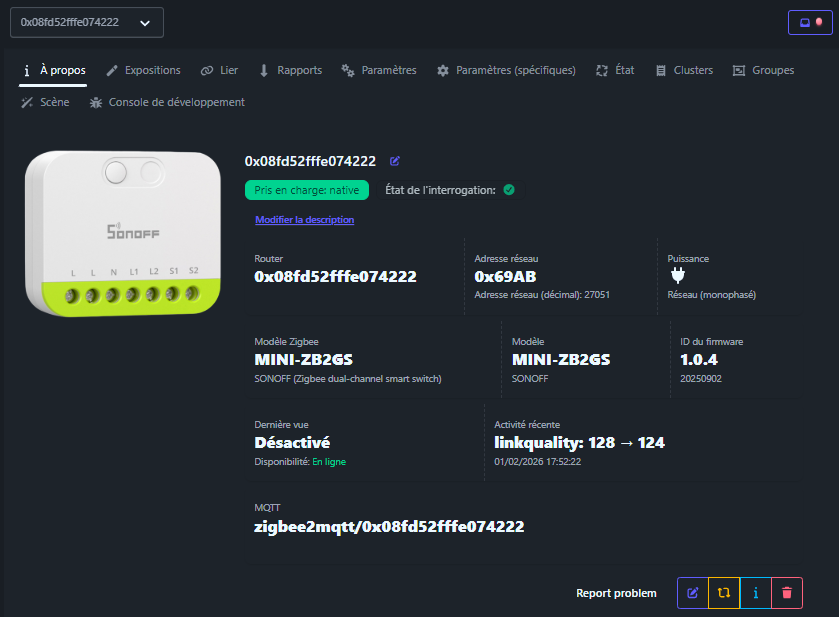
Exhibition details of Zigbee2MQTT
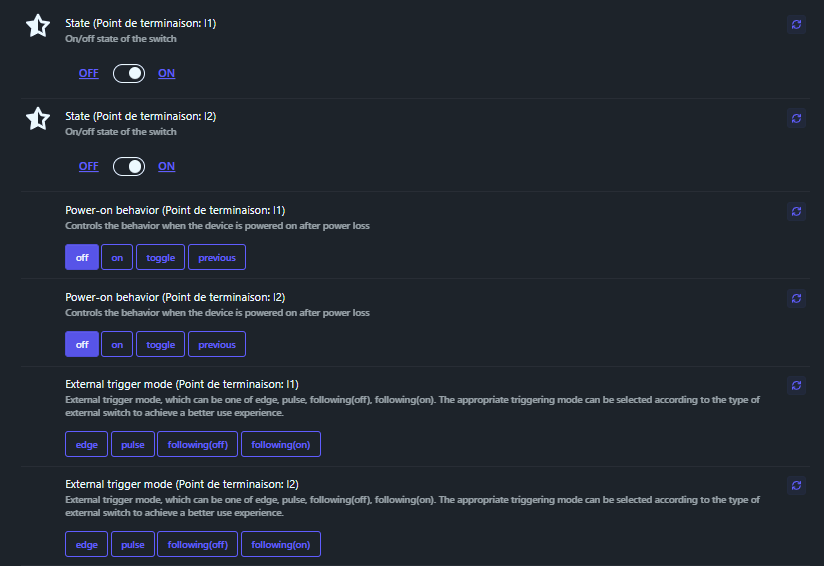
State l1 / State l2
These two exposures are the main switches: state_l1 for the relay connected to L1 and state_l2 for the relay connected to L2. When I set them to ON or OFF, I directly control each channel of the micro-module.
The default mode is simple: an ON switches on, an OFF switches off, with no timer or side effect. I advise to use it for conventional lighting or any simple charge, and to keep the logic of timer or scenarios in specialized exhibitions or in Home Assistant.
Power-on behavior l1/l2
Exhibitions power_on _behavior (l1 and l2) define what each channel does when the current returns after a power outage. The choices are off, on, toggle and previous.
By default, Zigbee2MQTT often displays “off” or “previous” depending on the firmware. For lights, I prefer ‘previous’ to return to the pre-cut state, or ‘off’ if I absolutely want to avoid automatic ignition after a power return, for example in a room or sensitive room.
External trigger mode l1 / l2
external_trigger_mode (l1 and l2) indicates how the module interprets inputs S1 and S2. The values edge, pulse, following(off) and following(on) make it possible to fine-tune the behaviour to the type of wall switch.
I recommend, for a conventional toggle switch, a ‘following’ mode consistent with the physical position (often following(off) or following(on) depending on the wiring). For a push button, the edge or pulse modes are more pleasant, with each push acting as a toggle pulse.
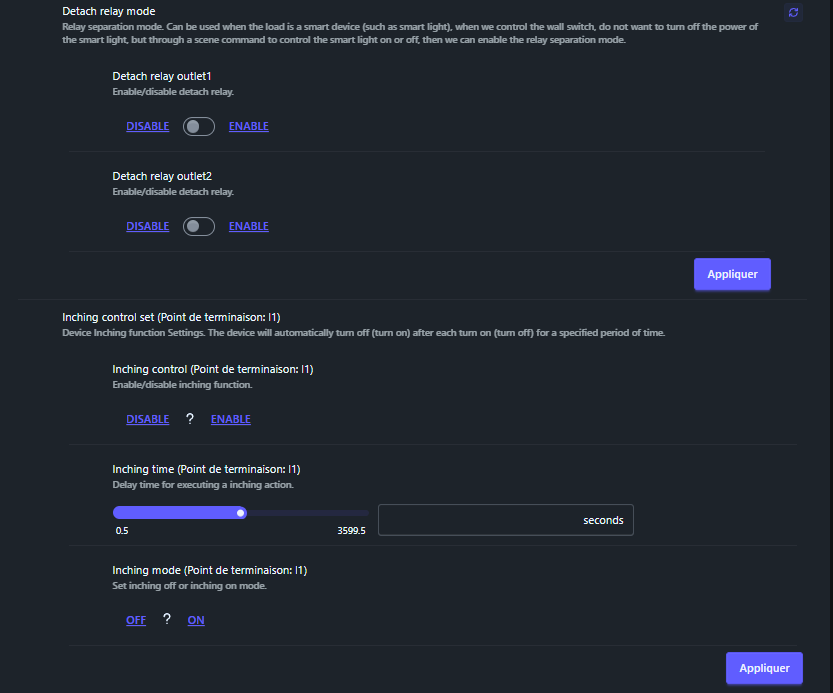
Detach relay mode / Detach relay outlet1 / outlet2
detach _relay _mode activates the principle of separation of relays: S1/S2 inputs can then trigger Zigbee actions without cutting off the charging phase. detach _relay _outlet1 and detach _relay _outlet2 enable or disable this separation for each channel.
By default, the detachment is disabled, the switch really cuts off the lamp. I only activate it when the load is already “smart” (e.g. Zigbee/Wi‑Fi bulb) and I want to leave the current standing, using the switch as a simple scene trigger instead of switching off the bulb’s power supply.
Inching control set l1 / l2
inching_control_set group the ‘Inching’ function options for each channel: it is the logic that makes it possible to have a relay that automatically switches off or on after a certain period of time, with each change of state.
By default, this function is not active. I only use it on circuits such as electric waste, gate, ventilation or passing light, where it is useful for the relay to automatically return to its original state after a few seconds.
Inching control l1 / l2
inching _control (l1 and l2) activates or disables the inching function. When activated, each ON can be transformed into a pulse, with the relay then returning to OFF (or vice versa depending on the mode chosen).
I recommend leaving this option on DISABLE for classic lights. I only activate it if I want the relay never to remain continuously in the ON or OFF state, but to act as a timed push button.
Inching time l1 / l2
The exhibition inching _time Sets the pulse duration in seconds, with fine-tuning between 0.5 and 3599.5 seconds. This is the time during which the relay remains in the new state before returning automatically.
By default, the value has no effect until inching is enabled. When I use it, I choose short durations (1 to 5 seconds) for spoilers or buttons, or even a little more for ventilation or a hallway light, but I remain careful to keep an intuitive behavior for the occupants.
Inching mode l1 / l2
inching _mode specify whether the inching is “off” or “on”: this indicates whether the relay pulses to ON and then returns to OFF or vice versa. In other words, do you want a short ignition or a short stop?
For push button use, I recommend choosing the mode that corresponds to the desired action on the circuit: pulse ON then return OFF for a mess, or pulse OFF then return ON if I have to briefly cut a circuit.
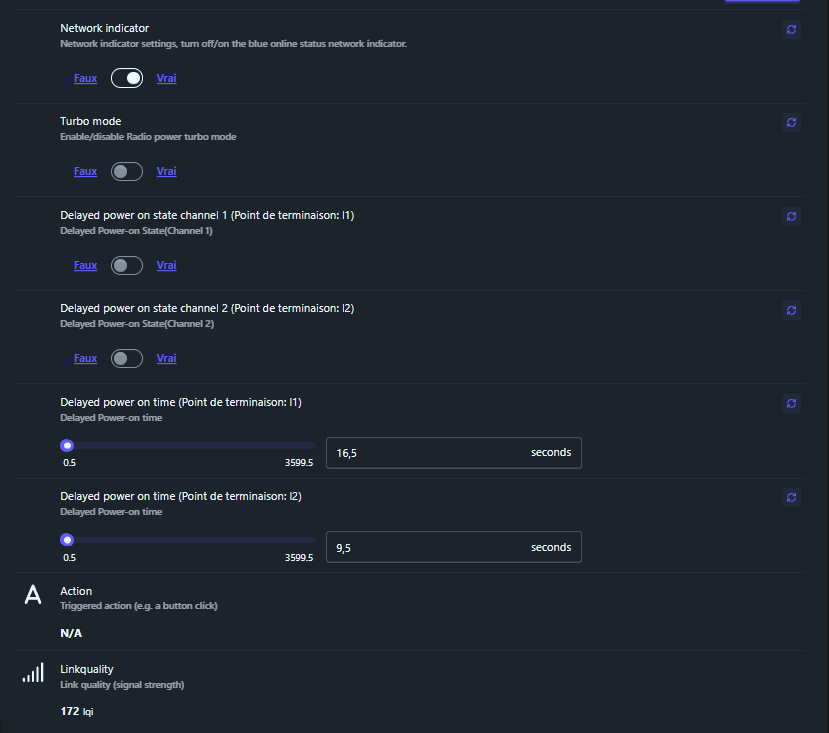
Network indicator
The exhibition _indicator Network controls the blue network status LED on the module, which signals its Zigbee connection. I can cut it if the light of this LED interferes, for example in a room.
By default, the indicator is usually activated. I advise to leave it OFF.
Turbo mode
turbo_mode activates a ‘Turbo’ radio mode that increases the transmitting power of the Zigbee module. The aim is to improve the range and stability of the link, especially if the MINI DUO serves as a router in a slightly off-center location.
By default, this mode is often disabled. I recommend it if the module plays a key repeater role in the network (e.g. in a corridor or a remote switchboard), while keeping in mind that higher power can slightly increase consumption and the risk of disruption if the environment is already very busy with radio. So I pass it to True.
Delayed power on state channel 1 / 2
Exhibitions delayed_power_on_state_channel_1 and delayed_power_on_state_channel_2 indicate the desired end state (True or False) after a “deferred power on” delay for each channel. This allows a delayed ignition to be programmed instead of an immediate ignition.
By default, these functions are inactive. I use them for light sequence scenarios or to limit simultaneous current calls: for example, turn on one circuit a few seconds after another so as not to start everything at the same time.
Delayed power on time l1 / l2
_power _on _time Fixes the duration of this delayed power-on time, always between 0.5 and 3599.5 seconds. At the end of this time, the channel switches to the state defined by delayed_power_on_state_channel_x.
By default, this timeout is neutral. When I need it, I stay on modest values (e.g. 5-30 seconds) so that the behaviour remains understandable: beyond that, one quickly tends to forget that a delayed ignition has been programmed.
Action
The exhibition action goes back to the triggered actions (a click on a button, a change of mode), without me being able to write it down. It is an ideal “event” output for automation.
It is very useful if I use the S1/S2 inputs in detached mode or in advanced logic: instead of monitoring relay status, I trigger my Home Assistant scenarios directly on the action values (e.g. toggle_l1, toggle_l2, etc.).
Linkquality
Finally, linkquality displays the quality of the Zigbee link (in lqi). The higher the value, the better the radio link between the MINI DUO and the coordinator or parent router.
I use it as an investment indicator: if the value remains low or very variable, I bring the module closer to another Zigbee router or coordinator, or possibly activate Turbo mode to stabilise the network in that area.
🏠 Integration in Home Assistant
Once the MINI DUO is integrated into Zigbee2MQTT, Home Assistant automatically retrieves the entities via the MQTT integration, without any additional complex configuration. I therefore find two switching entities for channels 1 and 2, plus configuration entities (reboot behaviour, trigger modes, possible action buttons), which allows me to create my automations in the HA interface.
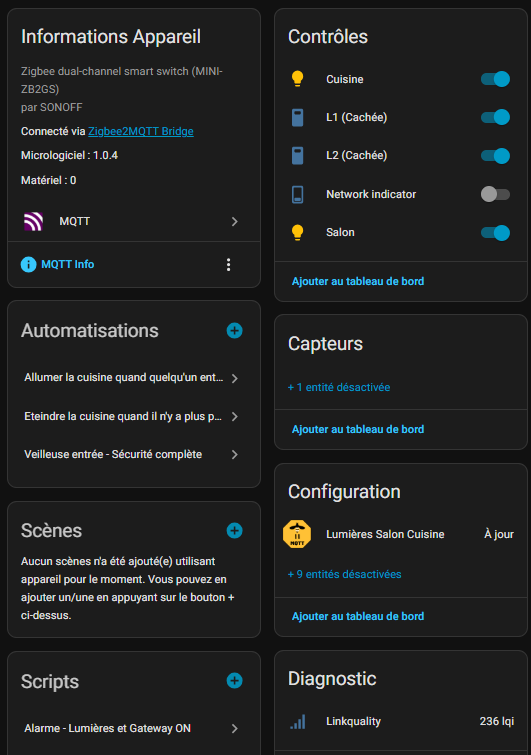
I disable everything I do not need in Home Assistant, all configuration settings, once configured in Zigbee2MQTT, I do not need it in Home Assistant. I activate Linkquality because I have a Linkquality card on my Dashboard.
I turn Home Assistant's L1 and L2 switches into Lights. It is very classic and I rename these lights with the name of the room.
I also activate the voice assistant so that I can say ‘turn on the kitchen’, for example. Once the equipment has been reassembled in Alexa, I add the kitchen and living room to my ground floor group.
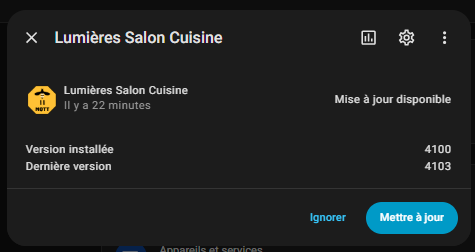
I even have an update that is offered to me as soon as the power is turned on, an update that I make immediately.
📅 Installation
I have become accustomed to note in the feedback the places of installation when I leave them in production at home. Here, no test on the batteries since it is connected to the mains, this will make it possible to monitor its lifespan. The steps will be noted below.
- Installed on 01/02/2026 (living room recess box, behind double switch).
🔍 What communities say
Problems: some feedback points to punctual pairing difficulties, requiring the button to be held a little longer or the module to be temporarily moved closer to the Zigbee gateway when included. Some users also point out that the limit of 16A in total and the exclusive use in single phase should be respected.
My tips: I advise to test the module on set (with a mains cable and two bulb sockets) before embedding it, to check the pairing and the behaviour of the relays. I also recommend taking advantage of its Zigbee repeater function by placing it in a central area of the house, permanently powered, to strengthen the Zigbee mesh. The turbo mode of this range is planned for this.
💬 My opinion after commissioning
✅ Forts: very compact format for a double relay, it replaces two ZBMINIR2, true Zigbee 3.0 compatibility, built-in Zigbee router function, comfortable charging (10A per channel, 16A total), support for switches toggle or pusher, own integration into Zigbee2MQTT and Home Assistant.
❌ Weak: requires absolutely neutral (otherwise you have to take the MINI-ZB2GS-L without neutral) , which complicates the renovation in some installations, strictly single-phase limit, no integrated consumption measurement, and always a little tight wiring in small built-in boxes (larger than the ZBMINIR2).
My verdict: to control two lighting circuits or two single loads with a single micro-module and at the same time reinforce my Zigbee network, the Sonoff MINI DUO Zigbee MINI-ZB2GS seems to me to be a very balanced, reliable and economical solution, provided that the neutral is available and that the announced current limits are respected.
For archive, user manuals or bibliography
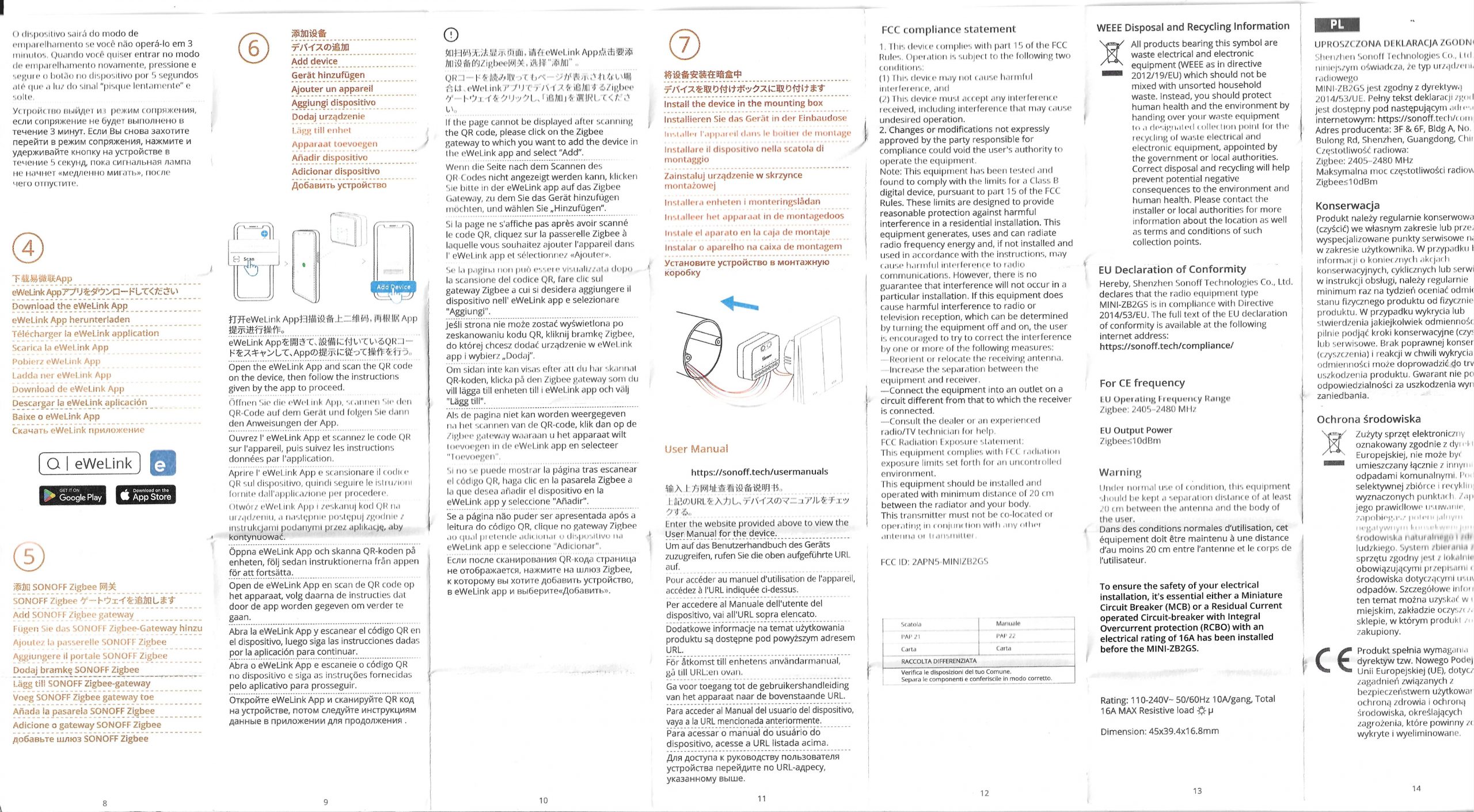
- User_Manual_MINI-ZB2GS_EN_V1.0
- Sonoff support on this product
- Sonoff commercial presentation
- Test on the Domadoo blog
 English
  French
  Spanish
  Chinese
  German