

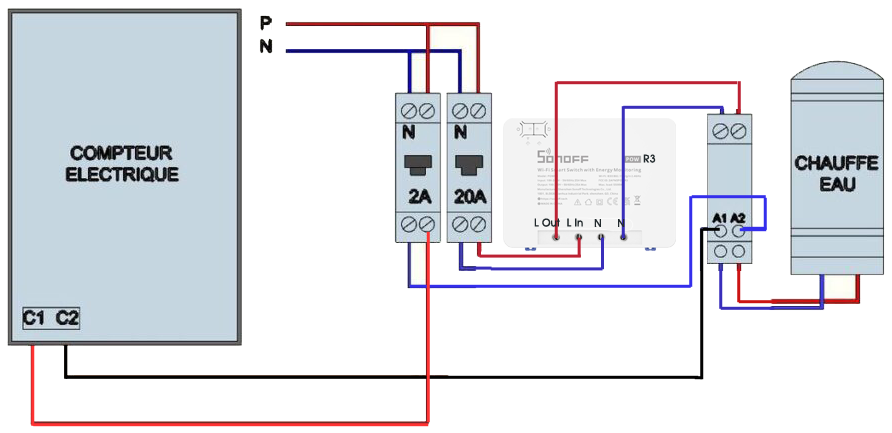
The arrival on the market of the Sonoff POW R3 which accepts 25A gives me the idea of embarking on the control/piloting of my water heater. Until now, the low loads of previous equipment had pushed me back.Composition of the water heater supply system
In my circuit, ordered by one day/night Enedis, I have (from left to right):
- The electric meter that provides Day/Night information on two terminals C1 and C2
- Protection of the pilot line 2A (20724)
- A circuit breaker 16A/20A circuit protection (20726)
- A contactor Hours Creuse 20A (16736)
- A Sonoff POW R3
- The Water Heater
Objective sought
By integrating a Sonoff POW R3 into the circuit, we want to achieve two objectives:
- Measuring the consumption of the water heater, indeed the POW functionality of this equipment is interesting.
- Cut off the water heater supply if the water is hot enough
Preparation of the Sonoff POW R3
Unfortunately, since this equipment does not include Sonoff’s DIY mode, it is not possible to use the Sonoff-DIY plugin to connect him to Jeedom.
- It is therefore necessary to flashing with ESP Easy then use the ESPEasy plugin
- Once you flash it, you have to connect to the WIFI network and link to Jeedom
Where to buy this equipment?
Here is the link to his page dedicated to the POWR3. I referenced the sellers and prices.
Setting up ESP Easy
So you have to go to ESP Easy installed in the previous paragraph to configure it for our water heater.
I put here a series of screenshots, that may be enough to understand. I will add comments if you ask me questions or it seems necessary for understanding.
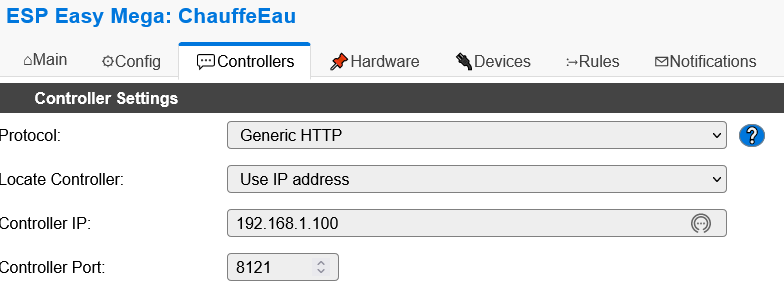
In all examples, replace 192.168.1.100 with the IP of your Jeedom
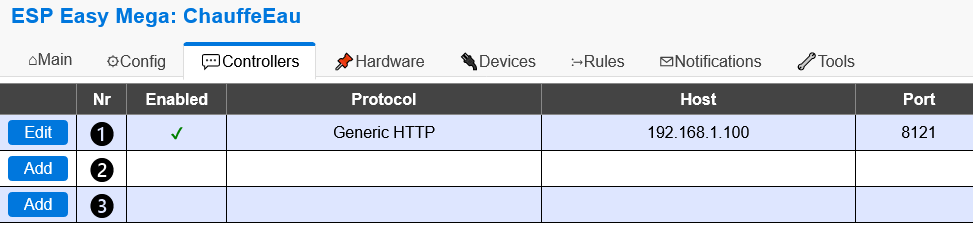
Controllers tab
This is the link between ESPEsay and Jeedom, all the necessary information is given in the plugin config screen


Devices tab
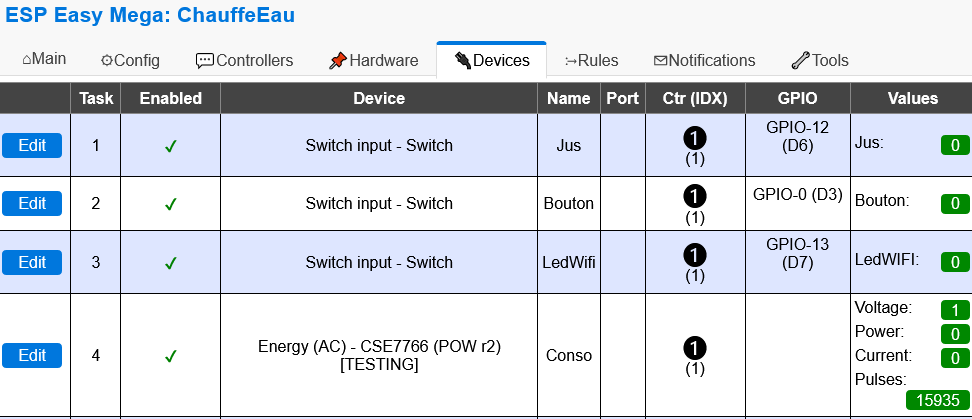

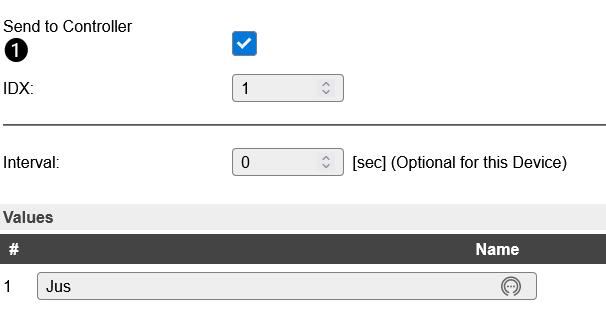
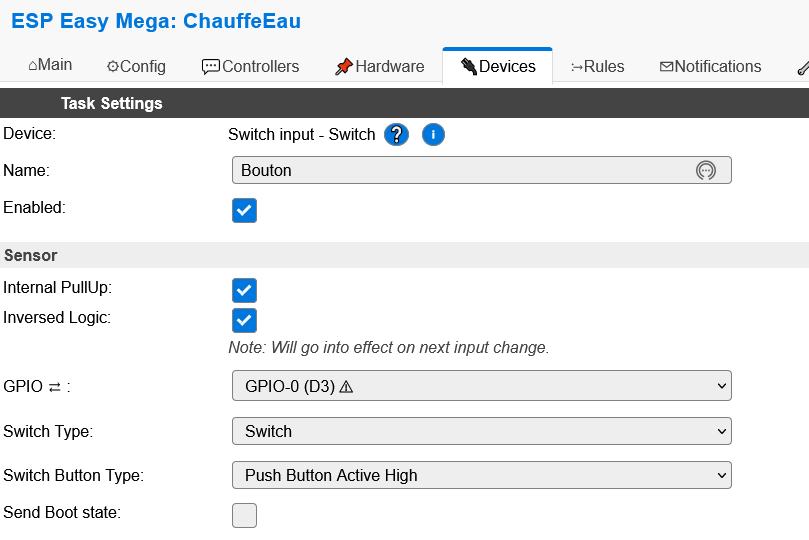
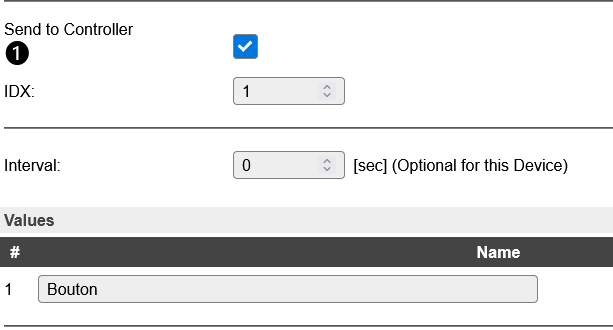
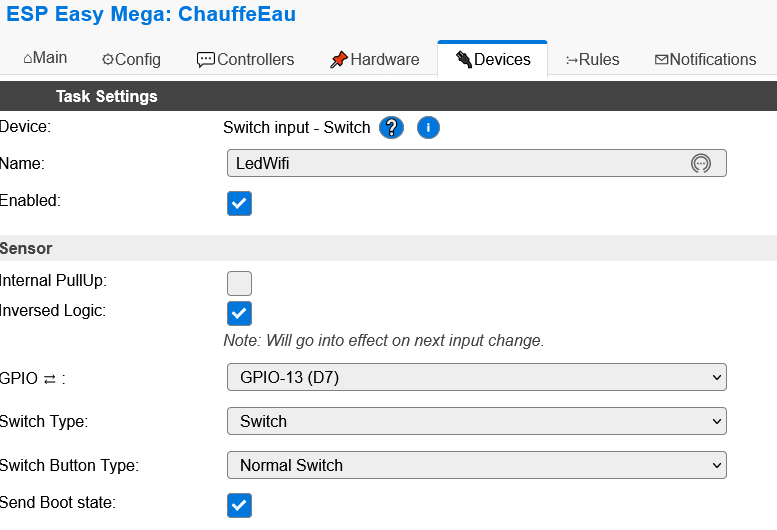
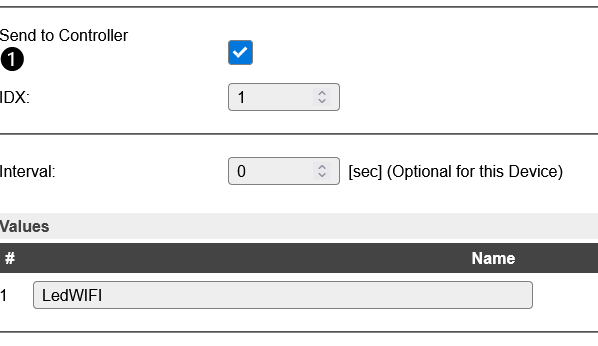
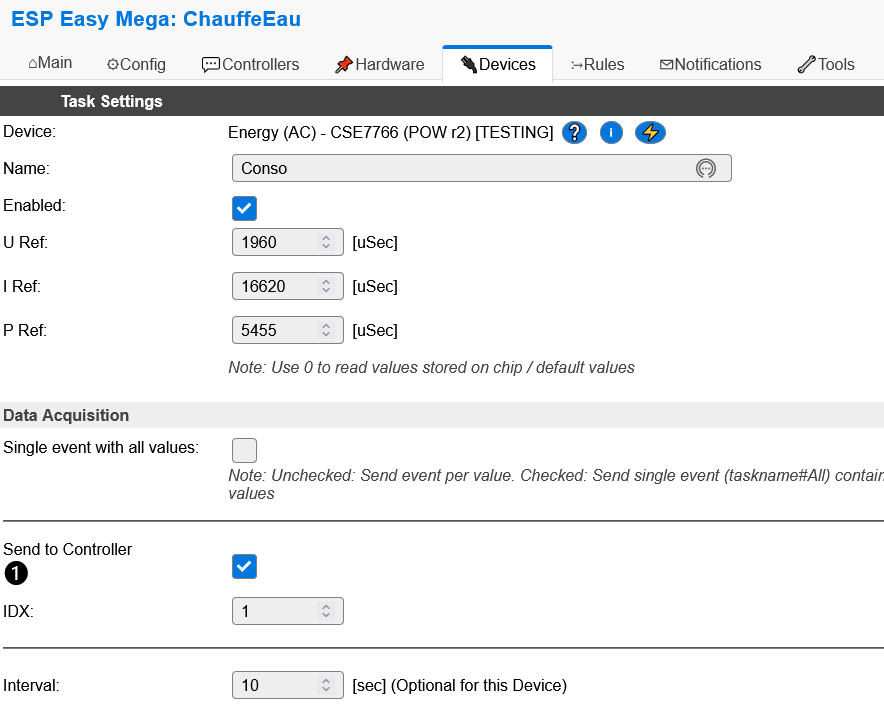
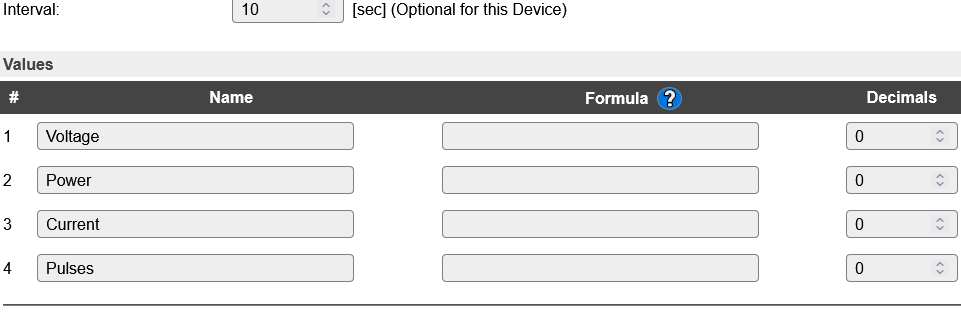
Note for this device, I noticed that if a value is not specified in Interval, the data did not go back to Jeedom (10s is for tests, 60s can be suitable in prod)
Rules tab
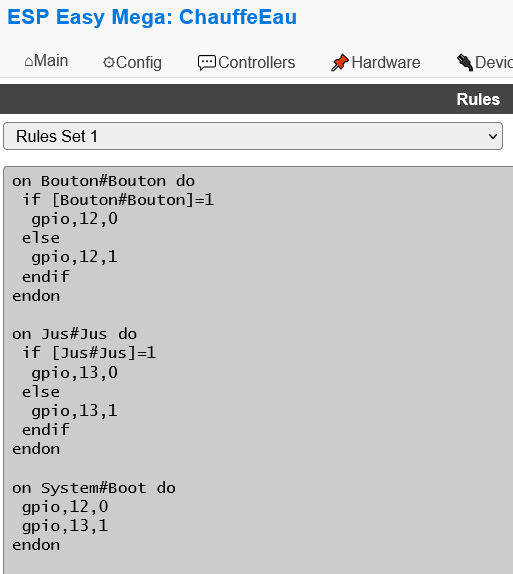
on Button#Do Button
if [Bouton#Button]=1
gpio,12,0
else
gpio,12.1
endif
endon
on Juice#Juice do
if [Jus#Juice]=1
gpio,13,0
else
gpio,13.1
endif
endon
on System#Boot do
gpio,12,0
gpio,13.1
endon
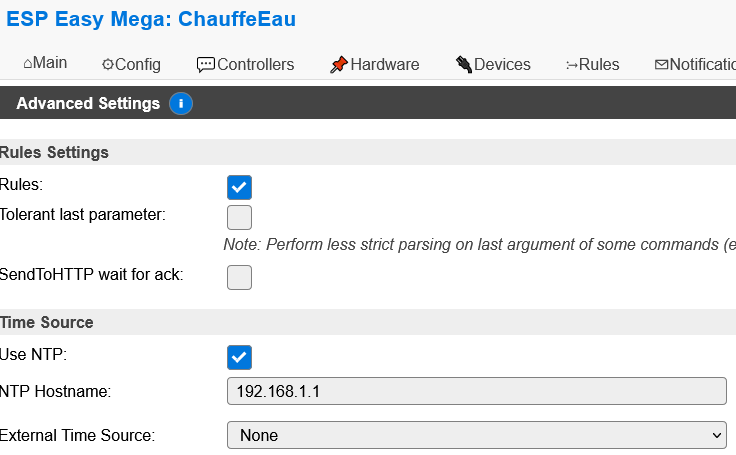
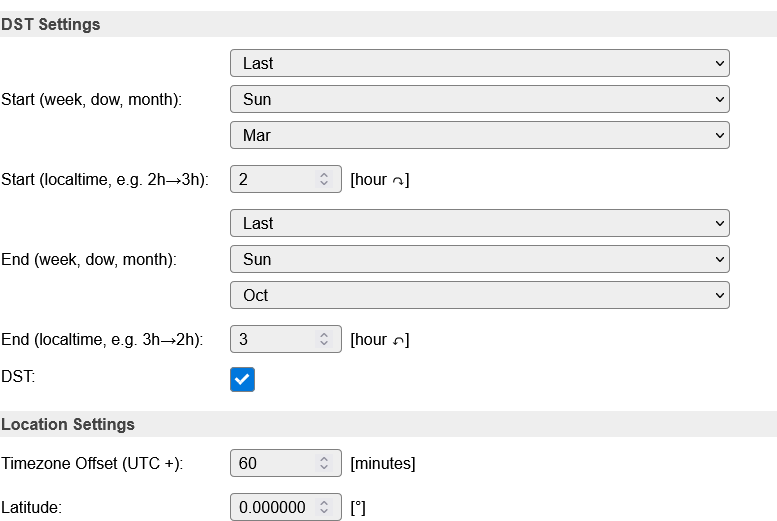
Tools/Advanced tab
Configuration in Jeedom
In ESPEasy
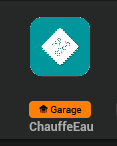
The device is added in EspEasy
The info commands go up automatically.
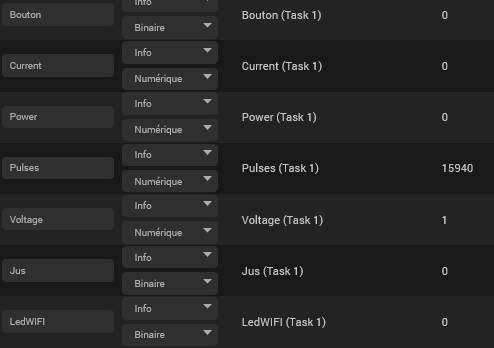
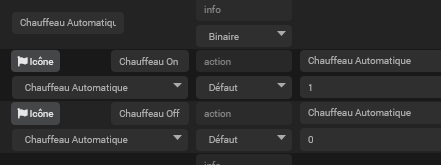
Both commands must be added manually juice on and juice off

In Virtual (optional)
In order to be able to deactivate the automatic management of the Water Heater, I have a virtual one that is planned for this purpose.
In the scenarios

This scenario is triggered by the change in temperature of the hot water

The scenario and the instructions used must be adapted for everyone

Article being written and tested
 English
  French
  Spanish
  Chinese
  German