

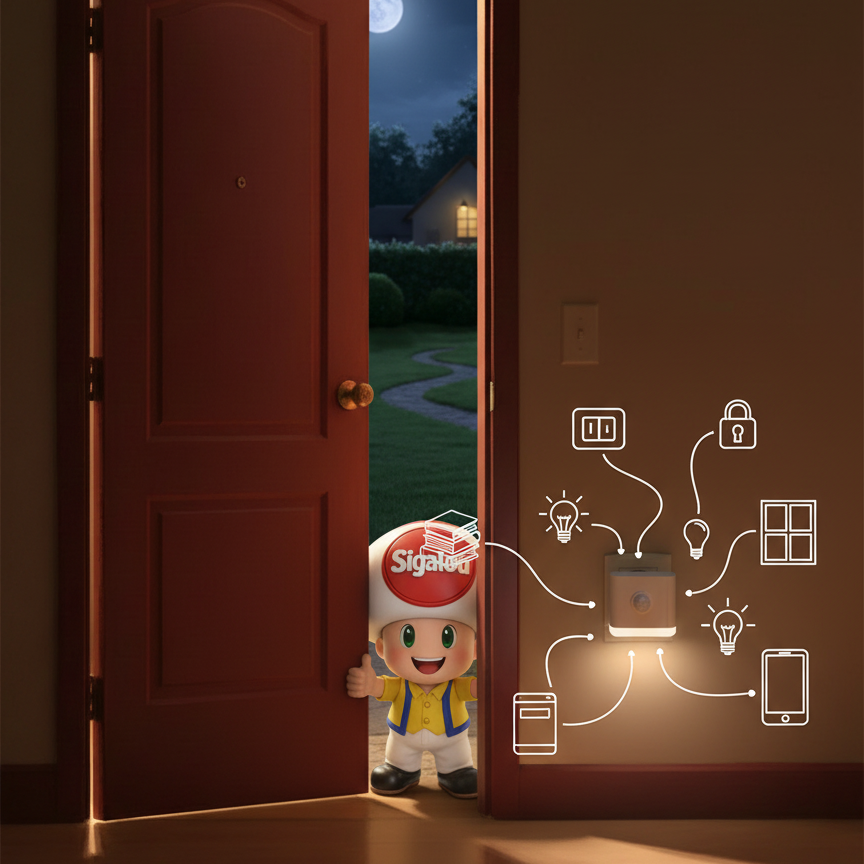
Once the house is domotised, the lights connected, the shutters detected and the door lock domotised, imagine a small light at the entrance that changes colour to indicate the security status of your house at a glance: Locks, shutters, windows, lights … All driven by Home Assistant and Zigbee. Validation 200% WAF certified.
🎯Objectives
Create a simple and intuitive visual indicator at the entrance that reflects the overall state of the house. The objective is to know immediately if everything is safe before going out, or if a light has remained on when leaving. This avoids going back and forth to check each sensor individually, perfect for discreet and efficient home automation.
🛠Equipment used
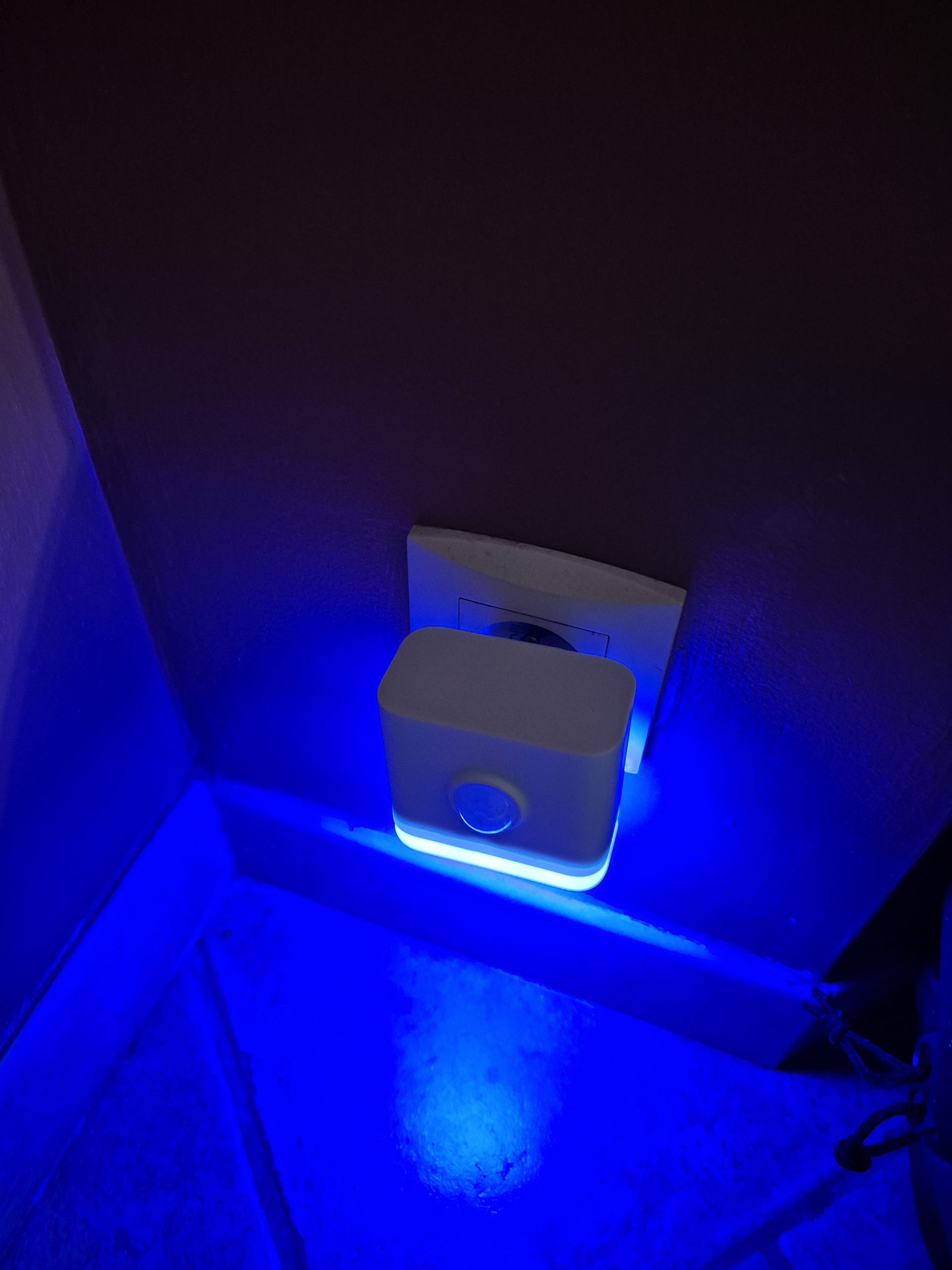
To achieve this indicator, I use the Third Reality multifunction night light 3RSNL02043Z, Zigbee wall socket compatible with Zigbee2MQTT. It changes colour (16 million shades), turns on day/night, and plugs directly into a standard socket. I tested it in detail here. Paired with my coordinator ZBT-2, it responds perfectly to Home Assistant automations.
| Update March 2026: Some time after writing this page, Third Reality released a new product which is a night light, presence detector, brightness sensor, air quality monitor with RGB lighting. This is the P1MSR3A1-EU which I reeled over on the article I am testing the Zigbee R3 P1MSR3A1-EU Presence/Window Sensor. This equipment can achieve exactly the same as the 3RSNL02043Z. |
 |
 |
🎨States and colours
| Entrance door lock | RDC/Garage shutters | Windows | Lights | Color RGB | Meaning |
|---|---|---|---|---|---|
| Closed | All closed | All closed | – | Green | Total security |
| Closed | All closed | At least one open | – | Green-blue | Almost secure |
| Closed | At least one open | – | – | Red | Priority alert |
| Open | All closed | – | All extinct | Yellow | Ready to go |
| Open | All closed | – | At least one lit | Orange | Lights to be switched off |
| Open | At least one open | All closed | – | White | Normal housing |
| Open | At least one open | At least one open | – | Light blue | Normal dwelling with open window(s) |
📅A typical day
In the morning, when the sun barely points, the house still sleeps: lock locked, shutters closed, everything is perfectly green, which gives me absolute security during the night.
I get up, open a window to let fresh air in: instantly, the night light turns green-blue, a subtle wink that the interior breathes well, but that vigilance remains in order.
To take the dog out, I unlock the front door – shutters always closed, lights off? It goes to serene yellow meaning "ready to go for a walk". A lamp is already lit, the bright orange tickles me: ‘don’t forget to switch off’.
The shutters on the ground floor open in daylight: if at least one window is open, refreshing light blue; if not pure white, the house wakes up fully, inhabited and alive.
Before I go to work, I close shutters and garage: yellow if everything is turned off (‘perfect for locking’), orange if a light hangs out (‘turn me off first!’). The final lock on the front door lock brings back the tranquilising green.
Dinner, dim lights, sleeping children – everything closes gradually, but the door remains open → yellow/orange whispers "locks before the night". Click on the lock: if everything flawless, soothing green envelops the entrance; otherwise, streaky red screams forgetfulness of a shutter.
The night light, a faithful green multicoloured sentinel, watches until the next dawn. Good night, see you tomorrow!
⚙Automation
alias: Entrance guard - Full security description: Colors according to lock + shutters/garage/windows/lights triggers: - trigger: state entity _id: lock.porte - trigger: state entity _id: - binary_sensor.petit_volet_de_la_salle_a_manger_contact - binary_sensor.volet_de_la_cuisine_contact - binary_sensor.grand_volet_de_la_salle_a_manger_contact - binary_sensor.porte_du_garage_contact - binary_sensor.fenetre_de_manon_contact - binary_sensor.fenetre_toilettes_du_bas_contact - binary_sensor.fenetre_de_coralie_contact - binary_sensor.fenetre_de_lambre_des_parents_contact -light.lumière_chambre_de_coralie -light.lumière_chambre_parents -light.lumière_couloir_etage -light.lumière_du_bureau - light.lumières_de_l_etage - light.lumières_de_la_cuisine - light.lumières_de_la_salle_a_manger - light.lumières_du_canapé - light.lumières_du_dressing - light.lumières_du_salle_a_manger - light.lumières_du_canapé - light.lumièresdudressing - light.lumièresdusalon conditions: [] actions: - target: entity_id: light.veilleuse _entree data: rgb _color: > {% set lock_state = states('lock.porte') %} {% set vg _ok = [states('binary_sensor.petit_volet_de_la_salle_a_manger_contact'),states('binary_sensor.volet_de_la_cuisine_contact'),states('binary_sensor.grand_volet_de_la_salle_a_manger_contact'),states('binary_sensor.porte_du_garage _contact')] | select('eq','off') | list | count == 4 %} {% set f_ok = [states('binary_sensor.fenetre_de_manon_contact'),states('binary_sensor.fenetre_toilettes_du_bas_contact'),states('binary_sensor.fenetre_de_coralie_contact'),states('binary_sensor.fenetre_de_la_chambre_des_parents _contact')] | select('eq','off') | list | count == 4 %} {% set lights_off = [states('light.light_chambre_de _coralie'),states('light.light_chambre_parents'),states('light.light_chambre_de _manon'),states('light.light_couloir _etage'),states('light.light_du _bureau'),states('light.light_l _etage'),states('light.light_la _cuisine'),states('light.light_de _la _salle _a _manger'),states('light.light_du _canapé'),states('light.light_du _dressing'),states('light.light_du _salon')] _ select('eq','off') _ list | count == 11 %} {% if lock_state == 'locked' %} {% if vg _ok %} {% if f_ok %} [0.255.0] {% else %} [0.255,200] {% endif %} {% else %} [255.0,0] {% endif %} {% elif lock_state == 'unlocked' %} {% if vg _ok %} {% if lights _off %} [255,255,0] {% else %} [255,140,0] {% endif %} {% elif f_ok %} [255,255,255] {% else %} [119,159,235] {% endif %} {% else %} [255,255,255] {% endif %} service: light.turn_on mode: single
💡Explanations
This automation is my ‘super guardian’ in Home Assistant: I constantly observe several elements of my house (lock, shutters, windows, lights) and it changes the color of my little night light at the entrance to give me a clear visual summary, without me having to open an app or check everything one by one. It is like a tricolor fire for the safety of my home, which reacts in seconds to any change.
👁How does it detect changes?
Automation ‘listens’ to changes in the condition of 18 specific items in my house:
-
My front door lock (lock.door: locked or unlocked).
-
My 4 shutter sensors and garage (e.g. binary_sensor.petit_volet_de_la_salle_a_manger_contact – ‘off’ means closed).
-
My 4 window sensors (e.g. binary_sensor.fenetre_de_manon_contact – ‘off’ means closed).
-
My 11 lights (e.g. light.lumière_chambre_de_coralie – ‘off’ means off).
As soon as one of these elements changes (I open a window, I turn on a lamp, etc.), the automation automatically wakes up and updates the colour of my night light (light.veilleuse _entree).
🧠The ‘brain’: My Magical Color Calculation
At the heart, there is a small program that makes three quick checks:
-
Shutters/Garage OK? : Are all my 4 sensors "off" (closed)? It has: if exactly 4, this is true.
-
Windows OK? : Are all my 4 "off" (closed)? Account = 4 → true.
-
Lights off? : Are all my 11 "off"? Account = 11 → true.
Then, depending on the state of my lock, he chooses the colour RGB (such as a code for green, red, etc.):
-
Locked lock :
-
Shutters/Garage OK + Windows OK → Pure green: Everything is secure!
-
Shutters/Garage OK but an open window → Blue-green: ‘Nearly perfect, I am aerating.’
-
An open shutter or garage → Red: Danger, I close it fast!
-
-
Unlocked lock :
-
Shutters/Garage OK + All lights off → Yellow: Ready to lock and go.
-
Shutters/Garage OK but a light on → Orange: ‘I turn off the lights first!’
-
Shutters/Garage not OK but Windows OK → White: House inhabited normally.
-
Shutters/Garage not OK + Open windows → Light blue: Living house with aeration.
-
-
If other state → White by default.
This color is sent via the service "light.turn _on" to light my night light with the exact shade.
✨Awesome, isn't it?
No complicated conditions (everything works directly), ultra-responsive (instant updates), and easy to customize: I add my own sensors to the lists, I test the template in the ‘Models’ interface of Home Assistant. Result: my house that "talks" in colors, simple and wireless visible!
Note: I did this in YAML directly because the graphical interface of the automations does not yet allow this to be done.
🔄Automation V2
🌸I add the pink
Red in the morning when opening the shutters on the ground floor is not suitable, there is no anomaly.
So I put the pink on a time slot and kept the red in the evening.
🎨New table of statements
| Entrance door lock | RDC/Garage shutters | Windows | Lights | Colour | Schedules | Meaning |
|---|---|---|---|---|---|---|
| Closed | All closed | All closed | – | Green | Total security | |
| Closed | All closed | At least one open | – | Green-blue | Almost secure | |
| Closed | At least one open | – | – | Red | 20h-6h | Priority alert |
| Closed | At least one open | – | – | Rose | 6 a.m. - 8 p.m. | Lifted |
| Open | All closed | – | All extinct | Yellow | Ready to go | |
| Open | All closed | – | At least one lit | Orange | Lights to be switched off | |
| Open | At least one open | All closed | – | White | Normal housing | |
| Open | At least one open | At least one open | – | Light blue | Normal dwelling with open window(s) |
⚙New automation
alias: Entrance guard - Full security description: Colors according to lock + shutters/garage/windows/lights triggers: - trigger: state entity _id: lock.porte - trigger: state entity _id: - binary_sensor.petit_volet_de_la_salle_a_manger_contact - binary_sensor.volet_de_la_cuisine_contact - binary_sensor.grand_volet_de_la_salle_a_manger_contact - binary_sensor.porte_du_garage_contact - binary_sensor.fenetre_de_manon_contact - binary_sensor.fenetre_toilettes_du_bas_contact - binary_sensor.fenetre_de_coralie_contact - binary_sensor.fenetre_de_lambre_des_parents_contact -light.lumière_chambre_de_coralie -light.lumière_chambre_parents -light.lumière_couloir_etage -light.lumière_du_bureau - light.lumières_de_l_etage - light.lumières_de_la_cuisine - light.lumières_de_la_salle_a_manger - light.lumières_du_canapé - light.lumières_du_dressing - light.lumières_du_salle_a_manger - light.lumières_du_canapé - light.lumièresdudressing - light.lumièresdusalon conditions: [] actions: - target: entity_id: light.veilleuse _entree data: rgb _color: > {% set lock_state = states('lock.porte') %} {% set hour = now().hour %} {% set night = hour >= 20 or hour < 6%} {% set vg _ok = [states('binary_sensor.petit_volet_de_la_salle_a_manger_contact'),states('binary_sensor.volet_de_la_cuisine_contact'),states('binary_sensor.grand_volet_de_la_salle_a_manger_contact'),states('binary_sensor.porte_du_garage _contact')] | select('eq','off') | list | count == 4 %} {% set f_ok = [states('binary_sensor.fenetre_de_manon_contact'),states('binary_sensor.fenetre_toilettes_du_bas_contact'),states('binary_sensor.fenetre_de_coralie_contact'),states('binary_sensor.fenetre_de_la_chambre_des_parents _contact')] | select('eq','off') | list | count == 4 %} {% set lights_off = [states('light.light_chambre_de _coralie'),states('light.light_chambre_parents'),states('light.light_chambre_de _manon'),states('light.light_couloir _etage'),states('light.light_du _bureau'),states('light.light_l _etage'),states('light.light_la _cuisine'),states('light.light_de _la _salle _a _manger'),states('light.light_du _canapé'),states('light.light_du _dressing'),states('light.light_du _salon')] _ select('eq','off') _ list | count == 11 %} {% if lock_state == 'locked' %} {% if vg _ok %} {% if f_ok %} [0.255.0] {% else %} [0.255,200] {% endif %} {% else %} {% if night %} [255.0,0] {% else %} [255,104,235] {% endif %} {% endif %} {% elif lock_state == 'unlocked' %} {% if vg _ok %} {% if lights _off %} [255,255,0] {% else %} [255,140,0] {% endif %} {% elif f_ok %} [255,255,255] {% else %} [119,159,235] {% endif %} {% else %} [255,255,255] {% endif %} action: light.turn_on mode: single
📱What about the Home Assistant Dashboard?
Yes, I use this colour of light.veilleuse _entere in an icon on my Dashboard, the information is also useful on this screen.
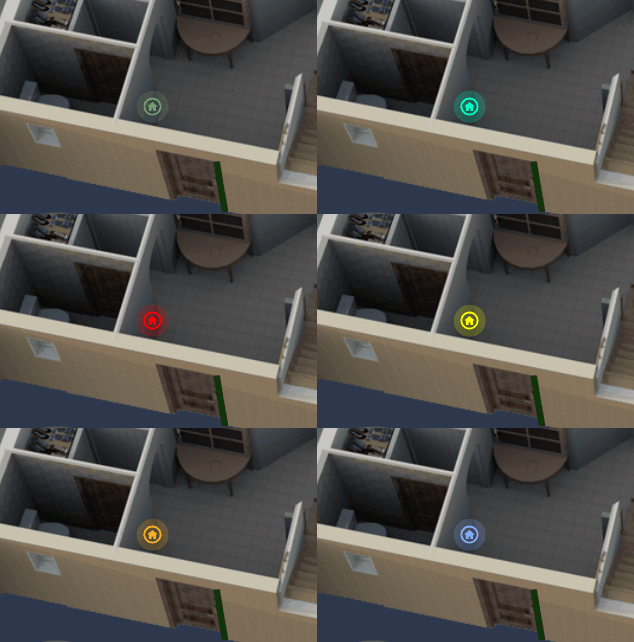
The map is embedded in a picture-elements map on the main page of my dashboard. To integrate the tile card, I used the combination I had documented in the tutorial: Cards do not fit into a picture-elements card
I added a _mod card to make the card transparent and superimposed it on the image of the plan of my house.
Type: picture-elements image: /local/house/1920x1000/transparent.png elements: - type: custom:mod-card card: Type: tile entity: light.veilleuse _entree icon: mdi:home-circle-outline show _entity _picture: false hide _state: true vertical: false features_position: bottom name: "\_" style: top: 75% left: 26.5% card_mod: style: | :host { --ha-card-background: transparent!important; --ha-card-box-shadow: none; }
✅Conclusion
This night light 3RSNL02043Z transforms the input into an instant visual dashboard, driven by Home Assistant and Zigbee for intuitive day-to-day security.
No need to consult the app or dashboard: a simple glance at the soothing green confirms that everything is locked, or the urgent red alerts a forgotten shutter.
Simple to deploy, scalable with new sensors, it embodies discreet and efficient home automation, 200% WAF
 English
  French
  Spanish
  Chinese
  German