

I'll test the Zigbee Presence Sensor THIRDREALITY R3 (Ref. P1MSR3A1-EU), a 60 GHz presence detector powered by USB‑C with brightness sensor, TVOC sensor (air quality) and built-in RGB nightlight, designed for connected home environments.
🔍 I check the received model
-
- On the technical sheet : Multi-Function Smart Presence Sensor R3, model 3RPL01084Z, European kit P1MSR3A1-EU.
- On the carton : THIRDREALITY Smart Presence Sensor R3, Zigbee compatibility, 5V USB‑C power supply.
- Type of equipment : 60 GHz mmWave presence detector with RGB night light, brightness sensor (lux) and TVOC sensor.
- Protocol : Zigbee 3.0, Zigbee router function (repeater).
- Power supply : 5V 1A via USB Type‑C interface, no battery.
- Intended installation : placed on a desk or shelf (desktop installation), oriented towards the area to be covered.
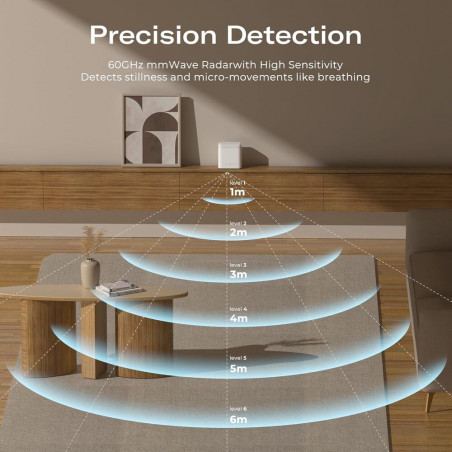
- Measuring ranges : human presence 1 to 6 m, sensitivity adjustable on 6 levels; Zigbee radio range 40–50 m in free field.
- Dimensions / IP : compact office sensor format, indoor use, operating temperature from 0 °C to 45 °C.
🛒 Where to buy this equipment?
Here is the link to the page dedicated to THIRDREALITY Smart Presence Sensor R3 P1MSR3A1-EU. I referenced the sellers and prices.
📦 Unpacking and First Impressions
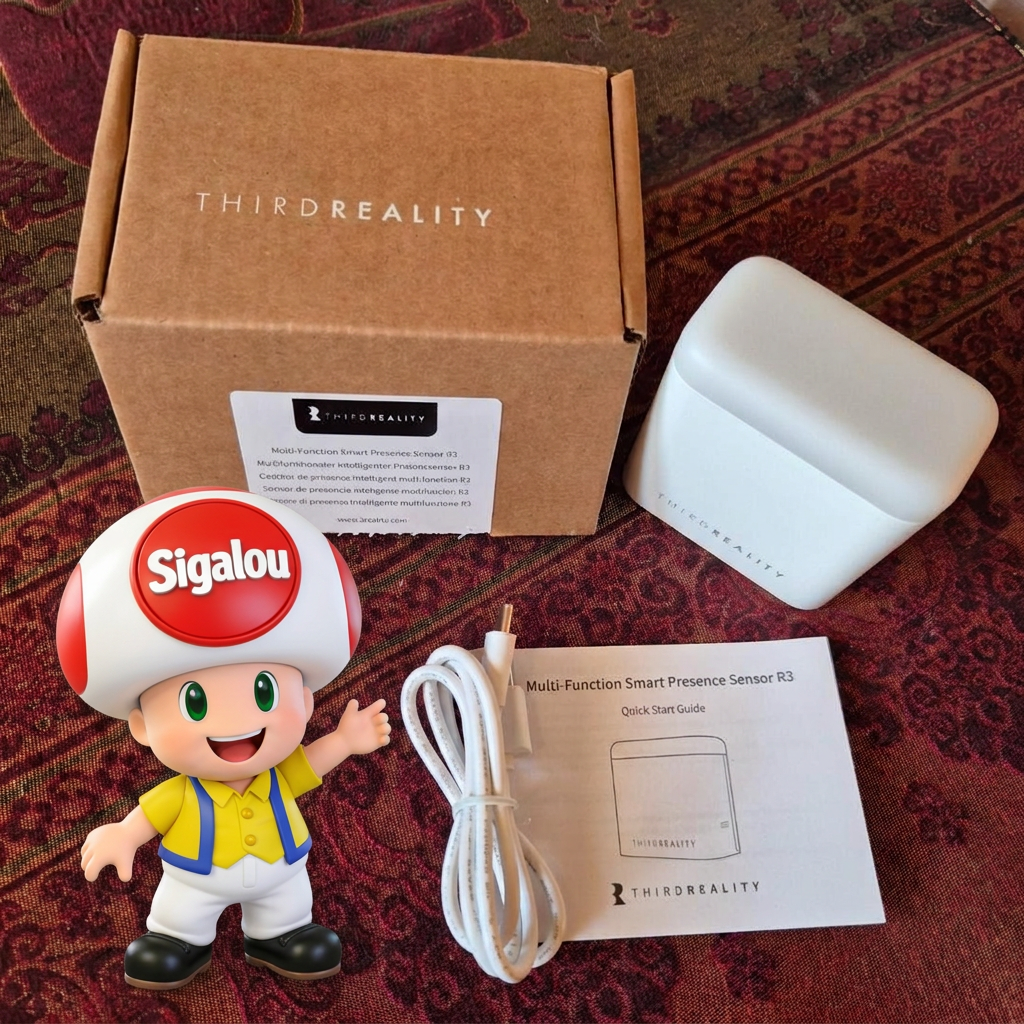
At the reception, I unpack everything: THIRDREALITY Smart Presence Sensor R3, USB‑A to USB‑C cable, multilingual fast documentation.
I find the case very clean, with a small office light design and a large translucent area for RGB light, which makes it discreet on a piece of furniture while remaining visible to indicate the state of presence or air quality.
When I saw that it was supplied with a USB cable, I thought that this module was on a rechargeable battery and that it was a charging cord.
Well, no! For some strange and unknown reason, it is not supplied with a transfo. The manufacturer chose to force us to buy a 220V-5V 1A Type-C power supply separately.
🔧 Power On
So I plug the sensor into a USB 5V 1A power adapter with a USB‑A cable to USB‑C, which immediately powers it and turns on the internal LEDs. The light is green.
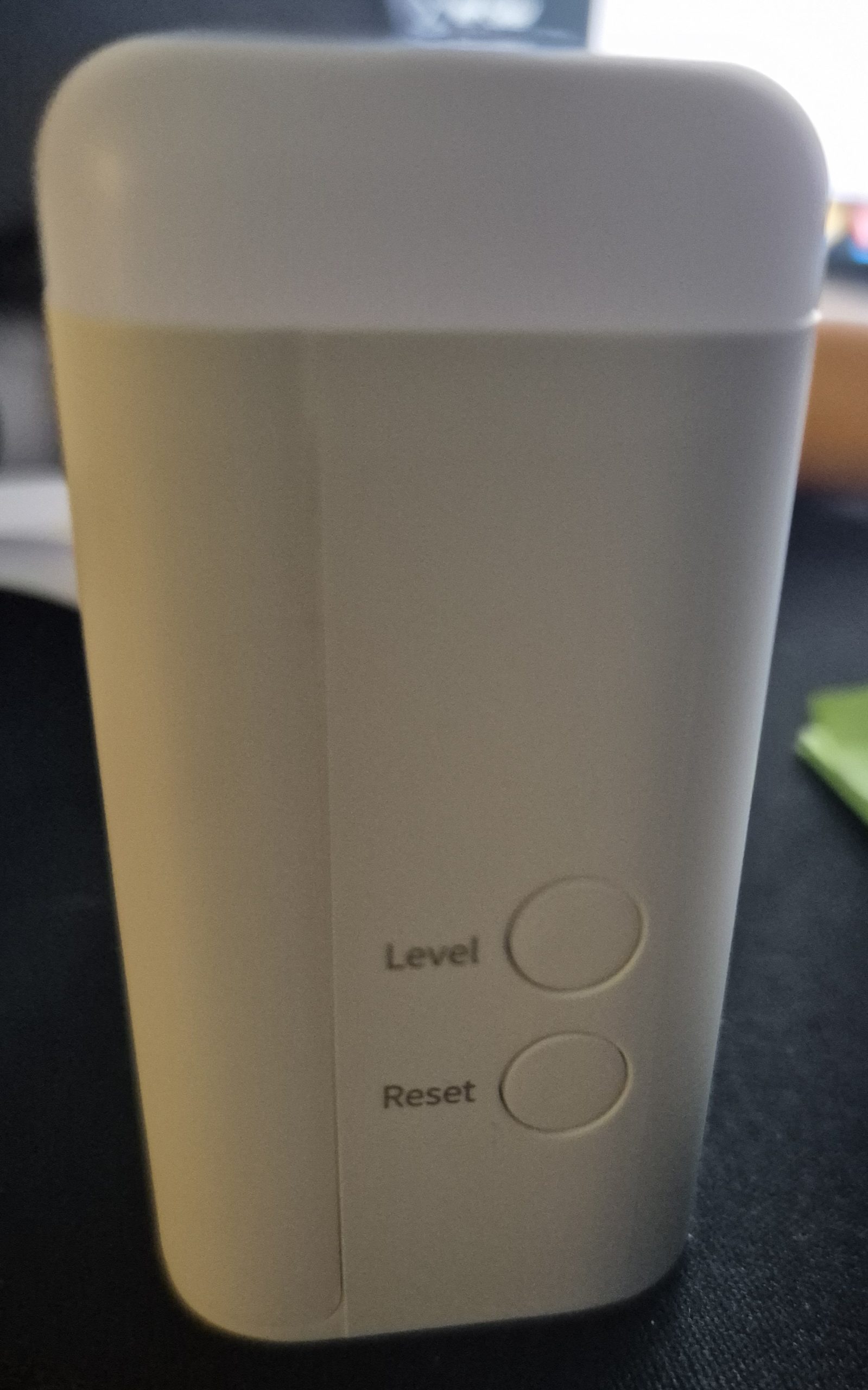
I do not have a battery to check since the power supply is only USB‑C, but I immediately spot the ‘Down’ button used for the reset and the ‘Up’ button to adjust the sensitivity without opening the case.
🏡 Where I install it
For reliable measurements, I choose an installation on a shelf at about 1.2 m in height, oriented towards the area of presence (armchair or office) at 2–3 m, without significant obstacle in front of it.
I avoid placing it behind a metal screen, glued to a very thick wall or facing another radar sensor so as not to disturb the 60 GHz.
I'll put it next to the Smart Air Quality Monitor Amazon to test the Air Quality Monitor component of this new model.
⚙I set the level of presence
The documentation refers to 60 GHz mmWave radar, a sensor using millimetre waves (very high frequency electromagnetic waves, between 30 and 300 GHz) to detect objects or people accurately.
It emits a continuous frequency-modulated signal (FMCW) and analyzes reflected echoes to measure distance, speed and fine movements, even static ones like breathing.
It can thus be considered to be a high-level presence radar.
The presence detection sensitivity adjusts physically with the UP button on the sensor that is designated by Level.
There are 6 levels, by default 3 is selected by default. Here is a representation of the 6 levels.
I press this button once Level to take it to the next level; LEDs indicate the selected level.
The colours/splinters correspond from the lowest to the highest:
- Low green (level 1).
- Strong green (level 2).
- Low blue (level 3, defect).
- Strong blue (level 4).
- Low red (level 5).
- Strong red (level 6).
Adjustment advice: If the range (1-6 m) or sensitivity is not suitable, adjust via the UP button and steer the device; test by avoiding obstacles or interference. The level persists after restarting.
💡Standalone sleep mode and zigbee network
This equipment shall be equipped with a stand-alone sleep mode as long as it is not connected to a Zigbee network.
If you want to use it without zigbee, although it is not very interesting at this price, it is possible to buy a night light.
When someone passes in front of the device, the RGB lamp automatically lights up at night (detected by the lux sensor), serving as a ‘night light’. A blue light at 100% brightness by default.
The UP button activates "Default Lighting", useful for testing or forcing the night light independently.
As soon as the device is integrated into a Zigbee network, it is finished, the standalone night light is deactivated, which is logical, it will have to be managed with Home Assistant.
For this reason, I have achieved the necessary automation further in this feedback.
🔗 I pair in Zigbee2MQTT
-
- I switch Z2M to peering mode from the Zigbee2MQTT interface in Home Assistant.
- I hold the ‘Down’ button (reset) for more than 5 seconds until the red LED remains on, which puts the module in pairing mode.
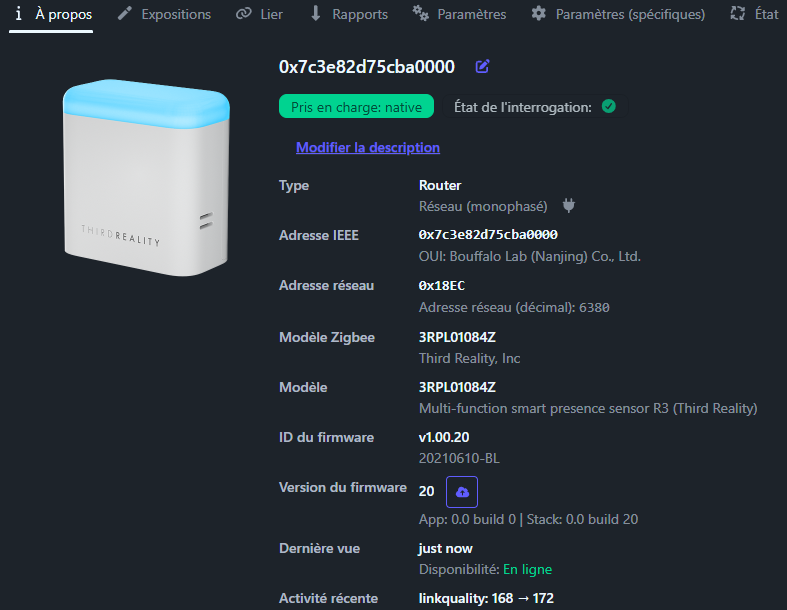
- The sensor is immediately detected
-
- Detected as Multi-function smart presence sensor R3 (Third Reality) (model 3RPL01084Z) with router role in the Zigbee network.
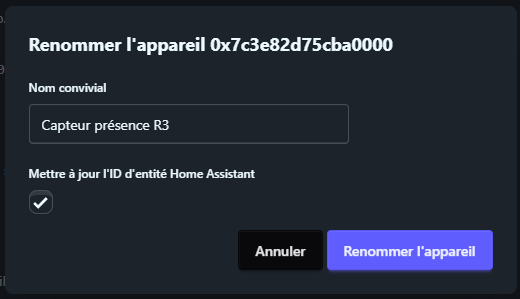
I rename the device
🔍 Exhibitions Zigbee2MQTT: THIRDREALITY 3RPL01084Z
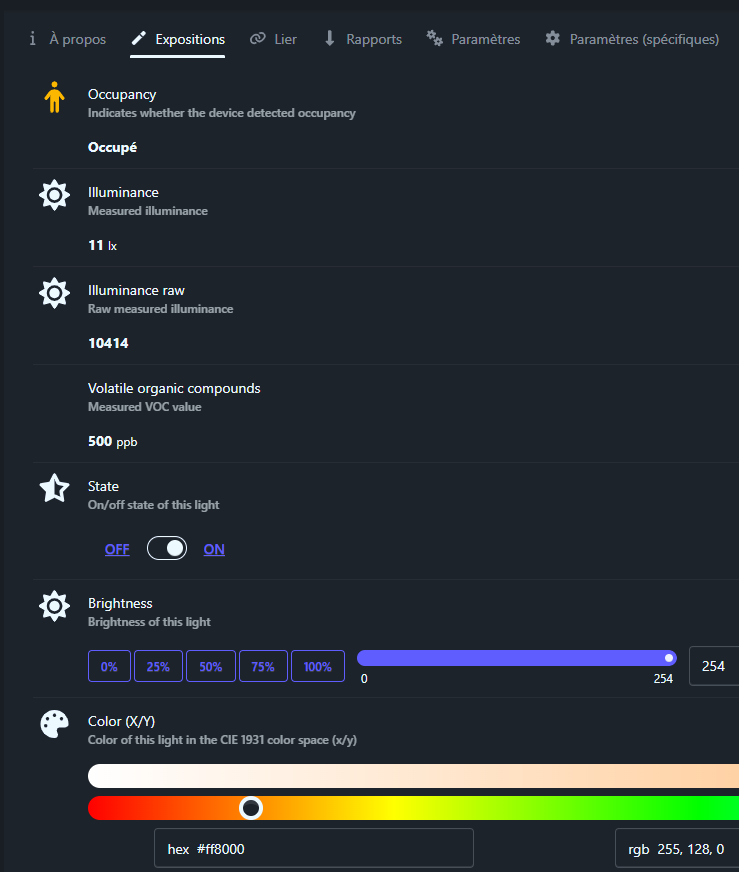
👤Occupancy (binary)
Indicates whether the sensor has detected a presence. Binary value: true (ON presence) or false (absence OFF).
☀Illuminance (numeric)
Measures ambient illuminance in lux (lx). Precise numerical value to adapt lights or blinds.
This exposure is improved by two options in parameters:
_calibration illuminance
The _calibration illuminance option applies an inch offset to the sensor’s illuminance measurement (in lux), to correct it as needed. It takes effect on the next report of the system (not immediately).
How to calculate the value?
Formula: new value = measured value × (1 + offset / 100).
Positive (ex. 50): increases by 50% → 100 lux gross → 150 lux calibrated.
Negative (e.g. -20): decreases by 20% → 100 lux raw → 80 lux calibrated.
If the sensor reads too high (e.g. 120 lux vs. 100 real), we put -17 (because 100/120 ≈ 0.83 → offset = (0.83-1)×100 = -17).
_raw Illuminance (gross on/off)
illuminance _raw exposes the raw unprocessed value sent directly by the hardware sensor, before any mathematical conversion or calibration into standardized lux.
Benefits of raw:
-
- Fine resolution: perfect for twilight automations (e.g. threshold at 2000 raw for "low light").
- Less treatment: reacts faster, without formulas that "smooth".
- Combined with calibration: applies offset % raw before conversion to lux.
You have to activate raw illuminance in the parameters for the raw illuminance exposure to appear.
Important note: I had a version 23 of the firmware, I had to switch to version 27 for illuminance to move. This functionality seems to be being implemented.
🌬Volatile organic compounds (numeric)
Measurement of Volatile Organic Compounds (VOCs) in ppb (parts per billion). Ideal for alerting on air quality.
🔛State (binary)
Control theRGB nightlight ON/OFF status. Binary value to turn on/off the built-in light.
This exposure is improved by an option in parameters:
state_action (true/false, defect false)
state_action publishes changes of status (ON/OFF) in addition as an event "action" on MQTT. This is False by default.
Advantages of true:
-
- Dedicated event trigger in HA (
event.[name]_action) for reactive automations (e.g. notifying ‘light on’). - Pure MQTT: separate topic for unambiguous scripts.
- More reliable for "momentary" vs. persistent state.
- Dedicated event trigger in HA (
💡Light (state, brightness, color_xy)
the Control small colored light integrated into the sensor. You can turn it on/off, adjust its power and colour for visual signals (e.g. blue if someone is there, red if air is polluted).
The controls are perfectly managed by Zigbee2MQTT/Home Assistant, like an RGB bulb.
- Turn on/off
- Intensity
- Colour
Simple improvements to activate in Z2M (parameters tab):
- state_action = true : When switching on/off, HA receives a special "action on/off" message to trigger an alert (e.g. "light on!").
- color_sync = true (already activated): change color + auto temperature (hot/cold).
- transition = 1 : soft melted with each change (1 second).
In summary : like a connected mini bulb. Uses hex for fast colors (#FF0000=red).
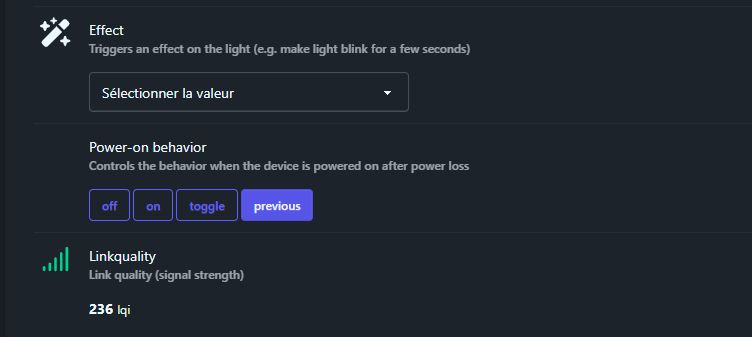
✨Effect (enum)
We must abandon this exhibition. The manufacturer I contacted confirms to me that this behaviour was not intended to act on the main light of the night light.
The model shown in Zigbee2MQTT is also used with other equipment with an indication or configuration LED. In these cases, this exposure would allow to control this LED, and not the main light.
The manufacturer informs me that the effects ‘blink’, ‘breathe’, ‘flash’ or ‘blinking’ defined in Zigbee2MQTT were originally designed for a module indication LED, not for the main lighting.
On this light, there is no separate LED indication. The main light has therefore also been used for certain indication purposes, for example when pairing or for certain operating conditions.
Therefore, in Zigbee2MQTT, the visible effects in the interface do not actually control a flashing of the main light in the expected direction. They correspond to internal effects provided for an indicator light and are not supported here for the sleeper part.
In practice, this exhibition is therefore useless and ineffective.
🔄Power-on behavior (enum)
Sets the behavior at power back on (after USB-C shutdown).
Classic on Zigbee equipment, I put in principle previous.
🏠 Integration in Home Assistant
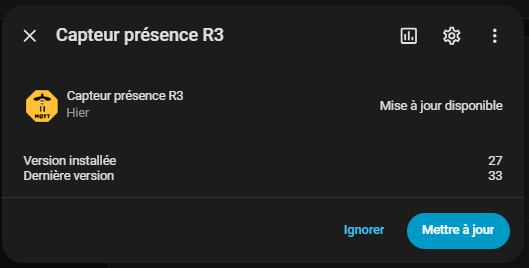
As soon as I return to Home Assistant, an update is proposed to me, I launch it immediately.
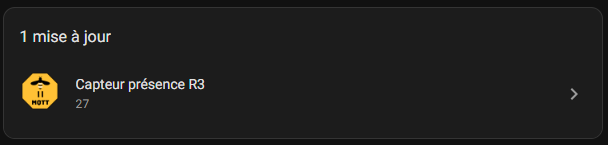
I find the device in HA with the Zigbee2MQTT sensors
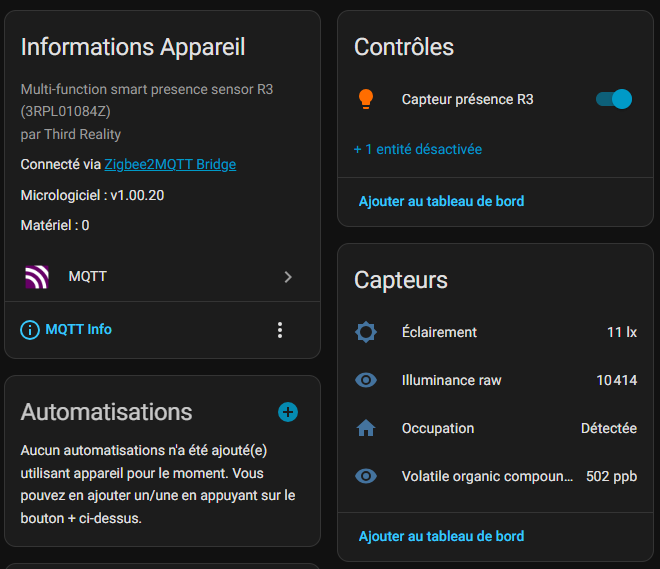
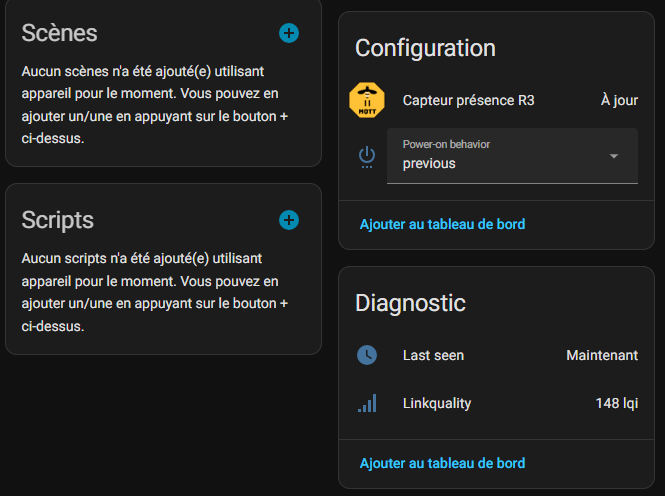
Everything is good, as always, I disable what will no longer be useful to me once configured.
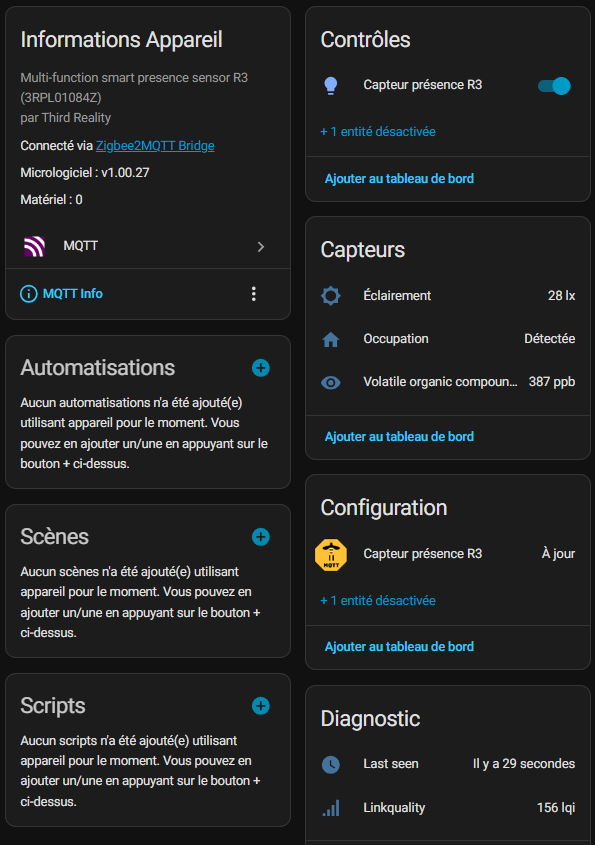
♻ Updating the equipment
I am offered an update, I am running.
🚀Practical implementation
🔗I synchronize my two nightlights
In this feedback: A color to monitor your home, I had used a nightlight 3RSNL02043Z of the same brand to have a colorful notification of what is happening in my house (the gate is open, the door is locked, a window has remained open, everything is off, you can leave the house …)
I will not rewrite what I did with this first nightlight I tested, I propose here to synchronize the colour (and blinking) of the first nightlight on this module. This module will be able to find its place in my living room or in the kitchen. In this way, he will be able to provide me with several pieces of information visually.
The first night light uses the light.veilleuse _entree sensor
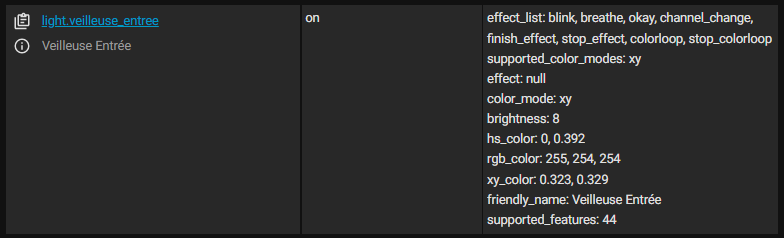
On this sensor, as I had noticed, effect_list does not work, but the rest, the color and its brightness are perfectly supported by Home Assistant who drives it like no worry-free RGB bulb.
On the presence sensor, I have a light sensor called light.sensor _presence_r3
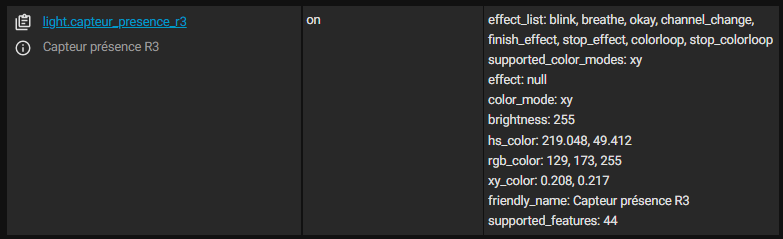
Thus, my automation will be:
alias: Sleep Sync → sensor R3 triggers: - entity_id: light.veilleuse _entree trigger: state actions: - if: - condition: state entity _id: light.veilleuse _entree state: "on" then: - target: entity_id: light.sensor _presence_r3 data: brightness: >- {{ state_attr('light.veilleuse _entree', 'brightness') | default(255) }} hs_color: "{{state _attr('light.veilleuse _entree', 'hs _color') }}" effect: >- {%- set eff = state_attr('light.veilleuse _entree', 'effect') -%} {%- if eff and eff!= 'none' and eff!= 'None' -%} {{ eff }} {%- endive -%} action: light.turn_on else: - target: entity_id: light.sensor _presence_r3 action: light.turn _off mode: restart
That's it, the two equipments are synchronized.
🌙I perform a nightlight function
I had already realised this in the article A color to monitor your home, where I had used a nightlight 3RSNL02043Z of the same brand, with the same functionality, here is the automation of my new night light.
alias: Watchman R3 - Self-described brightness: 100% on occupancy + illuminance<10lx, 10% off occupancy triggers: - entity_id: binary_sensor.sensor_presence_r3_occupancy to: "on" id: occupancy _on trigger: state - entity _id: binary_sensor.sensor_presence_r3_occupancy to: "off" for: "00:00:05" id: occupancy _off trigger: state conditions: [] actions: - choose: - conditions: - condition: trigger id: occupancy _on - condition: numeric _state entity _id: sensor.sensor_presence_r3_illuminance below: 10 sequence: - target: entity_id: light.sensor _presence_r3 data: brightness_pct: 100 transition: 1 action: light.turn_on - conditions: - condition: trigger id: occupancy _off sequence: - target: entity_id: light.sensor _presence_r3 data: brightness_pct: 3 transition: 2 action: light.turn_on default: [] mode: single
🌬 I report deteriorating air quality
[I expect to have some data via a few days of production of this equipment to calibrate my air quality tests, publication of this paragraph soon]
💬 My opinion after commissioning
✅ Presence detection mmWave 60 GHz ultra-precise
The sensor uses 60 GHz mmWave radar technology, capable of detecting respiratory micro-movements. It locates a motionless person (lying, sitting, etc.) where classic PIRs fail completely.
✅ USB-C Power Supply
Works 24/7 maintenance-free thanks to a stable USB-C power supply. Ideal for permanent monitoring of a room.
Integrated ✅ Zigbee 3.0 Repeater
Amplifies the Zigbee network of your Home Assistant installation. Essential in large houses to avoid Zigbee "dead zones".
✅ Fully Customizable RGB Standby
RGB light with adjustable effects, colors and intensity via Home Assistant. Perfect for creating moods or reporting events.
✅ accurately measures ambient brightness (<10 lx detectable) sometimes a little slow.
✅ TVOC: Indoor air quality (volatile VOCs).
This data enriches automations (adaptive lighting, pollution alert).
✅ OTA Update
As a scalable device, I have already had improvements in brightness by updating.
❌ Requires a permanent USB-C jack
No battery/battery mode.
❌ No sector transfer provided
Thirdreality delivers only the sensor. Required purchase of a USB-C 5V/1A Min charger.
❌ Limited consumer documentation
Manual oriented Alexa/Google Home. Little information for Zigbee2MQTT or ZHA Home Assistant integration.
❌ Integration Zigbee2MQTT still to work. Effects do not work for example, should improve with updates.
My verdict: this THIRDREALITY Smart Presence Sensor R3 P1MSR3A1-EU seems to me to be an excellent choice for an office or living room when I want real presence detection, smart nightlight and air quality monitoring, provided I accept the wired USB‑C power supply and spend some time fine-tuning the automations in Home Assistant. I like it very much, I do not know any competition to this product.
 English
  French
  Spanish
  Chinese
  German