

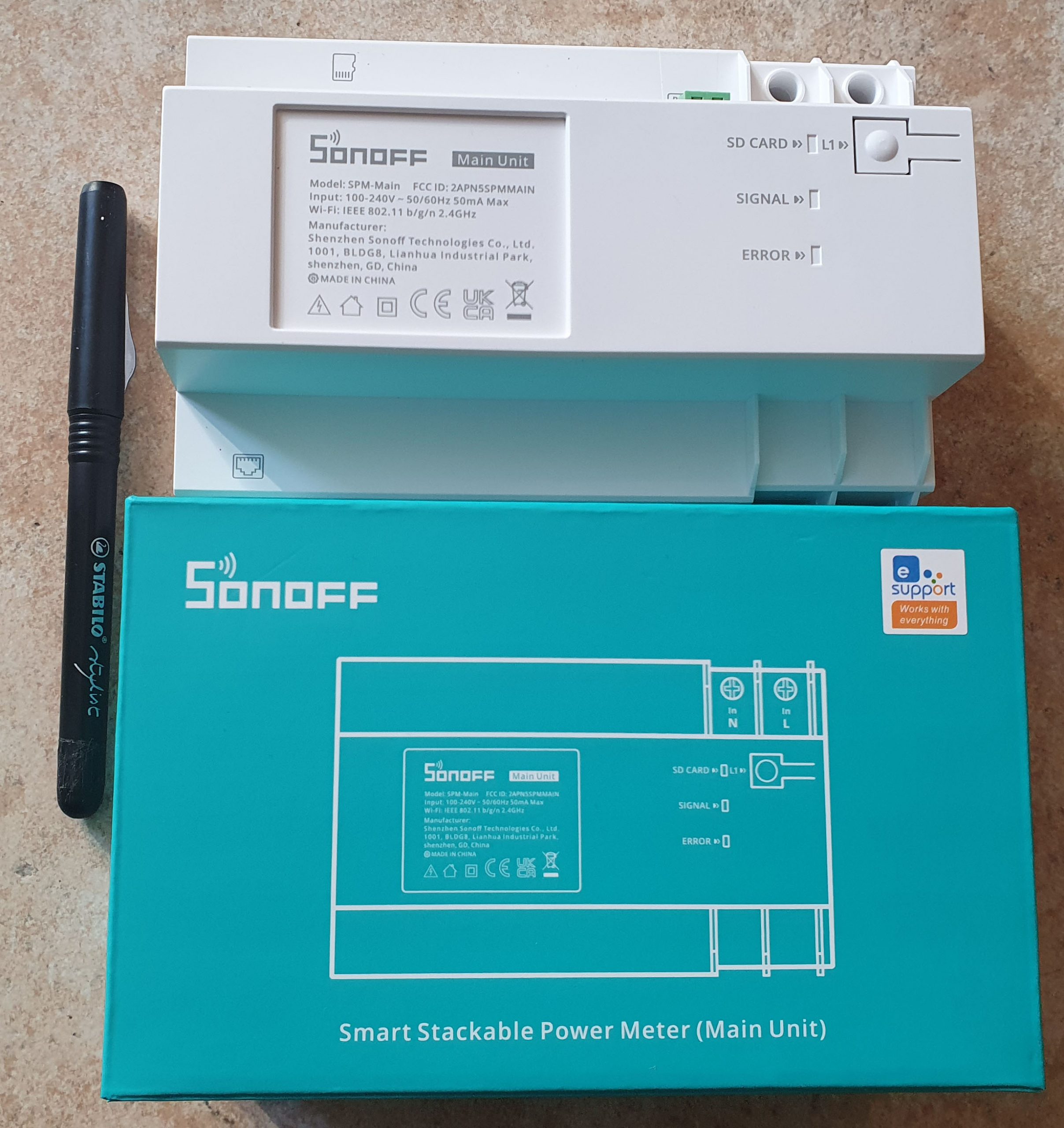
Intelligent Power Meter Sonoff SPM Main
This wattmeter performs intelligent management with overload protection, electricity monitoring and statistics.
The SPM-Main communicates with the cloud via Ethernet or WiFi and communicates with the SPM-4Relay via RS-485, enabling stable, multi-terminal long-distance data transmission.
Power measurement:
Would you like to know the variations in the energy consumption of each stand?
Would you like to carry out the unified management of the entire shopping centre?
By controlling the eWeLink app on your mobile, you can monitor your electricity consumption without leaving your home.
With the eWeLink application, the energy consumption can be achieved with a simple touch.
Overload protection:
Once overload protection is activated, you no longer have to worry about burning electrical appliances, eliminating potential safety risks.
In addition, it is also possible to adjust the activated overload time to avoid unwanted triggers.
An SPM-Main can be connected to 32 SPM-4Relays, 128 insulated channels and each up to 20A.
Each SPM-4Relay has 4 insulated channels to help the tenant solve the electric charge sharing problem.
Each channel can support a maximum current of 20A, without fear of high power loads.
You can install SPM-Main and SPM-4Relays step by step by following the user manual.
With the guide rail, they can be easily installed in the right place to make your room simple and tidy.
There is no need to worry about losing important information:
You can insert the SD card into SPM-Main to download and verify more than 180 days of energy consumption history at any time of the day via the HTTP API.
The API allows you to switch between the eWelink Modes and DIY according to your needs and provides the following functions:
- Dissemination of the state of the apparatus: returns the switching status of all channels with current, voltage, power supply, overload status, RS485 communication status and more
- Obtain the list of sub-devices – List of SPM-4 relays connected via RS485
- ON/OFF switch – Enable/disable channels of an SPM-4 relay as required
- Overload protection – Enable/disable and configure overload protection
- They are here – check if you can reach the sub-peripheral
- Set device time – Set SPM main date/time
- Historical data of the sub-device – JSON with historical data of a sub-device per circuit breaker (voltage, current, power, etc …)
- Configuring real-time monitoring information – Returns real-time data (voltage, current, power) of a specific socket on the selected sub-device (SPM-4Relay)
- WiFi SSID and password setting – SPM main WiFi configuration (I assume via Ethernet …)
- OTA firmware: link to firmware update file and SHA256 hash
- Obtain a channel operation record: report when a specific socket was on/off, entered overload mode, etc.
- Obtain the status of the appliance: Indicate the firmware version, WiFi status, RS485 communication status, etc.

Info Map
| GPIO # | Component |
|---|---|
| GPIO00 | User |
| GPIO01 | None |
| GPIO02 | User |
| GPIO03 | None |
| GPIO04 | Serial Tx |
| GPIO05 | ETH POWER |
| GPIO09 | None |
| GPIO10 | None |
| GPIO12 | User |
| GPIO13 | User |
| GPIO14 | User |
| GPIO15 | None |
| GPIO16 | Serial Rx |
| GPIO17 | None |
| GPIO18 | SHD Reset |
| GPIO19 | None |
| GPIO20 | None |
| GPIO21 | None |
| GPIO22 | None |
| GPIO23 | SHD Boot 0 |
| GPIO24 | None |
| GPIO25 | None |
| GPIO26 | None |
| GPIO27 | None |
| GPIO6 | None |
| GPIO7 | None |
| GPIO8 | None |
| GPIO11 | None |
| GPIO32 | LedLink |
| GPIO33 | User |
| GPIO34 | User |
| GPIO35 | Button 1 |
| GPIO36 | User |
| GPIO37 | None |
| GPIO38 | None |
| GPIO39 | User |
 English
  French
  Spanish
  Chinese
  German