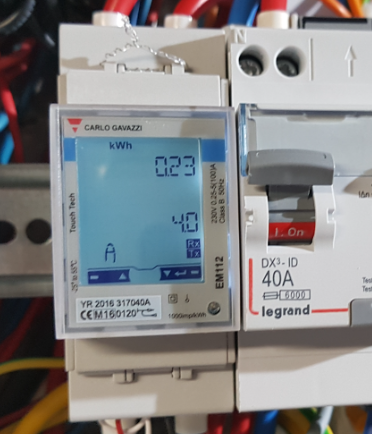
I integrate the Power Boost EM112 from Carlo Gavazzi into Home Assistant via RS485 (Modbus)

Important information

Note that the integration described below can only work if the USB/RS485 stick is the only equipment on the RS485 bus connected to the EM112. Indeed (and with the help of Eric G.) I understood that there could only bea single master equipment on the bus. The master is the one who questions and the slave the one who answers. EM112 is therefore a slave.

My first idea was to sniff out the lines of dialogue between EM112 and my Wallbox, the Wallbox being the master, I cannot do that. For the beauty of the exercise, I tested with two masters, it works we find values but from time to time, when the two masters ask a question together, we find ourselves with an error.

If someone can point me towards a way of ‘snipping’ bus 485 to intercept the information that the EM112 sends to a Wallbox, for example, I am a taker because at this stage I cannot have a Wallbox and a RS485/USB Key in parallel (two masters).

Read More

I want to run an ad on all my Echo Alexa (under Home Assistant)

Accustomed to achieve this with Jeedom thanks to Alexa-API, for a while now, I've been looking at how to trigger an ad on "All devices" or on a group "Ground floor" or "Street".

I found!!!!!!

Like many, I had tested and abandoned sending to a group with the service:

Service: notify.alexa _media _all _les _apparatus

But it didn't work.

For the announcement to be sent, it is enough to tell the integration that it is an announcement.

Here is the recipe (miracle):

Service: notify.alexa _media _tous _les _ devices data: Message: Christel has just left Crossfit data: Type: announce alias: Launch an ad

Obviously, it works with groups, impeccable!!!


I manage the distance (in km) of each member of my family

For this, I discovered an integration called Proximity

There is nothing to install, it is already integrated into Home Assistant.

Ref doc: https://www.home-assistant.io/integrations/proximity

Configuration of the integration 

There is no GUI to date, you need to add a piece of code in configuration.yaml

I added:

proximity: Lionel: area: home devices: - person.lionel tolerance: 50 _of _measurement unit: km

On this code:

  • Lionel: will recover the entity proximity.lionel
  • person.lionel it is the entity of the ‘lionel’ person who is an Android user who has the application and who is located.
  • tolerance this is the allowance used to calculate the direction of travel in metres (m) to filter out small changes in GPS coordinates. 50 looks good.
  • _of _measurement Unit this is the result display unit, km by default but can also be m, mi, yd or ft

Result 

On this screen, lionel is 15km from home

dir_of _travel takes the values

  • not set when there is a problem and it is not active
  • arriving
  • towards when the person goes to the target (Home in my example)

  • away_from
  • unknown
  • stationary


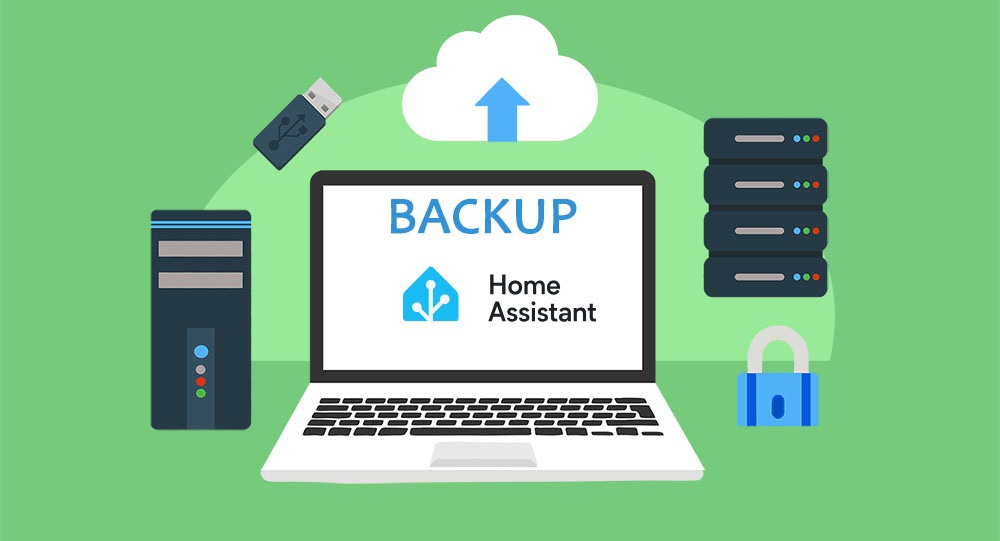
I save my Home Assistant on my Synology NAS (HA>2023.6) via Samba

This is great news, since the version 2023.6, the network storage becomes archi-simple, it is managed by the core of Home Assistant. Congratulations to the developers, it was missing.

So I will give up my backups via Samba Backup. They worked perfectly but required the installation of the Samba Backup add-on, I can now uninstall it and delete my Retex on its configuration.

  • December 2023 update: I had some problems with Samba, I switched my HA Backup via NFS

Read More