

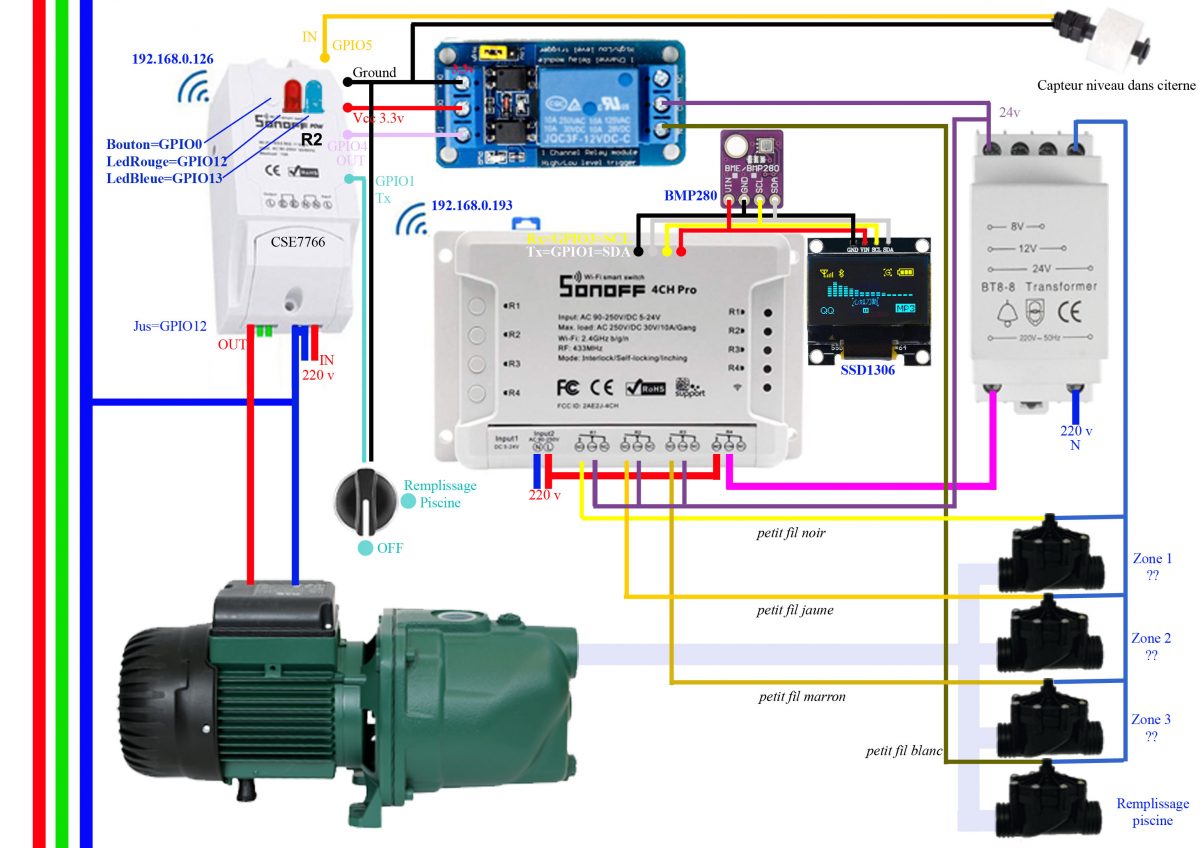
Objectives
- Order 4 solenoid valves (3 watering zones + 1 pool filling)
- Detect water shortage through a float in the water tank
- Check temperature and humidity (especially outside humidity to see if it rained)
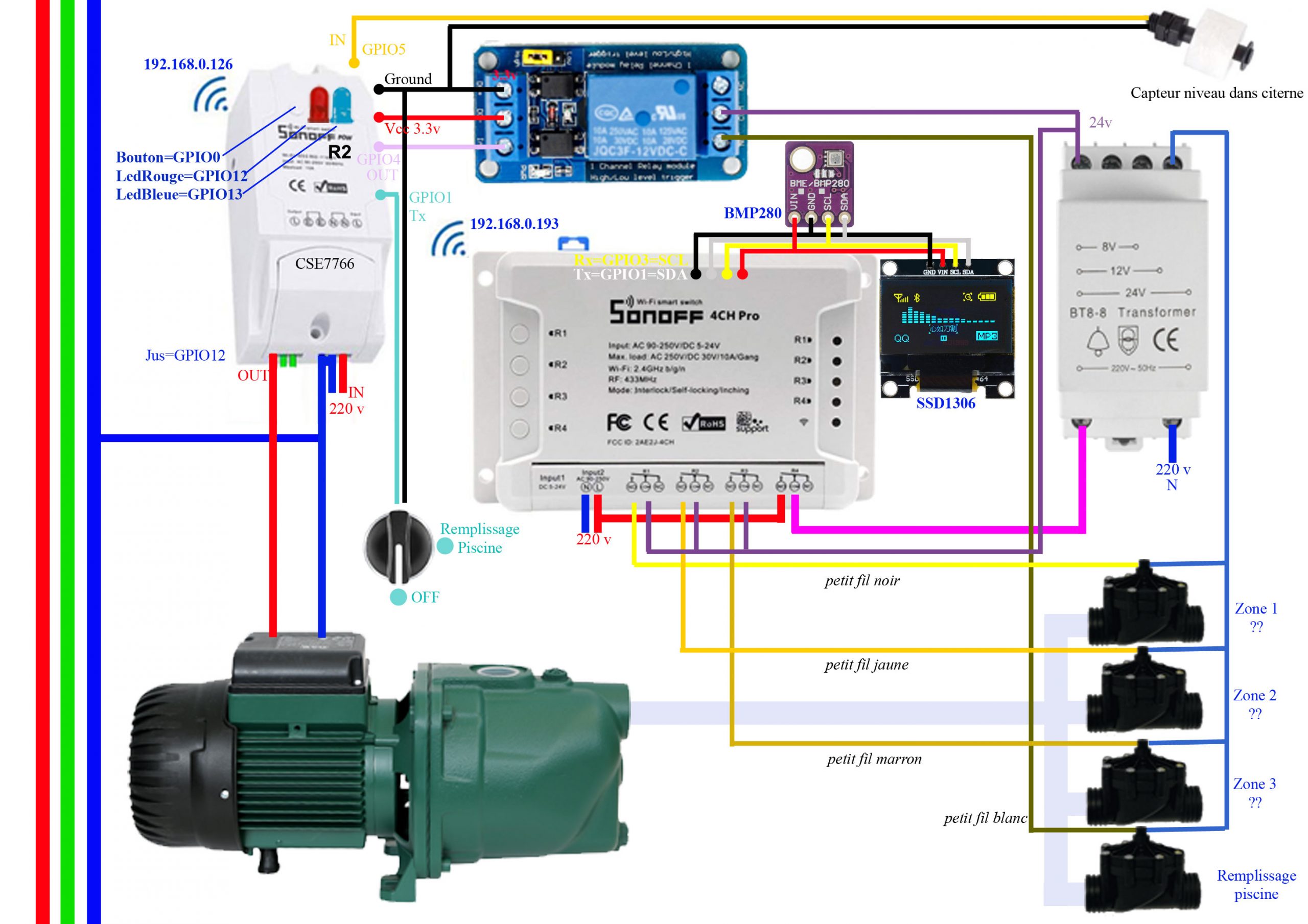
Schematic diagram of the installation
ESP Easy configuration of Sonoff Pow R2 (Wrinkle Pump) 192.168.0.126
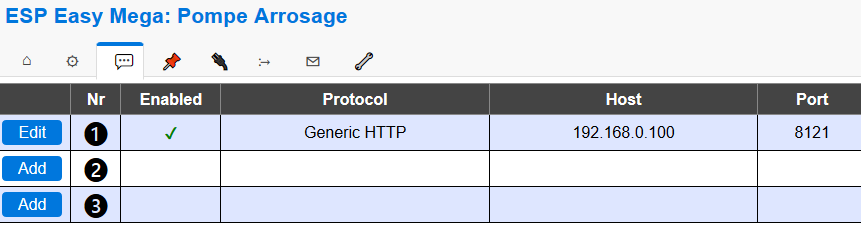
Controllers tab
 |
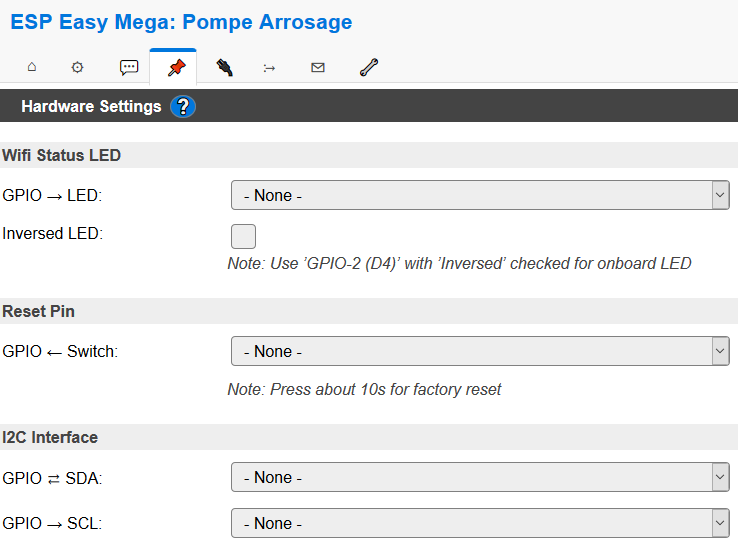
Hardware tab
 |
Devices tab
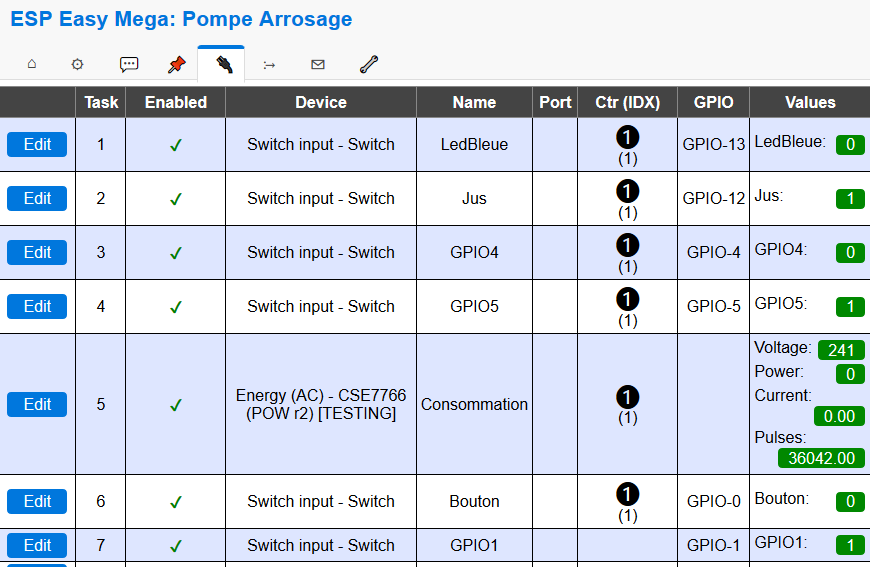 |
Rules tab
Rules Set 1 (make the blue LED flash when powered on)
On System#Boot do // Boot trigger gpio,13,0 // LED ON timerSet,1,1 // Initialize Timer 1 in 1 second timerSet,3,10 // Initialize Timer 3 in 10 seconds to turn off all endon On Rules#Timer=1 do gpio,13,1 // LED OFF timerSet,2,1 // Initialize Timer 2 in 1 second endon On Rules#Timer=2 do gpio,13,0 // LED ON timerSet,1,1 // Initialize Timer 1 in 1 second to restart Timer 1 endon On Rules#Timer=3 do timerSet,1,0 // Stop Timer1 timerSet,2,0 // Stop Timer2 gpio,13,1 // LED OFF endonRules Set 2 (Links GPIO0=Bouton button to GPIO12=Jus relay)
on Button#Button do if [Jus#Juice]=1 GPIO,12,0 // Off else GPIO,12,1 // Endive endon lighterRules Set 3 (Links GPIO5 water level sensor to blue LED)
Note: : At this stage, the lack of water is not taken into account because of a physical concern of the sensor, this will come in a future update of this page.
on GPIO5#GPIO5=1 do GPIO,13.1 endon on GPIO5#GPIO5=0 do GPIO,13,0 endonJeedom configuration of Sonoff Pow R2 (Wrinkle Pump) 192.168.0.126
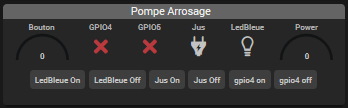
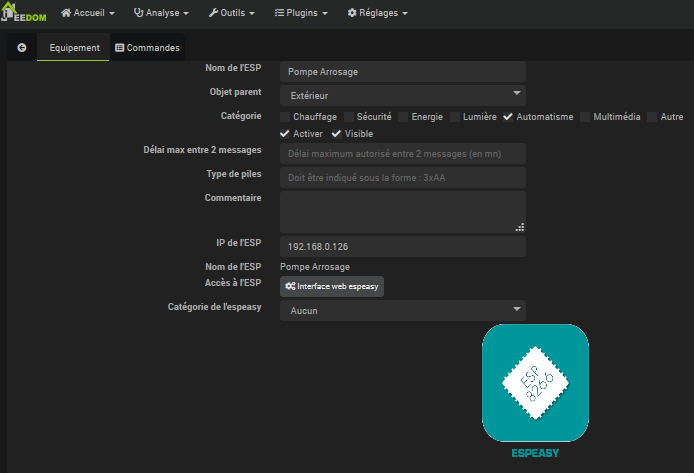
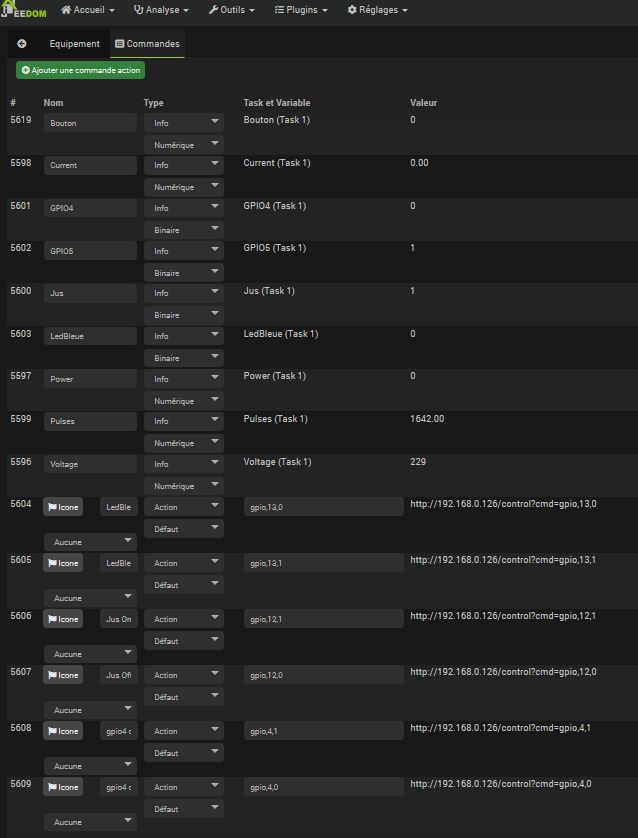
Note: : Added commands are not mandatory, they allow you to manually test the correct operation.
ESP Easy configuration of the Sonoff 4CH Pro (Arrosage) 192.168.0.193
Controllers tab
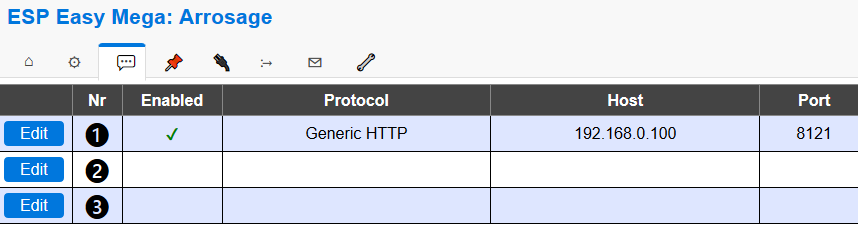 |
Hardware tab
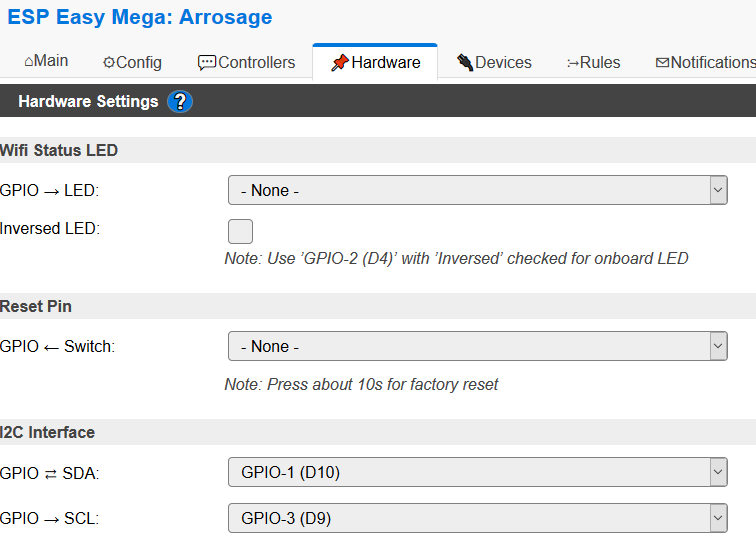 |
Devices tab
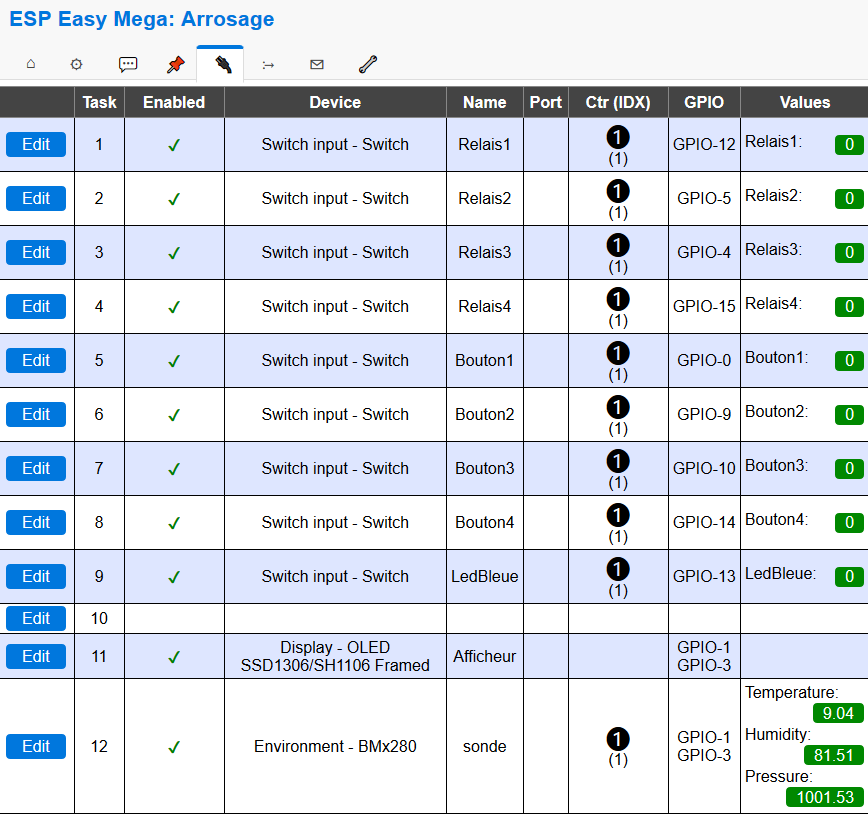 |
Rules tab
Rules Set 1 (Start watering at 10 p.m. or on receipt of the LanceArrosage command)
on Clock#Time=All,22:00 do if [LedBleue#LedBleue]=1 let,1,1 // loop counter (3 zones) from 1 to %v2% let,2,8 // number of loops (of 3 zones) let,3,40 // watering time of each zone in seconds gpio,15,1 // Relais4=ON timerSet,5,1 // Initializes the Timer 1 to 1s endif endon on LanceArrosage do if [LedBleue#LedBleue]=1 let,1,1 // loop counter (3 zones) from 1 to %v2% let,2,5 // number of loops (of 3 zones) let,3,%eventvalue% // Watering time of each zone in seconds gpio,15,1 // Relais4=ON timerSet,5,1 // Initializes Timer 1 to 1s endif endon on StopArrosage do gpio,15,0 // Relais4=OFF gpio,12,0 // Relais1=OFF gpio,4,0 // Relais3=OFF gpio,5,0 // Relais2=OFF timerSet,5,0 // Stops Timer 1 timerSet,6,0 // Stops Timer 2 timerSet,7,0 // Stops Timer 3 timerSet,8,0 // Stops Timer 4 endon On Rules#Timer=5 do // Zone1=ON // Zone3=OFF gpio,12.1 // Relay1 gpio,4,0 // Relay3 timerSet,6,%v3% // Lance timer 2 in %v3% Seconds endon On Rules#Timer=6 do // Zone1=OFF // Zone2=ON gpio,12,0 // Relay1 gpio,5,1 // Relay2 timerSet,7,%v3% // Lance timer 3 in %v3% Seconds endon On Rules#Timer=7 do // Zone2=OFF // Zone3=ON gpio,5,0 // Relay2 gpio,4,1 // Relay3 timerSet,8,%v3% // Lance timer 4 in %v3% Seconds endon On Rules#Timer=8 do if %v1%<%v2% do let,1,%v1%+1 timerSet,5,1 // Lance timer 5 else gpio,15,0 // Relais4=OFF gpio,4,0 // Relais3=OFF endif endonRules Set 2 (Links buttons to relays)
on Button1#Button1=1 do if [Relay1#Relay1]=1 GPIO,12,0 else GPIO,12,1 GPIO,15,1 // Lights Alim 24v timerSet,4,3600 // Initializes the Timer 4 at 1h endif endon on Button1 do if [Relay1#Relay1]=1 GPIO,12,0 else GPIO,12,1 GPIO,15,1 // Lights Alim 24v timerSet,4,3600 // Initializes the Timer 4 at 1h endif endon on Bouton2#Button2=1 do if [Relay2#Relay2]=1 GPIO,5,0 else GPIO,5,1 GPIO,15,1 // Allume Alim 24v timerSet,4,3600 // Initializes the Timer 4 at 1h endif endon on Bouton2 do if [Relais2#Relay2]=1 GPIO,5,0 else GPIO,5,1 GPIO,15,1 // Lights Alim 24v timerSet,4,3600 // Initializes the Timer 4 at 1h endif endon on Bouton3#Button3=1 do if [Relay3#Relay3]=1 GPIO,4,0 else GPIO,4,1 GPIO,15,1 // Allume Alim 24v timerSet,4,3600 // Initializes the Timer 4 at 1h endif endon on Bouton3 do if [Relais3#Relay3]=1 GPIO,4,0 else GPIO,4,1 GPIO,15,1 // Allume Alim 24v timerSet,4,3600 // Initializes the Timer 4 at 1h endif endon on Bouton4 do GPIO,15,1 // Allume Alim 24v timerSet,4,%eventvalue% // Initializes the Timer 4 to %eventvalue% endon on Bouton4#Button4=1 do if [Relay4#Relay4]=1 GPIO,15,0 // Off Alim 24v else GPIO,15,1 // Lights Alim 24v endif endon On Rules#Timer=4 do gpio,15,0 // Off Alim 24v endonRules Set 3 (Calculate the status at start-up and flash the blue LED)
On System#Boot do // Boot trigger gpio,15,0 // Relay4=OFF gpio,12,0 // Relay1=OFF gpio,4,0 // Relay3=OFF gpio,5,0 // Relay2=OFF gpio,13,1 // LED OFF timerSet,1,1 // Initialize Timer 1 in 1 second timerSet,3,10 // Initialize Timer 3 in 10 seconds to turn off all endon On Rules#Timer=1 do gpio,13,0 // LED ON timerSet,2,1 // Initialize Timer 2 in 1 second endon On Rules#Timer=2 do gpio,13,1 // LED OFF timerSet,1,1 // Initialize Timer 1 in 1 second to restart Timer 1 endon On Rules#Timer=3 do timerSet,1,0 // Stop Timer1 timerSet,2,0 // Stop Timer2 gpio,13,0 // LED ON endonJeedom configuration of the Sonoff 4CH Pro (Arrosage) 192.168.0.193
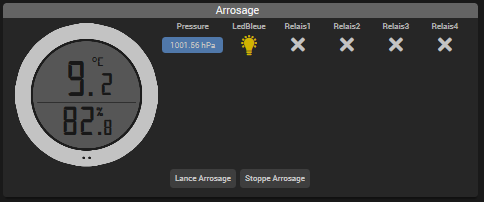
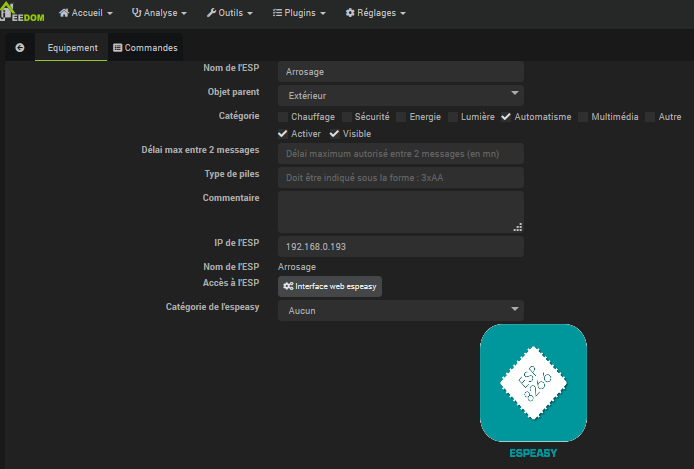
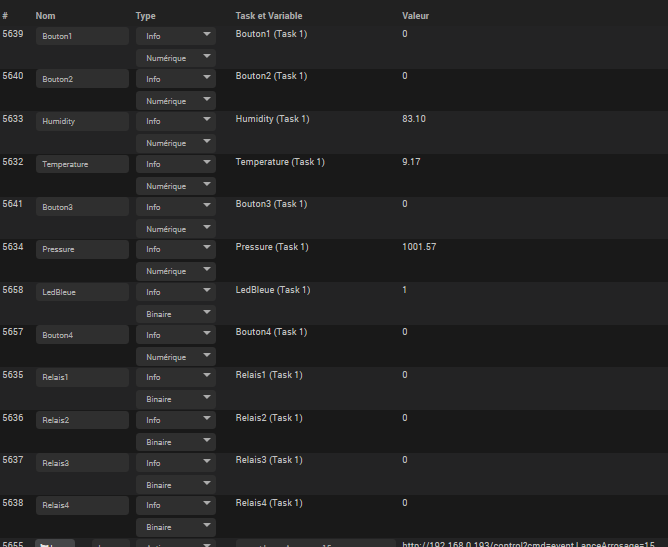
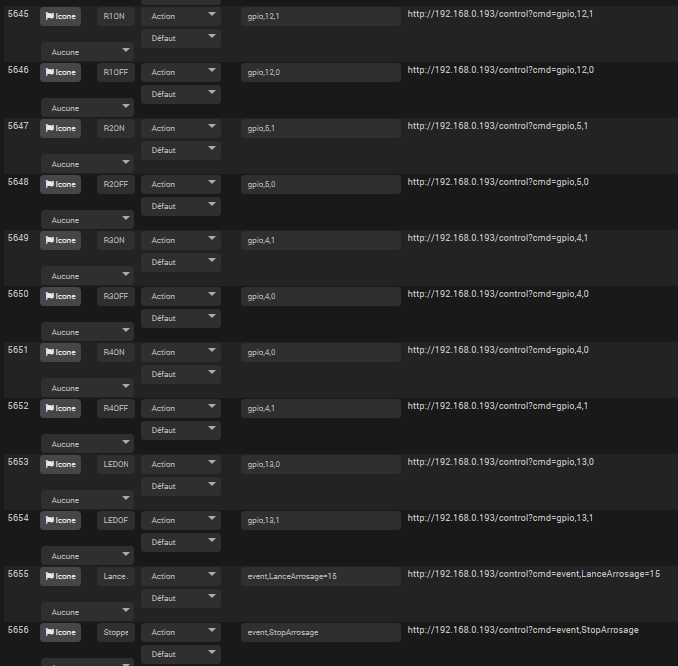
Management of automatic watering (at 10 p.m.)
It is programmed in the rules of the Sonoff 4CH Pro an automatic trigger at 22h. By default on ignition, the blue LED lights up and watering is automatic. The Sonoff 4CH Pro can handle watering alone (without Jeedom).
I will soon add a check on humidity, probably a future update of this tutorial.
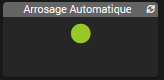
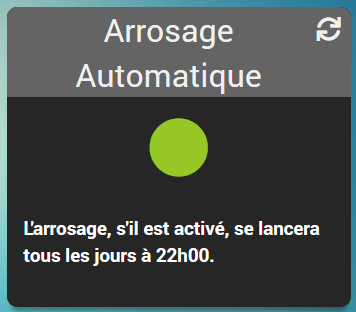
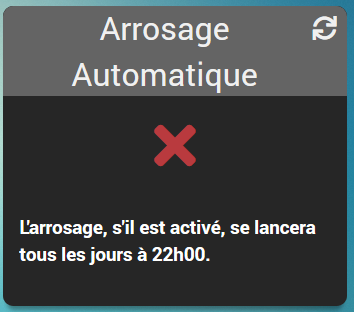
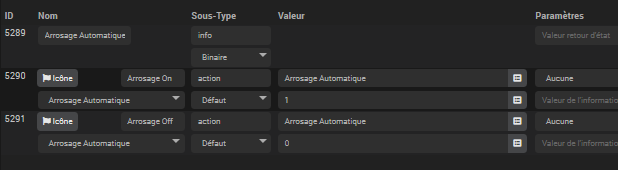
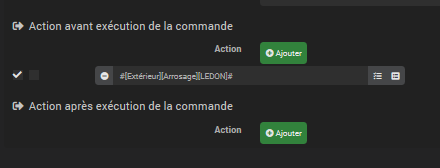
To order from Jeedom and easily integrate it into a design, I made a virtual ‘Automatic Watering’.
In the Dashboard
In design
Configuring the virtual
 English
  French
  Spanish
  Chinese
  German