

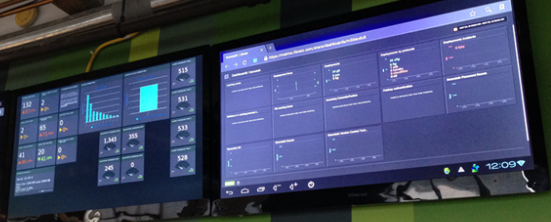
Tuto that works on PC.
I have been looking for weeks at how to launch two instances of Chrome, one on each screen (I have a bi-screen, or dual-screen).
I wanted Chrome to launch in full screen and each one a different "design" page from Jeedom.
I found a lot of complex solutions and finally a simple solution that I give you.
References:
- https://alextomin.wordpress.com/2015/04/10/kiosk-mode-in-windows-chrome-on-multiple-displays/
- https://github.com/alex-tomin/Tomin.Tools.KioskMode
My old PC is on W7, I had to install PowerShell 4 and .NET Framework 4.5, starting from Win8.1 it is not necessary.
Steps:
- Upload this file and install everything in C:Kiosk-Mode
- Open the Ciklum-Kiosk.ps1 file and modify the two links to your "design" pages, it will look like a http://192.168.0.21/index.php?v=d&p=plan&plan_id=1&fullscreen=1
- In the same file, replace
$chromeArguments = '--new-window --incognito'by$chromeArguments = '--new-window' - Launch PowerShell as administrator and type:
Set-ExecutionPolicyRemoteSigned - Set the shortcut: Start – Kios – modify path in Programs/startup so that all this starts at the start of the PC
To go further, you can continue with: Launch two instances of Jeedom (Chrome) on two monitors on the same PC
 English
  French
  Spanish
  Chinese
  German