

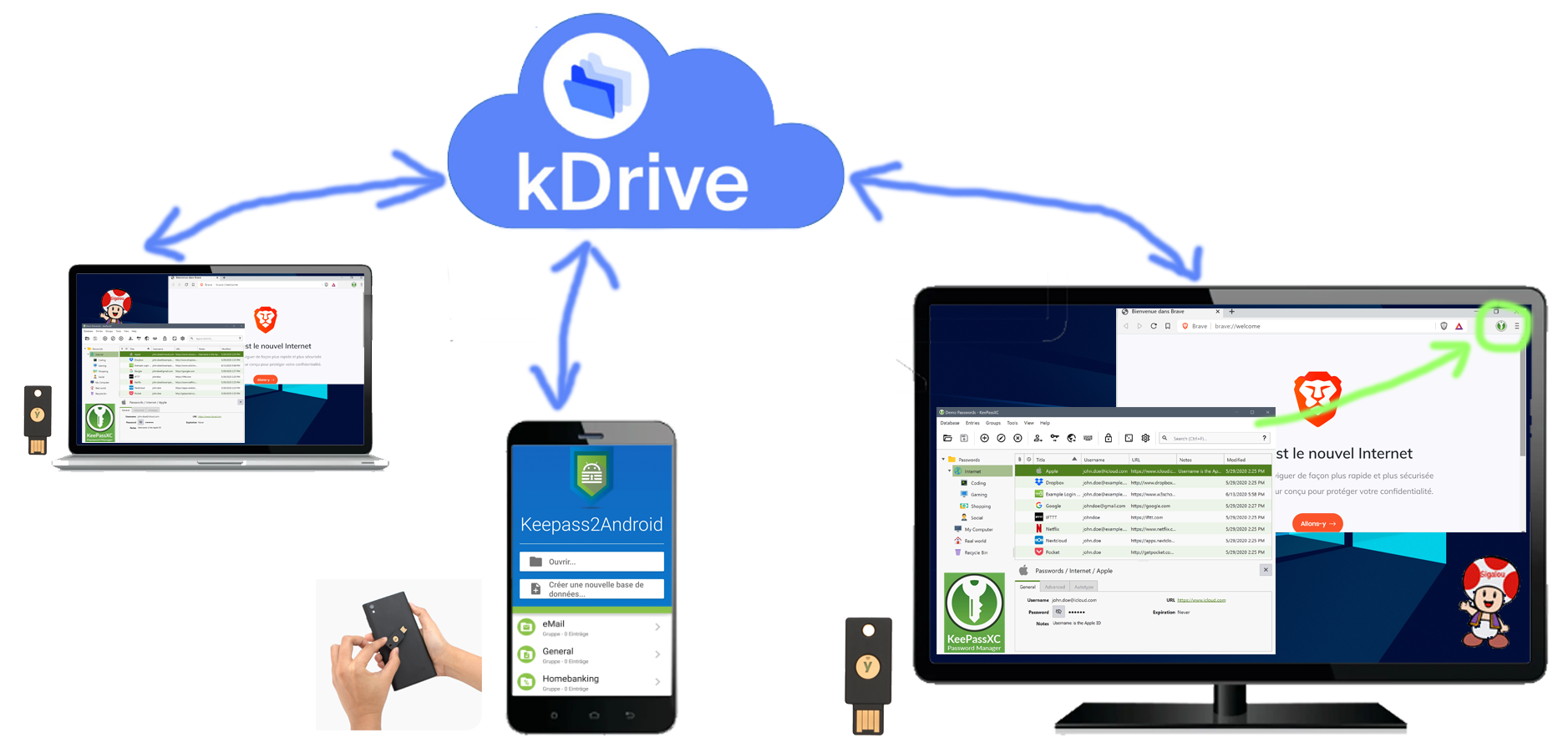
Edit: Attention, a different solution has been written since the writing of this page, but the information here remains valid:
I chose KeepassXC + Keepass2Android with Yubikey authentication
My specifications
- Choose a free and secure password manager (even better certified ANSSI)
- Allow to share a password change instantly on all my devices, smartphone included, avoid file replications
- Don't use proprietary (non-open source) solutions that could host my data somewhere in the world
- Do not have a super strong opening password of 30 special characters to be typed 5 times a day
- Secure database opening via a single Yubikey on all devices
- If the Yubikey is lost or broken, have a backup solution
- That the user in the browser is no login or password to enter and even better, that the dual authentication based on TOTP (time-based single-use password) is calculated and completed on the same principle.
- That new login/passwords are added to the database easily and updates detected and corrected in the database.

 English
 French
 Spanish
 Chinese
 German