

Objective
When it is the Box that has crashed, it is impossible to access the local network from outside and only an electric boost can solve the problem.
This relaunch must be made by GSM via a call or SMS command, independent of the internet.
In the previous tutorial, I used Chinese equipment that did not last long.
Materials
- We need a SIM card, I use a €2 free card that I do not pay because I am a Free customer.

- A 2G/3G/4G receiver that hosts the SIM card and controls a relay, for this I use a RTU5024.
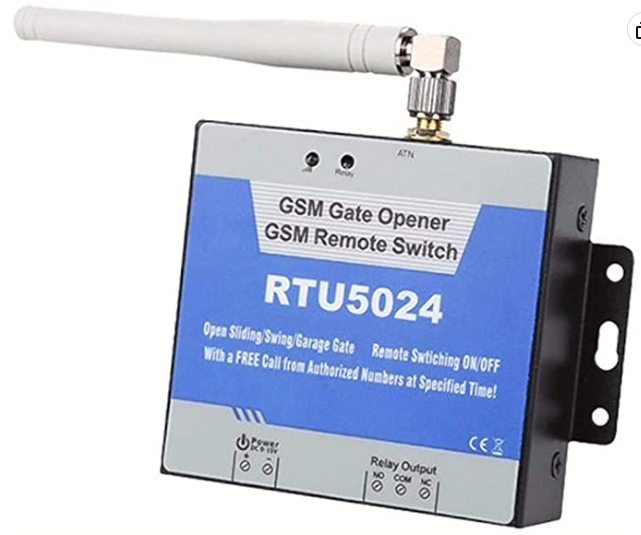
Note: I ordered a first RTU5024 on Amazon for €30.19 (Infongc-EU seller) it never worked, Amazon took it over. I ordered the same reference from the seller YoHoTek to 34.99€ and it worked at the first second. So beware of sellers, they are not equal. And I admit that the two aircraft did not have the same weight, the second one was heavier, so there must be fake RTU5024.
Note 2: Be careful, there is no transfo with this equipment, but obviously it accepts all DC voltages from 9V to 40V, I read that it was recommended 12V, I had a 12VDC transfo, it works very well with it.
Initialization of the SIM card
As a first step, it is necessary to check that there is no code to the SIM card, for this, place it in a mobile phone, go to the system settings and remove the password.
Initialization of RTU5024
- Place the SIM card in the space reserved for this purpose (behind, remove small black screws)
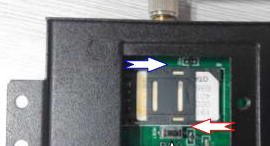
- Connect the power supply respecting the polarity.
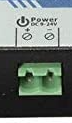
- Plug in the power supply
The red led on the left will blink twice slowly then will blink 1 time per second (quickly so)
Wait, it's connecting to the GSM network
When connected the led changes rhythm and blinks once every 2 seconds (a little slower so)
Configuration of the RTU5024
- Inform RTU5024 of the phone number of the SIM card it contains,
Send by SMS the order 1234TEL0033numerocartesim#
e.g. 1234TEL0033733445566# for a SIM card with the number 07 33 44 55 66 in the box
The box will reply to you by sms: Set Success!
If you receive your message, you have a system that works and a good quality box, we can continue. If not, send it back.
- Allow your mobile phone to call the RTU5024
Send by SMS the order 1234A020#0033numerotephoneportable#
e.g. 1234A020#0033631313333# to authorize the mobile phone that has the number 06 31 31 33 33
The box answers you by text, the information it gives you does not bring much, the whole thing is that it answers you and that your mobile phone number is at the beginning of the answer.
Set the tempo OFF/ON
The box alone manages the transition from ON to OFF then OFF to ON and between the two, we can define (in seconds) the pause time.
I will try to put 60 seconds for safety, a tempo of 2s will do the trick but for the box, it is cleaner to leave more extinction time before recharging it. Without configuration, the tempo is by default 0.5s which is not suitable.
Send order 1234GOT060# set the tempo to 60s, the format is 1234GOTnbseconds# in format 000 to 999
Configure the SMS response to the raise command
Optional but nice, we can configure the response that the box will return to the restart command.
Send by SMS order 1234GON11#Box being relaunched#
Connect the power supply of the Box to RTU5024
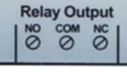
The relay allows with its NO (Normally Open) and NC (Normally Closed) terminals two modes of operation.
Obviously for our objective, we will use the NC terminal block because 99.99% in time the relay will be closed = Box connected to electricity. If the RTU5024 fails, the relay will remain closed.
The OFF/ON that we wish to provoke on the box will therefore be for the RTU5024 a switch to ON and then a switch to OFF (the NC being inverted from NO, the NO being the ‘normal’ mode).
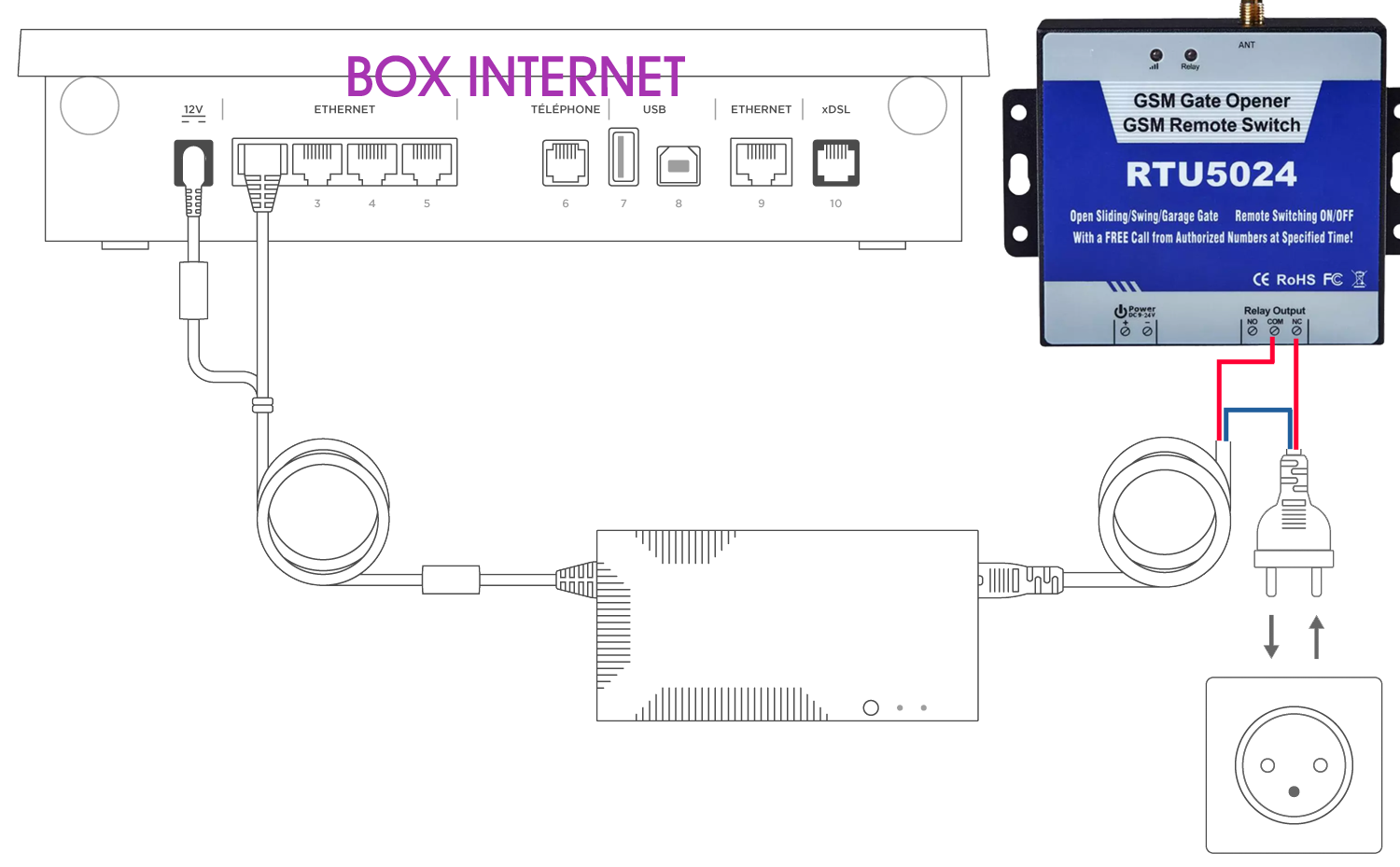
The feeding phase of the box is therefore cut off by connecting it to the COM and NC terminal blocks (Normally Closed).
Trigger an OFF/ON remotely
Two ways to do this, either a phone call (with an authorised phone number) or an SMS (from any phone)
- Telephone call
Attention, it is imperative that the telephone number has been authorised in advance otherwise the appeal is dismissed directly.
If the number has been authorised, a telephone call will trigger the activation of the OFF/tempo/ON and refuse the call (thus to the courier).
The box will also send a message to say Box being relaunched (configured above)
- SMS
The SMS command is 1234CC
This command will trigger the OFF/tempo/ON activation.
The box will respond Box being relaunched (configured above)
Test relay status and signal quality
The SMS command is 1234EE
The answer may look like:
Relay OFF;
GSM Signal Value:10
To recover IMEI and firmware version
The SMS command is 1234IMEI#
 English
  French
  Spanish
  Chinese
  German