

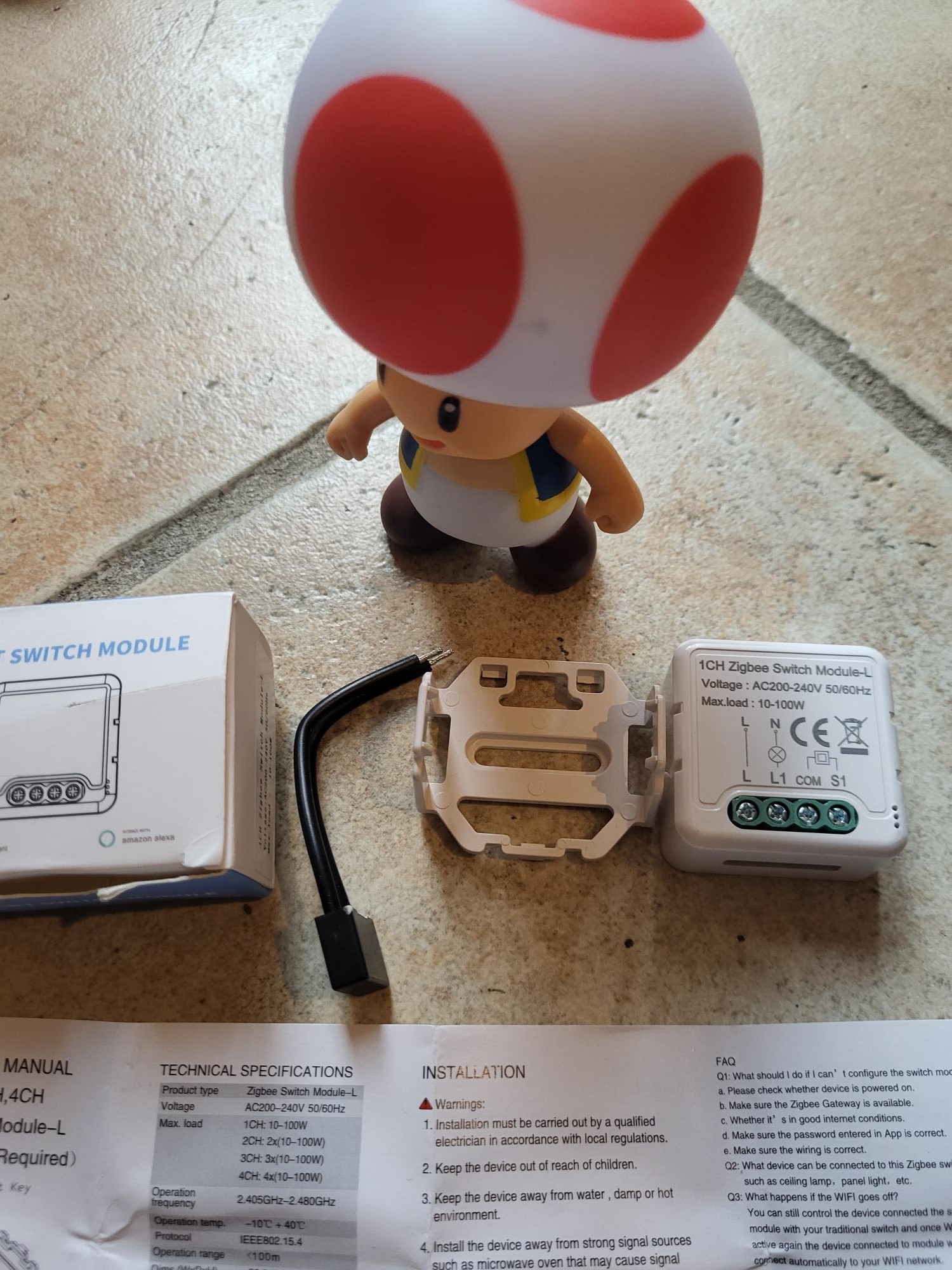
The market for Zigbee sensors and modules has seen a significant rise in prices for popular models in recent years. This 1CHL ZB Switch module remains an affordable option to control a lamp or circuit from an existing switch, without neutral in the built-in box. My tests are independent: I buy the modules with my own money, sometimes financed by the resale of equipment via my garage sale.

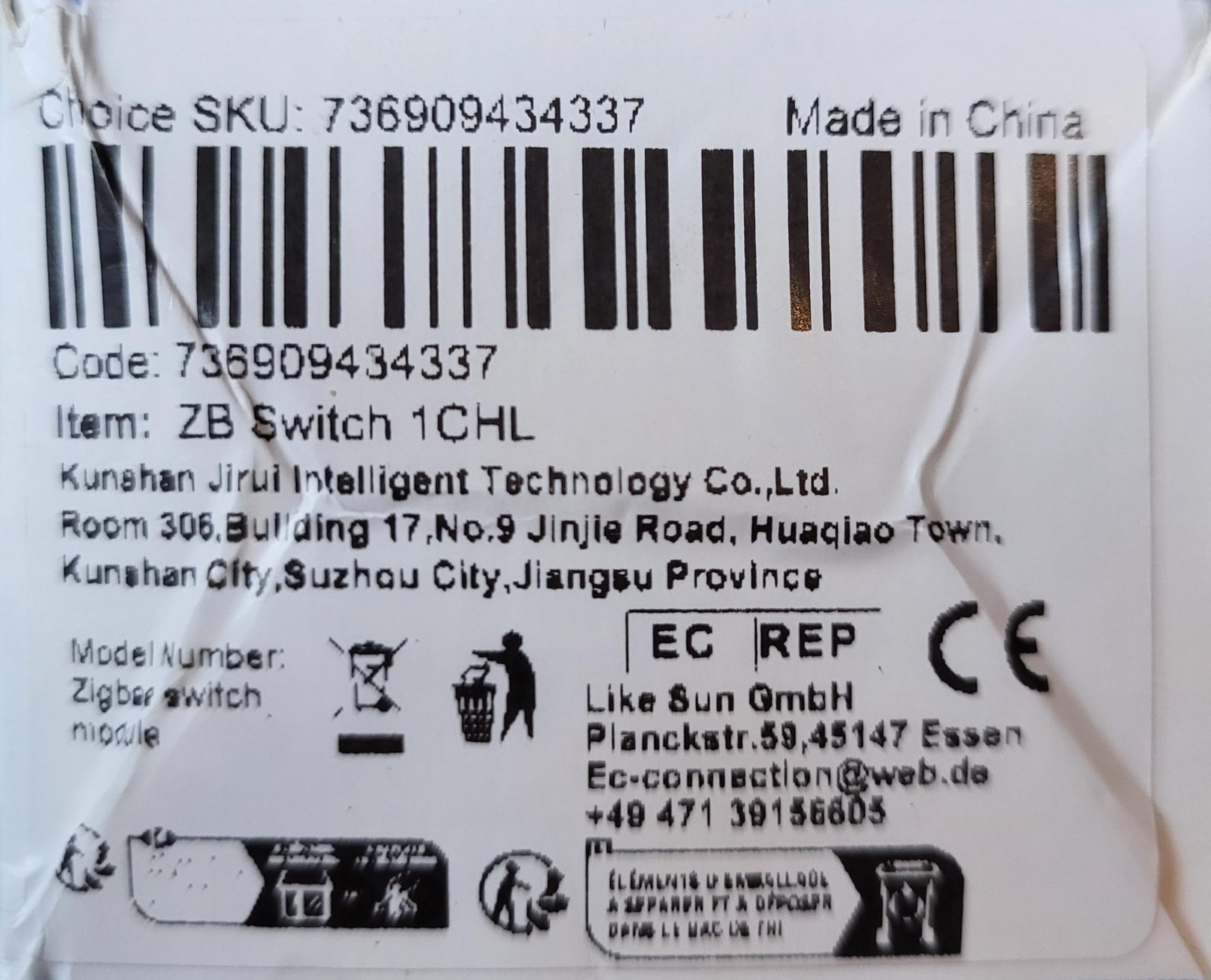
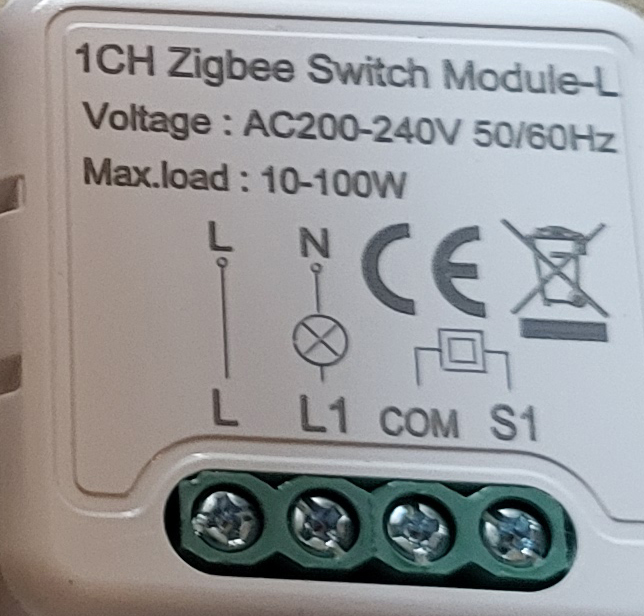
I check the model ZB Switch 1CHL received
Many references of Zigbee modules circulate, often confused. My copy is marked "ZB Switch 1CHL", without more precise code. Important: it is a version specifically designed for neutral-free switches, which means that it works on circuits where no neutral wire arrives at the bypass box.
This model comes with a capacitor, rare but useful element. Place it in parallel with the lamp if you observe flicker or a residual glow once the lamp is turned off. This stabilizes the residual current typical of modern LEDs, avoiding malfunctions.
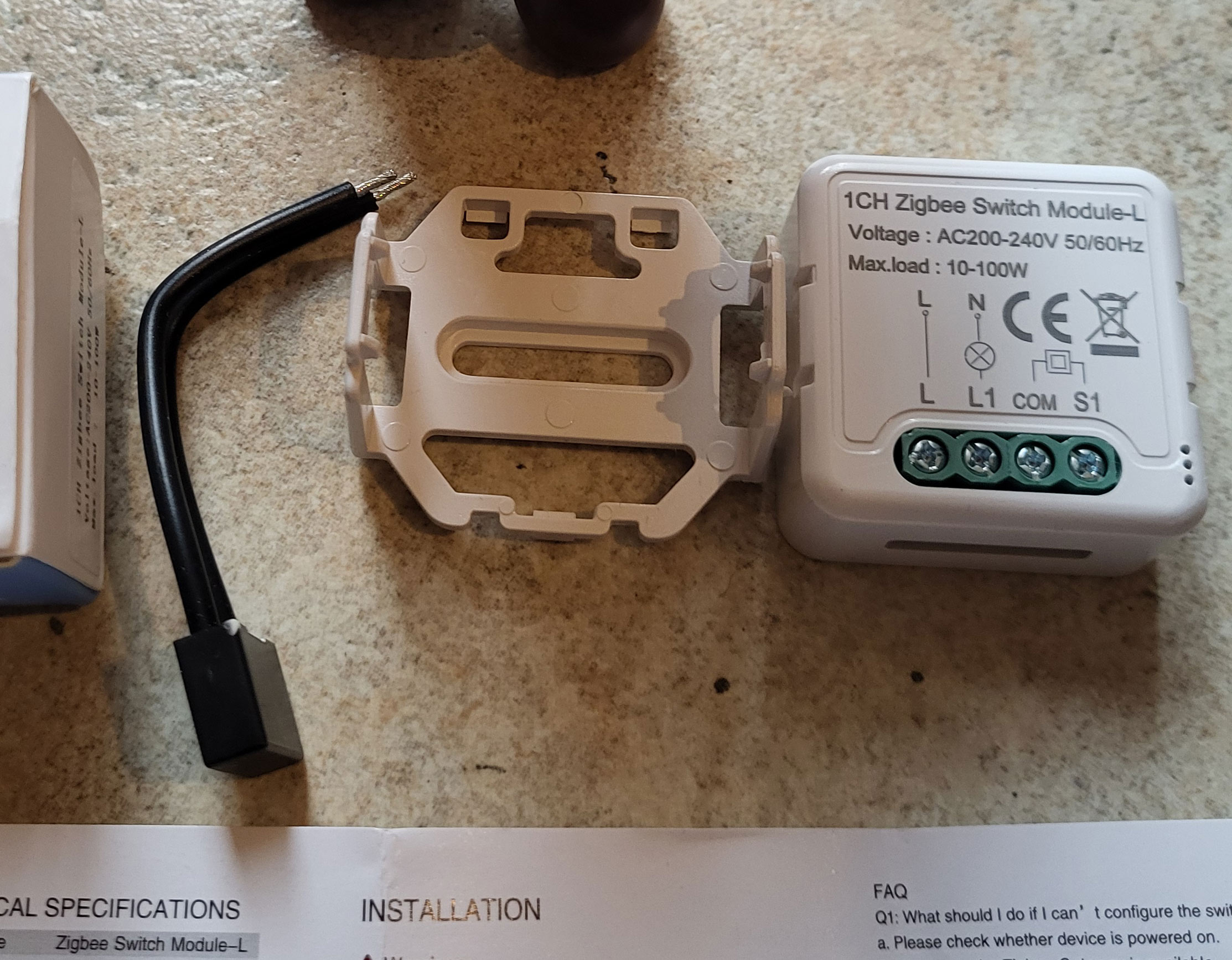
Update: change of packaging, same module
For an additional order of the same model, I received a different box. Module, package leaflet and capacitor remain the same at 100%. Only the outer packaging changes, probably a new supplier or a cosmetic update from the manufacturer.
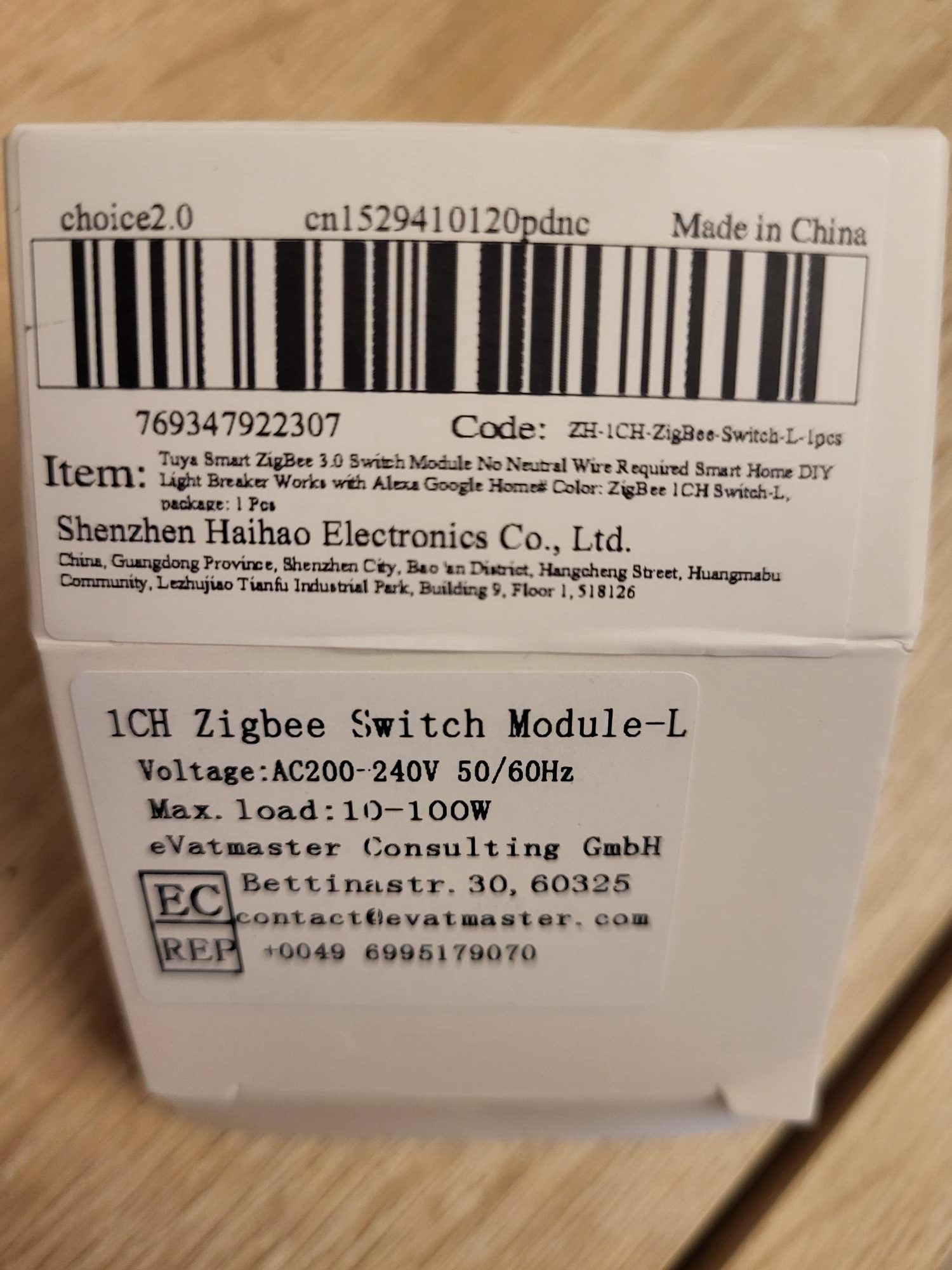
I connect L and L1 simply
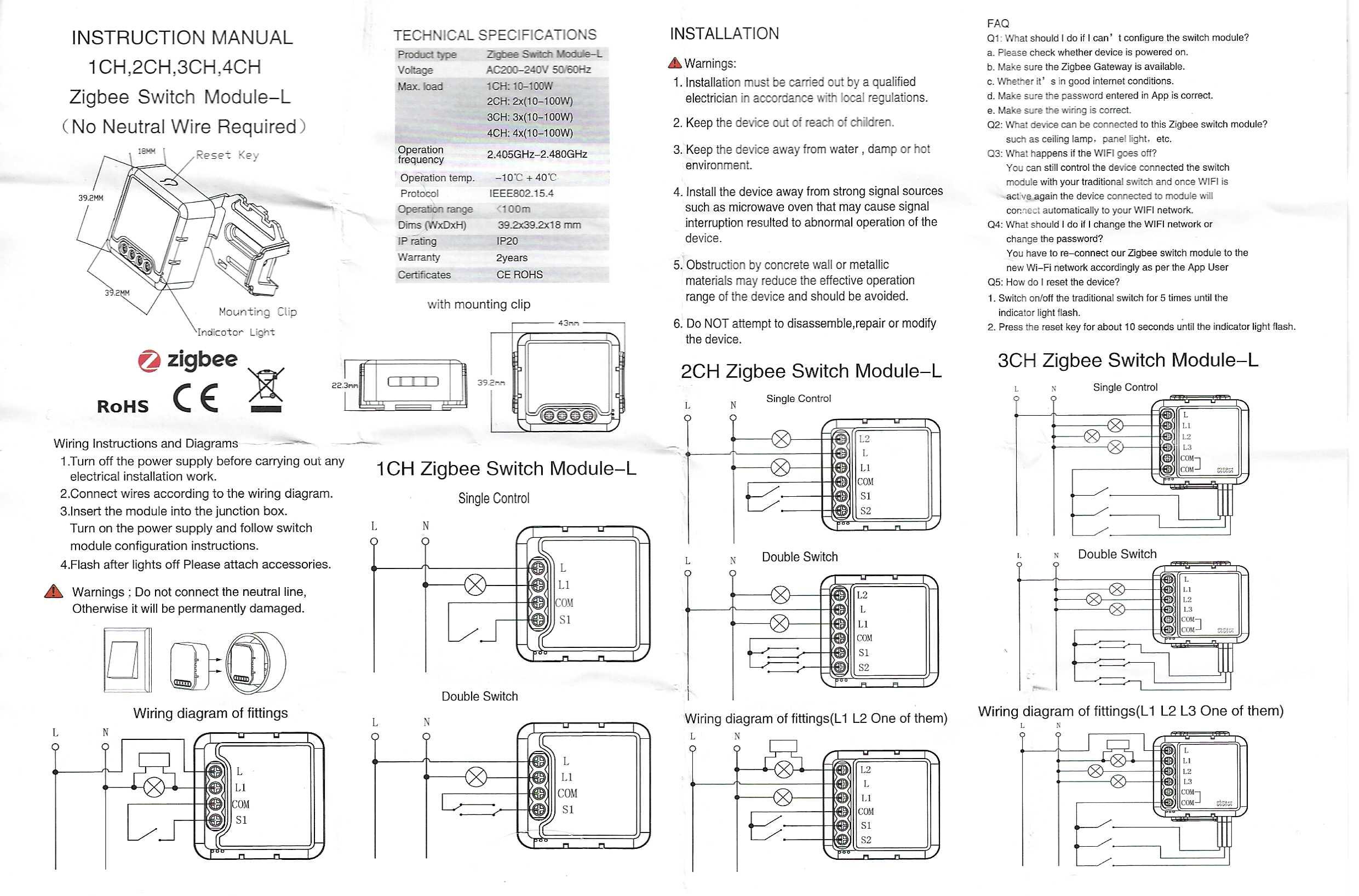
The connectors follow a classic pattern for this type of module. Connect phase L (current inlet) to terminal block L, and charge L1 to the lamp. Always turn off the general current before any electrical intervention for your safety.
I launch the Zigbee pairing easily
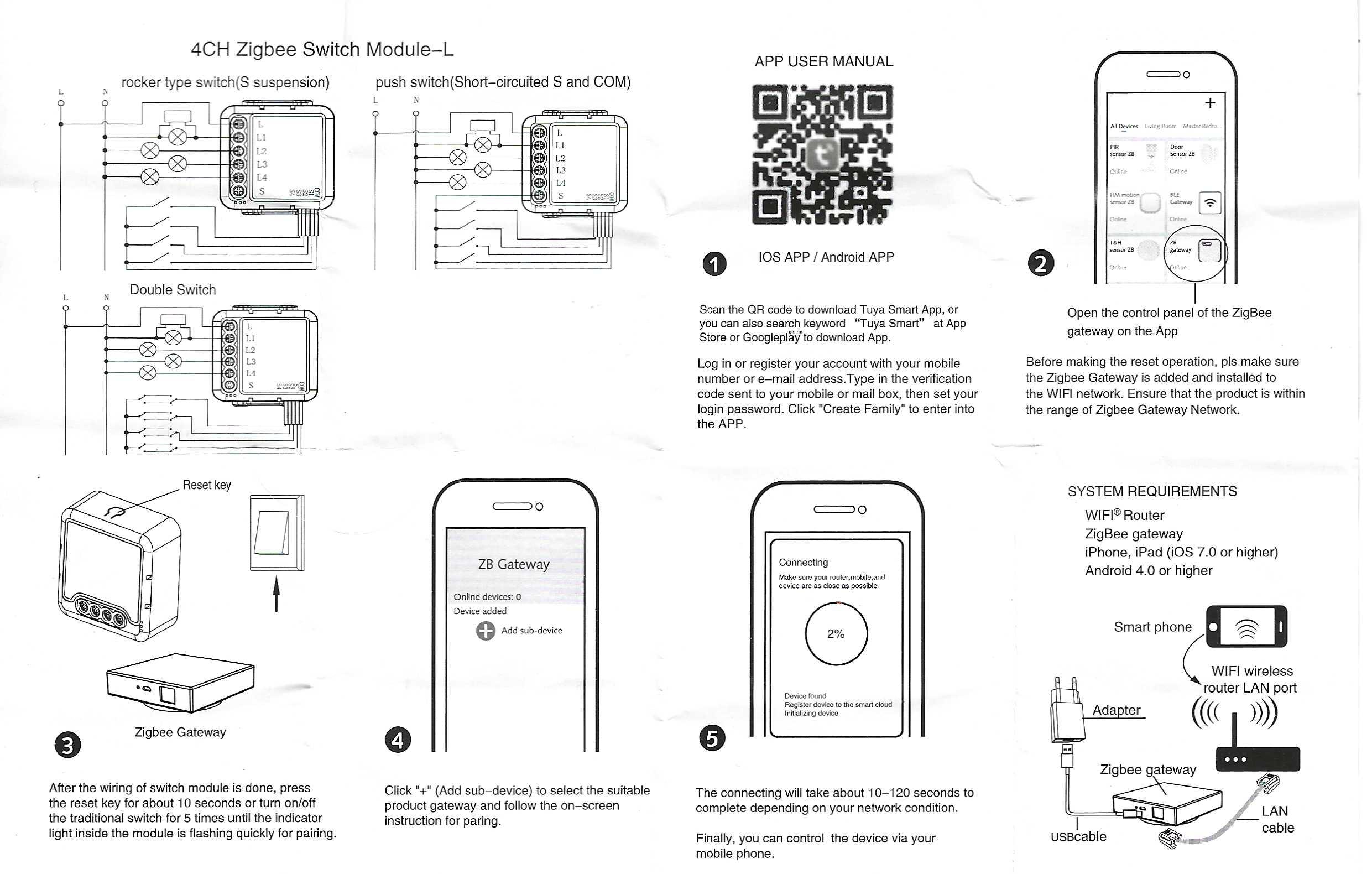
Enable pairing mode in Zigbee2MQTT via the web interface. Put the power back on: the lamps are initially switched on. Press the reset button of the module for 10 seconds, or perform 5 fast on/off cycles with the wall switch. The blue LED flashes, indicating that the pairing starts.
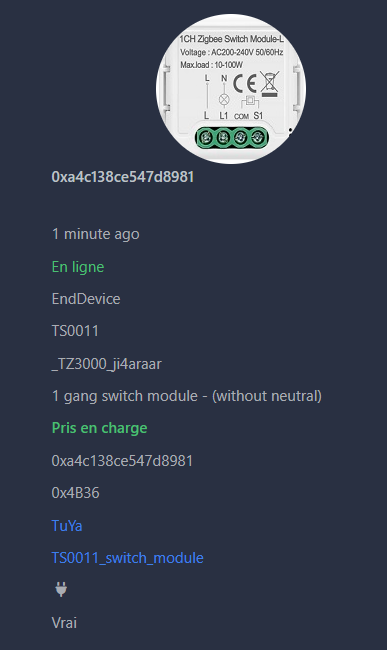
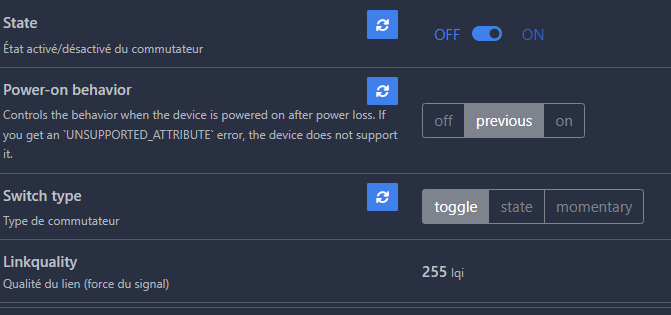
The state and brightness commands work immediately. Give the equipment a user-friendly name for easy identification in your network.
I integrate it into Home Assistant
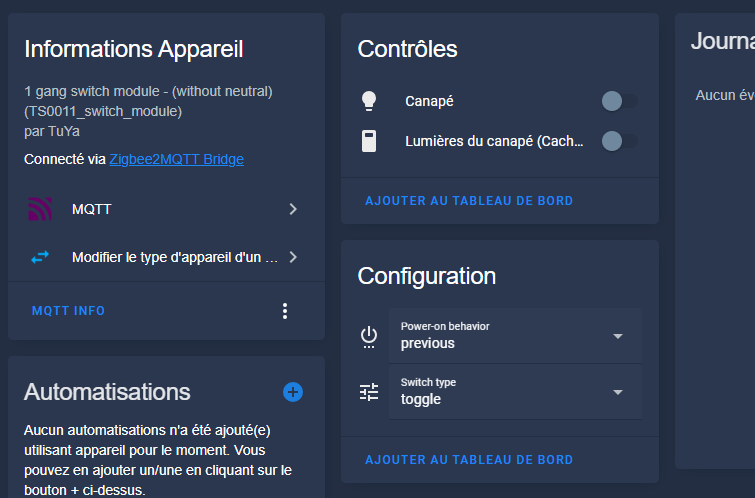
The equipment automatically appears in Home Assistant via the MQTT integration. It is ready to be used in automations, dashboards or scripts. The integration is smooth, with no additional configuration required.
Archives: the complete instructions for use
Here are the two-sided scans of the package leaflet provided, for future reference when reinstalling or troubleshooting.
 English
  French
  Spanish
  Chinese
  German