

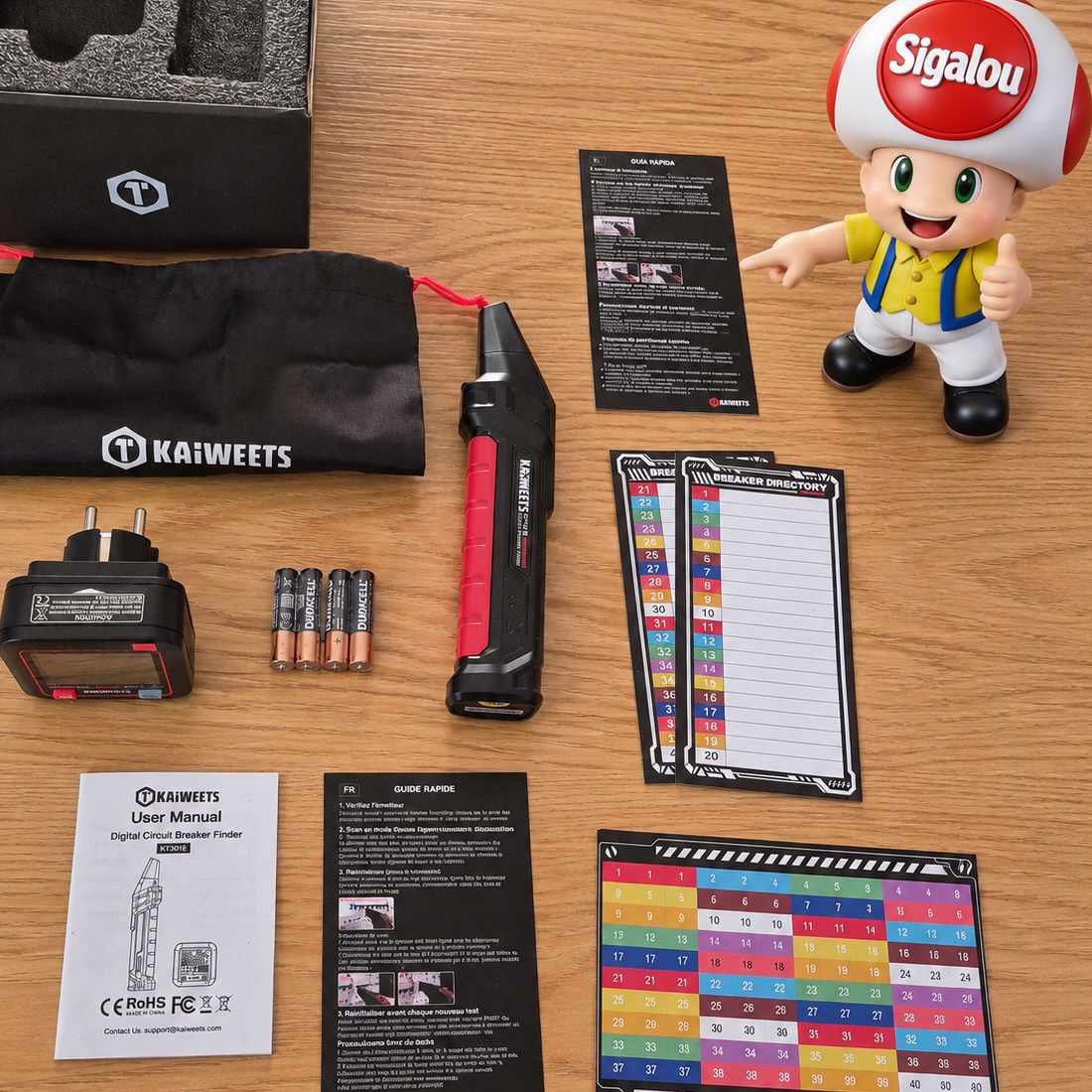
🎯 No more round trips in front of the electrical panel !!
I will be honest, since I have the Kaiweets KTL01, I feel much more serene before touching an electrical circuit.
But there is still a small galley that I meet regularly: I know how to cut a circuit breaker, I know how to check that a socket is off, but I do not always know which circuit breaker powers the socket on which I want to intervene.
Result: I go down to the board, I cut a circuit breaker, I go up, I test the plug, I go down again, I try the next one... And sometimes I cut several circuits outright to be quiet.
It is exactly for this kind of situation that I wanted to test the Kaiweets KT301E, a digital circuit breaker locator.
The idea is simple: a transmitter is plugged into the socket to be identified, then a receiver is passed in front of the circuit breakers in the switchboard. When the correct circuit is found, the device shall clearly indicate it.
Here is my feedback after several uses in concrete situations.
⚡ Why this locator in my home automation toolbox
I install a lot of home automation equipment: Zigbee sockets, modules behind switches, sensors, power supplies, sirens, various boxes.
And before each installation, there is often an electrical step.
The problem is not just cutting power. That is to know: which circuit to cut.
With my KTL01, I check the presence of tension. With the KT301E, I want to identify the circuit breaker concerned without going back and forth between the part and the board.
The KT301E is designed to quickly identify the circuit breaker connected to a socket or point of use, thanks to a transmitter connected to the socket and a receiver passed in front of the switchboard.
But it is not limited to this function: the transmitter also serves as a socket tester and makes it possible to control the condition of the wiring, the presence of mains voltage and protection by circuit breaker.
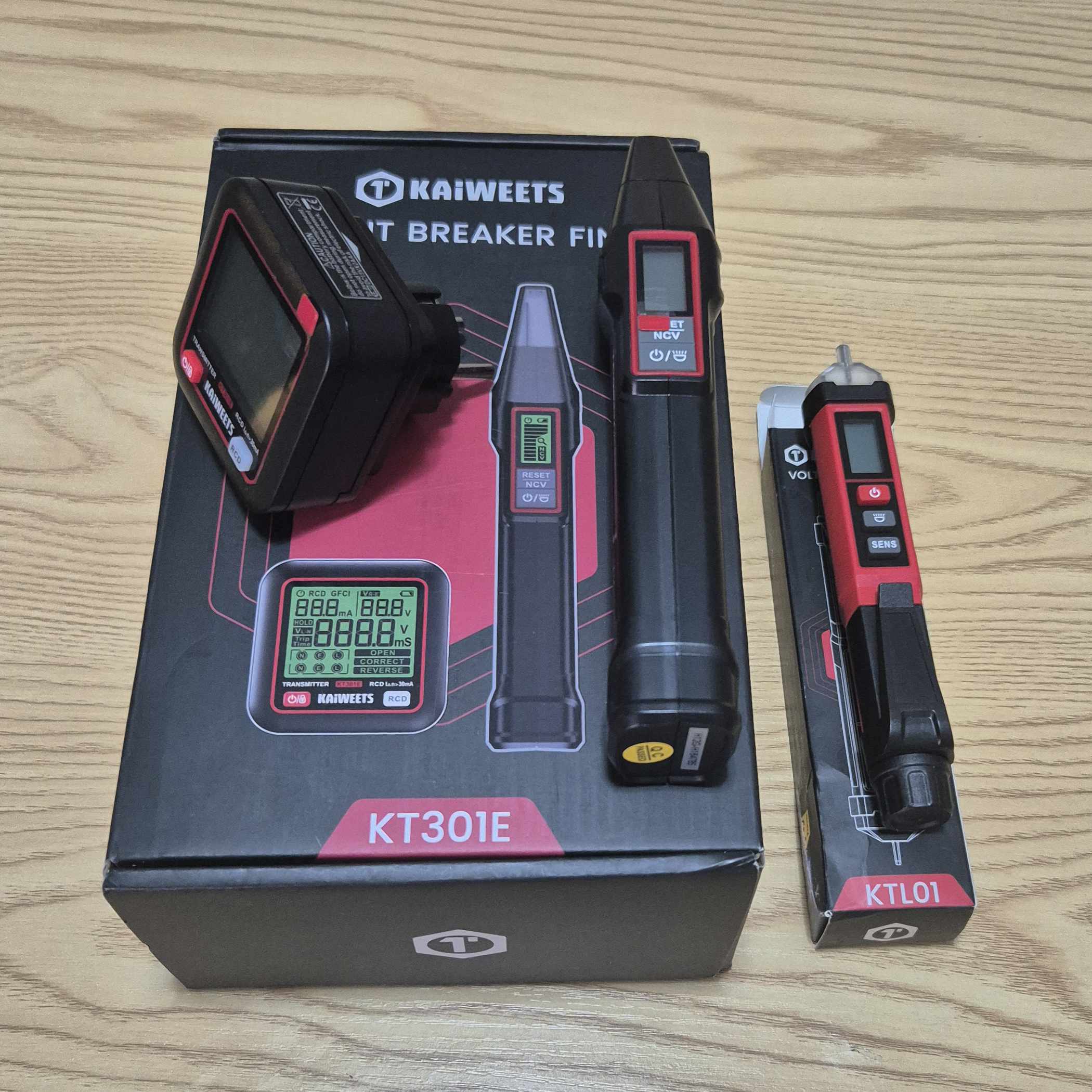
For a DIY do-it-yourselfer, it is a tool that complements the KTL01 well: one alerts on the presence of voltage, the other helps to find the right circuit breaker.
🏢 Who is Kaiweets?

Kaiweets is a Chinese brand specialising in electrical measuring devices and tools for both professionals and private individuals.
I had already tested their KTL01, a contactless voltage tester that convinced me of its simplicity and pen format. The KT301E belongs to the same logic: an accessible tool, designed for everyday interventions.
Here, we are no longer talking only about detecting a voltage, but about find the circuit that feeds an outlet.
🔍 Why I chose the KT301E among the Kaiweets models
Kaiweets offers several circuit breaker locators, with more or less advanced functions. Here are the models I have identified:
| Model | Type | Circuit breaker location | Socket test | RCD / GFCI test | NCV | Screen |
|---|---|---|---|---|---|---|
| KT301E | Circuit breaker locator + plug tester | Yes | Yes | Yes | Yes | Backlit LCD |
| KT301P | Circuit breaker locator + plug tester | Yes | Yes | Yes | Yes | Backlit LCD |
| KT301 | Circuit breaker locator | Yes | No | No | No | LED / indicator |
My choice of KT301E addressed a number of criteria:
- Circuit breaker location : This is the main function that interests me, to avoid cutting several circuits blindly.
- Built-in plug tester : the transmitter also makes it possible to control the wiring and voltage
- RCD test / differential : practical for quickly verifying that a DDR is triggered
- NCV mode : the receiver can also detect a non-contact voltage
- Backlit LCD screens : more readable than simple LEDs, especially in a dark technical room
- European version : operation on the European sector, therefore adapted to a French installation
- Format kit : transmitter for socket, receiver for array
The KT301P is very close, including GFCI and NCV test functions. The more basic KT301 focuses on the location of the circuit breaker.
For my use, the KT301E offers the best compromise between circuit breaker locating, plug control and differential test.
🔍 I check the received model
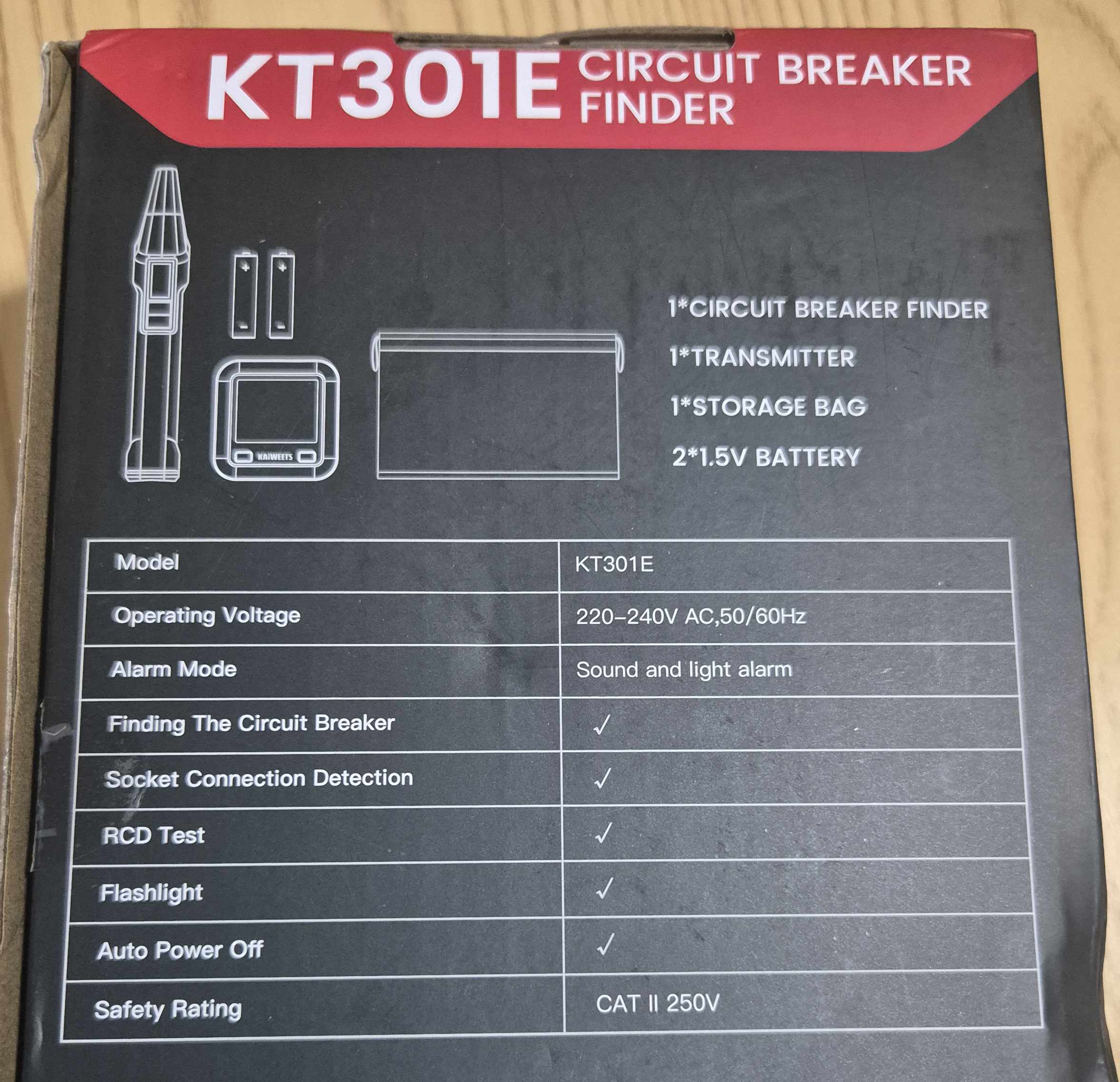
- On the carton : visible reference KT301E
- Type of equipment : Digital circuit breaker locator with socket tester
- Composition : Transmitter + receiver
- Main function : identification of the circuit breaker supplying an outlet
- Related functions : plug control, RCD test, NCV detection
- Power supply : AAA batteries, to be installed in the transmitter and receiver
- Operating voltage : compatible with the European sector
🛒 Where to buy the Kaiweets KT301E?
Here is the link to the page dedicated to KT301E.
I referenced the sellers and prices.
📦 Unpacking and First Impressions
At the reception, I unpack everything: transmitter, receiver, AAA batteries, instructions.
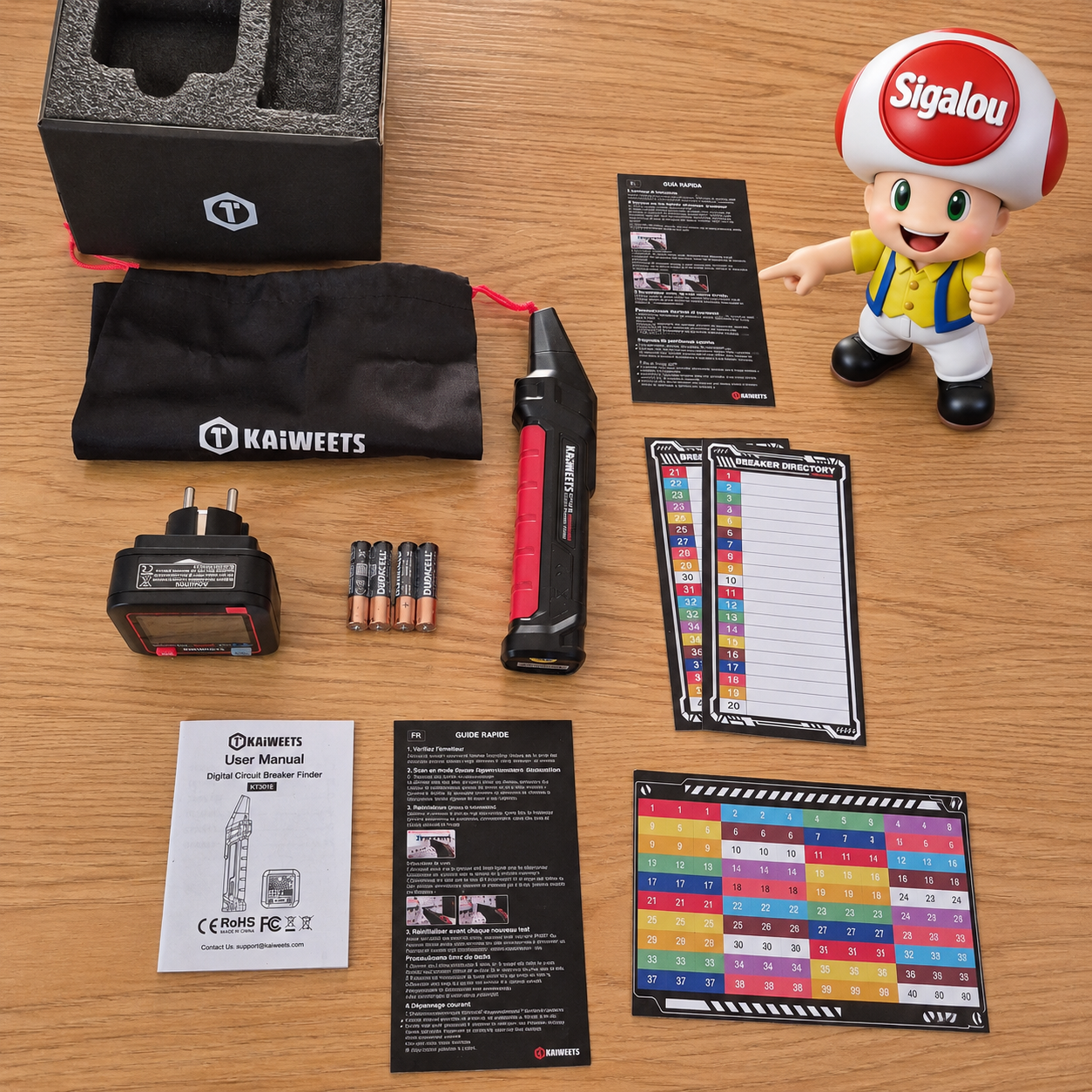
The kit consists of two distinct components:
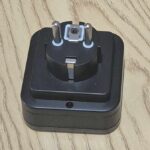
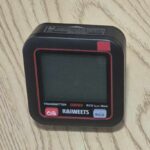
- Issuer : it plugs directly into the socket to be identified
 |
 |
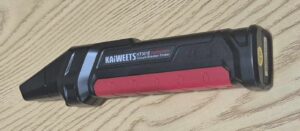
- The receiver : it happens in front of the circuit breakers of the board
 |
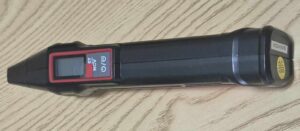 |
My first reflex is to compare the size of the two cases. The transmitter is compact and plugs into a socket. The receiver is a little larger, with an LCD screen and a built-in lamp.
The whole gives the impression of a simple product, without frills, but well thought out for domestic use.
🔧 Power on: I install the batteries
I note that the batteries supplied are Duracell, but it is still a good brand of quality, congratulations to the manufacturer.
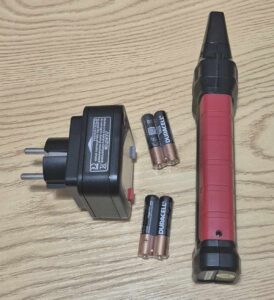
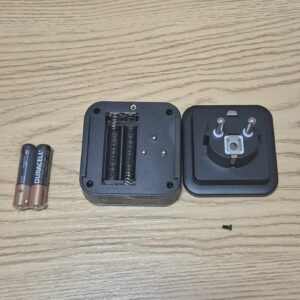
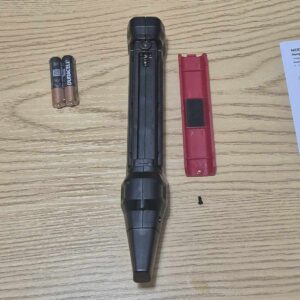
Batteries are not pre-installed. I therefore open the transmitter compartment and insert the AAA batteries in accordance with polarity.
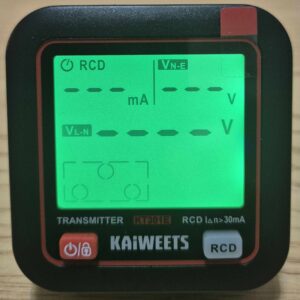
On the issuer, the manual explains:
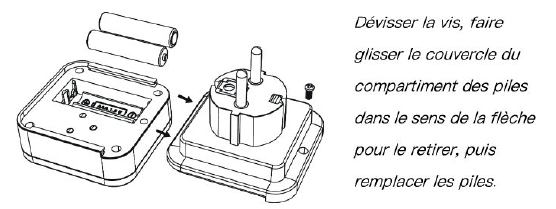
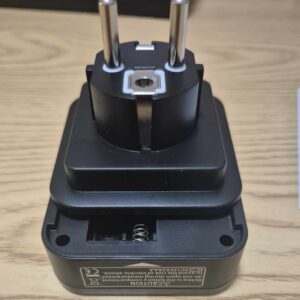 |
 |
 |
 |
 |
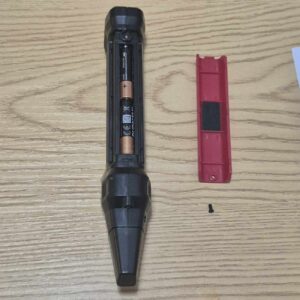
I do the same operation on the receiver.

 |
 |
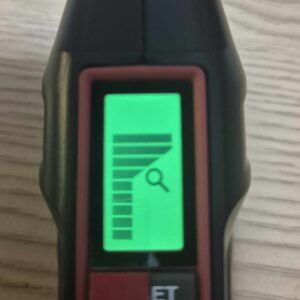 |
Once the batteries are in place, I turn on both devices. The screens light up with backlight.
The appliance has an automatic shutdown after a period of non-use, which avoids empty batteries after occasional use.
🏡 First test: I control a socket
Before I start looking for a circuit breaker, I start with the most immediate function: the socket test.
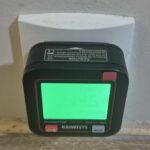
I plug the transmitter into an outlet in the living room.
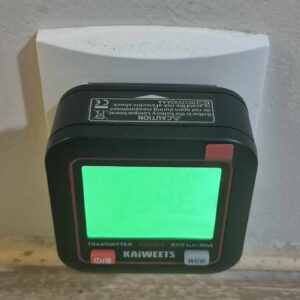
The screen then displays information on the voltage and status of the wiring. This is a good reflex before connecting home automation equipment, especially if you are working on an old installation.
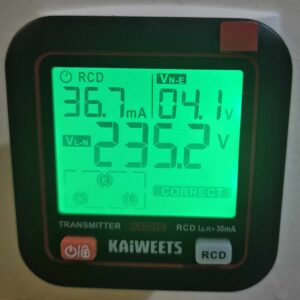
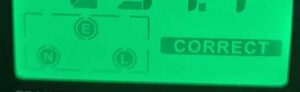
On a properly wired outlet, the display is clear and stable. This is reassuring, especially before installing a connected socket or module behind a switch.
I am surprised for a few seconds by saying to myself, well, he is in French, he says ‘CORRECT’ to me and then I realise that this is also said to be correct in English 🤣In any case, whatever the language, it is already a good sign.
⚡ I test the differential 30 mA
Then I test the RCD function, i.e. the differential test.
In France, we talk more often about DDR ou de différentiel 30 mA. Le principe est simple : j’appuie sur le bouton RCD de l’émetteur…
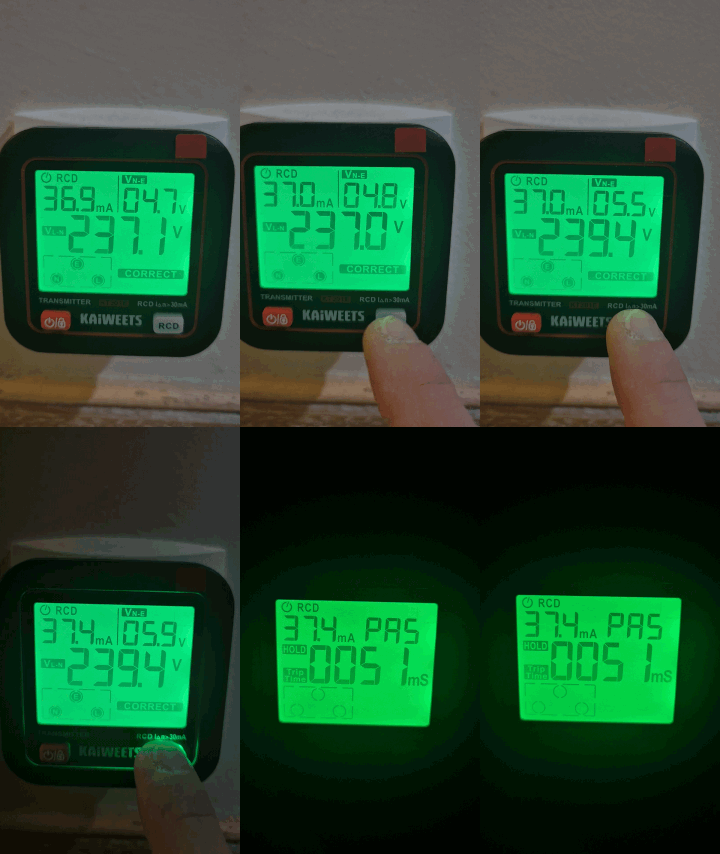
Que se passe t il ?
Le différentiel 30 mA qui protège cette rangée se déclenche : les circuits placés sous sa protection ne sont alors plus alimentés. On voit que la lumière se coupe également, elle est dans la même rangée.
L’émetteur reste allumé et conserve le résultat à l’écran. Je peux donc prendre le temps de lire les différentes indications.
Sur mon test, le KT301E affiche un courant de 37,4 mA et un temps de déclenchement de 51 ms, soit 0,051 seconde. Le différentiel a donc réagi rapidement à la sollicitation du testeur.
Attention à ne pas confondre les deux valeurs : les milliampères (mA) correspondent au courant de test affiché par l’appareil, tandis que les millisecondes (ms) correspondent au temps de déclenchement enregistré.
La valeur de 37,4 mA ne doit pas être présentée comme une mesure précise du seuil réel de mon différentiel : je rapporte ici ce que le KT301E affiche pendant ce test.
L’indication « PAS », accompagnée du fond vert, signifie que l’appareil considère le test comme réussi. Quant à « HOLD », cela indique que le résultat est maintenu à l’écran : je lis le résultat mémorisé, et non une mesure qui continue d’évoluer.
Le manuel précise également un point important : si le temps de déclenchement dépasse 100 ms, soit un dixième de seconde, l’écran passe à l’orange et affiche « Err ».
Sur mon essai, le temps enregistré est de 51 ms : je suis donc en dessous de ce seuil.
Je garde toutefois une nuance importante : les 100 ms correspondent au critère d’alerte retenu par le KT301E pour ce test. Ce n’est pas une limite réglementaire universelle permettant, à elle seule, de déclarer n’importe quel différentiel conforme ou défectueux.
Ce qui m’intéresse ici, c’est de vérifier concrètement la réaction de la protection : j’ai lancé le test depuis une prise, le différentiel de la rangée s’est déclenché et le KT301E a enregistré son temps de réaction.
C’est une fonction intéressante pour vérifier rapidement qu’un différentiel se déclenche.
🔎 The main test: I find the right circuit breaker
Now let's get to the heart of the matter: find the circuit breaker that powers a socket.
Par exemple sur ma rangée qui vient de disjoncter (cf. paragraphe précédent), j’ai un disjoncteur avec mentionné Prises Séjour (4) Cuisine (2) et un autre avec Prise Cuisine (6) donc je peux avoir le doute si je veux savoir où est raccordé une de mes prises de la cuisine.
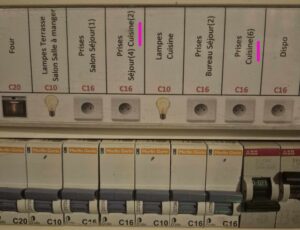
I choose an outlet whose circuit I already know. This will allow me to check if the KT301E finds the right circuit breaker.
I plug the transmitter into the outlet.
Then I take the receiver and go in front of the switchboard.
The method is simple:
- I plug the issuer into the socket to be identified.
- I turn on the receiver.
- I move it away from the board to reset it.
- I go back slowly in front of each circuit breaker, without jumping from one to the other.
- I observe the signal strength, beeps and indications on the screen.
- I confirm when the buzzer becomes continuous and the red LED lights up.
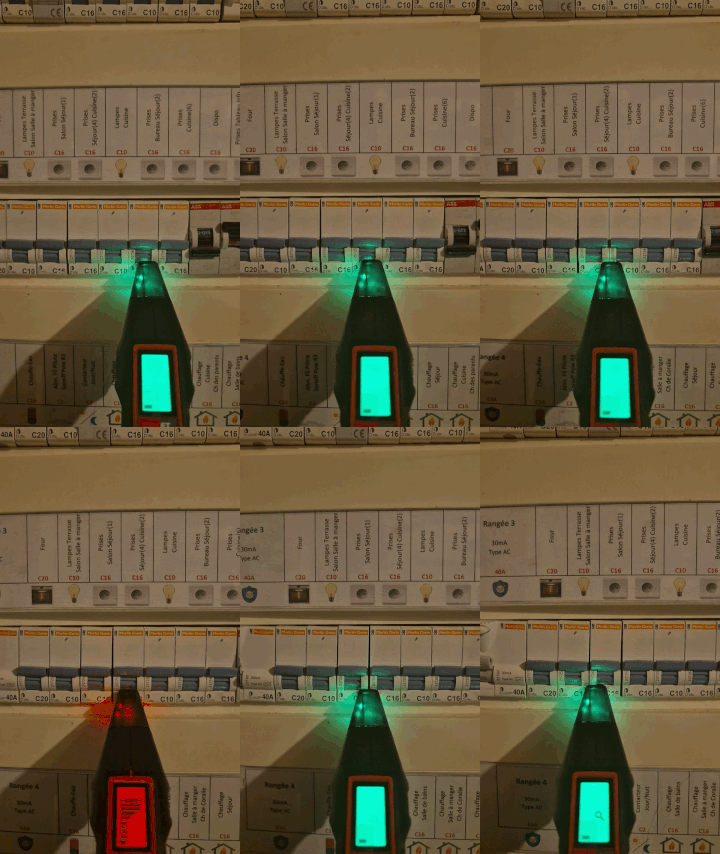
At first, the signal is weak. Then, as I approach the correct circuit breaker, the beeps get closer and the receiver indicator increases.
When I pass the right circuit, the buzzer becomes continuous and the red LED lights up.
Je refais ensuite le passage une seconde fois, pour confirmer le résultat. C’est presque magique !
Dans un tableau dense, avec plusieurs disjoncteurs proches les uns des autres, cela permet d’éviter une erreur d’interprétation.
🔄 Prise branchée à l’envers : je teste l’inversion phase/neutre
Je poursuis avec une autre fonction du KT301E : le contrôle de la polarité de la prise.
L’idée est de vérifier si la phase et le neutre arrivent bien aux emplacements attendus par le testeur. Ce contrôle se fait avec l’émetteur branché dans la prise, pas avec le mode NCV du récepteur.
Si le KT301E détecte une inversion phase/neutre, il affiche l’indication correspondante et son rétroéclairage devient orange. L’écran attire donc immédiatement mon attention : il ne retrouve pas la polarité attendue.
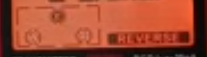
A noter que je ne dois faire le test RCD avec une prise dont le câblage est indiqué comme correct, conformément à la notice.
🔦 The NCV mode: contactless detection
The receiver also integrates an NCV mode, for Non-Contact Voltage, autrement dit une détection de tension sans contact.
Je retrouve ici le principe de mon KTL01 : approcher le détecteur d’une prise ou d’un câble pour repérer la présence d’une tension, sans toucher directement le conducteur.
Mais au premier essai, je cherche un peu comment activer cette fonction ! Il ne suffit pas d’allumer le récepteur : il faut ensuite effectuer un appui long sur la commande de sélection du mode NCV.
J’allume donc le récepteur, puis je maintiens cette commande enfoncée pour basculer en mode NCV. Pour cette utilisation, je n’ai pas besoin de brancher l’émetteur dans une prise : le récepteur fonctionne seul.
Quand le mode est activé, l’écran affiche NCV
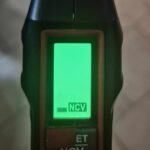
Une fois le mode activé, j’approche la pointe du récepteur d’une prise alimentée.
Lorsqu’il détecte une tension, le récepteur émet un signal sonore, la LED de détection devient rouge et une barre à l’écran indique l’intensité du signal reçu. Rien de bien compliqué, cela fonctionne parfaitement.
Attention : cette barre représente une intensité de détection, pas une mesure de tension en volts. Elle ne permet donc pas de lire directement « 230 V » comme sur l’émetteur branché dans une prise.
C’est une fonction pratique pour disposer de ce repérage directement sur le KT301E.
Pour ce besoin précis, je continue toutefois à privilégier mon KTL01 : son format stylo et le réglage de sensibilité sont plus naturels à manipuler pour approcher une prise ou un câble.
Les deux appareils partagent donc la même fonction de base, mais cela ne signifie pas que leurs plages de détection, leur sensibilité ou leur comportement sont identiques.
Et je garde la même règle de sécurité : l’absence de signal ne prouve pas l’absence de tension. Le mode NCV reste une aide au repérage et ne remplace pas une vérification d’absence de tension avec un appareil adapté avant toute intervention.
⚙✘ My tips for using
- Always start with a known catch : this makes it possible to check that the transmitter and receiver are working properly
- Reset the receiver remotely from the array : This is an important step before starting the scan
- Repeat the scan twice : useful when the board is dense or the circuit breakers are close
- Use the built-in lamp : very practical in a dark technical room
- Test outlet before spotting : this already makes it possible to check that the circuit is powered and that the wiring seems correct
- Confirm result : cut the identified circuit breaker, then check that the socket is off
- Keep the KTL01 at your fingertips : the KT301E identifies the circuit, the KTL01 helps to check the voltage before intervening
- Turn off manually after use : even if the automatic shutdown exists, I prefer to avoid emptying the batteries unnecessarily
💬 My opinion after several uses
✅ Strengths:
- Very convenient to find a circuit breaker without cutting the whole house
- Transmitter and receiver easy to understand
- Integrated socket test, useful before a home automation installation
- Détection des inversions phase/neutre, avec indication à l’écran et rétroéclairage orange, à interpréter selon le sens de branchement
- Appreciable RCD differential test to verify that a DDR is triggered
- Backlit LCD screens and integrated lamp
- NCV mode as a bonus
- Automatic shutdown after non-use
- Interesting addition to the KTL01
❌ Weaknesses:
- Needs to follow the method well to get reliable tracking
- The result must always be confirmed before intervention
- Less compact than a simple pen-type NCV tester
- The notice should be more detailed on specific cases.
My verdict: The Kaiweets KT301E does not replace my KTL01, it completes it.
The KTL01 remains my reflex to check for voltage before touching a cable or module. The KT301E becomes my ally to quickly find the circuit breaker that powers a socket.
For anyone who regularly installs connected sockets, modules or home automation equipment, it is a tool that can save valuable time and avoid unnecessary back and forth between the room and the electrical panel.
 English
  French
  Spanish
  Chinese
  German