

🔥 My lenses with this detector
One evening in the kitchen, my smoke detector goes off for the umpteenth time because of the smoke from chopped steaks.
Tired of false alerts, I am looking on home automation forums for a reliable solution.
This is where I discover the Zigbee 3.0 Smart Heat Detector HESZB-120 Frient 's.
It only reacts to excessive heat, which seems perfect for my kitchen, garage and living room with fireplace.
I order from Domadoo because he's on sale.
It seems perfect to me: Reliable push alerts, powerful siren of 85 decibels and long maintenance-free autonomy. I'm testing all this …
🔍 Technical data sheet
- Exact model : HESZB-120.
- Type of equipment : Heat detector only, smoke-free.
- Communication Protocol : Zigbee 3.0 for hubs like Zigbee2MQTT or ZHA.
- Power supply : CR123A battery 3 volts, with 5 years estimated autonomy.
- Physical dimensions : 65 millimeters in diameter, 40 millimeters high, for 90 grams.
- Conditions of use : 0 to 50 degrees Celsius, with an accuracy of ±0.5 degrees, and a maximum humidity of 95 percent.
- Detection function : Alarm at 58 degrees Celsius or in case of rise of 8 degrees per minute, with a siren of 85 decibels.
- Radio range : Sensitivity -98 dBm, emission +8 dBm, with a visible red light diode.
- Standards and certifications : CE, RoHS, REACH, EN54 Europe.
📦 I check the received model
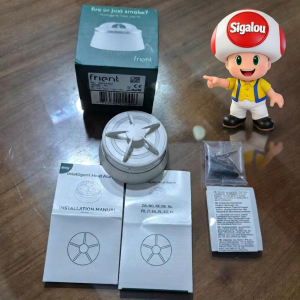
- On the packaging carton : Frient green box, I note the serial number and the reference for the warranty.
- Content of accessories : I unpack the CR123A battery, the base, the screws, the ankles and the leaflet in French.
🛒 Where do I buy this equipment?
Here is the link to the page dedicated to Frient HESZB-120.
I listed the sellers and the prices compared.
📦 Unpacking and First Impressions
Package received at lunchtime, I am looking forward to opening the package.
The green box is very serious. This is the usual colour of Frient.
📍 Where I install it
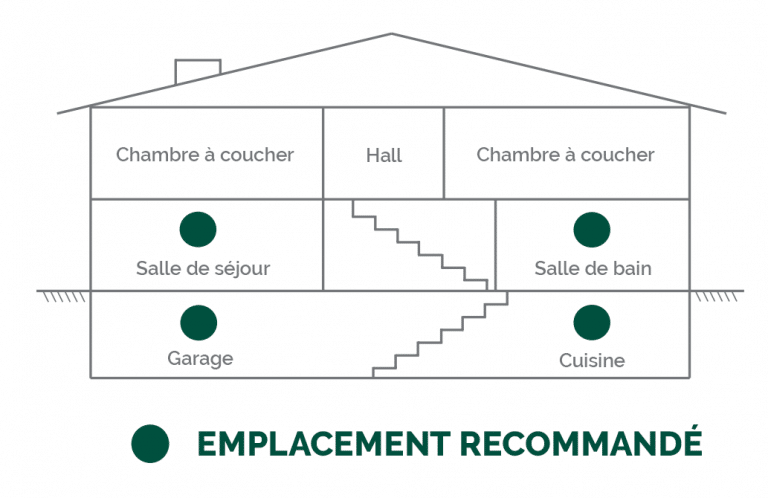
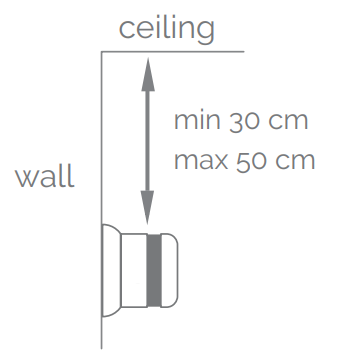
I chose it for my kitchen, but I discovered that it is also suitable for dusty places such as garages. Basically, it is intended for places where a smoke detector may trigger false positives. This is what the package leaflet recommends:
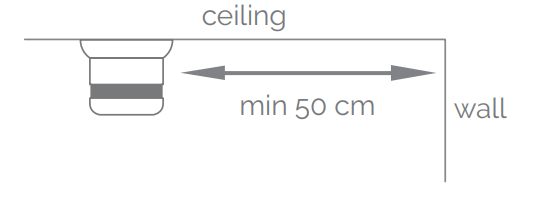
It can be installed either on the ceiling or on a wall:
 |
 |
🔧 Opening the case
The opening of the case is ultimately very simple. I looked for a moment, because the leaflet does not mention it. You just have to hold it in one hand and unscrew counterclockwise with the other hand. The case then opens without difficulty. An inscription on plastic would have been welcome.
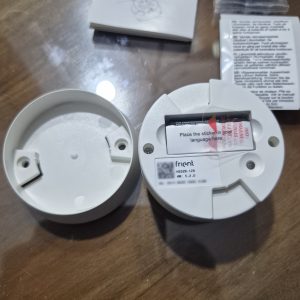
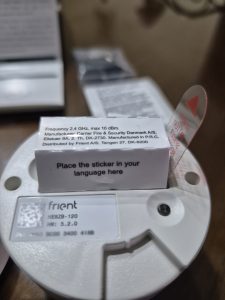
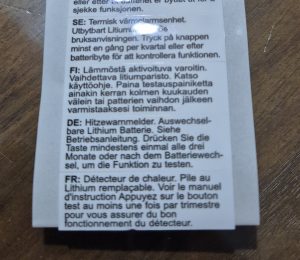
I unfold the label and there I find a rather funny detail. The manufacturer has planned to make me work: he asks me to stick the label that corresponds to my tongue on the detector. I'm doing it, all proud. That's it, my detector is French, or at least French.
 |
 |
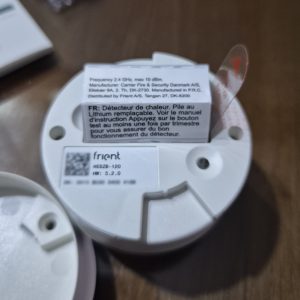 |
The battery is protected by a label that I remove. This seems to be a good quality battery.
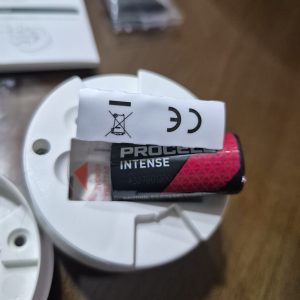
I remove the insulation from the CR123A battery, with the positive pole up. I turn the base counterclockwise, easily and without tools. I then see the central button and thermistor. I briefly support: the siren rings loudly for 3 seconds and the red diode blinks. The battery goes back well to 100 percent, with a voltage of 3 volts. I am also testing the silence: the 3 beeps confirm that everything is ready for pairing.
🧩 I put the stack and pair in Zigbee2MQTT
- In Zigbee2MQTT, I enable pairing.
- I'll place the battery. The red diode lights up once, then there is a pause, then it flashes a few times.
- And this is the tragedy: unsupported.
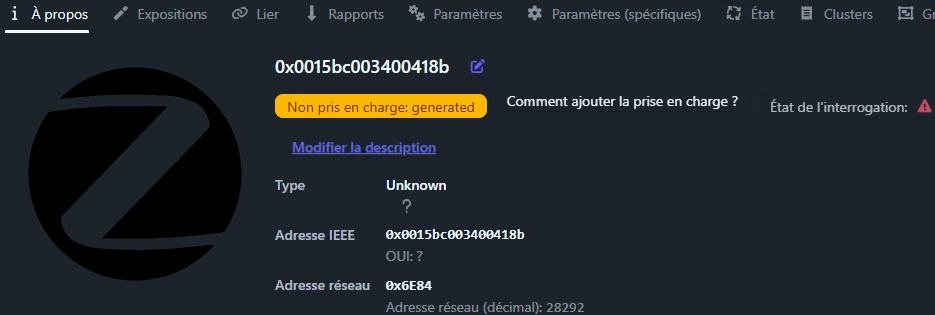
- I read the … documentation
- I start again, remove the unsupported equipment, then press the single button on the case.
- I'm having a hard time. Sometimes it blinks, sometimes no, sometimes twice and then nothing. There is almost no information in the manual. And then, after a while:
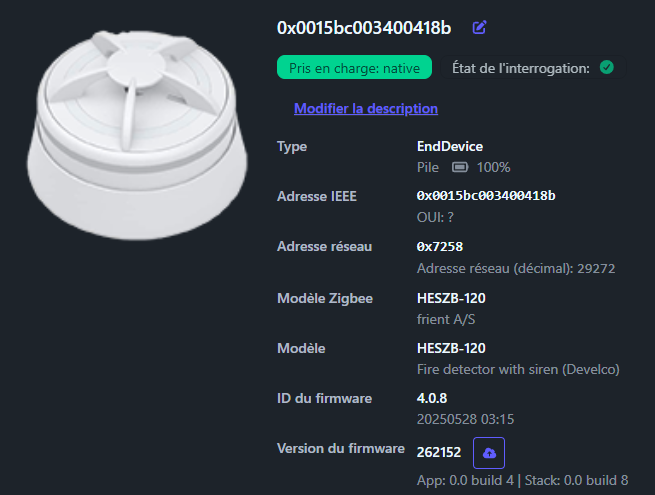
- It is good, it is integrated. Wow!
- I call it “Cooking Heat Detector”.
📡 Exhibitions Zigbee2MQTT Detector
Once the detector is paired correctly in Zigbee2MQTT, I always look at the full list of exposures.
She is the one who tells me exactly what information I can use in Home Assistant for my cards, graphics and especially my security automations.
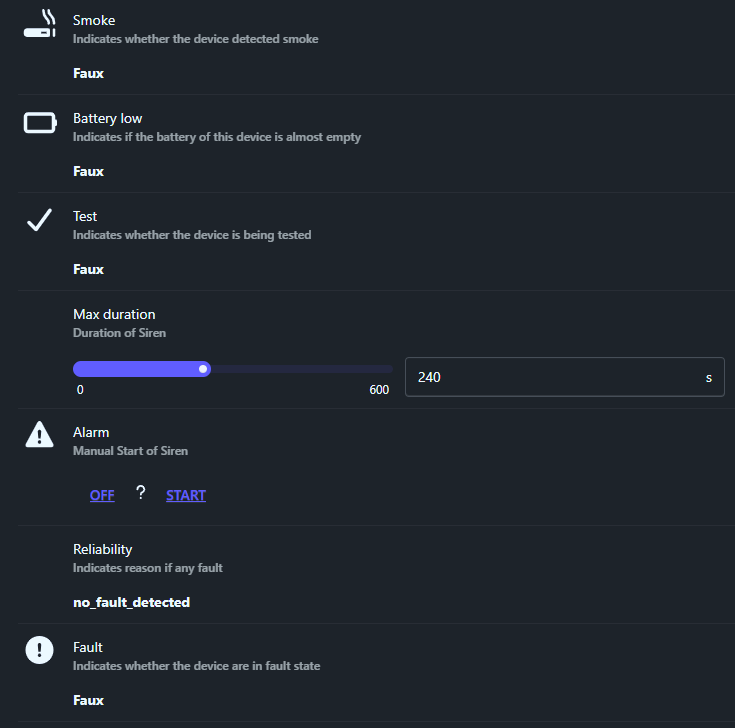
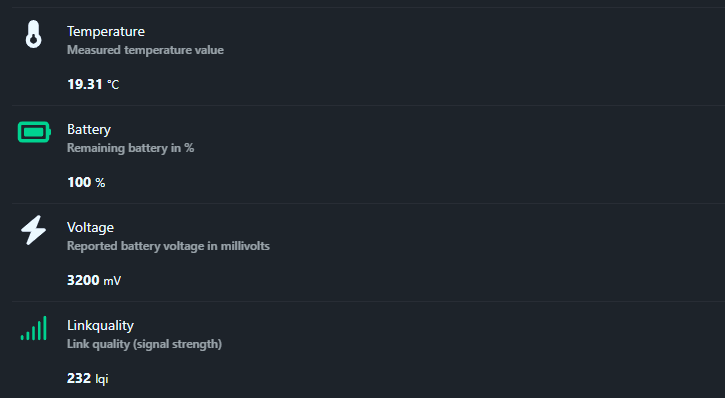
Here's what my Frient HESZB-120 heat detector looks like in Zigbee2MQTT.
🚨 Incident Detection
- smoke (binary type): indicates whether the detector has detected smoke. The value is in the property
smokeof the published status. Whensmokeis worthtrue, this means that an alarm has been detected by the detector and it is on alert. Whenfalse, Everything is normal. This is the main information to be monitored to trigger fire warning scenarios in Home Assistant. - alarm (Enum type): allows to manually control the siren of the detector. Possible values are usually
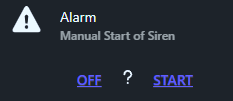
OFFandSTART. This is very convenient to test the alarm remotely or to integrate it into an overall “intrusion” scenario in addition to other sensors. On this exposure, the manual trigger works well, but a question mark remains displayed on the screen. There is therefore no feedback on the actual state of the siren, which is unfortunate.
- test (binary type): indicates whether the detector is currently in test mode. When it moves to
true, this means that the test button has been activated or a test has been triggered. Whenfalse, no tests are in progress. - max_duration (numerical type): defines the maximum period during which the siren can remain active when triggered manually. The allowed interval ranges from 0 to 600 seconds. In my case, this value is set by default to 240 seconds, or 4 minutes.
🩺 Detector Health Status
- reliability (text type): indicate the reason for any default. When all goes well, it's worth
_fault _detected. In the event of a hardware problem or internal failure, another descriptive value appears. - fault (binary type): indicates whether the detector is in a fault state. When
true, the detector signals an internal problem, e.g. electronic or hardware. Whenfalse, no defects are detected. - battery_low (binary type): indicates whether the battery is almost empty. If it is worth
true, the battery must be replaced quickly. If it is worthfalse, the battery is considered sufficient.
🔋 Measurements and Food
- temperature (numerical type): raises the temperature measured by the detector. The unit is the degree Celsius. In the device-specific options, Zigbee2MQTT offers two very practical parameters:
temperature_calibrationto correct any measurement misalignment, andtemperature_precisionto choose the number of decimal places displayed, from 0 to 3 digits after the decimal point. - battery (numerical type): gives the remaining battery as a percentage. This is an estimated percentage, based on the battery voltage.
- voltage (numerical type): indicates the voltage of the battery in millivolts. The unit is millivolt.
- linkquality (numerical type): reflects the quality of the Zigbee signal between the detector and the coordinator or router relaying it. The value is expressed in LQI. The higher the number, the better the quality of the radio link.
🏠 Integration in Home Assistant
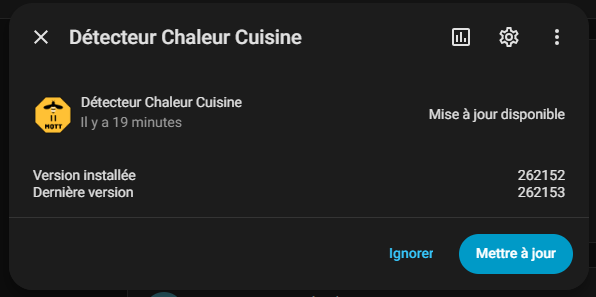
I'm going to Home Assistant. I have a notification waiting for me to propose an update of the new detector. I'm launching this update. Home Assistant tells me 20 minutes, I can go have a coffee …
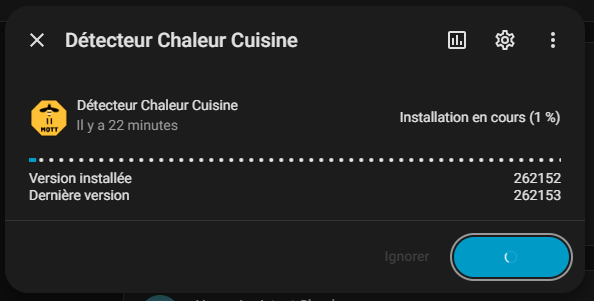
Finally, at 1%, the interface shows me another 22 minutes. I'll have lunch, we'll see later ….
In Home Assistant, I then find my device.
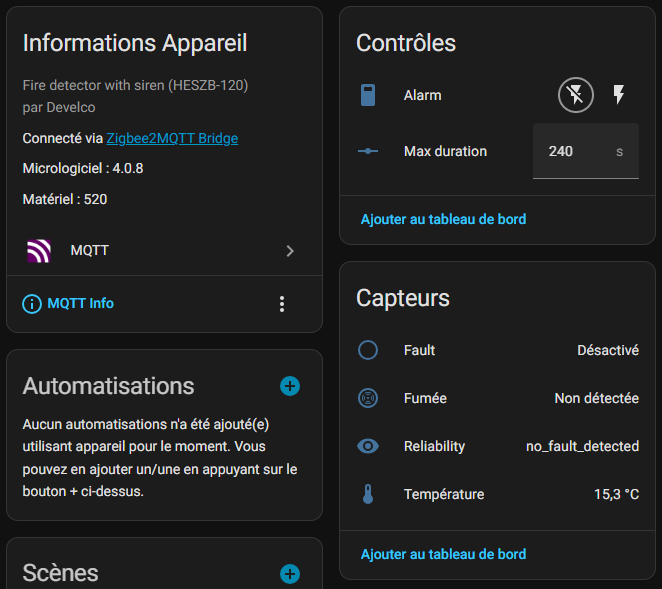
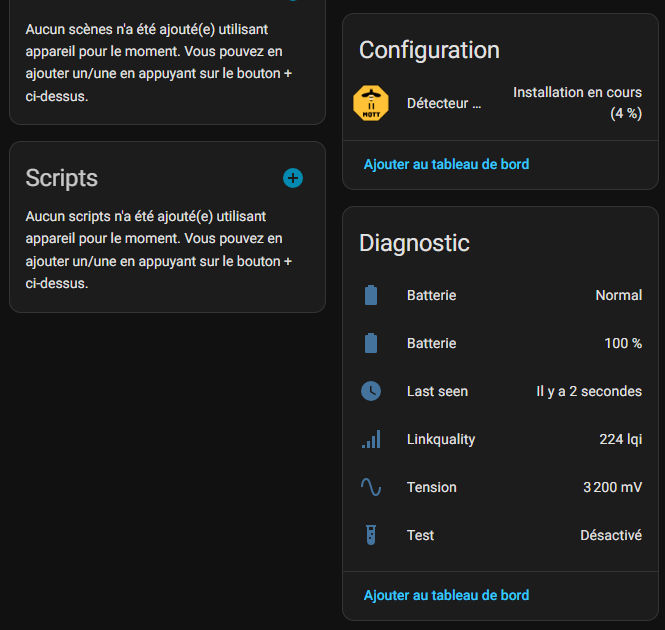
I have the information Linkquality and Last seen which I use on my screen:
I will deactivate a lot of exhibitions that are not useful to me.
🔋 Installation and monitoring of batteries
As I always do on my feedback, I note here the place of installation and the date of installation or change of batteries.
- Installed on : March 13, 2026 in the kitchen.
✗ My opinion after commissioning
What impresses me : This is the idea of having designed a detector that does not react to the cooking of chopped steaks that emit smoke. It is the change in temperature that makes it possible to detect a nascent fire, and I find this idea excellent. The test when you press it is also very well thought out. Finally, the possibility of triggering the siren remotely (even if there is only one) is interesting.
What disappoints a little : Integration has been a bit difficult, but sometimes it is simply a lack of luck at the time of pairing.
My personal verdict : Great discovery! Security kitchen and garage without stress.
 English
  French
  Spanish
  Chinese
  German