


I am particularly curious, I come across a low-cost Zigbee thermometer and humidity sensor with screen.
The model ZY-ZTH02Pro focus on the essentials: temperature, humidity, battery and Zigbee2MQTT integration.
I saw him pass by, is he up to the task of equipping several parts without blowing up the budget?
At this rate, it is a great opportunity to multiply the measuring points.
🔍 I check the received model
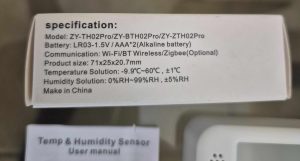
- On the carton : exact model ZY-ZTH02Pro
- Type of equipment : temperature and humidity sensor with display
- Protocol : Zigbee 3.0
- Power supply : 2 AAA batteries not included
- Intended installation : placed on a piece of furniture or fixed to the wall, with double sided provided
- Measuring ranges : indoor ambient temperature and humidity
- Dimensions / IP : compact format for indoor use, no special protection rating
🛒 Where to buy this equipment?
Here is the link to the page dedicated to ZY-ZTH02Pro.
I will refer to the sellers and prices as I find them.
Always beware of imitations on AliExpress and mistranslated cards. Check the exact model name and reviews before ordering.
📦 Unpacking and First Impressions
At the reception, I unpack: the Sensor ZY-ZTH02Pro, its package leaflet and its packaging.
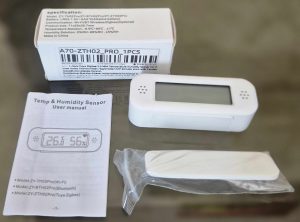
Good surprise, the format is really compact and the screen is well readable, even on a table or shelf. The numbers are big, the humidity icon is clear.
Correct plastic, low-end, we are not on the quality of the Sonoff SNZB-02D or an Aqara. But this is not surprising at this price.
This model is minimalist: no battery provided, but a double sided to fix it.
🔧 Opening box and battery
This equipment is not supplied with a battery. On the box, it is indicated 2 x AAA.
 |
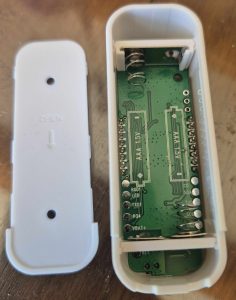 |
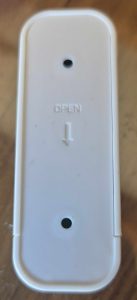
The opening remains classic on this kind of small sensor, with a rear hatch that is easy to remove to access the battery. No screws, just a clip.
I use these batteries. I'll check the meaning before I close.
I always take a few seconds to check the state of the battery before pairing. This avoids many false problems at the time of Zigbee integration.
🔗 I pair in Zigbee2MQTT
- I switch Zigbee2MQTT to peering mode from the interface.
- The sensor pairing starts as soon as I put the battery on. A small link logo flashes at the top right of the screen.
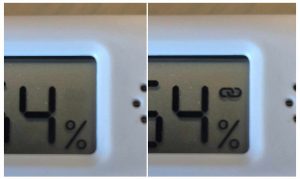
- When paired, the icon stops flashing. Perfect, often less than 10 seconds.
- Detected as TS0201. It can be inferred that this ZY-ZTH02Pro shares the same firmware base as other business models.
- Entities detected: battery, temperature, humidity, voltage
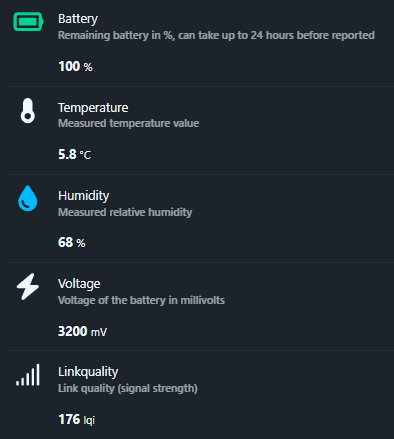
The exhibitions available are simple and clean, which suits me very well for basic and efficient home automation use. Just what it takes to historize and display.
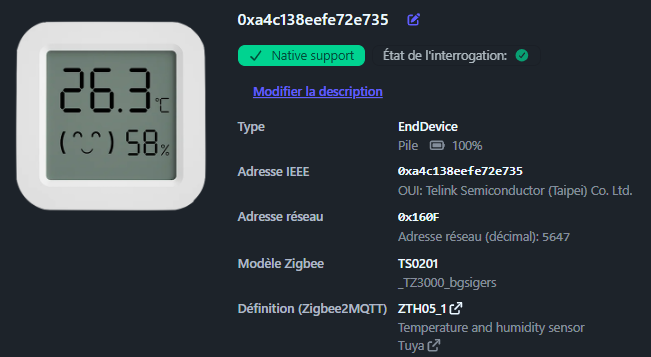
The image does not match, it is that of a TH03 or TH05.
🏠 Integration in Home Assistant
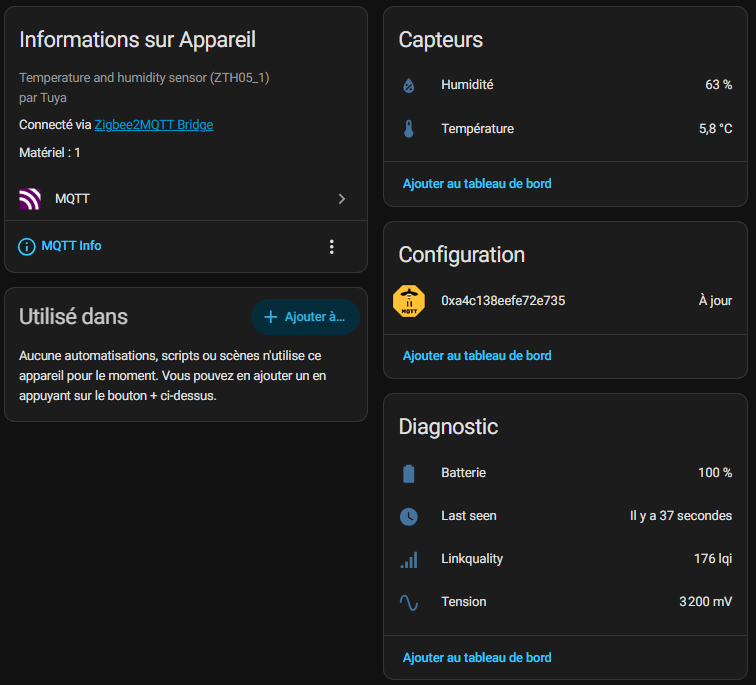
I then find the device in Home Assistant with the usual entities retrieved by Zigbee2MQTT. I therefore have the temperature, humidity, battery level and battery voltage.
What I appreciate here is immediate integration. I do not need a complex trick to start historising the measurements or displaying them on my dashboard.
Formats are good, nothing to do or configure. Units °C and % are correct, the graphics are generated without problems.
📊 My first measurements
I always start by comparing this type of sensor with one or two other devices already in place. This allows me to quickly see if the ZY-ZTH02Pro Tells anything or stays within a credible range.
Well, honestly, he's good at almost nothing. I have several thermometers of several brands, they are not far from each other.
The manufacturer has planned a possible correction thanks to offsets, bravo! Thus, if I am certain that it shifts by 0.2 °C, I offset this value in Zigbee2MQTT.
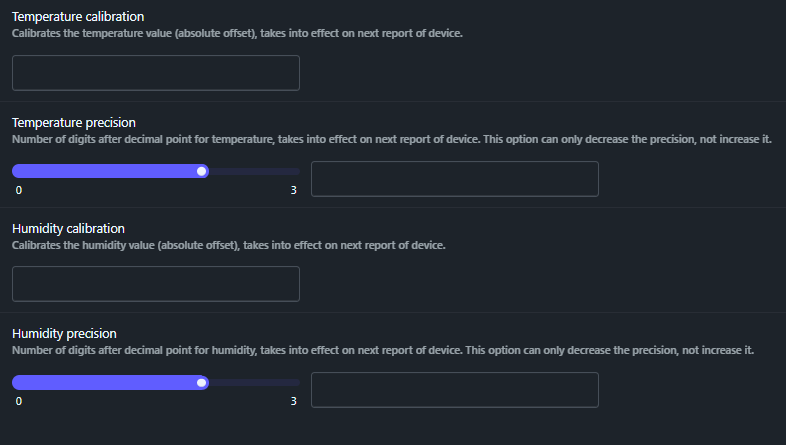
Please note that the offset will be applied to the value displayed in Zigbee2MQTT and Home Assistant, but not on the thermometer screen. The screen remains on the raw sensor measurement.
I even advise to decrease the accuracy to 0.1, so 1 digit after the comma. This saves the battery, you do not need the temperature to the nearest 0.01, 0.1 is more than enough indoors. And no decimal places for humidity.
📅 Installation and monitoring of batteries
- Installed on : 30/08/2026
As this model works on battery, I always keep an eye on the battery level and the voltage raised. This is often more useful than the simple percentage, especially on small economic sensors.
I note the date of installation in a table or in a note, to be able to estimate the actual lifetime of the battery over time.
🔍 What communities say
Problems: I went through the community forums, few specific feedbacks on the ZY-ZTH02Pro. This is a good sign, no major bugs reported en masse.
Some messages indicate that the accuracy may vary slightly depending on the location, the battery used and the frequency of data retrieval. Nothing unusual about this type of sensor.
We must therefore avoid comparing it to a high-end weather station. It is designed for ambient monitoring, not for reference measurement.
My tips: I allow the sensor to stabilise a few hours after installation, compare with another known probe, then apply a temperature or humidity calibration in Zigbee2MQTT if necessary.
💬 My opinion after commissioning
✅ Forts: very low price, readable screen, simple Zigbee2MQTT integration, temperature and humidity measurements, battery and voltage tracking, compact format.
❌ Weak: very basic finish, precision to be checked according to use, sensor especially designed for simple ambient monitoring, not for a reference measurement, no battery or double-sided provided.
My verdict: for its price, I find this ZY-ZTH02Pro frankly interesting.
I would gladly use it to equip several rooms in the house on a low budget, especially if I want to multiply the measuring points without exploding the total cost of my Zigbee installation.
 English
  French
  Spanish
  Chinese
  German