


I'm testing the Third Reality multifunction nightlight 3RSNL02043Z, a Zigbee 3.0 device combining RGB light, PIR motion detector and brightness sensor. This model advantageously replaces a bulky Xiaomi gateway in my entry. It offers perfect integration with Zigbee2MQTT and Home Assistant for intelligent night automations and visual indicators.
Why I replaced my Xiaomi gateway
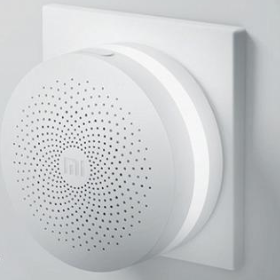
My Xiaomi gateway in the entrance indicated the status of my portal and the lock on my front door: green for locked, purple for open, blinking for open gate. This Zigbee gateway (my old network) radiated and disrupted my main Zigbee network. I chose this compact night light to reproduce these visual functions while eliminating radio interference.
Unpacking and technical characteristics
The box contains the night light, a USB-C 5V/1A to 220V adapter, a manual and attachment accessories (screws, adhesives). Compact design Ø80 x 30 mm in matt white plastic. The front PIR sensor detects movement while the downward-facing RGB LEDs emit soft light without direct glare.
| Characteristic | Detail |
|---|---|
| Protocol | Zigbee 3.0 |
| Power supply | USB-C 5V/1A (220V adapter included) |
| Battery | No (sector wire) |
| Autonomy | Unlimited (on sector) |
| Brightness | 1-100% (up to 100 lumens) |
| Colours | RGB + Warm White (XY space) |
| Sensors | PIR movement, Brightness (lux) |
| Zigbee repeater | Yes (improves network mesh) |
| Dimensions | Ø80 x 30 mm |
| Weight | 80g |
Where to buy this equipment?
Here is the link to the page dedicated to 3RSNL02043Z. I referenced the sellers and prices.
Installation and pairing Zigbee2MQTT
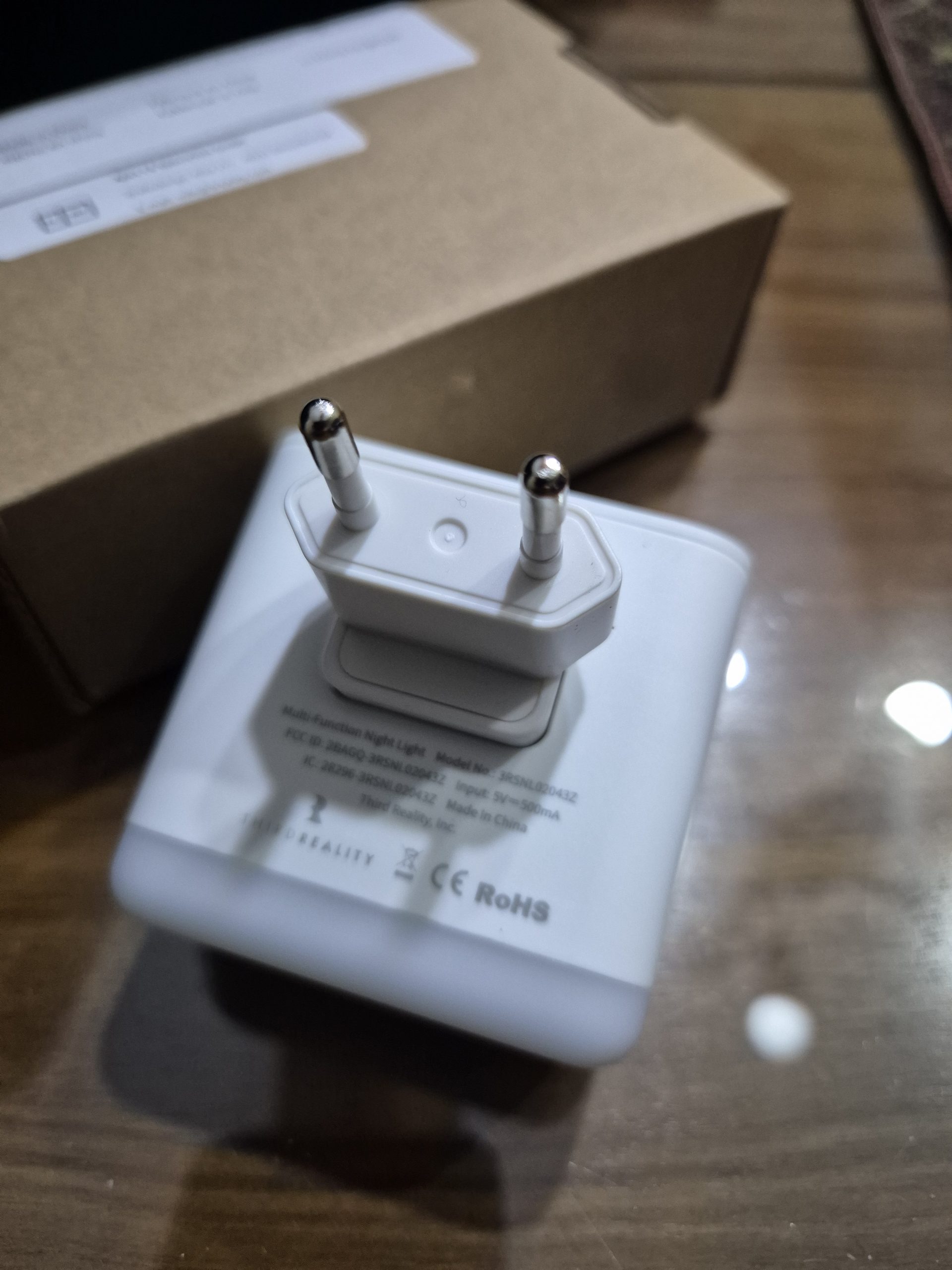
I put Zigbee2MQTT in pairing mode (permit join open). I insert the USB-C adapter into the built-in male jack on the back of the night light. The design is ingenious: this outlet allows a direct and discreet power supply without any apparent cable.
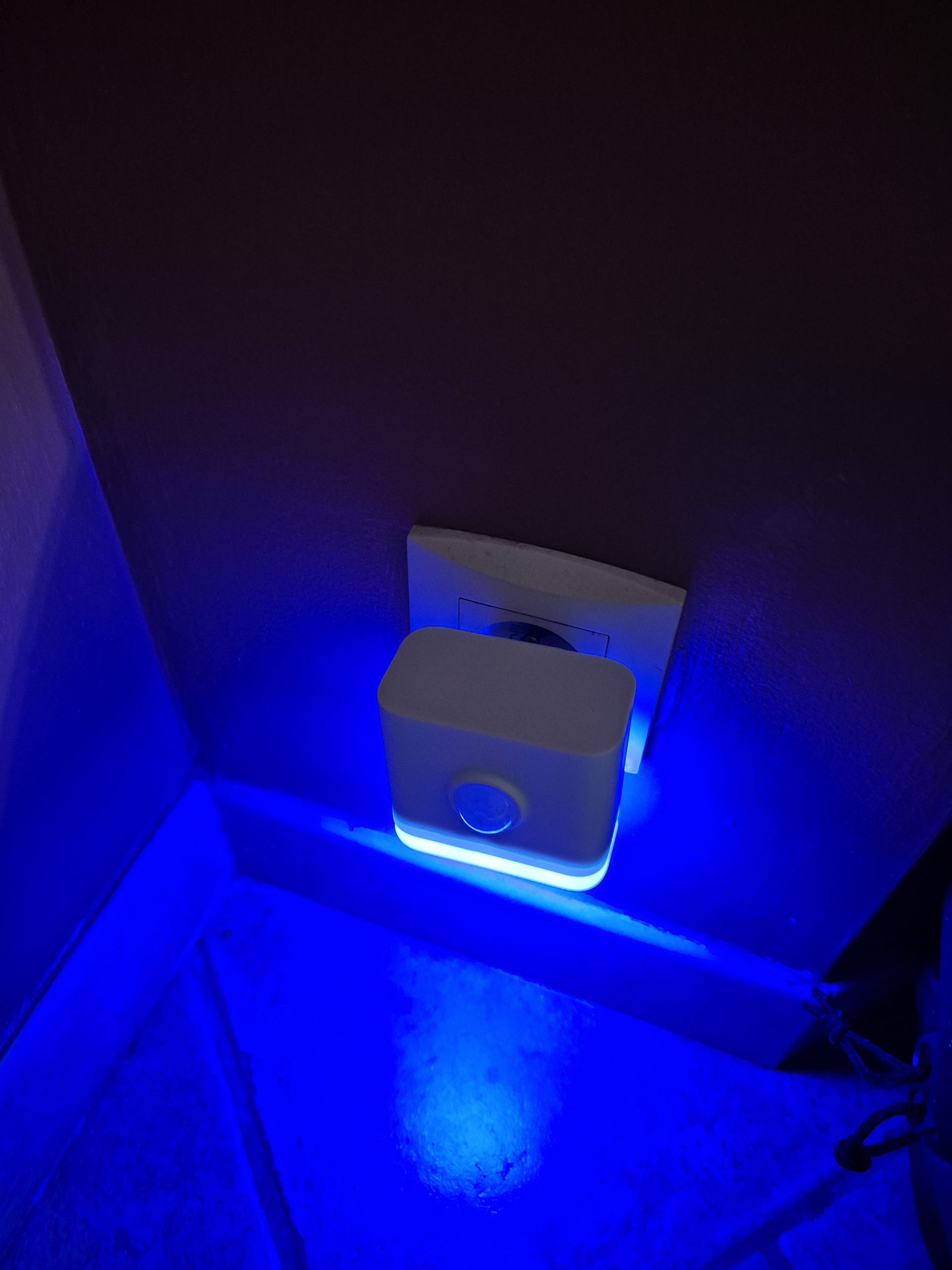
Pairing starts automatically. The LED goes through green (network search), yellow (Zigbee interview), then blue (successfully paired). The entire process takes less than 30 seconds.
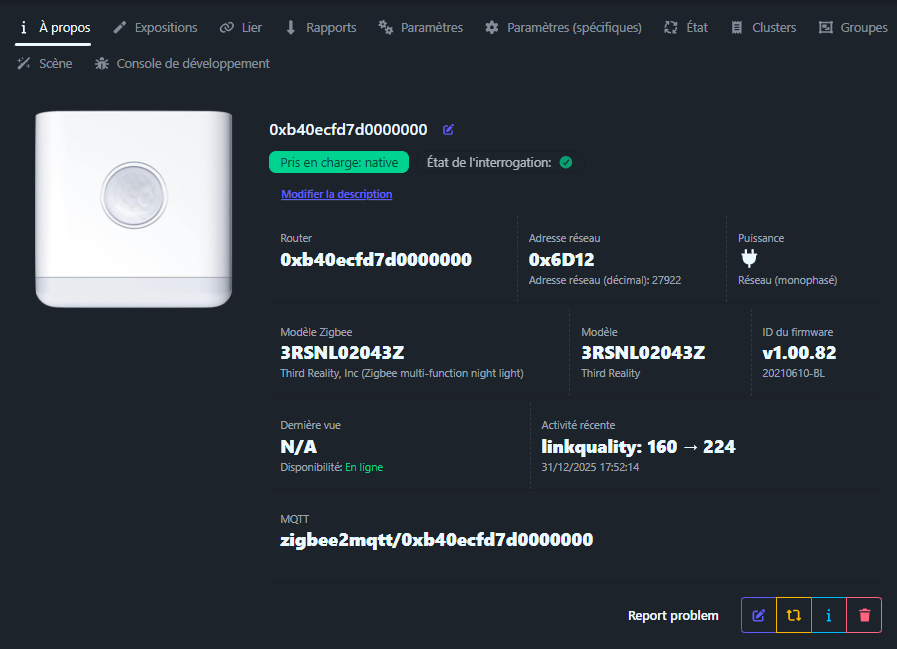
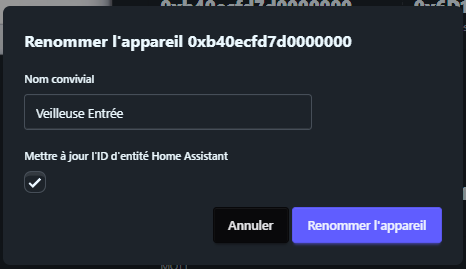
I am renaming the ‘Entry Watch’ device for clear identification in all interfaces.
Orders and information available
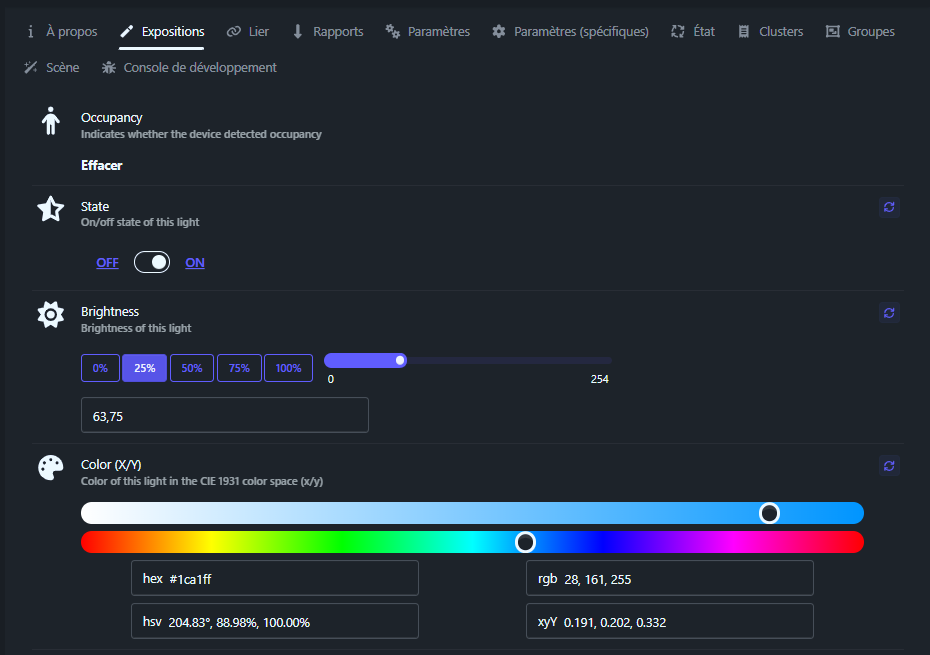
occupancy
Type: binary (true/false).
Role: motion detection by the PIR sensor. True when motion detected, false after timeout (adjustable). Effective range 3-5 meters according to tests.
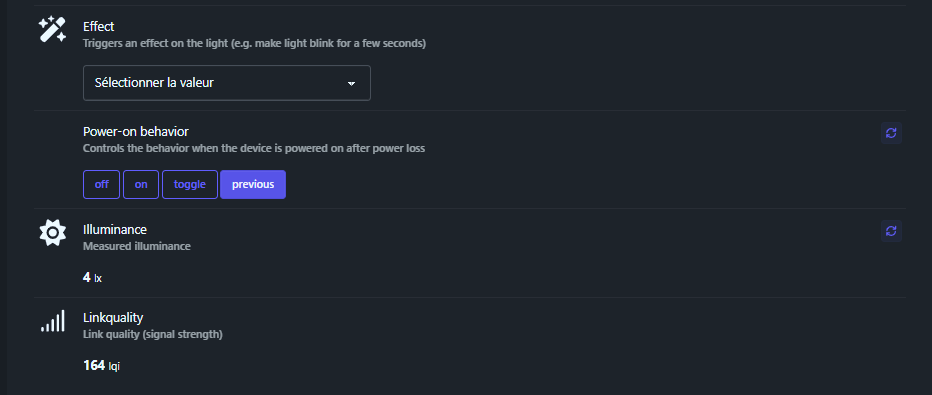
illuminance
Type: numeric (lux).
Role: Ambient brightness measured by the sensor. Typical values: 0-10 lux (night), 100-500 lux (indoor day), >1000 lux (outdoor).
state
Type: enum (ON/OFF).
Role: ignition state of the light. Controls the activation of RGB LEDs.
brightness
Type: numeric (0-254).
Role: luminous intensity. 0=extinct, 254=100%. Fine granularity for soft automations.
color (xy/rgb/hex)
Type: object.
Role: color control. Supported formats: XY, RGB, HEX coordinates. Night blue example: xy [0.15, 0.06].
power_on _behavior
Type: enum (off/on/toggle/previous).
Role: behaviour after sector cut-off:
- off : always switched off on current return
- on : always turned on at the current return
- toggle : reverses the previous state
- previous : reverts to pre-cut state (memory)
linkquality
Type: numeric (0-255).
Role: Zigbee signal quality (LQI). Value >120 = excellent binding, >200 = optimal.
Type: enum (blink/breath/colorloop…).
Role: LED special effects. breathe for child lullaby, blink for alerts, colorloop for color scrolling.
✨effect (enum)
We must abandon this exhibition. The manufacturer I contacted confirms to me that this behaviour was not intended to act on the main light of the night light.
The model shown in Zigbee2MQTT is also used with other equipment with an indication or configuration LED. In these cases, this exposure would allow to control this LED, and not the main light.
The manufacturer informs me that the effects ‘blink’, ‘breathe’, ‘flash’ or ‘blinking’ defined in Zigbee2MQTT were originally designed for a module indication LED, not for the main lighting.
On this light, there is no separate LED indication. The main light has therefore also been used for certain indication purposes, for example when pairing or for certain operating conditions.
Therefore, in Zigbee2MQTT, the visible effects in the interface do not actually control a flashing of the main light in the expected direction. They correspond to internal effects provided for an indicator light and are not supported here for the sleeper part.
In practice, this exhibition is therefore useless and ineffective.
Zigbee2MQTT configurable settings
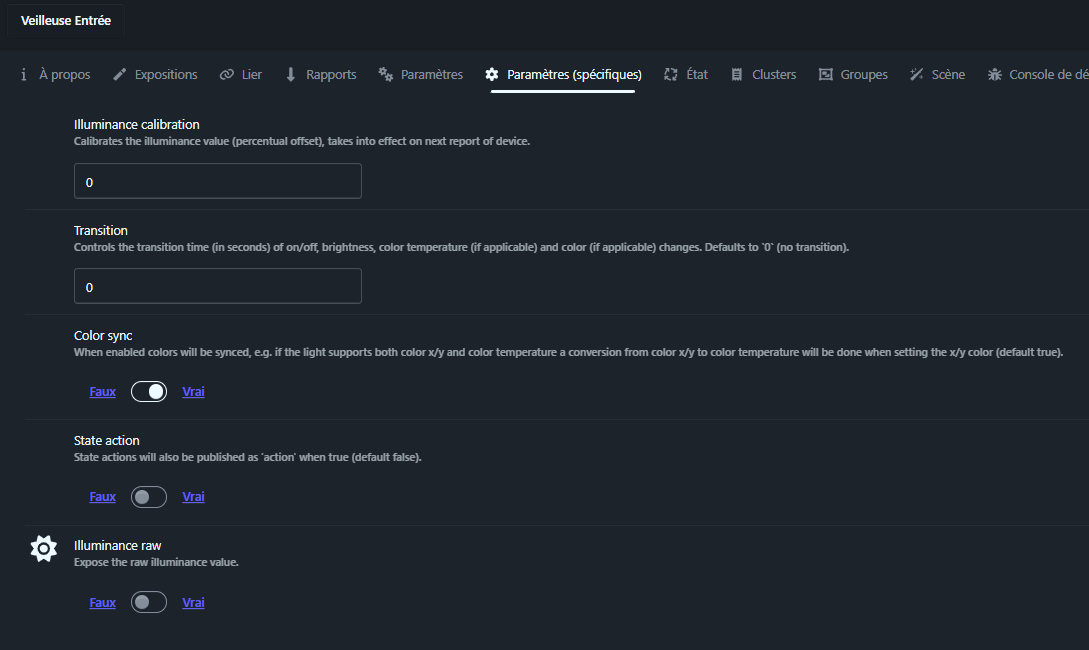
_calibration illuminance
Type: numeric (lx).
Role: Calibrate the brightness sensor. Calculates lux values from raw sensor data. Useful for correcting measurements depending on the installation environment (dark/light wall, window orientation). Test different values to refine night/day detection.
transition
Type: numeric (seconds).
Role: transition time for changes in brightness, color or temperature. Example: 5 = 5 seconds. Makes variations soft and natural, ideal for children's rooms or corridors.
color_temp _startup
Type: numeric (mireds).
Role: colour temperature at start-up (warm/cold white). Typical values: 153 (hot white 6500K), 370 (cold white 2700K). Synchronise with your ambient lighting preferences.
state_action
Type: enum (true/false).
Role: publishes the current status at start-up. Force sending the actual state to restart to synchronize Home Assistant immediately.
Use in Home Assistant
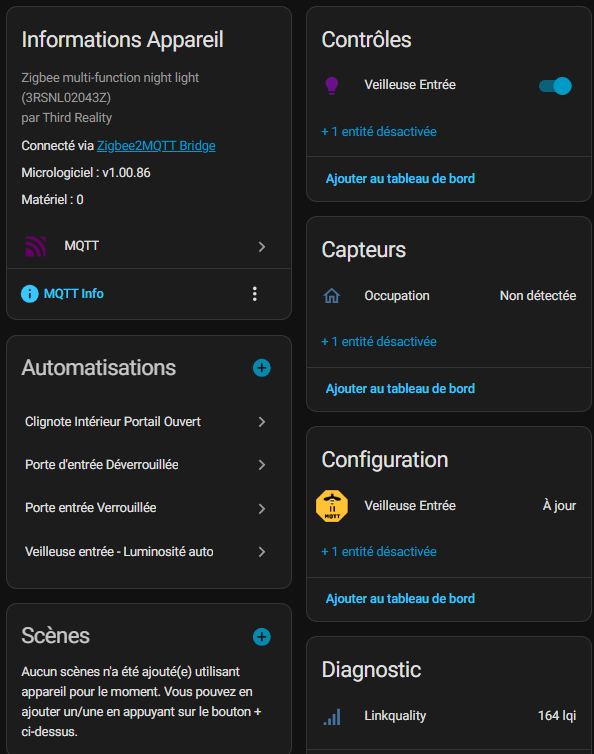
The equipment appears automatically via the Zigbee2MQTT integration. Entities created: light.veilleuse _entree, binary_sensor.veilleuse_entree _occupancy, sensor.veilleuse _entree _illuminance.
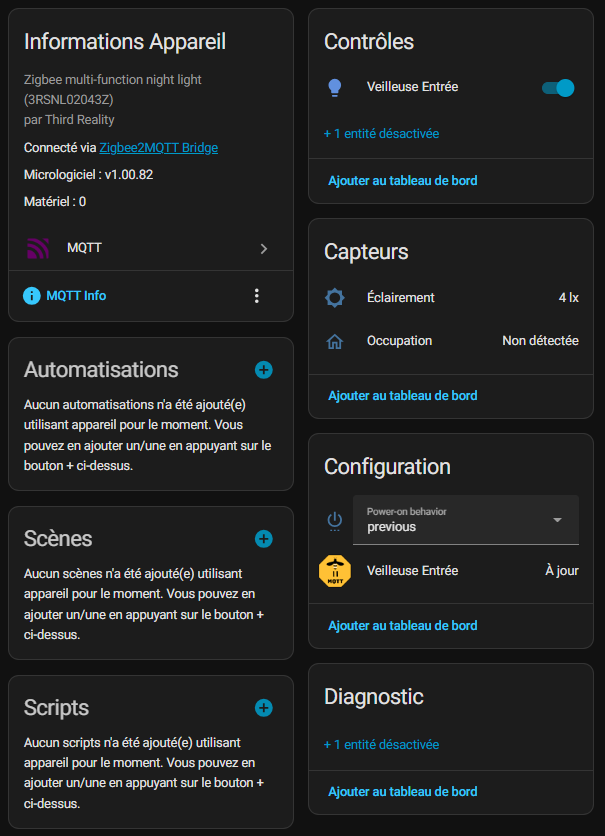
I disable unnecessary entities in the Zigbee2MQTT interface to clean Home Assistant.
My practical automations
Automation mode Automatic brightness
This automation manages adaptive lighting: 100% brightness as soon as motion is detected AND darkness (<10 lux), then drop to 10% after 5 seconds without movement. Fluid transition to avoid visual shocks.
alias: Entrance Watch - Self-described brightness: 100% on occupancy + illuminance<10lx, 10% off occupancy triggers: - entity_id: binary_sensor.veilleuse_entree _occupancy to: "on" id: occupancy _on trigger: state - entity _id: binary_sensor.veilleuse_entree _occupancy to: "off" for: "00:00:05" id: occupancy _off trigger: state conditions: [] actions: - choose: - conditions: - condition: trigger id: occupancy _on - condition: numeric _state entity _id: sensor.veilleuse _entree _illuminance below: 10 sequence: - target: entity_id: light.veilleuse _entree data: brightness_pct: 100 transition: 1 action: light.turn_on - conditions: - condition: trigger id: occupancy _off sequence: - target: entity_id: light.veilleuse _entree data: brightness_pct: 10 transition: 2 action: light.turn_on default: [] mode: single
Input door lock status indicator
Discreet visual indicator: purple (RGB 171,18,226) when door unlocked, green (RGB 11,124,3) when locked. Low brightness 5% to signal without illuminating.
alias: Entry Watchman - Lock State Description: Violet unlocked, Green locked triggers: - entity_id: lock.porte to: - unlocked - locked trigger: state conditions: [] actions: - choose: - conditions: - condition: state entity _id: lock.porte state: unlocked sequence: - target: entity_id: light.veilleuse _entree data: rgb _color: - 171 - 18 - 226 brightness_pct: 5 action: light.turn_on - conditions: - condition: state entity _id: lock.porte state: locked sequence: - target: entity_id: light.veilleuse _entree data: rgb _color: - 11 - 124 - 3 brightness_pct: 5 action: light.turn_on default: [] mode: single
Automation Flashing if portal open
Fast flashing of the nightlight as long as the portal remains open. Visually signals the opening of the gate from inside the house. Automatic shutdown when closed.
alias: Clignote Interior Portal Open Description: "" Triggers: - entity_id: - cover.portal from: closed to: open trigger: state conditions: [] actions: - repeat: sequence: - action: light.toggle metadata: {} data: {} target: entity_id: light.veilleuse _entree - delay: hours: 0 minutes: 0 seconds: 1 milliseconds: 0 while: - condition: state entity _id: cover.portal state: open - action: light.turn_on metadata: {} data: {} target: entity_id: light.veilleuse _entere mode: single
Bonus: a RetEx dedicated to home monitoring
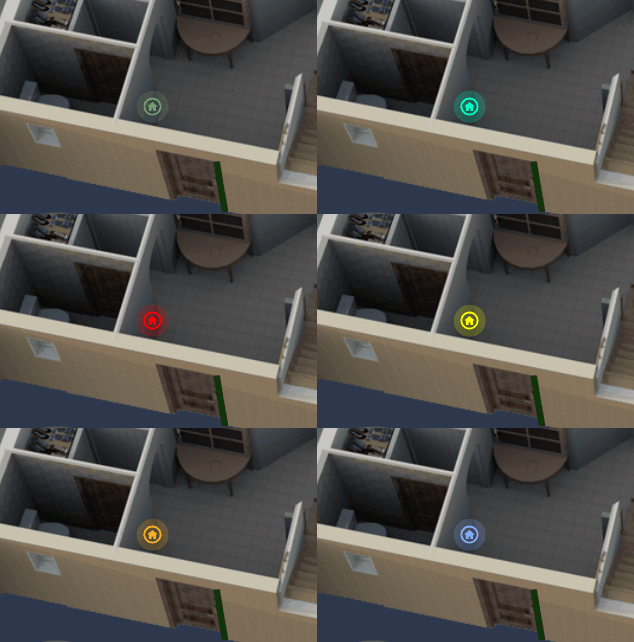
I wrote this RetEx, which includes some of the elements presented above, but in a much more global way, here is the link to the RetEx:
For archive, user manuals
Strengths and limitations
➕Advantages established
- 3-in-1 multipurpose: light RGB + PIR + lux in 80g
- Advanced parameters: lux calibration, fluid transitions
- Precise colors RGB/XY + fine brightness (1-100%)
- Reliable Zigbee repeater (LQI 200 observed)
- Perfect integration Z2M/HA + OTA updates
➖Points to improve
- No battery (220V power dependency)
- PIR sensitive vibrations (calibrate illuminance _calibration)
- Could integrate a temperature/humidity sensor
My final verdict
This Third Reality 3RSNL02043Z night light has clearly found its place in my installation. It replaces my Xiaomi gateway while adding a real comfort of use, with soft light, talking colors and perfectly adjustable behaviour via Zigbee2MQTT.
On a daily basis, I rely on it for three key uses: secure my entrance with lock and gate indicators, guide overnight travel without turning on the ceiling lights, and strengthen my Zigbee mesh in this area of the house. Everything remains very discreet visually, which was important to me in an already busy entrance.
I would recommend it without hesitation if I had to equip other corridors or children’s rooms. The price/functionality ratio is excellent, especially when you really use sensors and light effects in Home Assistant. If you come across this model around €30 or on occasion, it is a very good candidate to densify a Zigbee network while adding a useful and aesthetic light.
 English
  French
  Spanish
  Chinese
  German