

Who is Heimann?

This Chinese manufacturer is particularly known for its safety detectors, mainly smoke but not only.
This company was founded in 2005 in China. The company has emerged as a manufacturer specializing in security technologies and has gained a reputation in the design of intelligent detection devices. Although specific details of the company’s beginnings are not known, Heimann’s growth has probably accelerated with the growing demand for smart security solutions.
Where to buy this equipment?
Here is the link to the page dedicated to the mermaid MA420-63E. I referenced the sellers and prices.
I open the box and check the received model
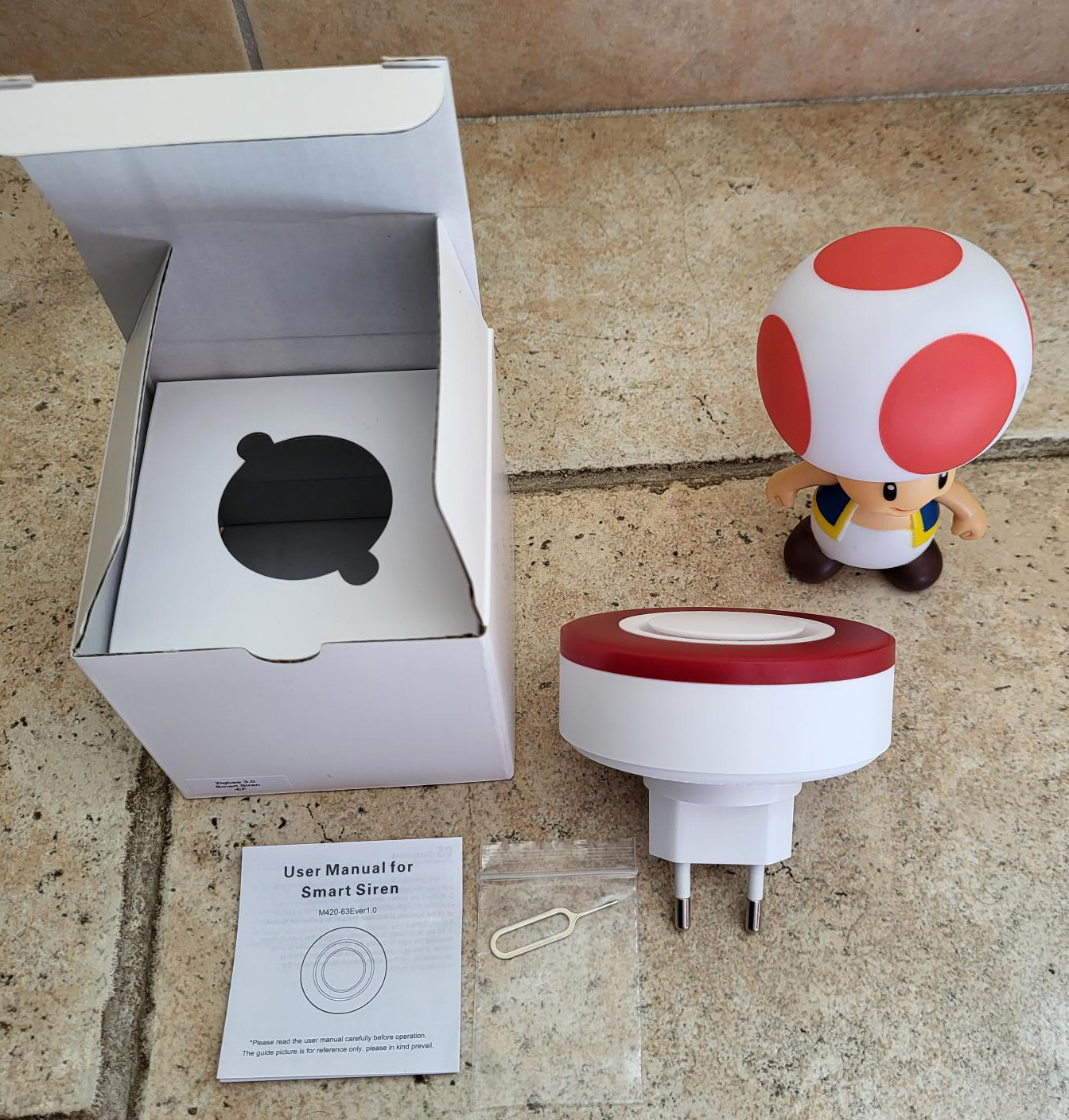
- The box has no reference, it is marked Zigbee 3.0 Smart Siren – EF
- The rear of the siren does not give a model indication either
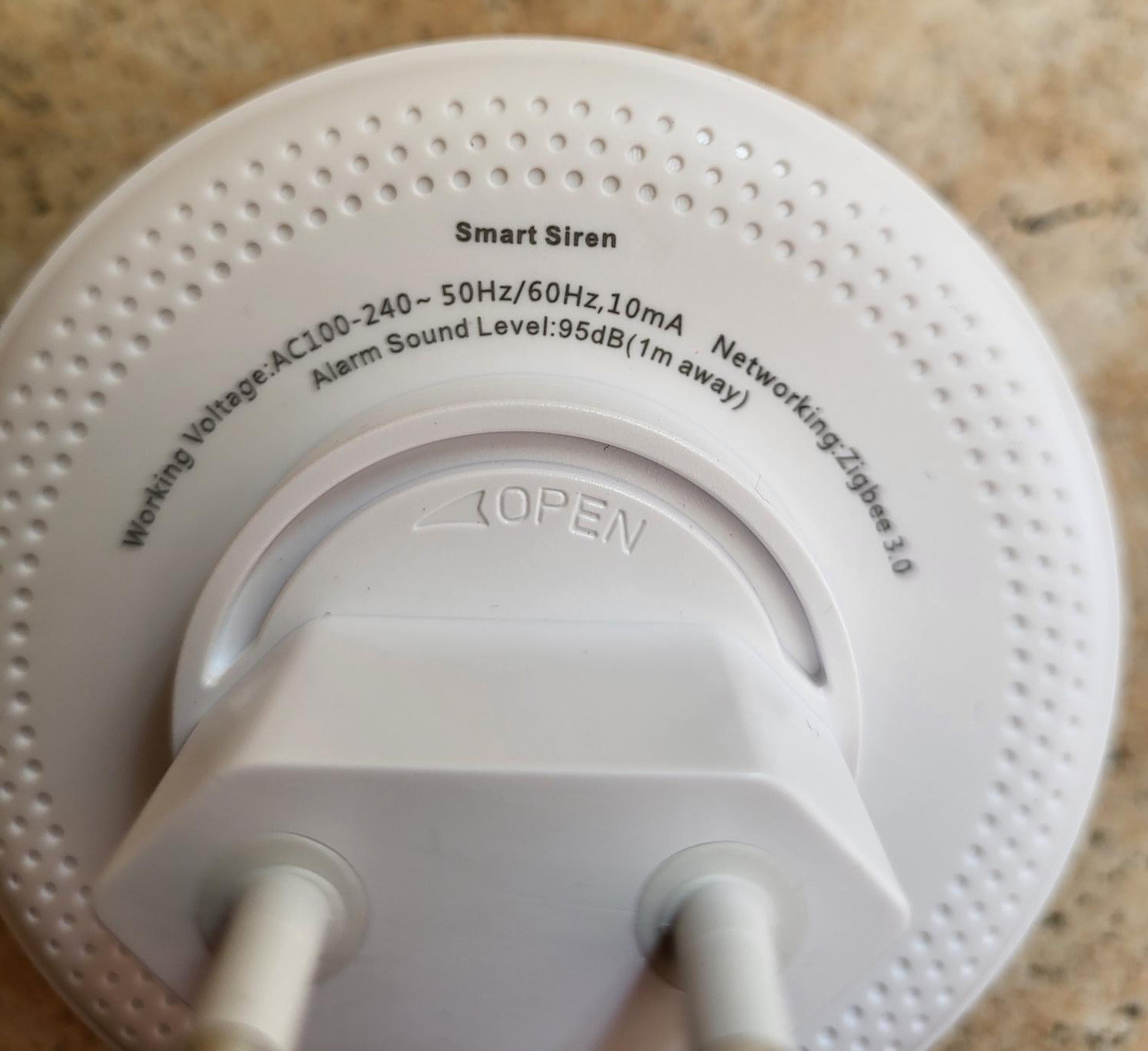
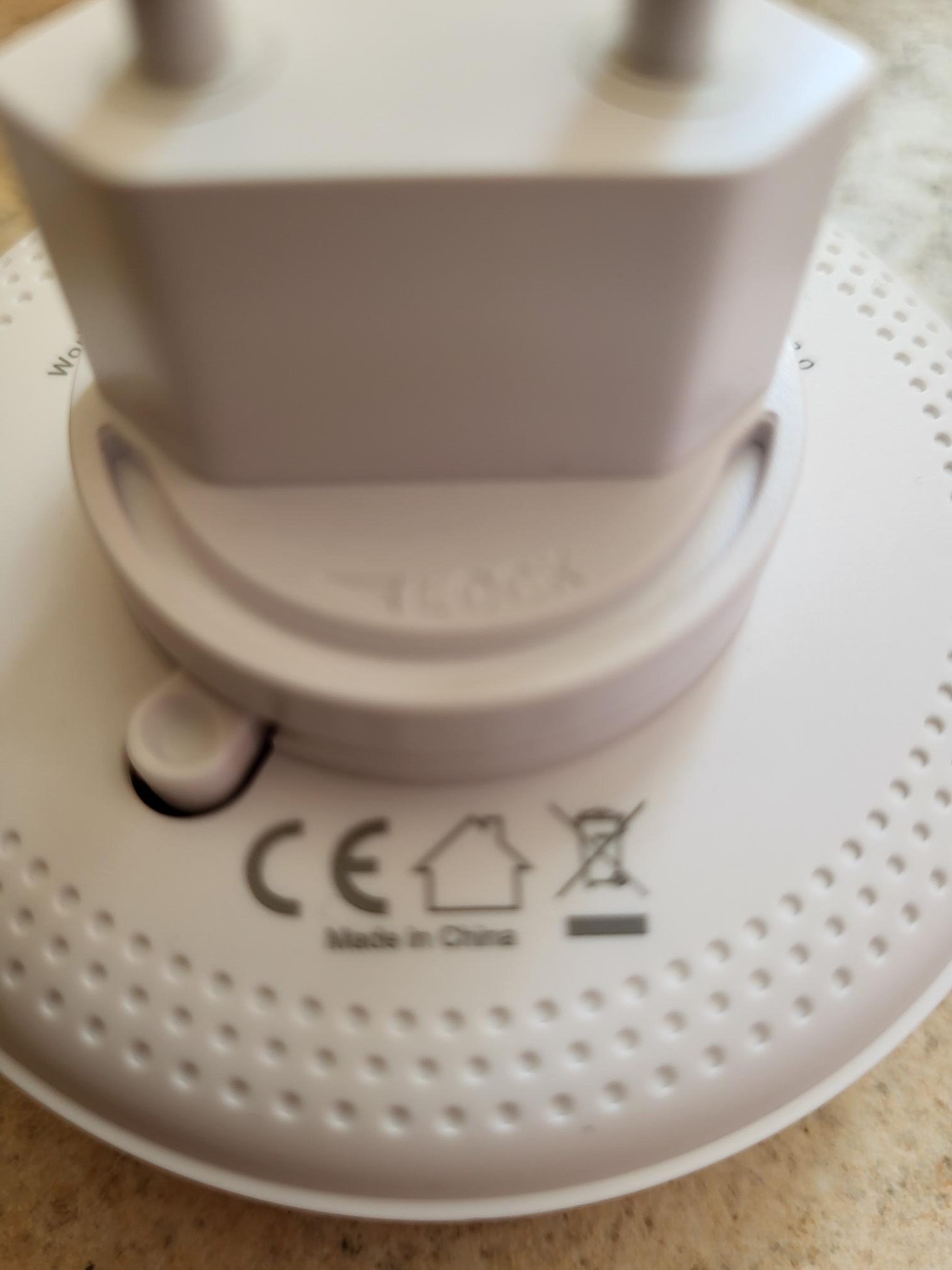
I thought there was a small button on the back, but it is an ingenious system to declip the French plug, so I imagine they have to mass-produce the sirens and then add the adapter by country. This means that the back button is useless.
The user manual (small) shows a reference, it is specified M420-63E ver1.0
I am feeding the siren and trying to integrate Zigbee2MQTT
To feed it, easy, I plug it into a wall outlet. The siren blinks once in red and turns off, nothing happens.
I look in the documentation, I discover a tiny hole on the side of the siren, I should have suspected it because it comes with a classic reset tool.
In Zigbee2MQTT, I enable pairing
 I press 5s with the small tool on the hole on the side of the siren.
A small green LED in the plastic starts flashing, I release, and the siren is almost instantly integrated into Zigbee2MQTT.
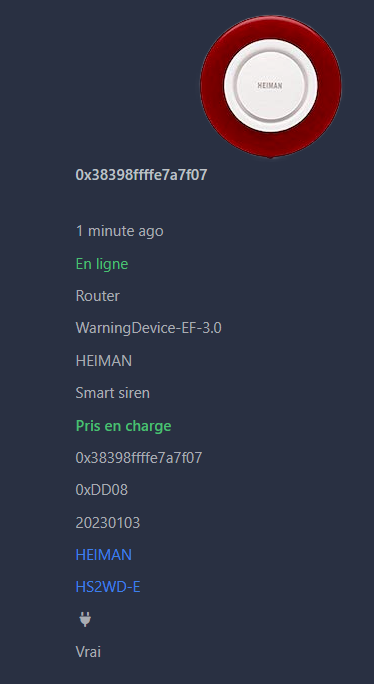
Everything is perfect, I get the link to HS2WD-E which may be useful to me later, so the right model is well detected, it corresponds to the reference sold by Domadoo.
The screen of the commands seems simple, I will test them all in a little while.
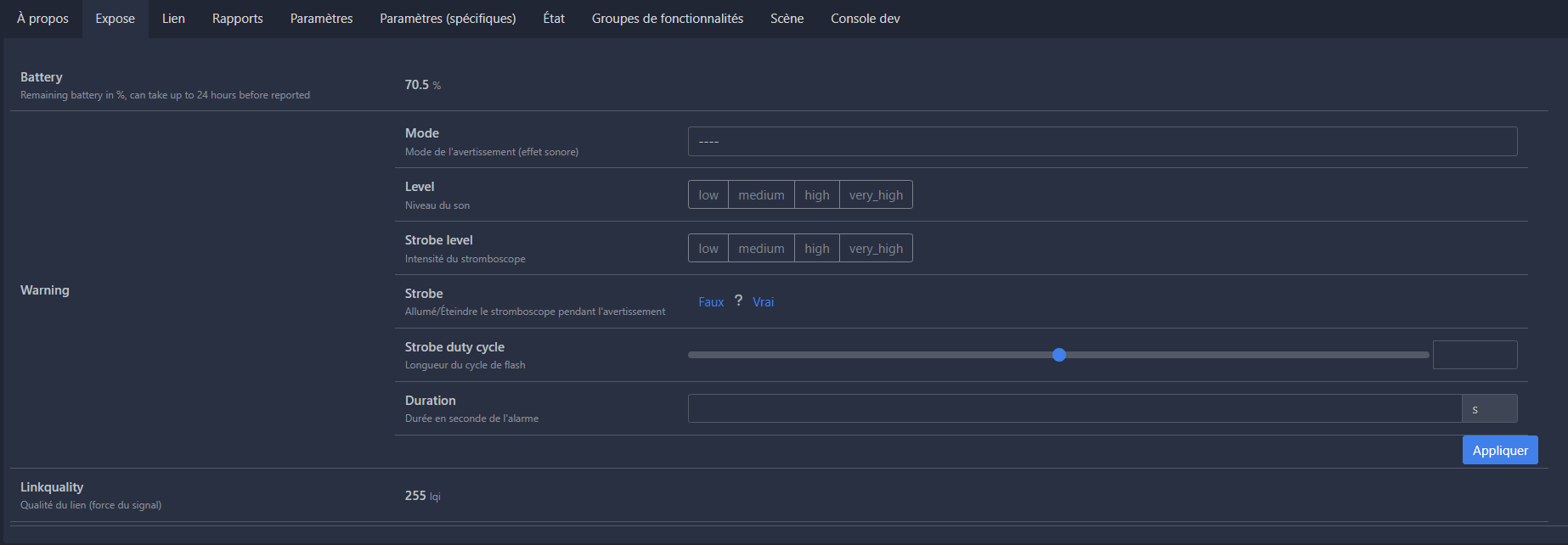
I do a small simple test, I put Mode on burglar, I put Level to low, strobe level to Low, strobe to True, Strobe duty cycle to 1 and Duration to 10. Then I press Apply !!!

And then I realize that this siren works! The red light also blinks well.
Sound effects
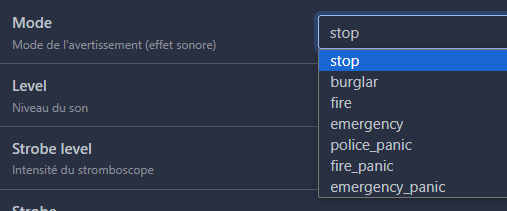
Without being awesome, the list of sounds seems to be enough for what I need.
I test all the sounds, and surprise, they all do exactly the same thing.
Alone stop stop the siren, all other sounds are the same, so this list has no interest!
The sound level

I have no idea what this option means, I thought it had something to do with the volume, not at all. low to very_hight, it does not change anything at all. Unnecessary option.
The intensity of the stroboscope

Same observation, total inaction, useless option.
strobe

This option works, if strobe is at False, the red light of the siren does not turn on, if specified True, the flashing of red light is activated.
Length of flash cycle
 This option is set between 0 and 10. At 5, the red light blinks calmly, both on and off. At 1, it turns on and off immediately, at 10, it remains on.
Alarm duration

It is simply the time of triggering the alarm in seconds, if I specify 60, it sounds 1 minute.
Conclusion at this stage
- It is not possible to adjust the volume, which is not very annoying for a siren.
- The alarm flashing is present and adjustable.
- There is only one ringtone and one Stop that works
I give a name to my mermaid (Sirène Heimann) and I go to Home Assistant
I test the siren in Home Assistant
I found my new siren:
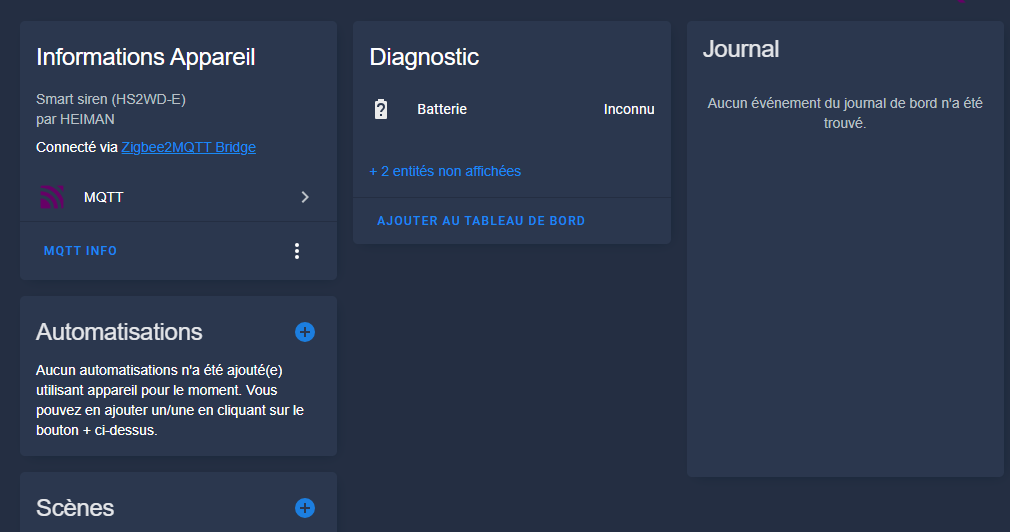
It’s a bit of a cold shower, the integration is really very very light, everything will have to be done by hand.
The battery is unknown, this is possible since according to the documentation, the information goes back every 24 hours.
I test the siren by flying it via a Publish MQTT
So I will try to trigger the siren by asking Zigbee2MQTT to launch a warning with the burglar tone.
Documentation Zigbee2MQTT gives:
Warning (composite)
Can be set by publishing to
zigbee2mqtt/FRIENDLY_NAME/setwith payload{"warning": {"mode": VALUE, "level": VALUE, "strobe _level": VALUE, "strobe": VALUE, "strobe _duty _cycle": VALUE, "duration": VALUE}}
mode(enum): Mode of the warning (sound effect) allowed values:stop,burglar,fire,emergency,_panic Police,fire_panic,emergency_panic
level(enum): Sound level allowed values:low,medium,high,very_high
strobe _level(enum): Intensity of the strobe allowed values:low,medium,high,very_high
strobe(binary): Turn on/off the strobe (light) during warning allowed values:truegoldfalse
Strobe _duty _cycle (numeric): Length of the flash cycle max value is 10duration (numeric): Duration in seconds of the alarm unit is sIn Development Tools / Services, I will trigger:
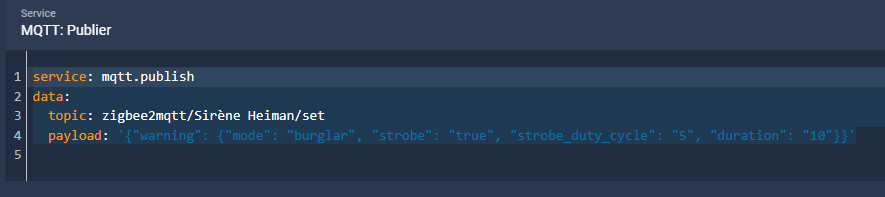
service: mqtt.publish data: topic: zigbee2mqtt/Sirène Heimann/set payload: '{"warning": {"mode": "burglar", "strobe": "true", "strobe _duty _cycle": "5", "duration": "10"}}'
It works perfectly, the siren starts ringing when the command is launched.
I could thus use a command to launch the siren and a command to stop the siren (using the mode stop.
This is not the option I will take, rather I will try to incorporate this siren as if it were recognised as a ZHA siren.
I use the siren as a ZHA siren
I want to be able to use the integrated commands Home Assistant (siren.turn_on siren.turn_off)
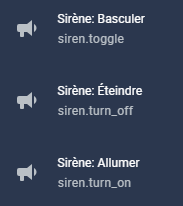
You must declare the siren in the manual MQTT configuration of HA, this is done via the file mqtt.yaml which has been declared in configuration.yaml via mqtt: !include mqtt.yaml
siren: - single _id: sirene_heimann name: Sirène Heimann command_topic: "zigbee2mqtt/Sirène Heimann/set" positive: false state_topic: "zigbee2mqtt/Sirène Heimann" command _template: '{"warning": {"mode": "burglar", "strobe": "true", "strobe _duty _cycle": "5", "duration": "10"}}' command _off _template: '{"warning": {"mode": "stop"}}' icon: mdi:bullhorn
Explanation of each line of the configuration
_id which uniquely identifies this siren device. If two sirens have the same unique ID, Home Assistant will trigger an error.
name which remains optional is a rather nice name that is given to the mermaid, for simplicity, I give the same name as the name given in Zigbee2MQTT.
optimistic is a mode that considers that everything is fine, i.e. if the siren is told to activate, without waiting for the state to return, it is activated. I do not recommend this mode because it does not return to Off after launching the siren. Note that without the presence of the state_topic line, this optional option does not disable, so I added a state_topic line even if I know (see below) that it does not work.
command_topic finally is the command to send to cause an action. The syntax to be used is given in the Equipment doc on zigbee2mqtt.
_template Command and _off _template Command are the commands to send when publishing a on or a off.
Result
Once this declaration has been taken into account by HA, direct siren control services can be used:
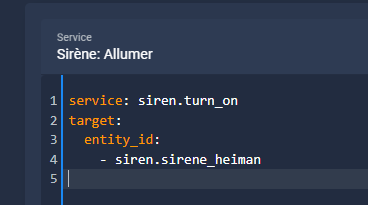
service: siren.turn_on target: entity_id: - siren.sirene _heimann
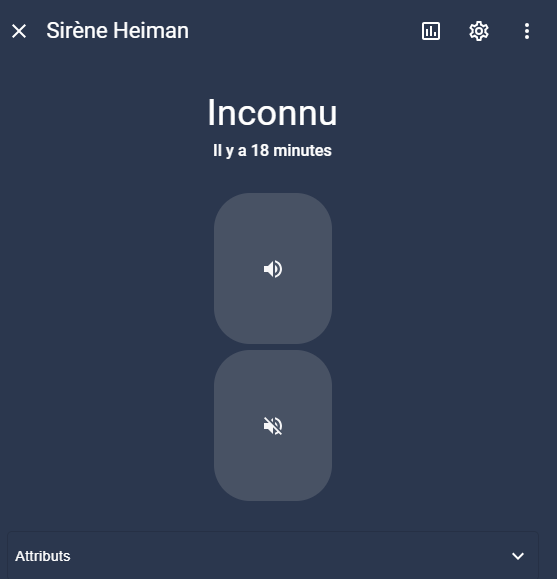
No return of status
It’s a pity, I haven’t figured out how to get that siren back.
I was therefore unable to create a button on the dashboard, two buttons appear, one to launch the siren and the other to stop it.
Conclusion on this siren
The first conclusion that comes to mind is that its Z2M/Ha integration is not at all simple. You have to do a little tinkering but it is always very rewarding to put your hands in the sludge. I think that the Zigbee2MQTT integration cannot be complete since the siren does not return its state, it is the siren that then makes it difficult to work in HA.
The tones are not configurable, but they are not useful for a siren. The whole configuration must be done in Zigbee2MQTT since the HA integration only displays the battery, no configuration commands.
A battery is integrated, this will allow the triggering of the siren without electricity, indeed, my HA is on inverter.
Finally, it should be noted that this siren can only be used indoors, the documentation gives it for 95dB.
Notice (for archives)
The notice is quite ridiculous, but it has the merit of existing and there are two sides to it in French.


Comparison of Zigbee sirens
To go further and help choose, I made a comparison of several Zigbee sirens.
 English
  French
  Spanish
  Chinese
  German