


To identify future victims on the web, hackers quite naturally try to check if the IP exists and if any equipment is behind it.
To verify this, the simplest is a ping of the IP address.
I have a Free Fixed IP and I am a potential victim if I get spotted. This also depends on the port redirects I will set on my router (if I want to view my IP cameras from the outside, access Home Assistant, Jeedom, if I host my website, …)
I check if my IP ping from outside
For this, very simple, it is enough to have a site that pings, I am used to using this one, archi-simple:
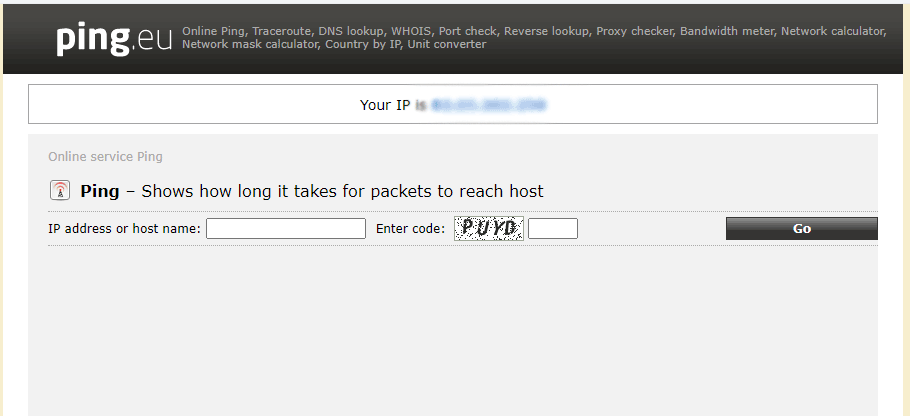
My IP is written in blue at the top in the middle, I copy it into the IP address box, I copy the code and I click Go.
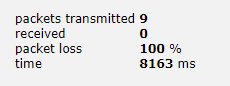
It’s perfect, 100% of the lost packets is that the ping did not work, that was my goal.

What should I have changed if the ping had worked?
This is the question I was asked as a result of this feedback.
I have a Freebox Revolution Fibre, so I did this RetEx following tests on it, for the other boxes, see their documentation or customer support.
Is my Freebox a router or a bridge?
-
The Freebox is a router
It is therefore she who will answer the ping.
The site Free-network gives tips on how to activate ping on a Freebox V4 or V5 or on a Freebox Revolution. It is therefore necessary to do the opposite of what is explained in order to disable ping.
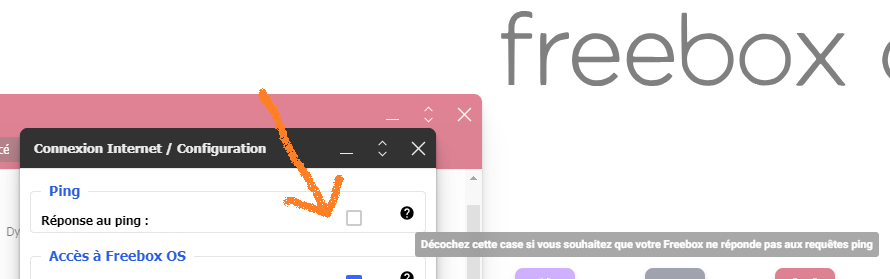
I do not know if there are still V4s or V5s, but on Revolution, simply uncheck the box:
-
The Freebox is in bridge
This is what I have at home, the Freebox does what it does best: be a modem. I entrusted the management of my equipment to a Synology Router. The Freebox links the fiber network to my router. The bridge mode will transform it, as its name suggests in bridge. It will bridge the gap between the internet and my syno, which allocates addresses to the elements of my network.
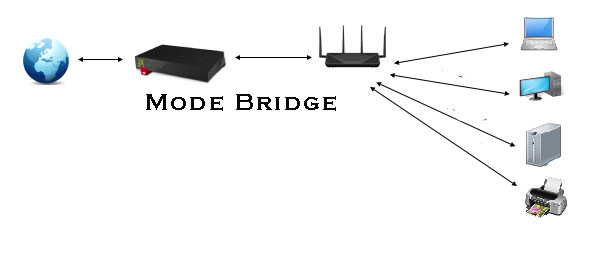
In this case, the answer to the ping will be processed by the router, it is in its configuration that it is necessary to search.
Bibliography
- https://www.free-reseau.fr/ma-ligne/_informations.php
- http://hjj.free.fr/FBV6/page130.html
- https://www.grc.com/x/ne.dll?bh0bkyd2
- https://assiste.com/Encyclopedie/Shields_Up.html
- https://apical.xyz/fiches/home_assistant/trouver_l_adresse_ip_de_home_assistant
 English
  French
  Spanish
  Chinese
  German