
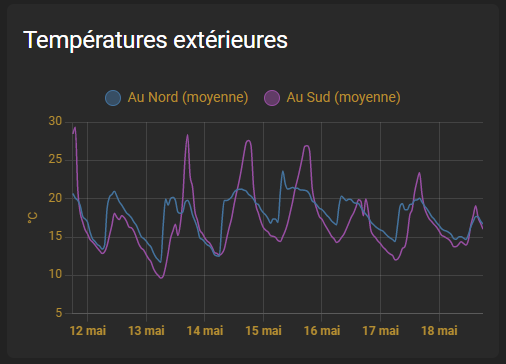
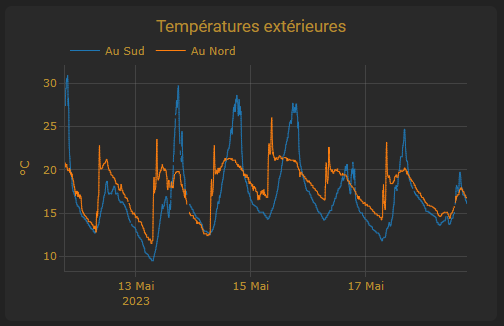
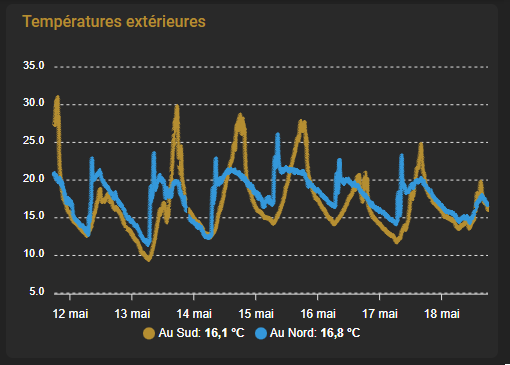
This little feedback to find the most suitable chart display card.
I will compare the maps to show the outside temperatures.

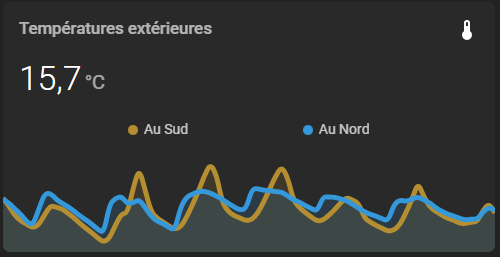
This little feedback to find the most suitable chart display card.
I will compare the maps to show the outside temperatures.
Picture-element maps are particularly useful for locating maps on a dashboard such as a house plan.
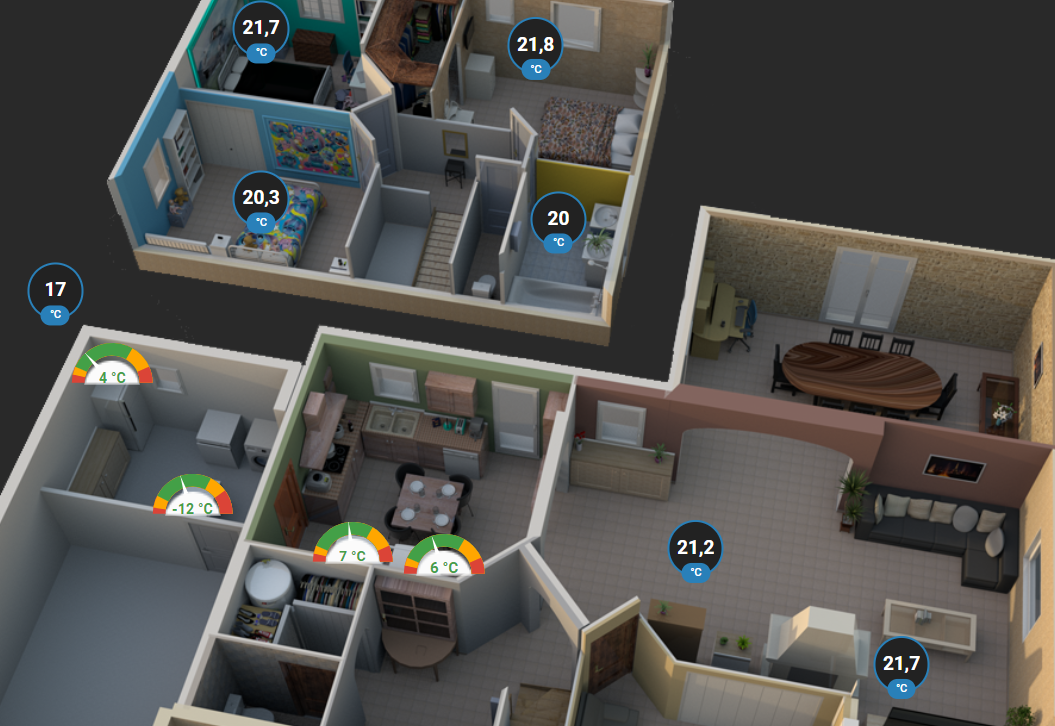
Documentation explains their use. Read More
Once FreePBX installed, We'll link him to Home Assistant.
I have a SIP doorman and Gigaset SIP handsets, I want to connect all this little world locally via the SIP protocol.
http://download.raspberry-asterisk.org/raspbx-10-10-2020.zip
available at http://www.raspberry-asterisk.org/downloads/
I decompress the file to have a .img file
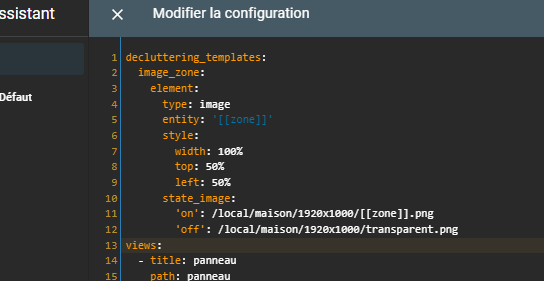
We all use the same configuration block several times in our lovelace configuration and we don't want to change the same things in a hundred places in our configuration every time we want to change something.
This card allows you to reuse the same configuration multiple times in your lovelace configuration to avoid repetitions and supports default variables and values. Read More
I looked for a moment how to have Home Assistant in full screen without the left sidebar. Read More
sudo su -
curl -sL | bash -
apt-get install -y nodejs
sudo npm install -g snips-sam
sudo apt-get update
sudo apt-get install -y dirmngr
sudo bash -c 'echo "deb https://raspbian.snips.ai/$(lsb _release -cs) stable main" > /etc/apt/sources.list.d/snips.list'
sudo apt-key adv --keyserver pgp.mit.edu --recv-keys D4F50CDCA10A2849
sudo apt-get update
sudo apt-get install -y snips-platform-voice
If pgp.mit.edu is down, use:
sudo apt-key adv --keyserver pgp.surfnet.nl --recv-keys D4F50CDCA10A2849
or
sudo apt-key adv --keyserver gpg.mozilla.org --recv-keys D4F50CDCA10A2849
sam connect snips (or sam connect localhost)
By being connected do
Sam Init
We can test a
sam status
But a lot of things are in red, which is normal.
We will configure the sound:
sam setup audio
Set Y to "Is it a Snips Makers Kit"
sam connect
Sam test speaker
Sam Test Microphone
sam setup audio
sam login
Sam install assistant
Sam watch

 English
 French
 Spanish
 Chinese
 German