

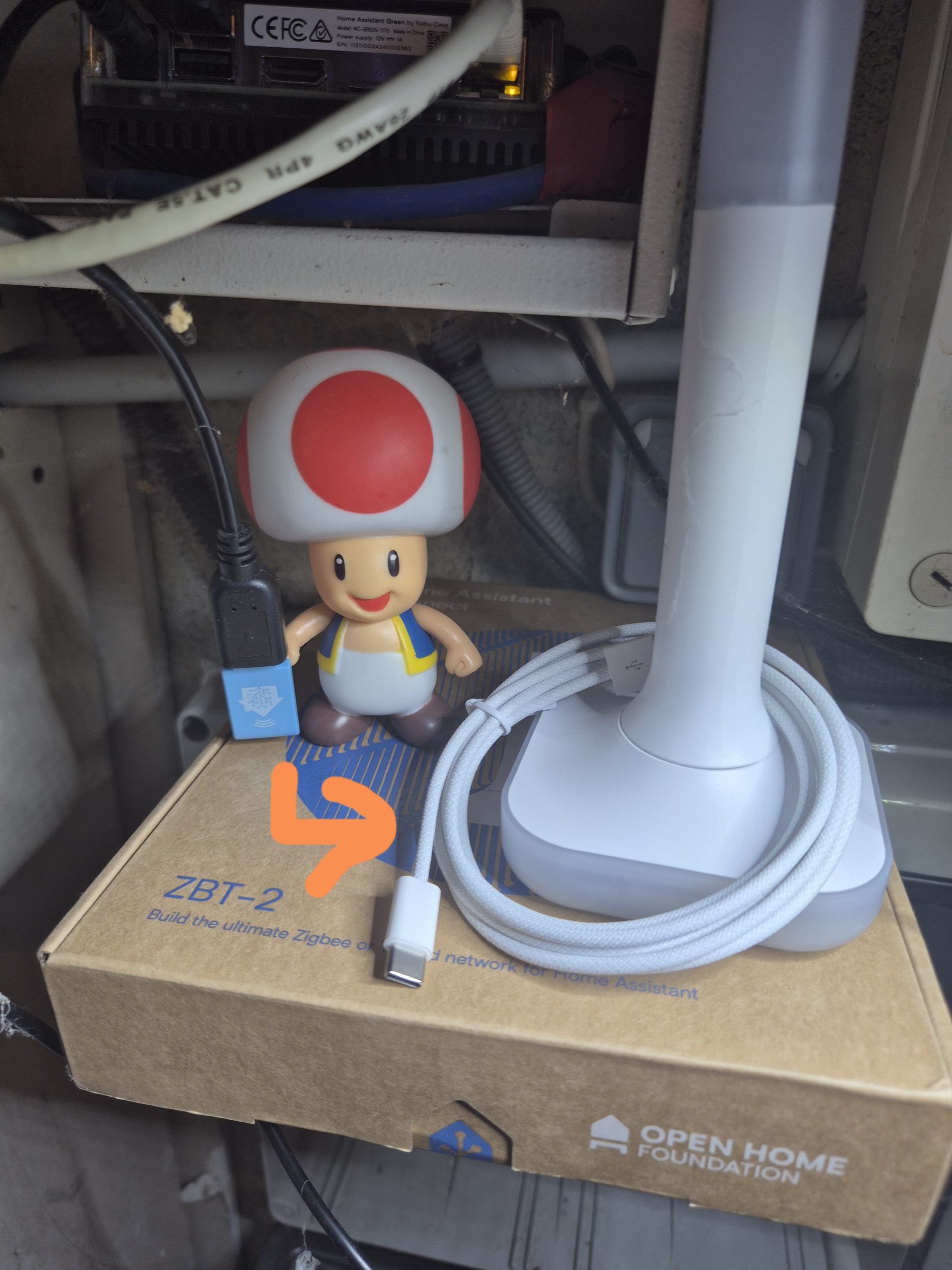
Migration of the Zigbee Nabucasa ZBT-1 controller to the ZBT-2
Presentation of Nabucasa

Nabucasa is the official manufacturer of the hardware dedicated to Home Assistant, an open source home automation platform that focuses on data privacy. The company offers simple, reliable solutions that are fully compatible with Zigbee, Thread and the emerging Matter standard. These controllers make it possible to centralize the management of all connected home devices directly from Home Assistant, without any dependence on external cloud services, thus guaranteeing total and local control of your home automation installation.
My experience with the Zigbee ZBT-1 controller
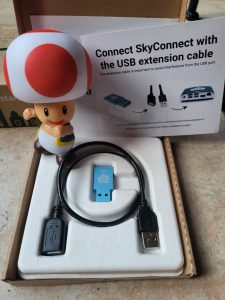
I used the ZBT-1, formerly known as SkyConnect, for several years. This USB dongle is based on a Silicon Labs EFR32MG21 chip and has enabled me to manage a stable and efficient Zigbee network, compatible with a wide range of everyday devices such as bulbs, motion sensors, connected sockets or switches. Its native integration into Home Assistant offered a plug-and-play experience: All you have to do is plug it in to make everything work without complex configuration. To find out more about my first installation, you can consult my detailed feedback:
My discovery of the new ZBT-2 controller
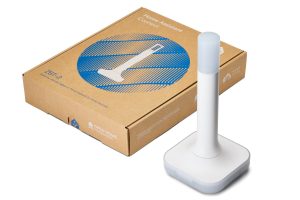
The ZBT-2 marks a significant evolution from ZBT-1 thanks to the introduction of a more powerful Silicon Labs MG24 chipset and an optimised antenna that improves signal range and overall network responsiveness. This dongle is about four times faster than its predecessor, while maintaining perfect compatibility with Zigbee, Thread and Matter. It integrates a dedicated migration wizard into Home Assistant, which greatly simplifies the transition for existing users by preserving already paired configurations and devices. Its advanced features include support for ZHA (Zigbee Home Automation), Zigbee2MQTT, OpenThread Border Router for Thread networks, as well as OTA (Over-The-Air) updates to keep connected devices up-to-date without manual intervention.
Where to buy this equipment?
Here is the link to his page dedicated to the ZBT-2. I referenced the sellers and prices.
Why I decided to migrate to ZBT-2
Here are the main reasons that convinced me to migrate from the ZBT-1 to the ZBT-2 :
Quadrupled speed : the MG24 chipset combined with the optimised antenna makes the network much more responsive and stable, particularly useful with a large number of devices.
Flexible choice of network : possibility to select Zigbee or Thread directly during initial installation, to adapt to current or future needs.
Extended and long-lasting compatibility : ready for Matter and Thread, ensuring a sustainable solution to changing home automation standards.
Open and modular design : easy to modify or customize thanks to open source tools, ideal for home automation DIYers.
Attractive price : approx. €45 or €49 $, This represents a reasonable investment for a high-end controller.
I chose this migration to benefit from a more reliable, faster and future-ready network, while maintaining full local control and data privacy via Home Assistant.
Detailed steps of technical migration
1. I am changing the IEEE of the new ZBT-2
To avoid disruption of the existing Zigbee network, it is essential to retrieve the IEEE address (Extended Unique Identifier, a unique 64-bit identifier for each controller) from the ZBT-1 and inject it into the ZBT-2 before it is put into service. This allows the new dongle to pretend to be the old dongle with all the devices already paired, thus avoiding a complete re-pairing that could take hours.
I first identify the IEEE address in the Zigbee2MQTT interface, under the ‘Perms’ tab or in the coordinator’s logs:
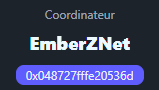
In my specific case, the address was: 048727fffe20536d.
Then, on a Windows computer (or Linux/Mac with adaptations), I launch a command prompt (CMD as administrator) and install the necessary tools to flash the firmware:
python -m pip install --upgrade pip python -m pip install universal-silabs-flasher
If Python is not installed on your machine, download it easily from https://www.python.org/downloads/ and check the ‘Add Python to PATH’ option during installation to simplify the commands.
I then connect the ZBT-2 via USB and I pick up its COM port in Windows Device Manager (e.g. COM4). I put the dongle in bootloader mode (unplug the USB from ZBT-2 press + hold the small button on the dongle + replug USB by holding the button for 5 seconds, then release) and write the new IEEE with these precise commands:
python -m universal_silabs _flasher --device COM4 --bootloader-reset baudrate probe python -m universal_silabs _flasher --device COM4 write-ieee --ieee 048727fffe20536d
If the operation is successful, the console displays a confirmation message similar to this, indicating the old and new IEEE:
2025-11-25 19:44:11.971 PC--Win11 universal_silabs_flasher.flasher INFO Probing ApplicationType.GECKO_BOOTLOADER at 115200 baud 2025-11-25 19:44:14.063 PC--Win11 universal_silabs _flasher.flasher INFO Probing ApplicationType.EZSP at 115200 baud 2025-11-25 19:44:21.667 PC----Win11 universal_silabs _flasher.flasher INFO Probing ApplicationType.EZSP at 460800 baud 2025-11-25 19:44:23.122 PC---Win11 universal_silabs _flasher.flasher INFO Detected ApplicationType.EZSP, version '7.4.4.6 build 0 (20251117162546)' (7.4.4.6) at 460800 baudrate (booter baudrate None) 2025-11-25 19:44.553-Win11 _-Flasher Universal _silflasher f0:74:bf:ff:fe:40:6f:3b 2025-11-25 19:44:29.648 PC--Win11 universal_silabs_flasher.flasher INFO Wrote new device IEEE: 04:87:27:ff:fe:20:53:6d
2. I properly stop Zigbee2MQTT
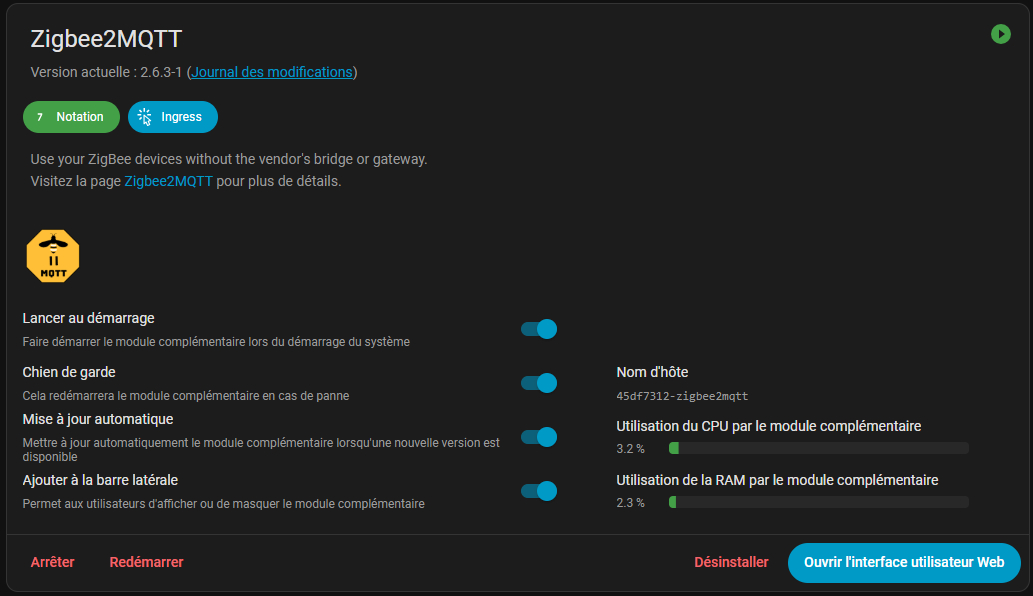
Before any physical manipulation, stop the Zigbee2MQTT service to avoid corruption of device databases. Go to Home Assistant → Settings → Add-ons → Zigbee2MQTT and click on "Stop". Wait for the status to change to "stopped" to be sure that the process is interrupted.
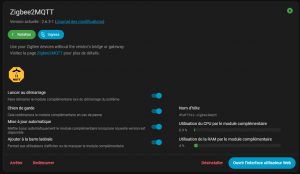
3. I physically install the ZBT-2
Choose a location away from sources of electromagnetic interference such as microwaves, Wi-Fi routers or power switching. Position the antenna vertically for optimal radio signal coverage. Plug in the ZBT-2 USB-C on your Home Assistant Green (version 2025.10.1 or higher). Unplug the old ZBT-1 before connecting the new one to avoid port conflicts. The status LED lights up to confirm the detection.
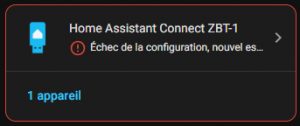
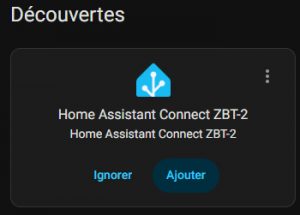
In Settings → Devices and Services, on ZBT-2 appears automatically. Click on ‘Add integration’ to launch the wizard.
Select "Zigbee" as the main protocol.
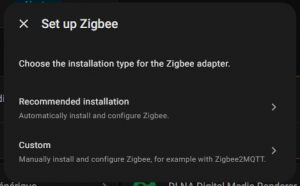
Go for ‘Custom’ to access the dedicated migration wizard.
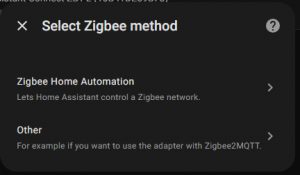
Select "Other" since you are using Zigbee2MQTT as your stack.
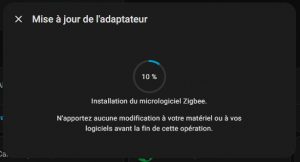
4. I identify the stable serial port of the ZBT-2
The migration wizard does not offer an automatic tool for Zigbee2MQTT, so manually identify the serial port. Go to Settings → System → Hardware → All Hardware.
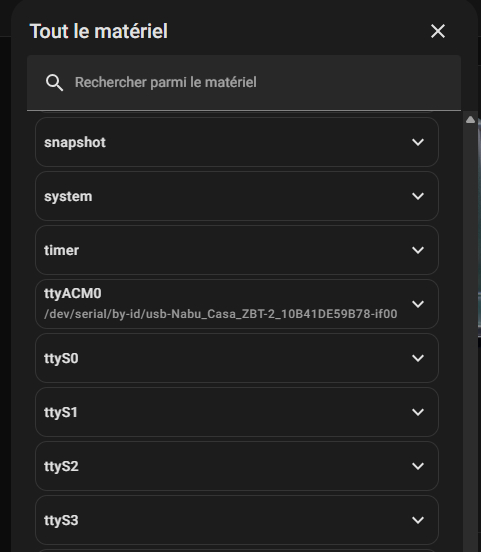
Always choose the path by unique ID (e.g. /dev/serial/by-id/usb-Nabu_Casa_ZBT-2_10B41DE59878-if00), because it remains stable even after restarting, unlike generic ports like /dev/ttyACM0 that can change.
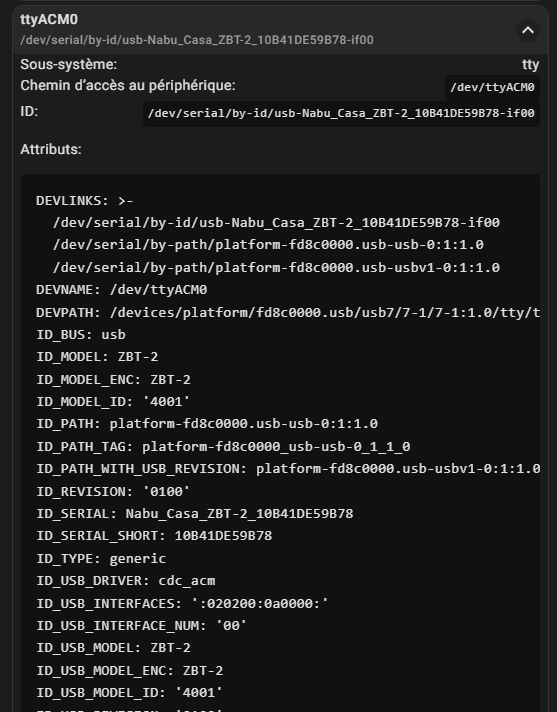
5. I configure and relaunch Zigbee2MQTT
Go back to Home Assistant → Settings → Add-ons → Zigbee2MQTT → Configuration tab. Replace the old port with the ID path identified and increase the baudrate to 460800 (instead of 115200 for the ZBT-1). This higher setting takes full advantage of the speed of the new MG24 chipset for smoother, more responsive communication.
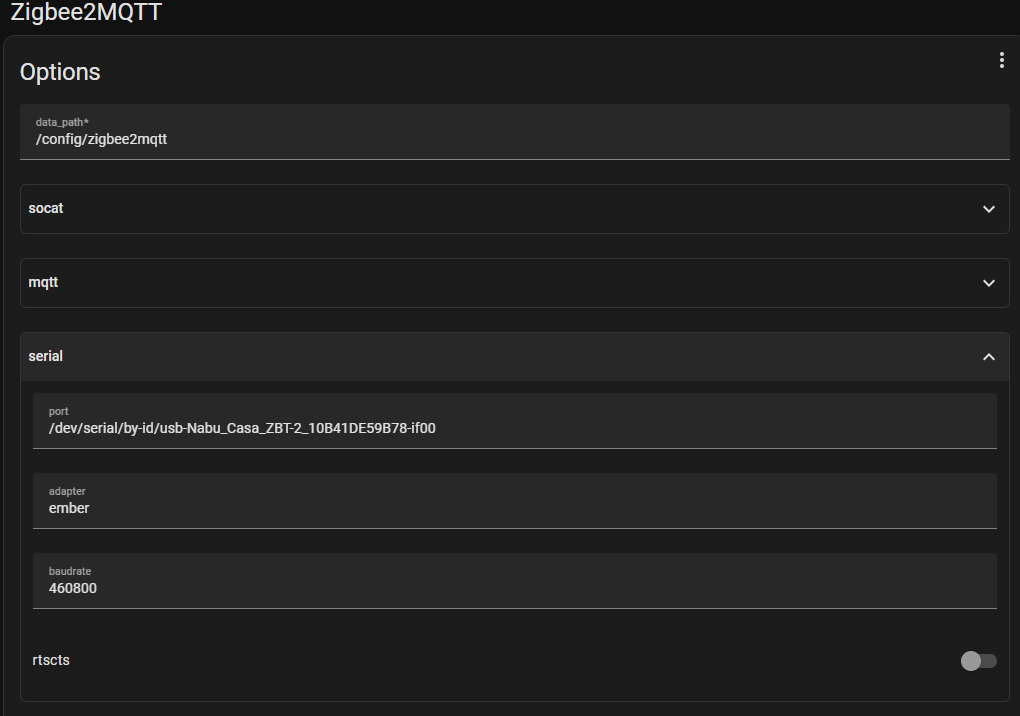
Save, then restart Zigbee2MQTT. The controller resets automatically, and all devices reconnect within minutes with significantly improved responsiveness.
My final opinion after migration
Migration to the ZBT-2 is a natural evolution for any Zigbee installation under Home Assistant. At the initial date of this test, ZBT-1 remained an excellent and reliable product. ZBT-2 did not yet bring sufficiently dramatic gains to justify a systematic replacement among all users. If you are new to home automation or investing in a first controller, go for it without hesitation. ZBT-2 thanks to its simplicity of installation, superior performance and durability with future standards, while preserving privacy via a 100-point control% local.
However, the ZBT-1 remains an excellent low-cost promotional or second-hand option: it will survive several more years without problem for those who do not wish to spend for the ZBT-2.
Note of 26/12/2025 : I finally switched to ZBT-1 because, at the time of the in-depth tests, the ZBT-2 There were still minor instabilities. Firmware and software updates are planned by Nabucasa, and everything is expected to work out quickly in the coming weeks.
 English
  French
  Spanish
  Chinese
  German