

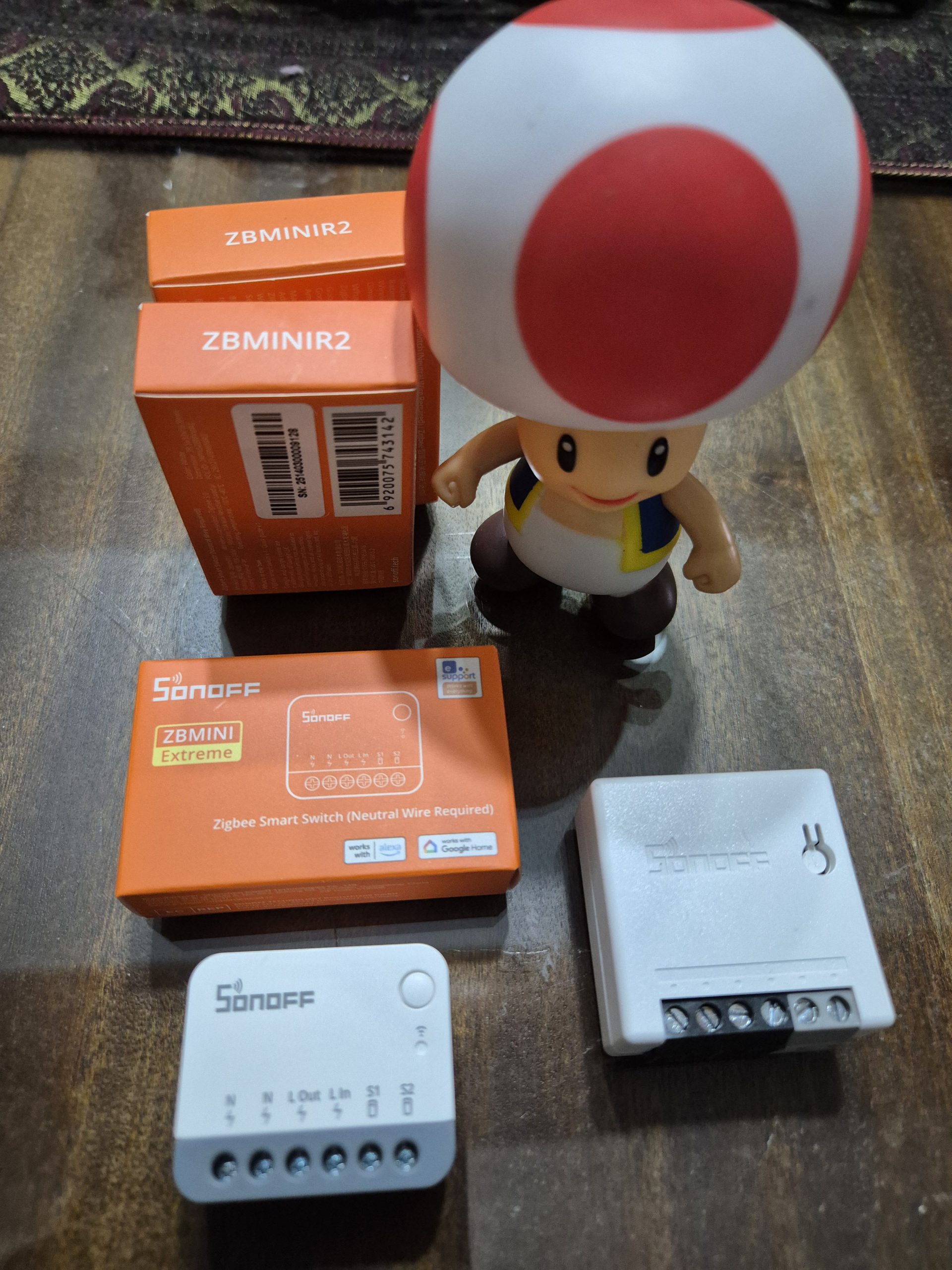
5 reasons to replace ZBMINI with ZBMINIR2
The Sonoff ZBMINIR2 surpasses the ZBMINI in Zigbee stability and compactness to domotize lights and devices. This technical guide details the comparison, my feedback on resolved disconnections, and the precise steps to safely migrate to this reliable module. Find out why this replacement makes any extended Zigbee network reliable.
My ZBMINI: Failed Zigbee Routers
The ZBMINI Sonoffs act as Zigbee routers: they relay the signal to extend the home automation mesh and provide stable coverage to multiple devices.
Installation is done simply on Home Assistant, Jeedom or Sonoff gateways: plug in phase, neutral, output load, and pair in pairing mode 3 quick clicks.
Observed problem: After 2-6 months, the ZBMINIs disconnect one by one with no visible cause, forcing manual re-pairing. This recurrent defect weakens extended installations, as reported by other users on home automation forums.
Benefits of ZBMINIR2: compact and stable
The ZBMINIR2 integrates an EFR32MG21 chip optimized for Zigbee 3.0, offering superior range and proven stability without chronic disconnections.
- Ultra-compact: 40 % smaller (39.5 x 33 x 16.8 mm), fits into 95 % narrow underrun boxes, even behind existing switches.
- Powerful router: supports 64 final devices, Turbo mode boosts radio signal for remote areas or thick walls.
- Universal switches: compatible toggle, pusher, SPDT or momentary, without additional specific wiring.
- Detached mode: dissociates physical relay and Zigbee control, connected bulbs remain controllable even cut wall switch.
- Enhanced security: 10A max (2400W resistive), fireproof PC V0 housing, built-in overload protection.
Comparative ZBMINI vs ZBMINIR2
| Criterion | 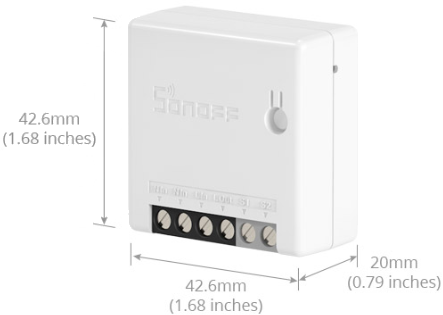 |
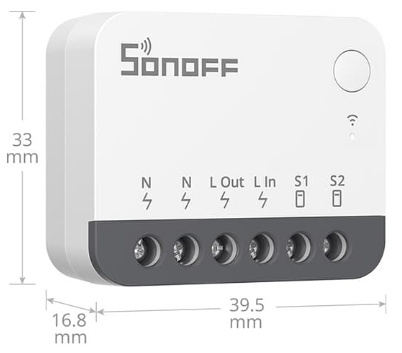 |
| Size | Standard | 40 % more compact |
| Router | Yes, correct signal | Yes, extended/optimized signal |
| Protocol | Zigbee 3.0 | Zigbee 3.0 (optimized chip) |
| Max charge | 10A | 10A |
| Switches | Basic only | Toggle/Push |
| Advanced functions | No | Detached Mode, Timing |
My ZBMINIR2 installation: LQI doubled
I install the ZBMINIR2 behind the switch: phase L to input, neutral N mandatory, S1/S2 for external switch, L1 output to load. Pairing: 5 clicks in 4 seconds.
Concrete result: in thick wall, ZBMINI LQI 76, ZBMINIR2 goes to 184 thanks to optimized chip and Turbo mode. Stable network over 6 months, zero disconnection.

Advanced functions ZBMINIR2
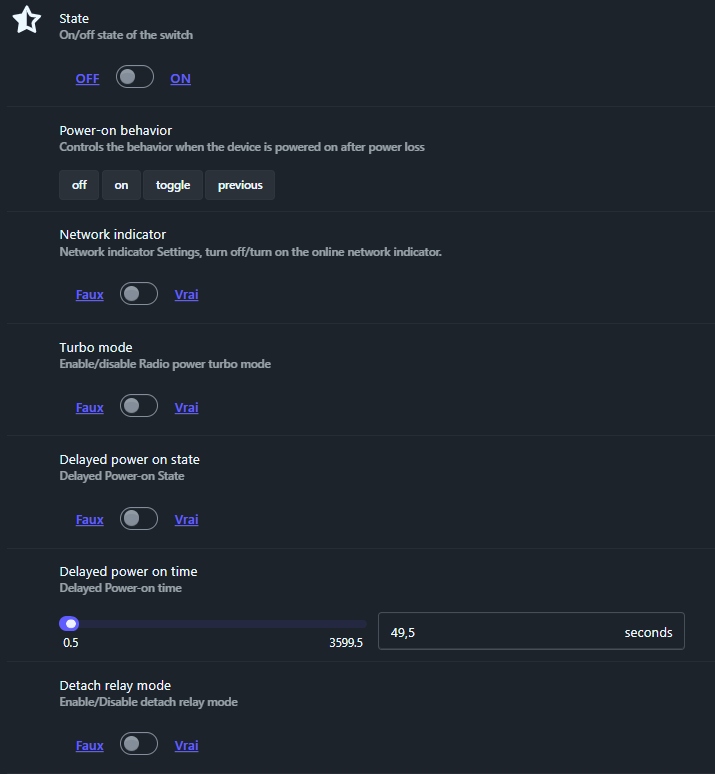
State (state)
ON/OFF command of the relay: turn on or off the connected device directly via the home automation app or scenario.
Power-on behavior
Choose the post-cut reaction: off, on, toggle, previous. Previous avoid surprises after breakdown sector.
Network indicator
Enable/deactivate LED tell-tale Zigbee: connected green, switched off for recessed discretion.
Turbo mode
Radio power boost: +20-30% range, ideal large spaces. Activate if LQI low, monitor conso +10%.
Ignition timer
Deadline 0.5-3599s before ON: protects refrigerator/clim compressors from peaks, or sequences several modules (e.g. ventilo after light).
Detached mode (Detach relay)
Dissociated wall switch and Zigbee relay: pilot connected bulbs without cutting alim module. 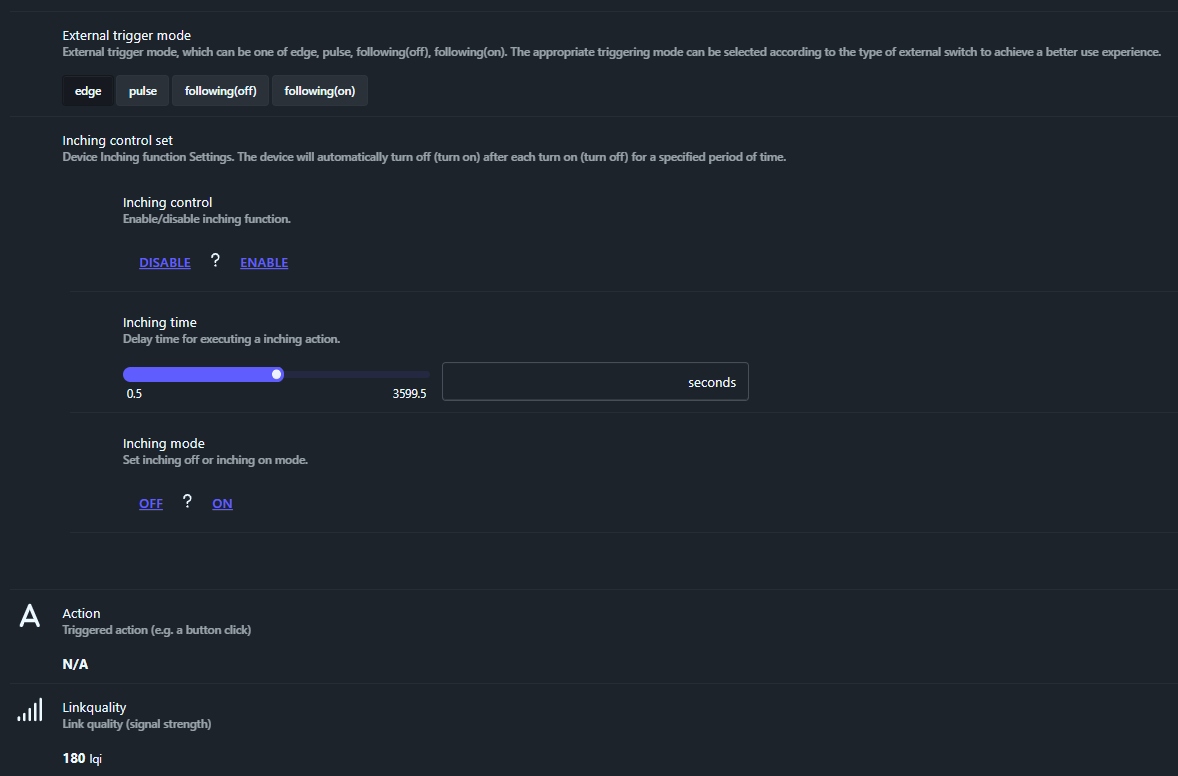
External trigger
- Edge: reacts up/down fronts.
- Pulse: short pulses (sounds).
- Following(off/on): follows switch position.
Inching (self-off timed)
- Active for doorbells/gates: relay switches off after 0.5-3599s.
- Inching mode: momentary contact only.
Linkquality (LQI)
Value 0-255: 180+ excellent, stable. Check regularly in Zigbee2MQTT or ZHA.
Where to buy this equipment?
Here is the link to his page dedicated to the ZBMINIR2. I referenced the sellers and prices.
ZBMINI to ZBMINIR2 migration step by step
- 1. Switch off the general circuit breaker: Check multimeter no voltage.
- 2. Dismantle ZBMINI: note wiring L/N/S1-S2/L1, photo before disconnection.
- 3. Check box space: ZBMINIR2 16.8 mm thickness, test dry insertion.
- 4. Mandatory neutral: confirm the presence of blue wire, otherwise switch to neutral (ZBMINI-L2).
- 5. Reconnect the same: The input, N neutral, L1 output, S1/S2 switch.
- 6. Appear: 5 quick clicks, integrate Jeedom/Home Assistant as Zigbee switch.
- 7. Configure: detached mode if bulbs, Turbo if weak signal, 48h test.
ZBMINIR2: Zigbee stability assured
Chronic ZBMINI disconnections disappear with ZBMINIR2 : Superior LQI, solid network 64 devices.
This compact module optimizes any Zigbee installation without heavy work. For questions: HACF Forum.
 English
  French
  Spanish
  Chinese
  German