

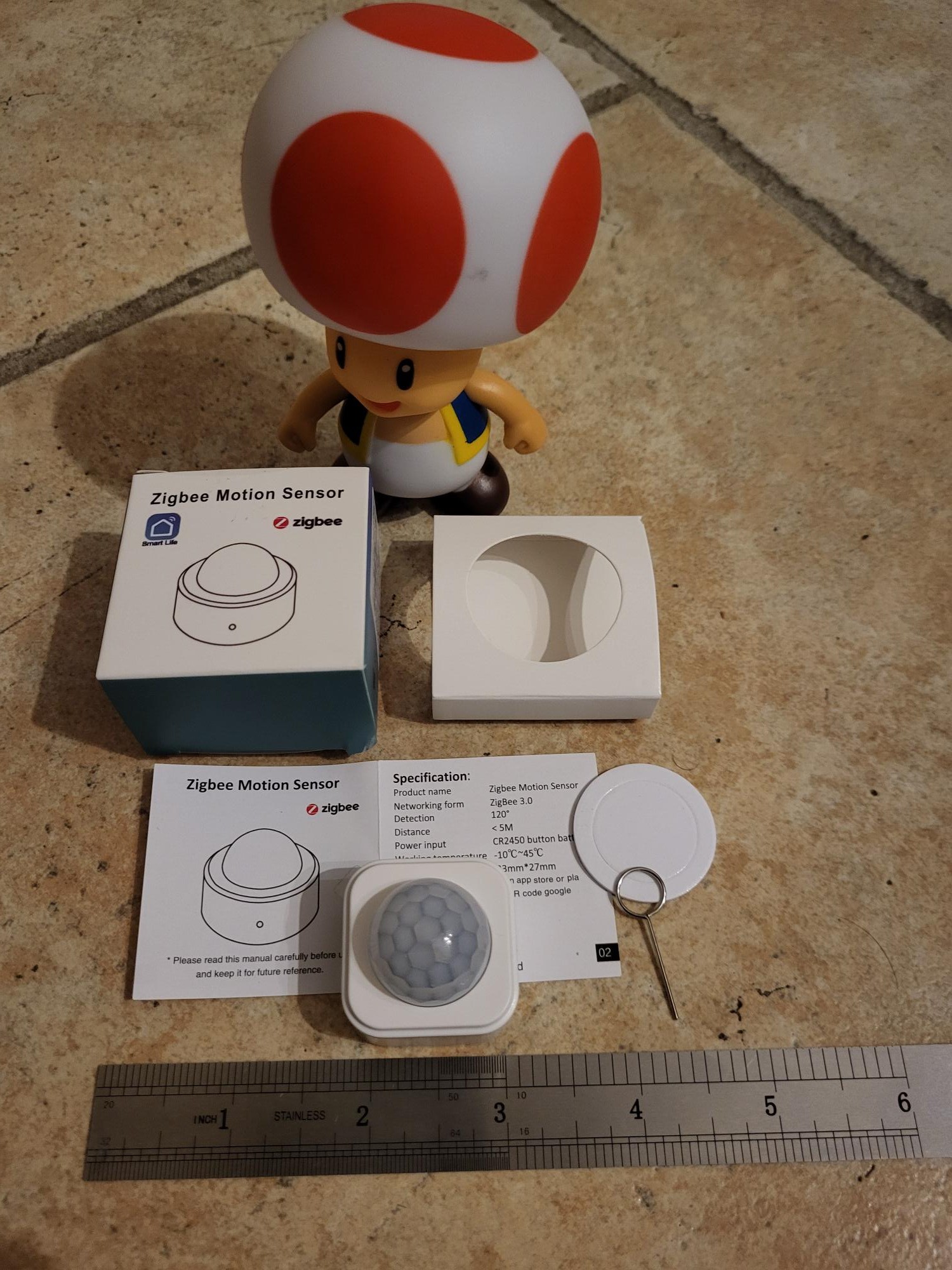
🕵 I check the received model
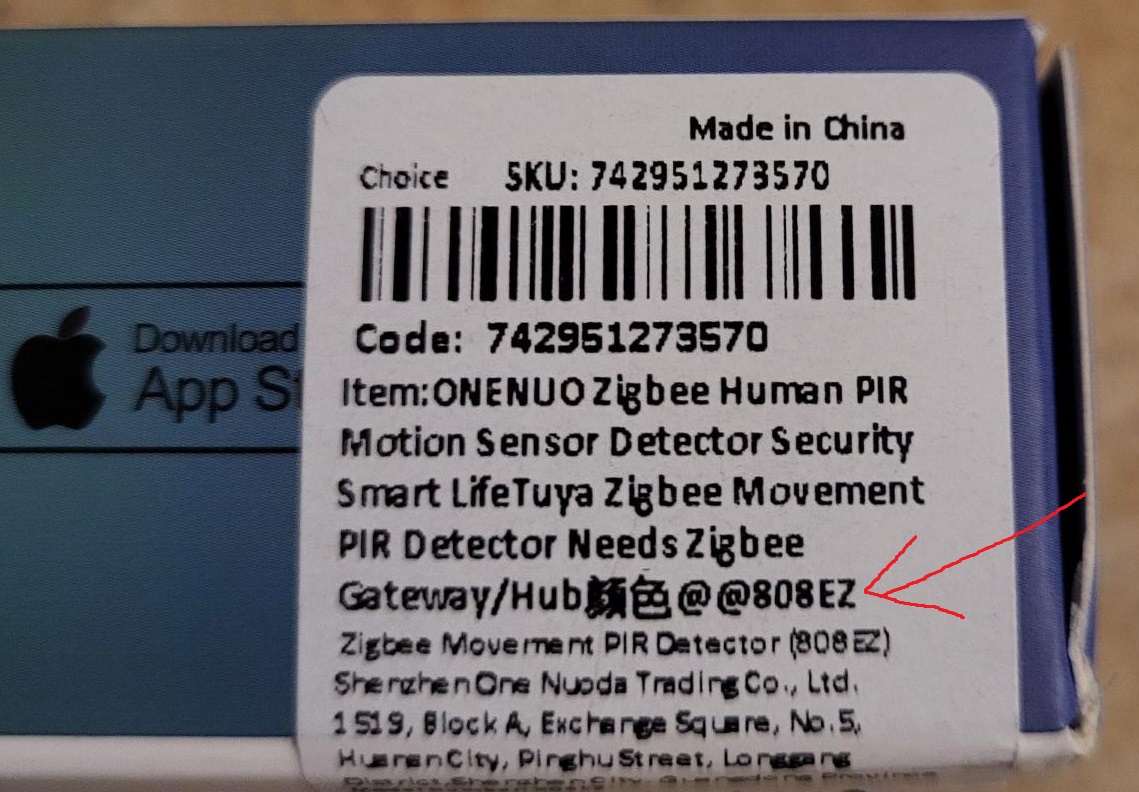
The market for Zigbee presence detectors is full of references, often very close visually or in their name. To avoid confusion, I always start by checking the exact reference. Here, the received model is well stamped 808EZ, as planned.
🛒 Where to buy it?
| 1established | Domadoo 🔗 | ❌ |
| 2established | Amazon 🔗 | ❌ |
| 3established | AliExpress 🔗 | ✅ 15 to 20 € |
| ➡ | Vide-Grenier of Sigalou 🔗 | ✅ Lot purchase price when I was able to negotiate it (check available) |
⚠ Advice: I always prefer Domadoo (reliable French seller), or failing that Amazon for speed and replacement in case of concern. On AliExpress, I am particularly vigilant: I check the exact reference and favor sellers displaying real photos of the product to avoid unpleasant surprises.
🔗 I integrate this box with Zigbee2MQTT
I prepare Zigbee2MQTT in pairing mode, then remove the tab from the battery to power the sensor. The first attempt at integration fails, which sometimes happens. I then restart the integration by pressing the reset button for a few seconds (with the tool provided) until the blue LED flashes.
The pairing starts: this time, the detector is recognized as a 808WZT.
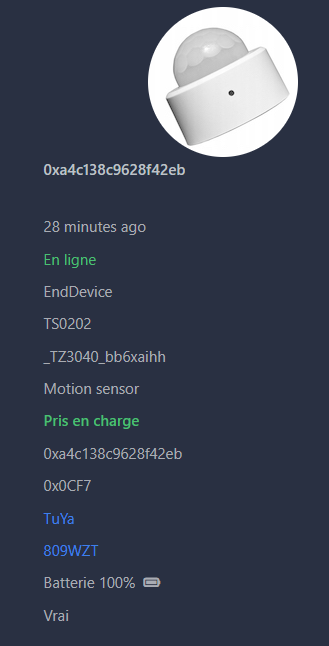
Once integrated, I observe the information in Zigbee2MQTT:
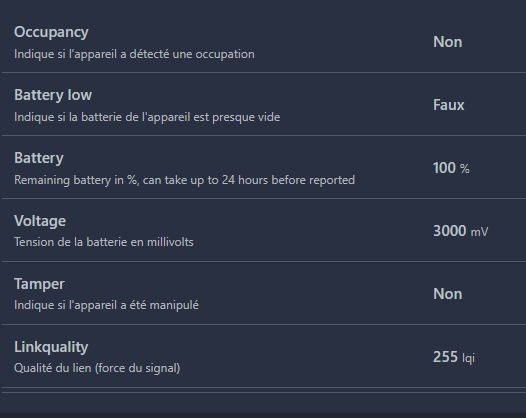
As soon as a presence is detected, the condition Occupancy move on to Occupied, which allows me to easily automate the ignition of a light or any other home automation action.

Please note: the information on the state of the battery is well recovered, which allows me to easily anticipate replacements.
🏠 I find the detector in Home Assistant
As soon as the integration is complete in Zigbee2MQTT, I find the sensor in Home Assistant, ready to be used in my automations.
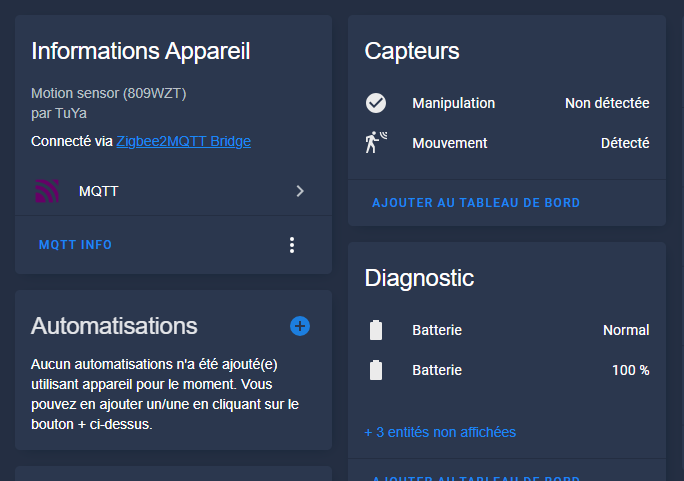
It is fully integrated: Presence and battery information are immediately available.
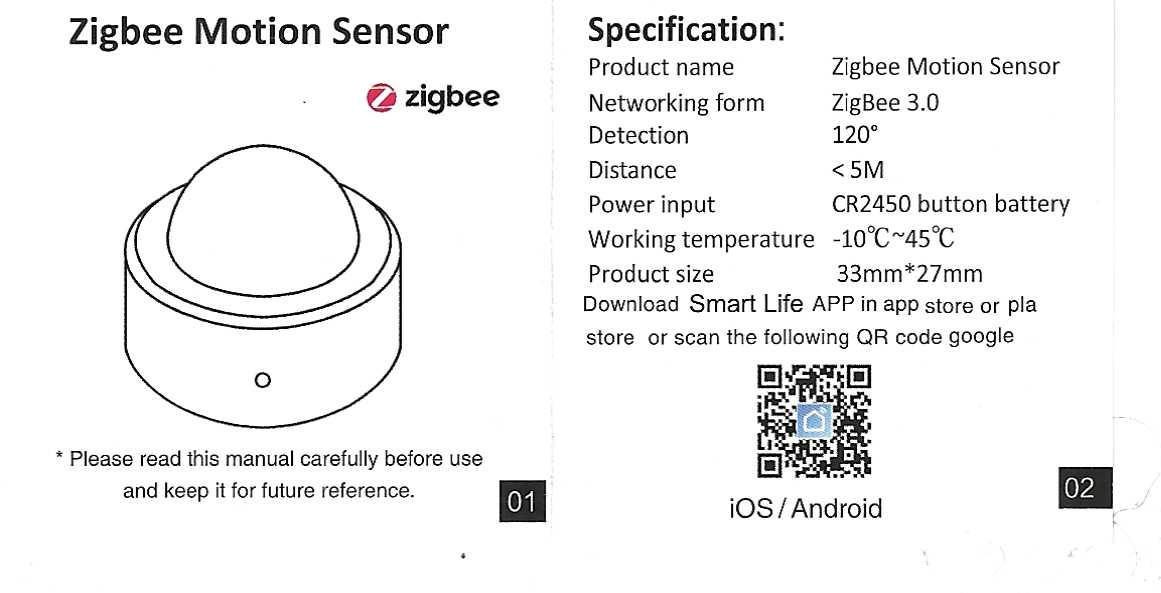
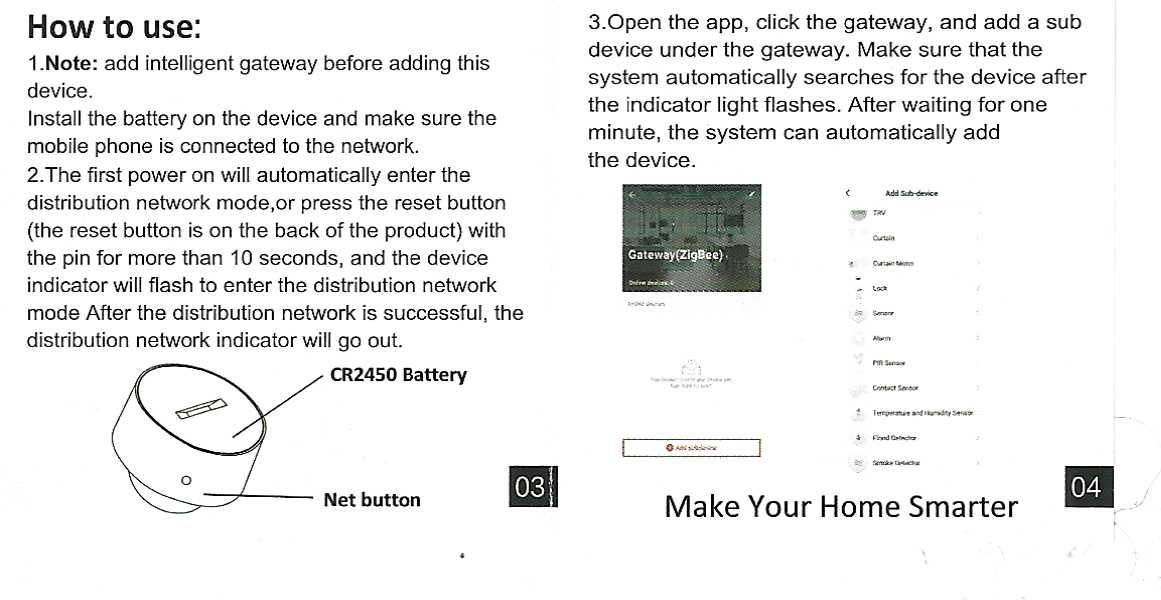
📑 Archive: Sensor operating instructions
 English
  French
  Spanish
  Chinese
  German