

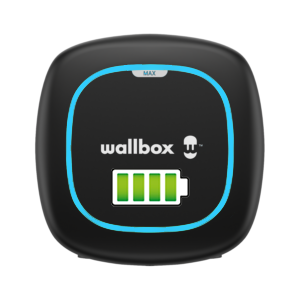
For now in disorganised form, this RetEx allows me to take notes for the understanding of the data coming back from the Wallbox integration
Wallbox sensors
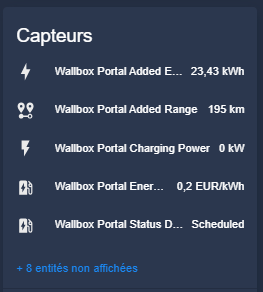
I dissect the Wallbox Portal Added Energy entity
Here are the data collected

The unit is the kWh, so we are a quantity of energy. This is the amount of energy injected into the vehicle on the last charge.
I do not connect the vehicle to the Wallbox every day, so I find that when I do nothing, the Wallbox portal keeps the last value, the last charge.
This amount of energy must be reset at the time I plugged in the vehicle. I'll be careful the next few days.
In the graph above, I see that on October 3, October 5 and October 7, between 8:30 pm and 9 pm, the value is reset to 0.
Then the Wallbox waits for the first charging time to arrive, 2h10 at my place.
The Wallbox stops alone when the vehicle confirms that it has eaten enough, it is configured on 80% battery for daily commutes.
The trays at 17.3kWh, 22.18kWh, 23.86kWh and 23.43kWh will allow me to display on an HA card the last amount of energy injected into the perfect … vehicle.
I dissect the Wallbox Portal Added Range entity
Here are the data collected

The unit is the km. I therefore infer that this is the estimate of the number of km added to each load.
I am not sure how the Wallbox can know this, I thought it was specific to the vehicle and obviously to driving, it must be an estimate.
The operation of this data is identical to the previous entity, I immediately conclude that I will be able to add on the HA map the last number of km added in the perfect … vehicle.
I dissect the Wallbox Portal Charging Power entity
Here are the data collected

The unit is kW, so this is the power consumed by the Wallbox to charge the vehicle.
It can be seen that it is quite variable, this is calculated by theEM112 placed at the beginning of the installation, which informs the Wallbox of how much energy it can have, depending on the other equipment that is already on in the installation.
I will be able to add this information to the HA card, perhaps the last 24 hours because, in principle, you are not in front of the screen when the load is in progress.
I dissect the Wallbox Portal Charging Speed entity
This entity is always at zero on my system, I must not use this mode. Maybe it is available in tri-phase or with additional equipment I do not know, as the (mini, archi-mini) doc of the integration says nothing, I drop it, I will even deactivate this entity.
I dissect the Wallbox Portal Cost entity
This entity is still at zero on my system, I thought I would find the cost of the last charge. I give up, I don’t need it, I will do the multiplication myself. I deactivate the entity.
I dissect the Wallbox Portal Current Mode entity
This entity is updated but always at the same value: 1, I only have to use Mode 1, of which, I do not know, as it does not bring me anything, I disable it.
I dissect Wallbox Portal Depot Price and Wallbox Portal Energy Price entities
These entities give me the price per kWh, I set it at €0.20 in the configuration, so it gives me €0.20 permanently.
I don't really understand what Depot Price means, I'm only going to keep Energy Price.
I will keep it that if one day I refine this value, I will do it in the Wallbox app and if all goes well, it will happen in HA. I am surprised that Wallbox does not allow to put a price for the Hours Creuse and a price for the HP, can be an evolution one day.
I dissect the Wallbox Portal Discharged Energy entity
The unit is in kWh, I do not see why the Wallbox could be used to discharge a battery. I imagine that this feature is provided for somewhere, I have not seen it. On some battery chargers, you have a button to unload the batteries before charging them, it may be this logic, this entity gives me 0 permanently, I will deactivate it at this stage.
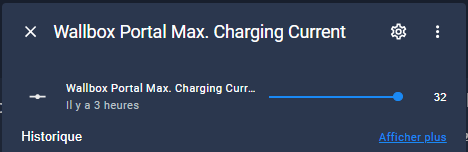
I dissect Wallbox Portal Max Available Power and Wallbox Portal Max. Charging Current entities
The unit is in A and displays them continuously 32A, this is the value configured in my Wallbox (I am in single phase). I disable them, it does not bring anything to the HA card.
I dissect the Wallbox Portal State of Charge entity
This entity that is in % I don’t post anything at home. Can be useful in tri-phase, I don't know, I disable it.
I dissect the entity Wallbox Portal Status Description
A particularly important entity, it gives me the status of the Wallbox, it is it that will make my screen interesting.
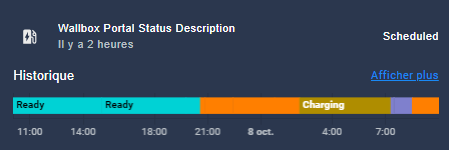
At this point, I have identified 5 states that I will use to make beautiful state logos of the Wallbox
- Scheduled
- Ready
- Waiting for Car Demand
- Disconnected
- Charging
Assessment of these analyses
Here's what I keep to exploit them
Wallbox Controls
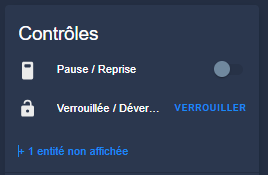
I dissect the Wallbox Portal Pause Resume entity
It has two values:
- Disabled either Pause
- Activated either Resume (Recovery)
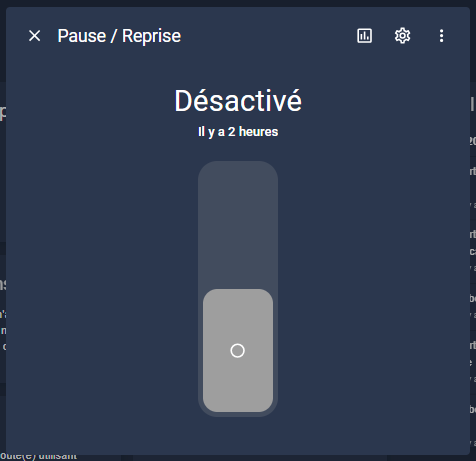
I tested this, it is quite practical. For example, we plug in the vehicle, the load does not start because we are outside the load range (= off-peak hours at home), we press Retake and the load starts. I guess if you are in charge, if you press Pause, it has to cut off the load but I did not test it.
A button on the Dashboard can be nice and convenient.
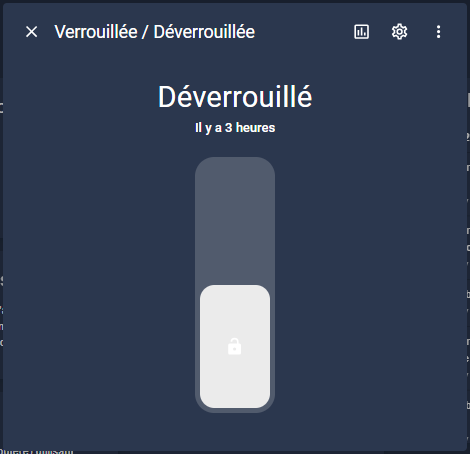
I dissect the Wallbox Portal Locked Unlocked entity
This entity has no interest for me, it must be used for Wallboxes shared in co-pros for example or everyone comes to unlock it with an RFID card to use it.
It's still on Unlocked, I'm turning it off.
I dissect Wallbox Portal Max. Charging Current
This is a cursor that goes from 0 to the max value of the configured current.
It is only of interest if no EM112 at the head of the installation and that we want to reduce the consumption of the Wallbox to leave some room for other equipment.
At home, it is set to 32A and I never touch it, I disable this entity.
Assessment of these analyses
Here's what I keep to exploit them
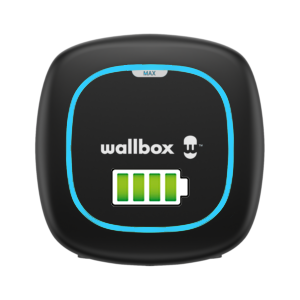
I create beautiful images for the states of the Wallbox
It should be noted that I have not found any anywhere on the web. So I launch my old Photoshop and let’s go …
I do not deposit the images but if you reuse them, I do not ask for anything, just to indicate the source.
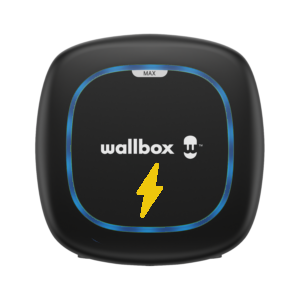
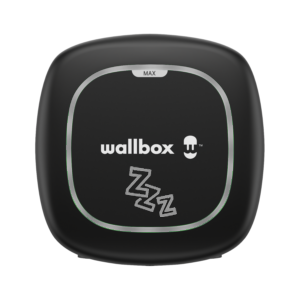
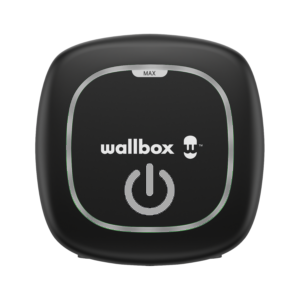
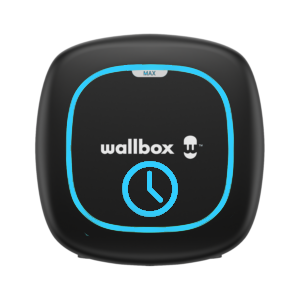
I will create a map to display the status of the Wallbox
As explained above, the Wallbox can take 5 states.
- Scheduled
- Ready
- Waiting for Car Demand
- Disconnected
- Charging
These statements are provided by entity: Wallbox Portal Status Description
The card will be
Type: image entity: sensor.wallbox _portal _status _description style: width: 100% top: 50% left: 50% state_image: Scheduled: /local/home/Wallbox/Scheduled.png Ready: /local/home/Wallbox/Ready.png Waiting for car request: /local/home/Wallbox/Waiting-for-car-demand.png Disconnected: /local/home/Wallbox/Disconnected.png Charging: /local/home/Wallbox/Charging.png
Please note that I have placed the 5 png files in the /config/www/house/Wallbox folder
 English
  French
  Spanish
  Chinese
  German