


I searched for how to start an order when opening a page design.
The most obvious solution would be to add the command to the command that opens the design, but sometimes, when using a menu in HTML, for example, you do not go through a command.
The method was given to me on the forum by @Aidom, whom I still thank so much she is simple. Here it is:
- RecordedId of the command you want to launch
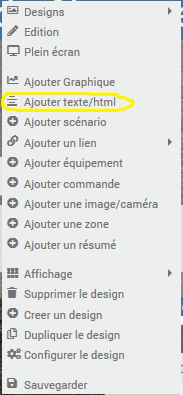
- When you're on your design, right-click and then go to Add text/html
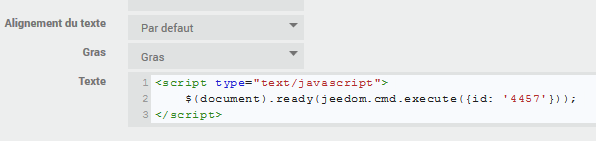
- In text, put:
<script type="text/javascript"> $(document).ready(jeedom.cmd.execute({id: '278'})); </script>
 English
  French
  Spanish
  Chinese
  German