

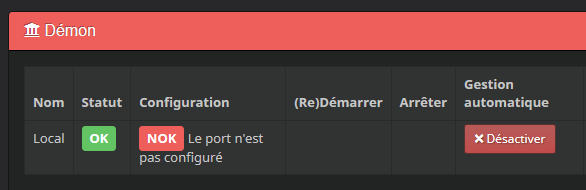
If like me, you are having trouble launching the BLEA plugin when you restart your Raspberry, it may be a problem with the initialisation of the HCI0 port.
You will tell me, we could configure this in Raspbian but I prefer to integrate it when starting Jeedom, it is thus saved and a reformatting of Raspbian Lite + a restoration of the Jeedom backup will be enough for everything to work again, without manipulating the Raspberry OS files.
To do this, I will create a php script that launches the following commands:
- sudo systemctl enable hciuart
- sudo systemctl start hciuart
- sudo hciconfig hcio down
- sudo hciconfig hcio up
This script, I will launch it at startup thanks to a scenario.
Creating the script file
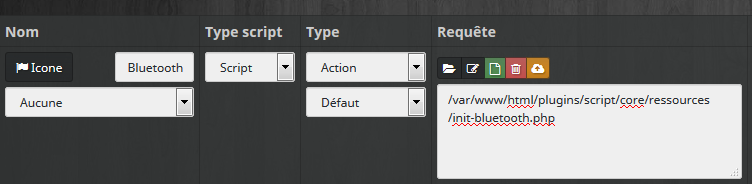
Use the plugon script, create an action command script bearing as name Init Bluetooth and in the field query, put:
/var/www/html/plugins/script/core/resources/init-bluetooth.php
In this file init-bluetooth.php, put your script:
#!/usr/bin/php
<!--?php$Hostname="localhost";
$Username="pi";
$Password="raspberry";
$ssh = ssh2_connect($Hostname, 22);
ssh2_auth _password($ssh, $Username, $Password);
$stream = ssh2_exec($ssh, "sudo systemctl enable hciuart");
$stream = ssh2_exec($ssh, "sudo systemctl start hciuart");
$stream = ssh2_exec($ssh, "sudo hciconfig hcio down");
$stream = ssh2_exec($ssh, "sudo hciconfig hcio up");
?>
Of course, correct the login and password of your connection to the ssh.
Creating the scenario to launch at startup

Everything is on the image, note that for the scenario to run at startup, you have to use Provoked and as a trigger: #start#
This scenario includes only one command, the launch of the script created previously:

 English
  French
  Spanish
  Chinese
  German