

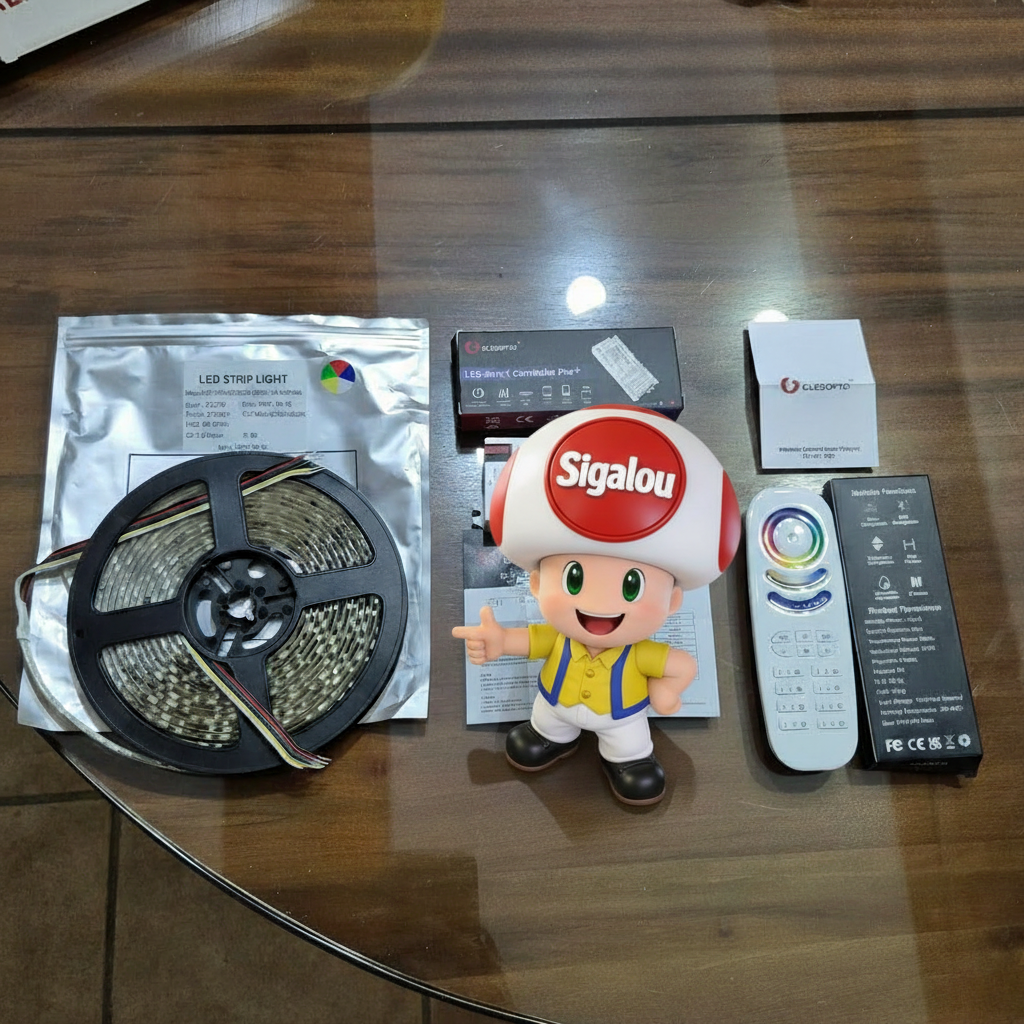
I turn my living room into a bright cocoon with a RGBCCT 24V Gledopto LED ribbon. I use the remote control GL-RC-009, the ribbon LEDS-24V-RGBCCT the Zigbee Controller GL-C-601P. This high-end combo offers endless colors, tunable whites and dynamic effects for a perfect everyday atmosphere. Simple installation for beginners, integration Zigbee2MQTT and Home Assistant at the top.
🎯 My objectives
I decided to go high-end in advanced lighting: infinite RGB colors, tunable white 2700K-6500K, dynamic effects, multiple areas. Obviously, there is cheaper and less efficient, but it does not play much. Note that the controller can control less efficient headbands (5 in 1).
This Gledopto combo responds perfectly: Reliable Zigbee, superb lighting quality, RF for remote control.
I wanted a scalable system for my living room, wirelessly controllable and integrated into my home automation.
🔍 Detailed technical data sheet
The following four items of equipment are required:
- GL-RC-009 (remote control)
- GL-C-601P (controller)
- LEDS-24V-RGBCCT
- 24V LED power supply
To get an idea of the cost, consult the equipment sheets in the Lab, Heading lighting, this must be around €45/50 plus the non-essential remote control if you want to use an app or Home Assistant. This system combines wireless RF control and Zigbee2MQTT/Home Assistant integration for infinite colors, tunable whites and dynamic effects. I detail every piece of equipment, from unpacking to full pairing for beginners.
🔍 The Husked Controller
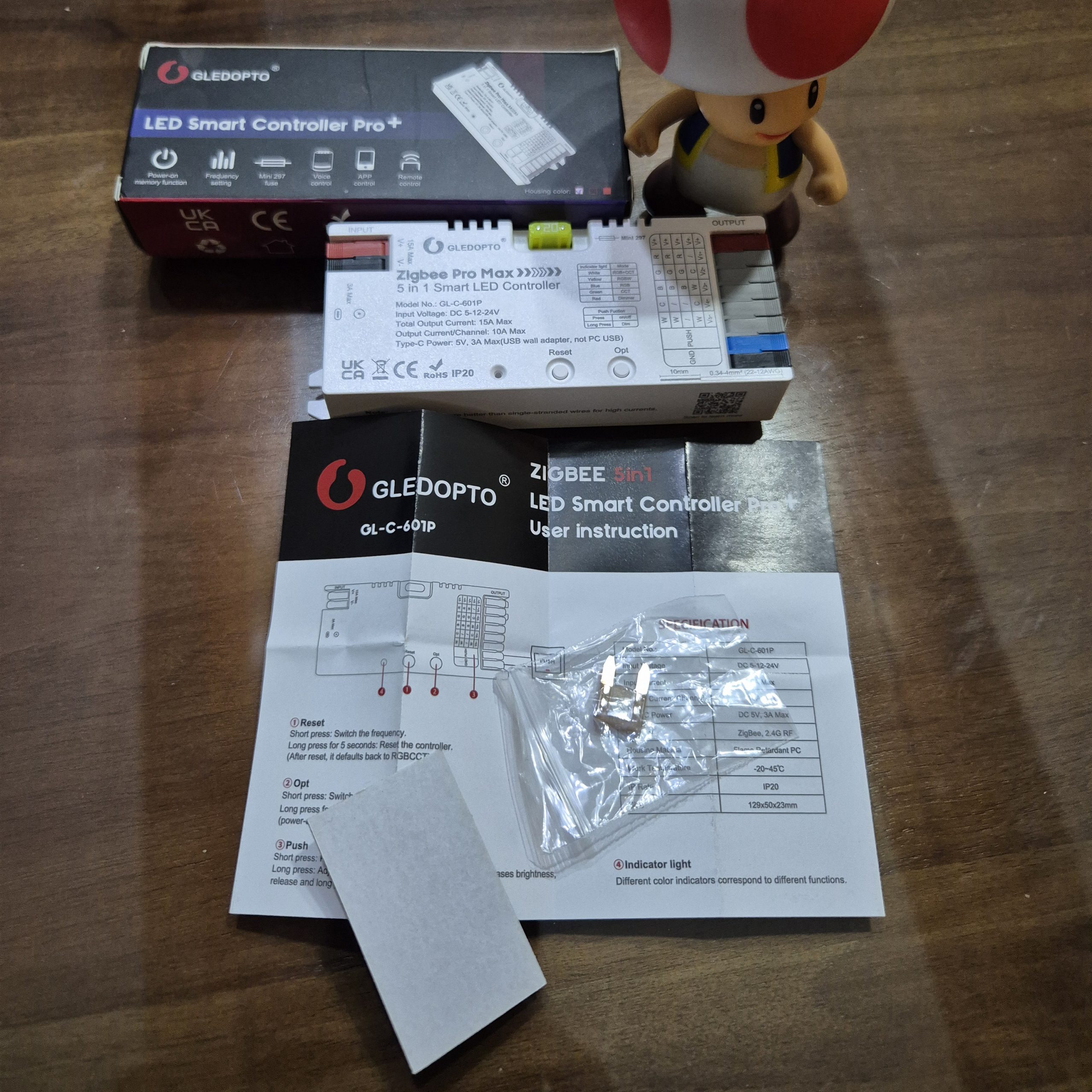
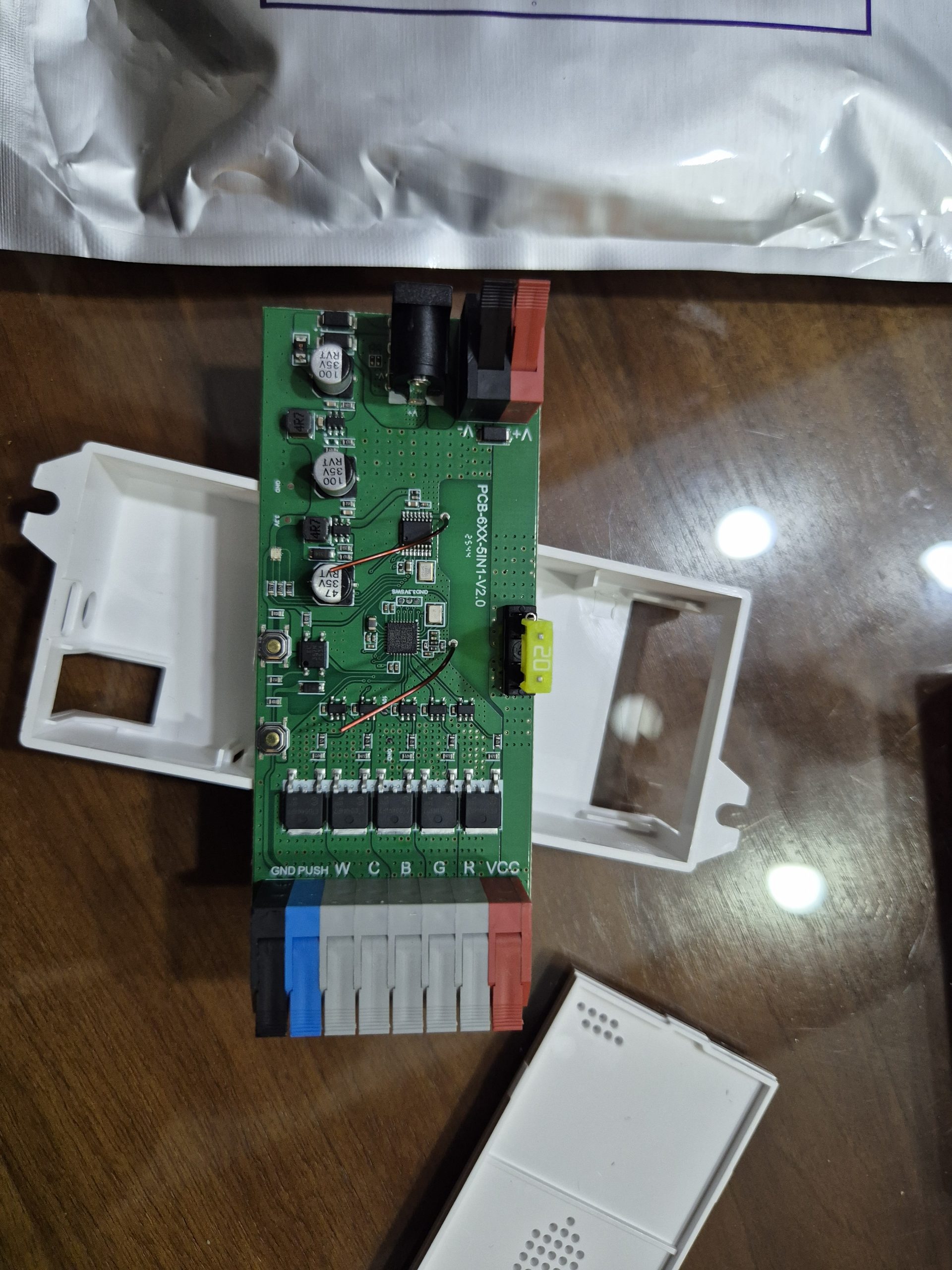
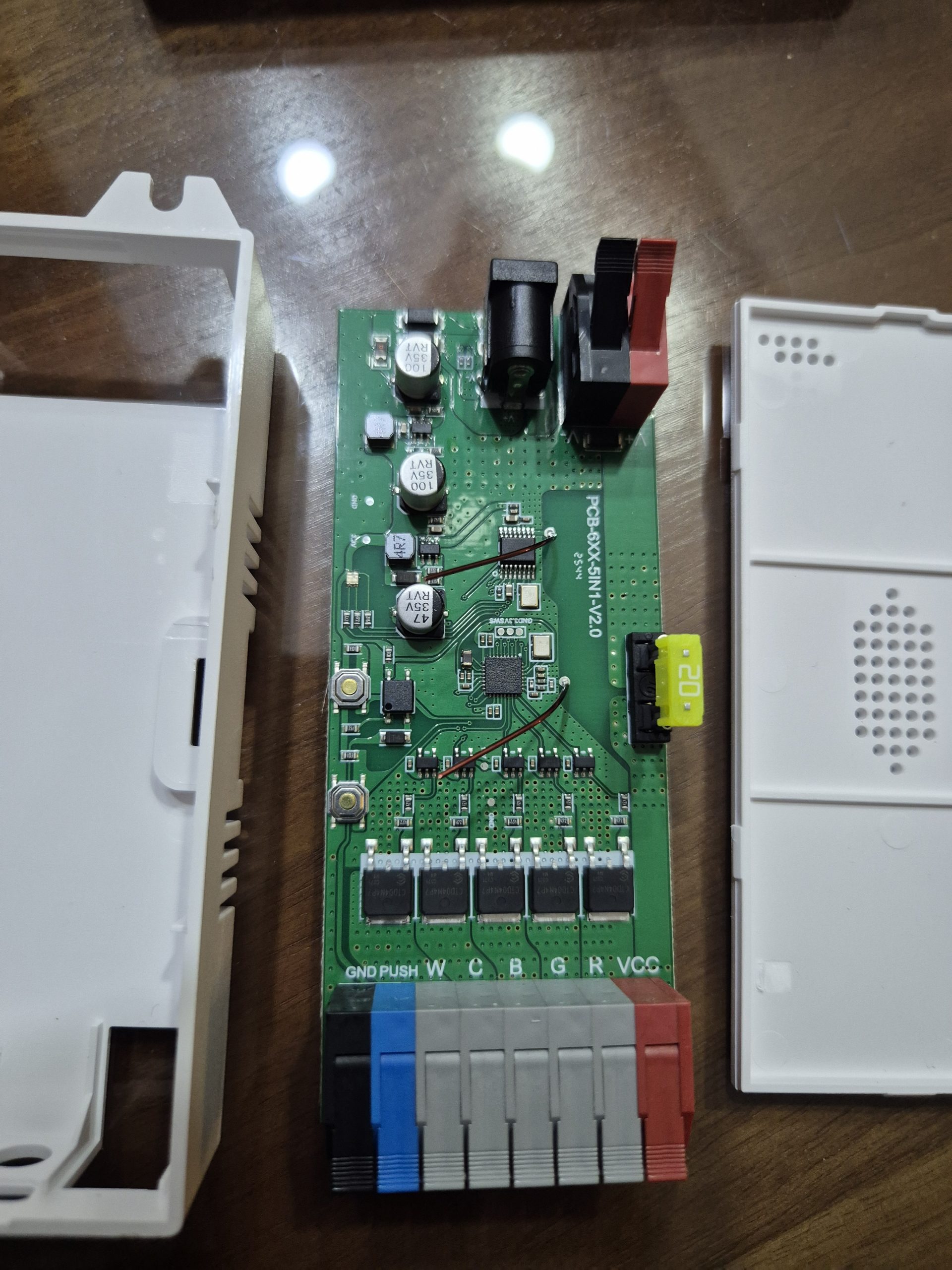
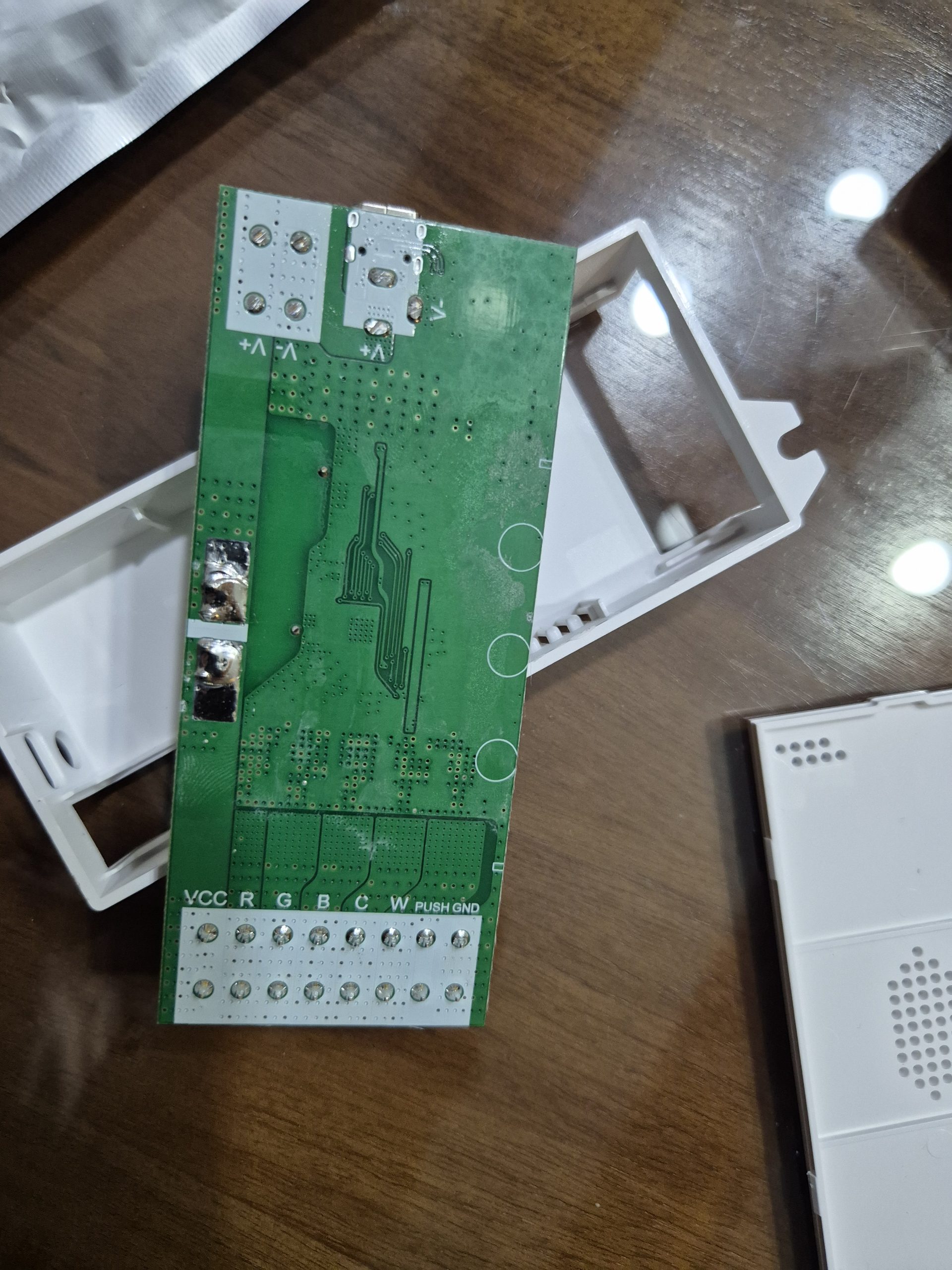
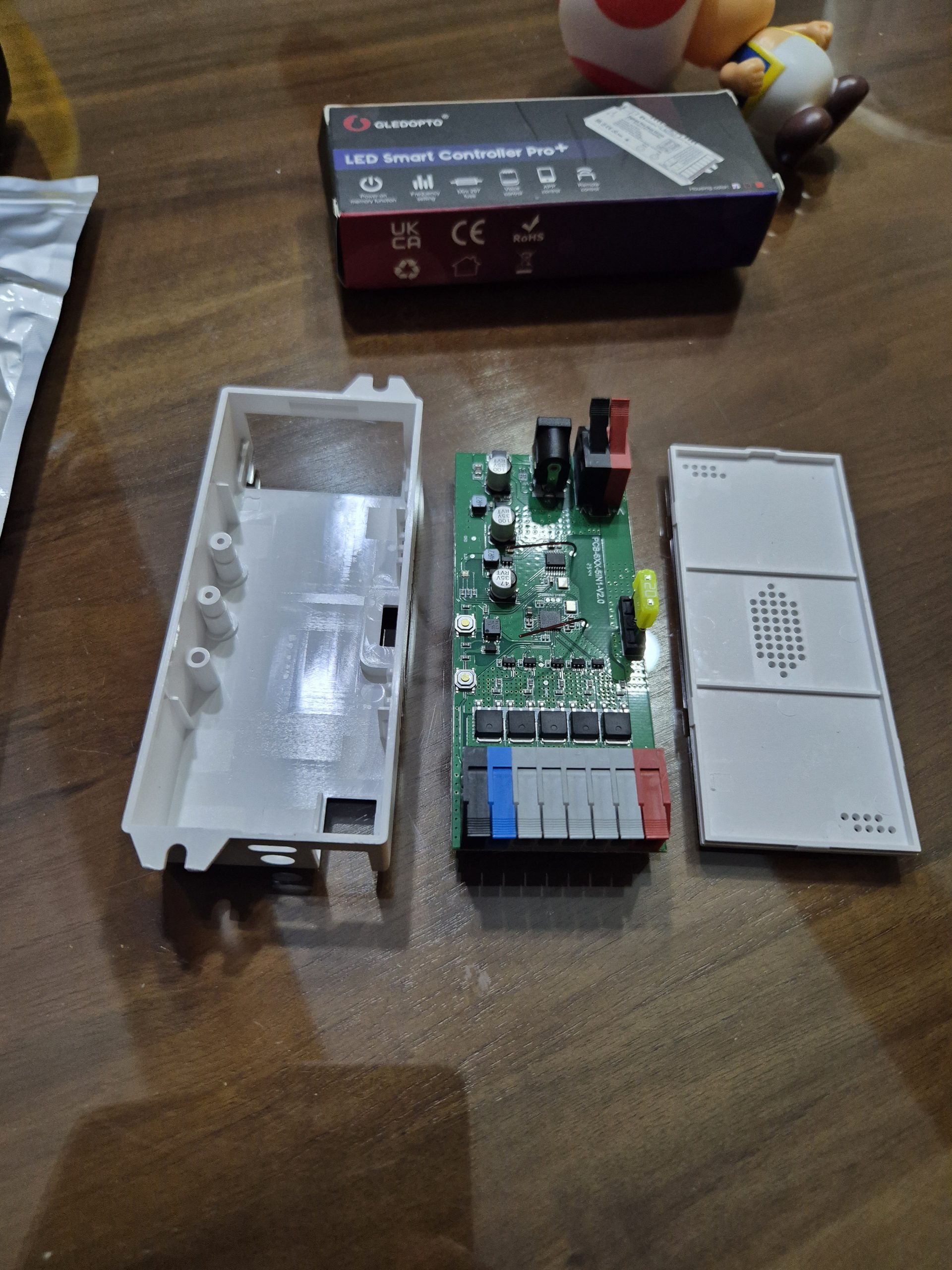
The GL-C-601P measures about 80x40x20 mm, white plastic housing. Before using it and for the need of the exercise, I see that the case opens easily, out of curiosity, I open it and take some pictures. It is very neatly designed, congratulations to the designers. I was blown away by the interior quality, everything is tidy and accessible.
 |
 |
 |
 |
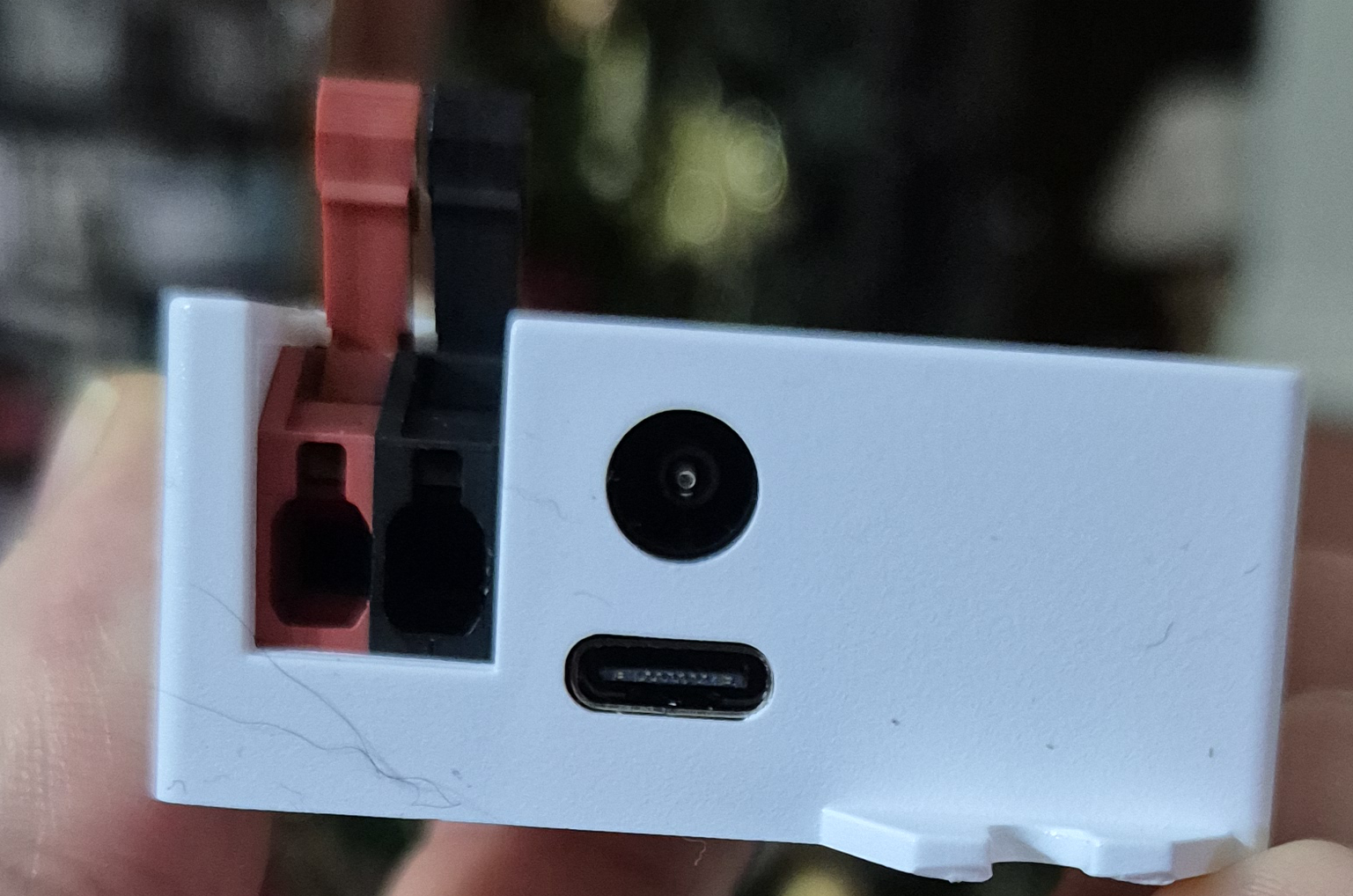
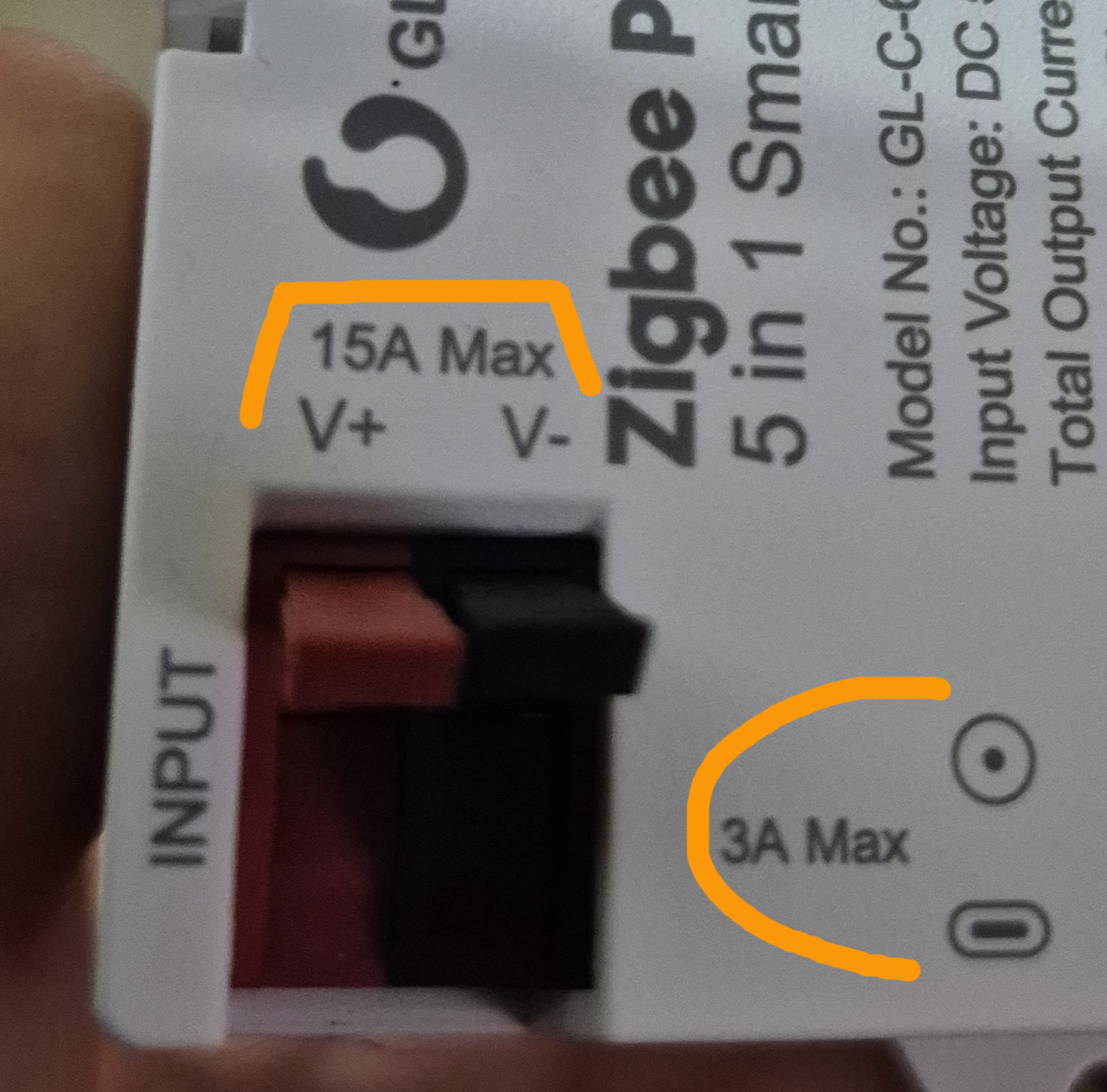
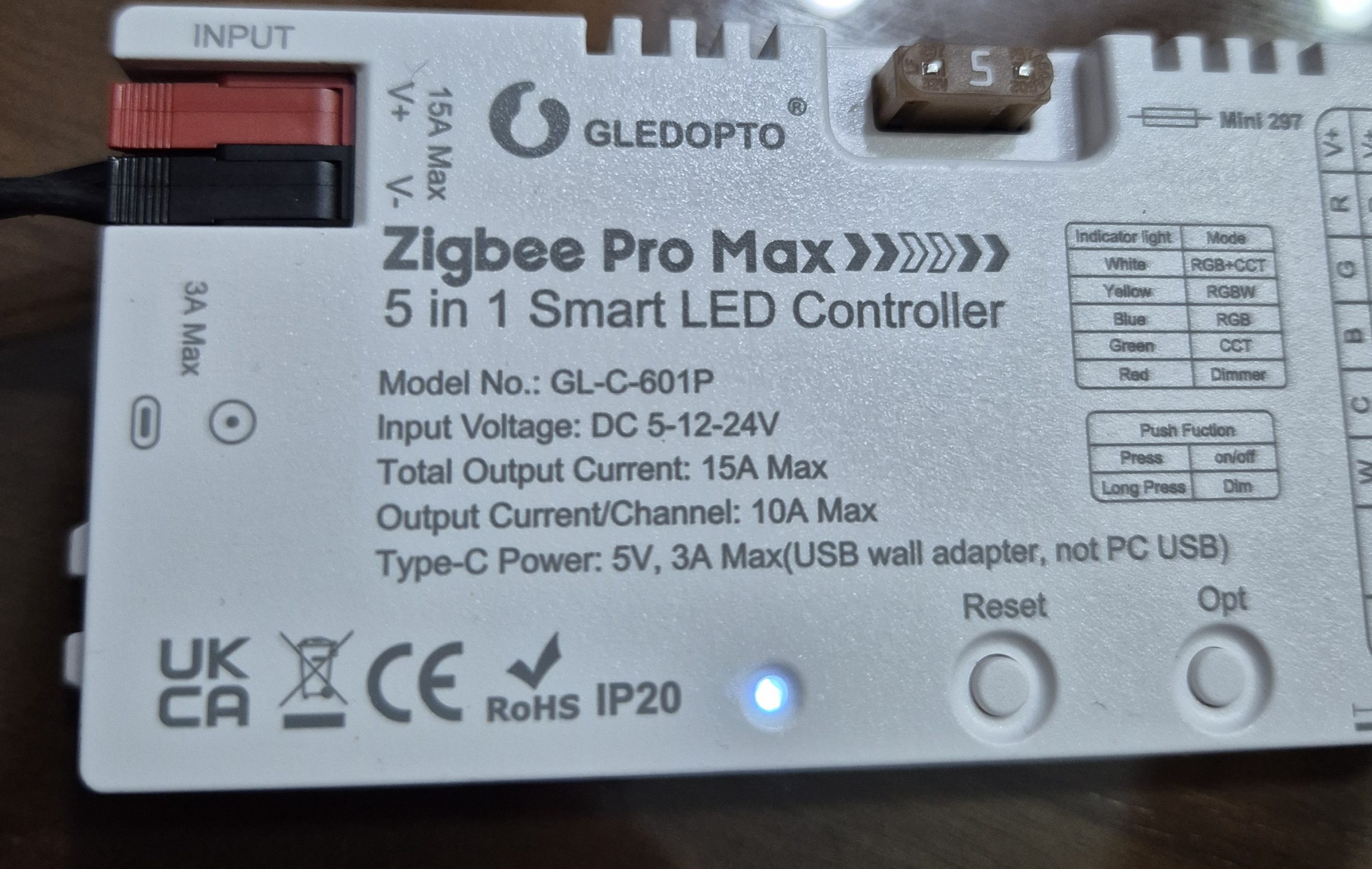
I am intrigued by the 3 possible types of food. I take advantage of the dismantling to test these three possible terminal blocks in the multimeter, they are all in parallel. The three input connectors on the GL-C-601P (V+/V-, Type-C and probably a DC jack) are effectively connected in parallel to power the controller and its LED outputs, but with distinct limits depending on their use and physical capabilities.
- V+/V- (WAGO terminals, max. 15A): Main input for powerful DC power supplies (5-24V), designed for high loads up to 15A total, with robust push-in connectors for large cables.
- Two others limited to 3A: One is the Type-C port (5V/3A max, via USB wall charger), the other probably a typical 5.5×2.1mm DC jack (barrel connector), limited to ~3A by thermal safety and connector specs (risk of overheating otherwise).
The V+/V- supports 15A because they are made for industrial power supplies (wide terminals), while Type-C and DC jack are for auxiliary/practical use (smartphone charge or standard alim), with limitation to 3A to avoid melting or excessive heat release. In practice, I use V+/V- for powerful ribbons; Type-C for quick tests (but not for max load). This is convenient for testing without heavy alim.
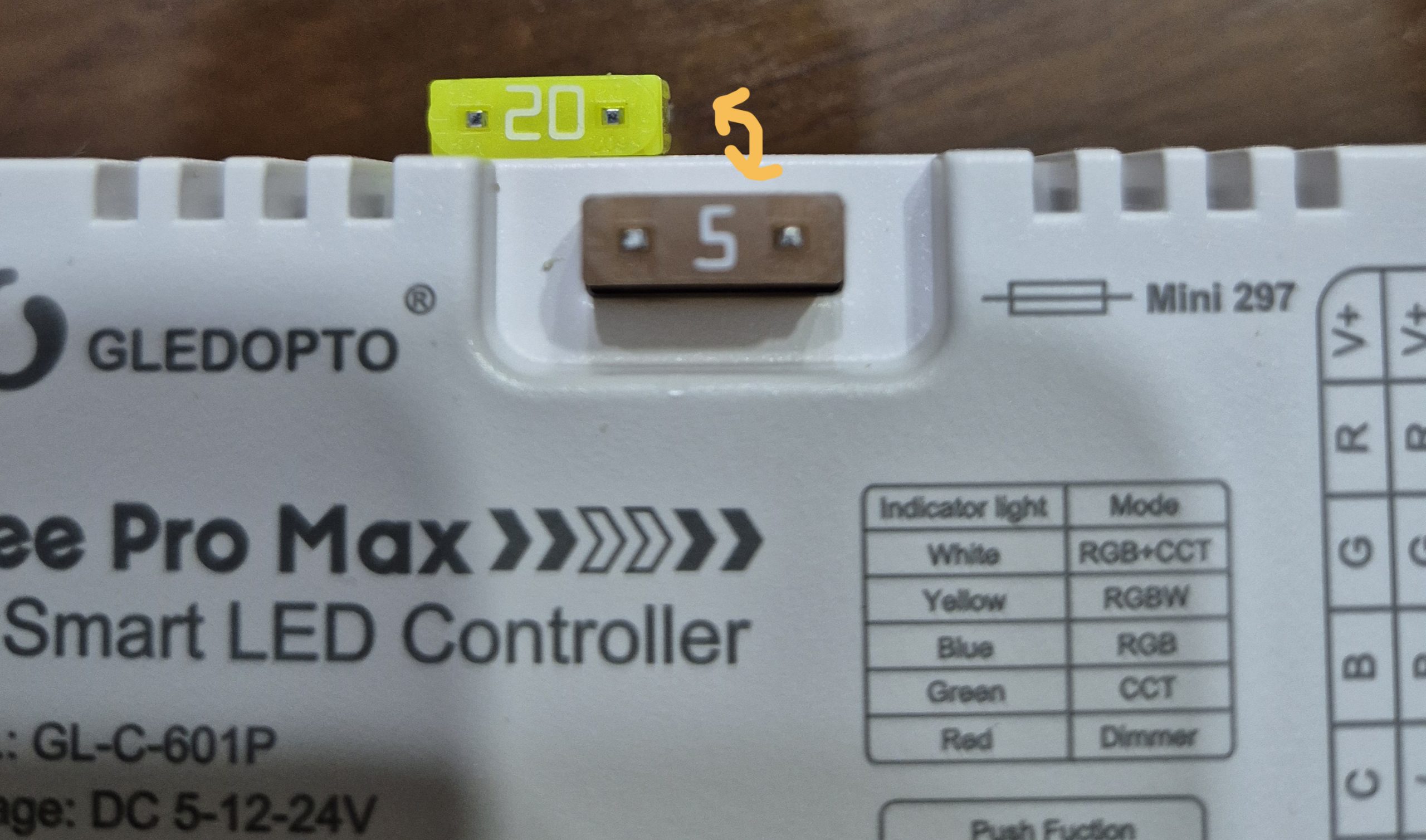
The box is equipped with a 20A fuse and in the carton there is a second 5A fuse. Given the low consumption of the installation I will be using, I am replacing the 20A fuse with the 5A fuse. With a 5A fuse, a defect on a small ribbon will blow the fuse faster, avoiding passing up to 20A on undersized wires or terminal blocks. In summary: 20A for installations close to the controller max, 5A for small loads to increase safety and limit damage in case of problems. 5-24V DC input (I use 24V for 24V LEDS).
🔍 The LEDS ribbon analyzed
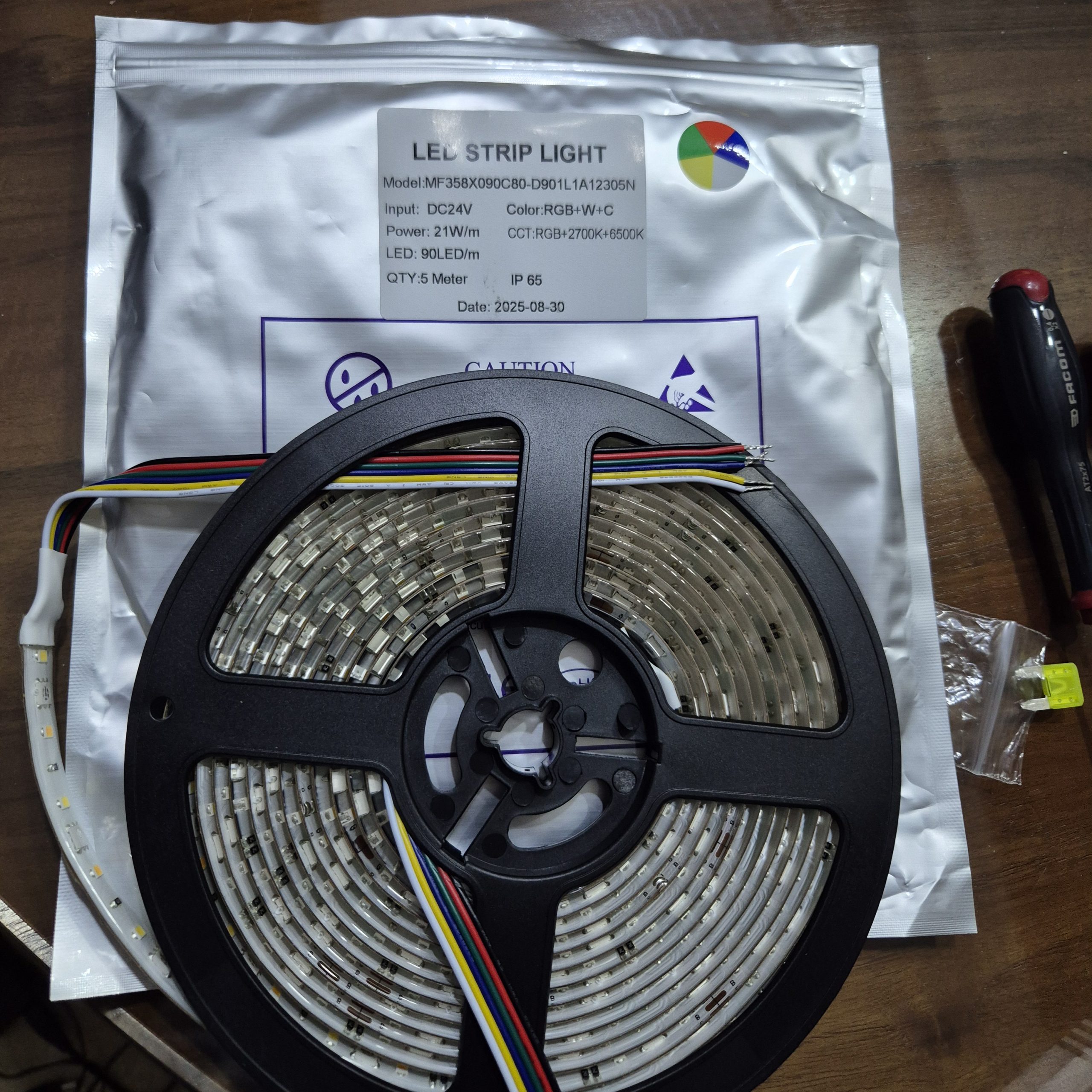
My ribbon LEDS-24V-RGBCCT is 5 meters long, carefully wrapped. LEDs SMD5050 high density 60/m. Decoupable every 5 cm without loss. I took the waterproof IP65 model, there is a lighter and cheaper interior version. Consumption ~21W/m at full power. Pure colors, net whites 2700K-6500K. I chose it for its flexibility and quality, perfect for bypassing my TV cabinet.
🔍 The remote control in detail
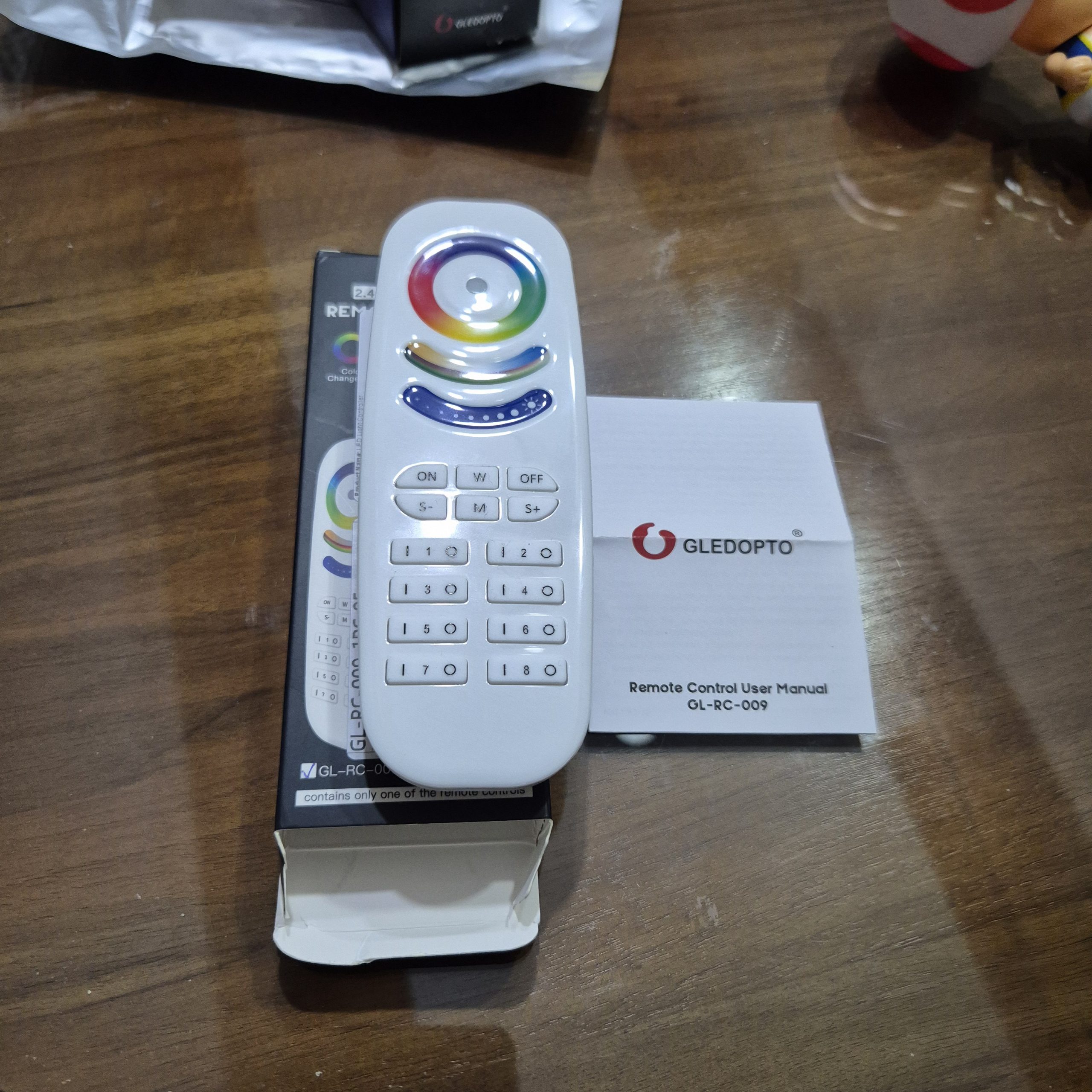
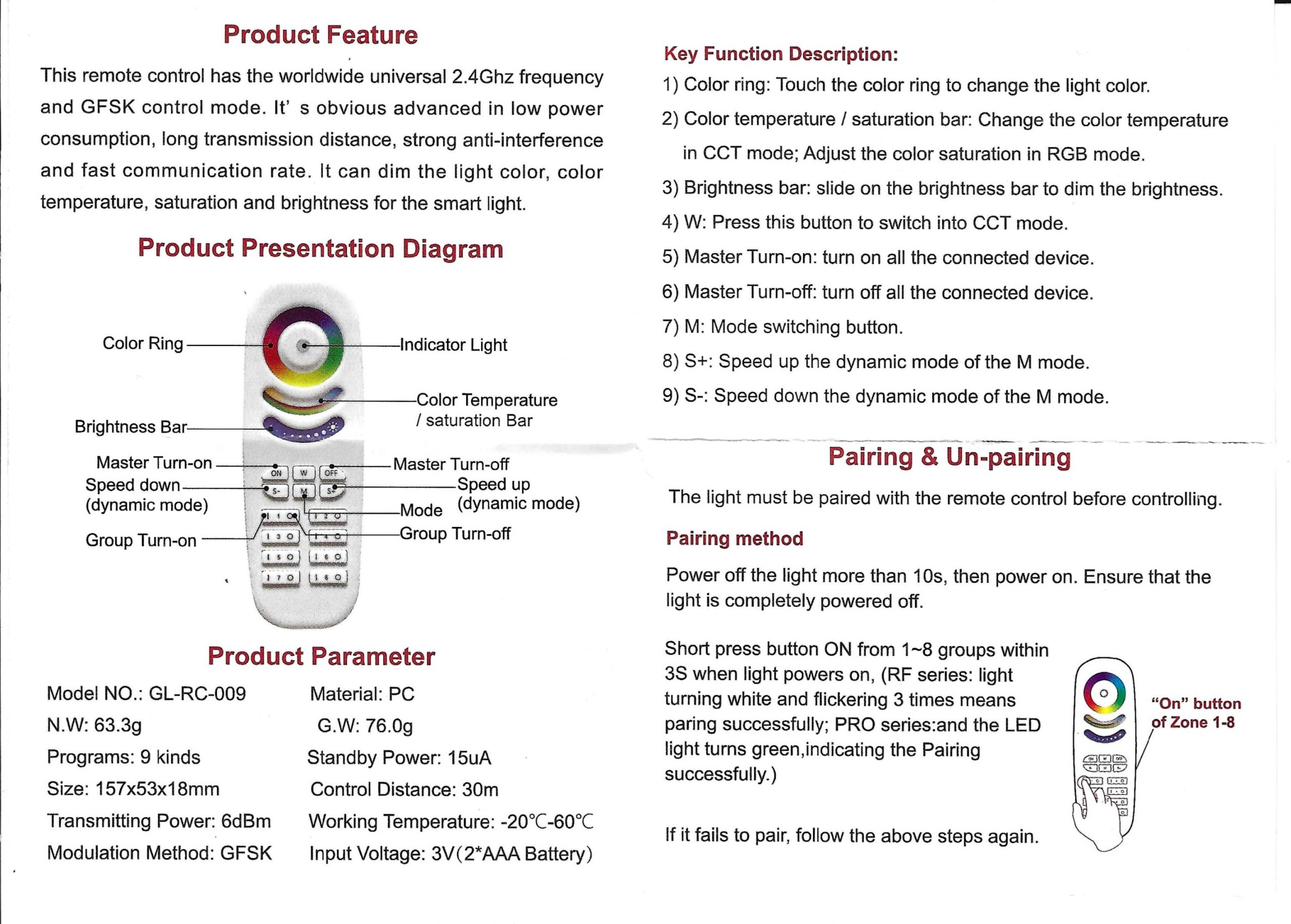
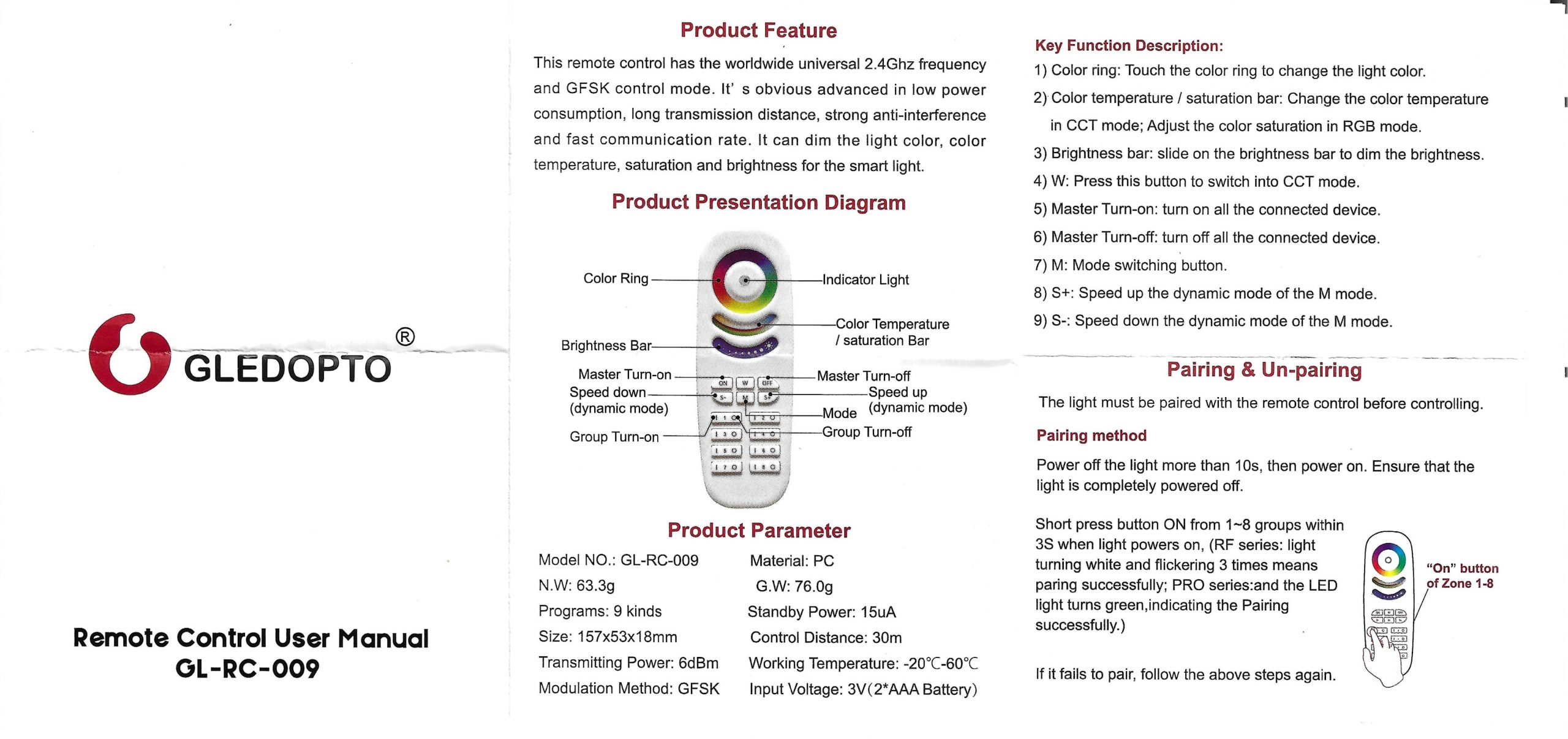
I receive the GL-RC-009 in a small protective carton. It measures 157 mm long, 53 mm wide, 18 mm thick. Light weight 76 g. It works with 2 AAA batteries not supplied. RF 2.4 GHz GFSK protocol for 30 m free field range. It manages 8 independent zones: RGBCCT, RGBW, CCT or simple dimmer. Its buttons cover everything: ON/OFF by area, fluid dimmer, touch RGB color wheel, CCT temperature slider, saturation, and 9 dynamic modes (blinking, breathing, … stroboscope). Operating temperature -20°C to +60°C. On paper, perfect for control without a smartphone.
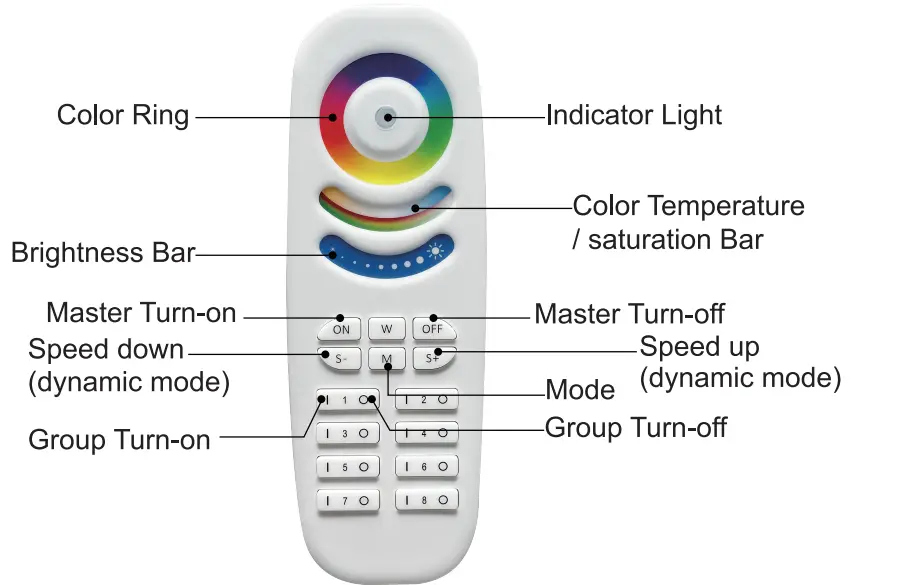
I'm a little disappointed by the quality of the remote control. We find remote controls in a better plastic and more pleasant in hand for 5 € on Chinese sites. The manipulation of colours is also an adventure, apart from the ON/OFF, I do not recommend taking the remote control, preferring piloting by application or via Home Assistant since the whole thing is in Zigbee. Despite this, it will troubleshoot for quick settings.
🔧 Step-by-step electrical connection
I connect the 6 wires of the ribbon LEDS-24V-RGBCCT the GL-C-601P. I recovered a 24V DC power supply, I took a 6A (because 5m at 21W/m), I connect it to V+ and V- on the left of the housing, checking the multimeter where the + is. I place Zigbee2MQTT in pairing mode before connecting the power supply. I plug in the power supply of the whole, the white led of the GL-C-601P blinking, the equipment is connecting to the Zigbee. Everything turns on nickel from the first test.


🔗 I pair in Zigbee2MQTT
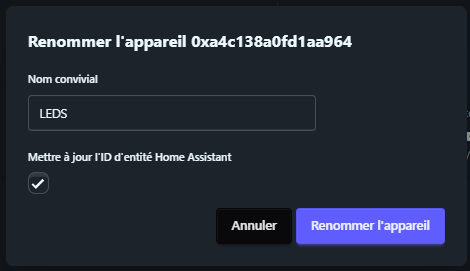
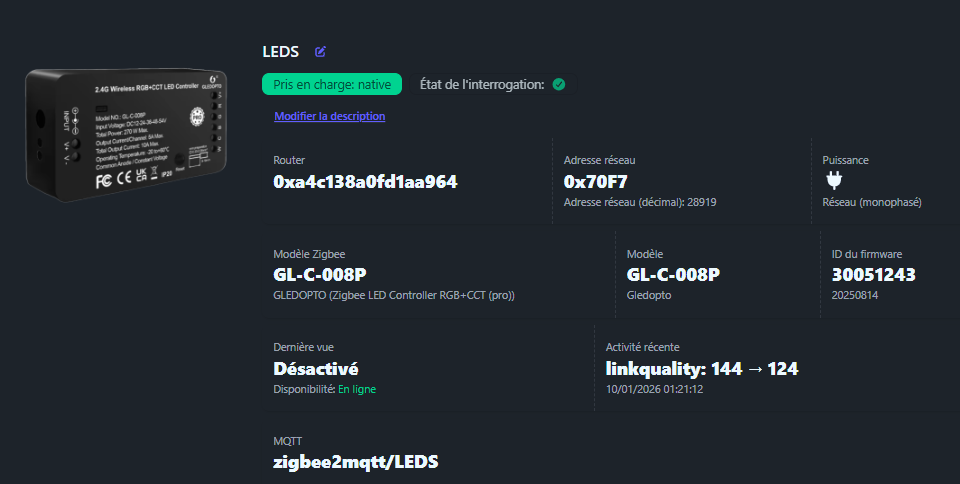
After a few seconds, the LED remains fixed, it is ok, it is paired. The equipment appears in the list of devices. It appears as "GL-C-008P". Before I go any further, I am renaming this device. Everything went smoothly, like a real pro.

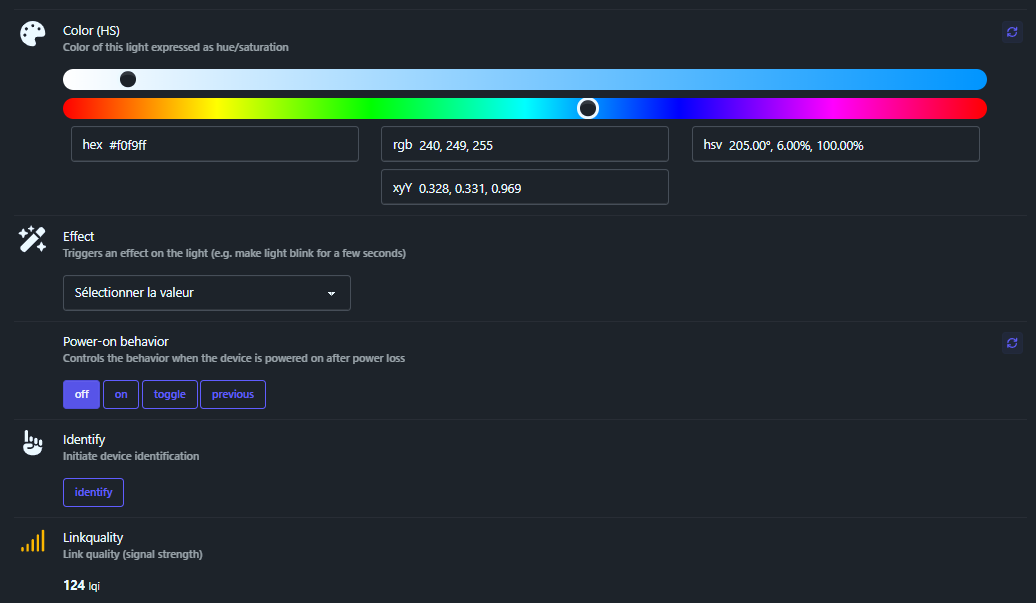
State
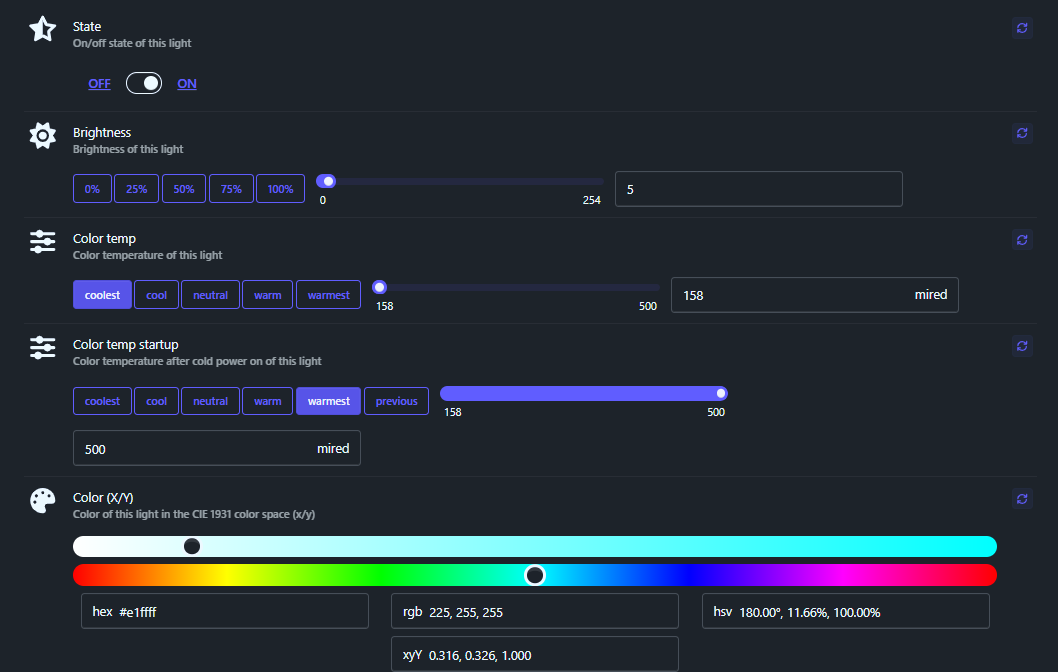
Main State ON (on) or OFF (extinct); Basic control for power, with smooth transition possible (e.g. 1s bland).
Brightness
Brightness 0-100% (internal 0-254); slider to dimmer PWM, move/step for relative adjustments (+/-).
Color Temp
Color temperature CCT (warm-cold) 153-500 Kelvin ; blue=500K cold, 153K warm/yellow; mix with RGB. Note: These are inverted values in mireds, 153 = hot ~6500K, 500 = cold ~2000K.
Color Mode
Active mode ct (CCT), hs (tone/sat), xy (contact details), rgb ; Auto switch.
XY Color
Contact details CIE 1931 (gamut triangle); precise colour selection; wide gamut RGBCCT.
HSV Color
Tincture (hue 0-360°), Saturation (0-100%), Value (linked brightness); rainbow bar.
Effect
Select to activate, use "stop_effect" to stop.
- blink : Quick blink ON/OFF.
- breathe : Slow melt ON/OFF repeated (breathing).
- breathe okay : Breathe + beep sound so buzzer.
- channel_change : Fluid color channel change.
- finish effect : Ends smooth running effect.
- stop effect : Immediately stop any effect.
- colorloop : Automatic rainbow color cycle (manual M mode).
- stop colorloop : Stop the colorloop.
Power-on behavior
Restart status: Off / Previous / Toggle.
Identify
Flash 1-30s to identify (equiv. 3x Reset).
🏠 Fluid Integration Home Assistant
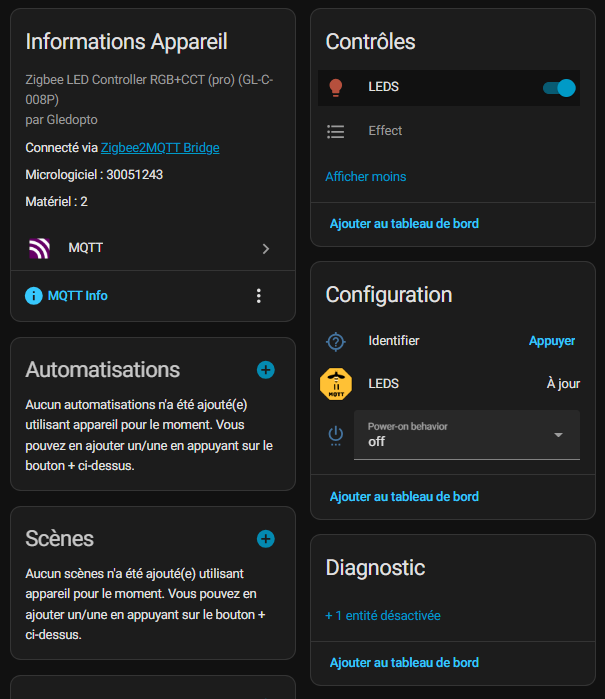
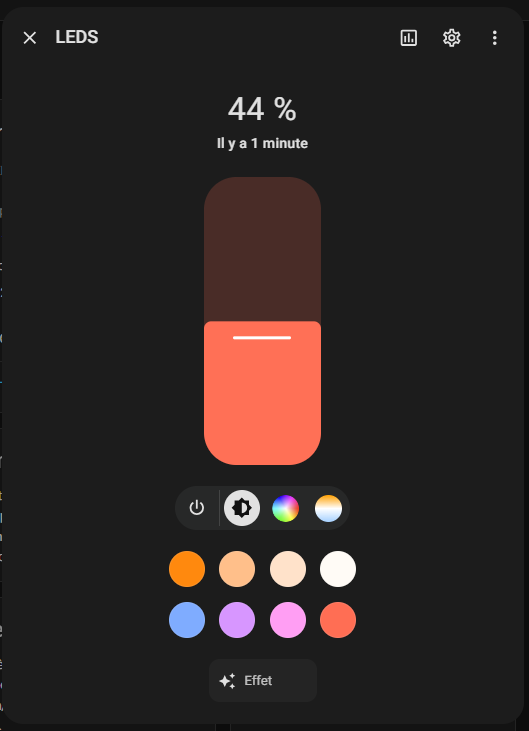
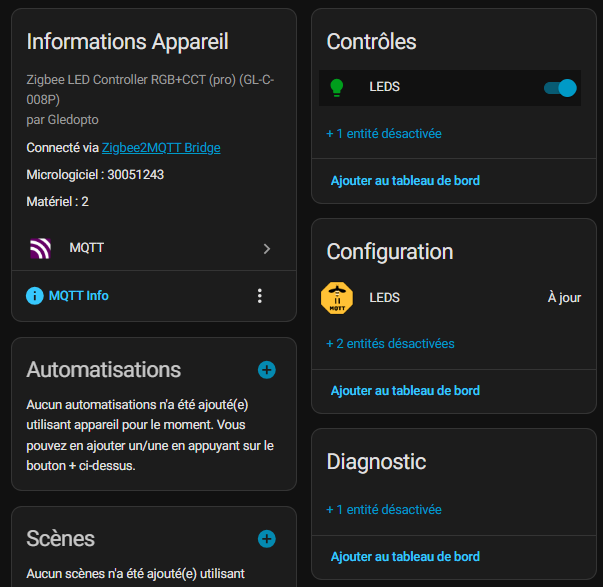
I'm going to Home Assistant to find my equipment. So we have a perfect integration, a bit like a connected RGB bulb. I wash the screen a bit and have a fully integrated LEDS headband. Color and effects sliders work the first time, a treat.
🏠 Some small worries in the links
Between the GL-RC-009 <-> Zigbee2MQTT <-> Home Assistant. I noted these minor but manageable glitches.
Worry of the Offline
For example, while the equipment is plugged in, the LEDS on, I have the message ‘Offline’. And with the Offline message displayed, the ON/OFF command and color changes work perfectly from Zigbee2MQTT. But the concern is that as long as the equipment is offline, the information does not go back to Home Assistant and therefore the commands from Home Assistant are disabled. It should be noted that after 6/7 minutes, offline disappears and everything works perfectly. It happens with every reconnection to the sector, patience required.
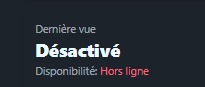
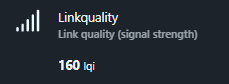
Concern for Linkquality
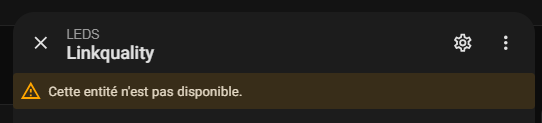
For an unknown reason, and despite the activation of the sensor, Linkquality information does not go back to Home Assistant. This absence is known and the Zigbee2MQTT Documentation of the GL-C-008P (product detected) does not speak at all about Linkquality, an element that will evolve over time. Either the GL-C-601P will actually be recognised and not in GL-C-008P or the integration of the GL-C-008P will receive Linkquality. I do not have a GL-C-008P but I cannot imagine a Zigbee product that does not give Linkquality.
 |
 |
📡 RF pairing of the remote control explained
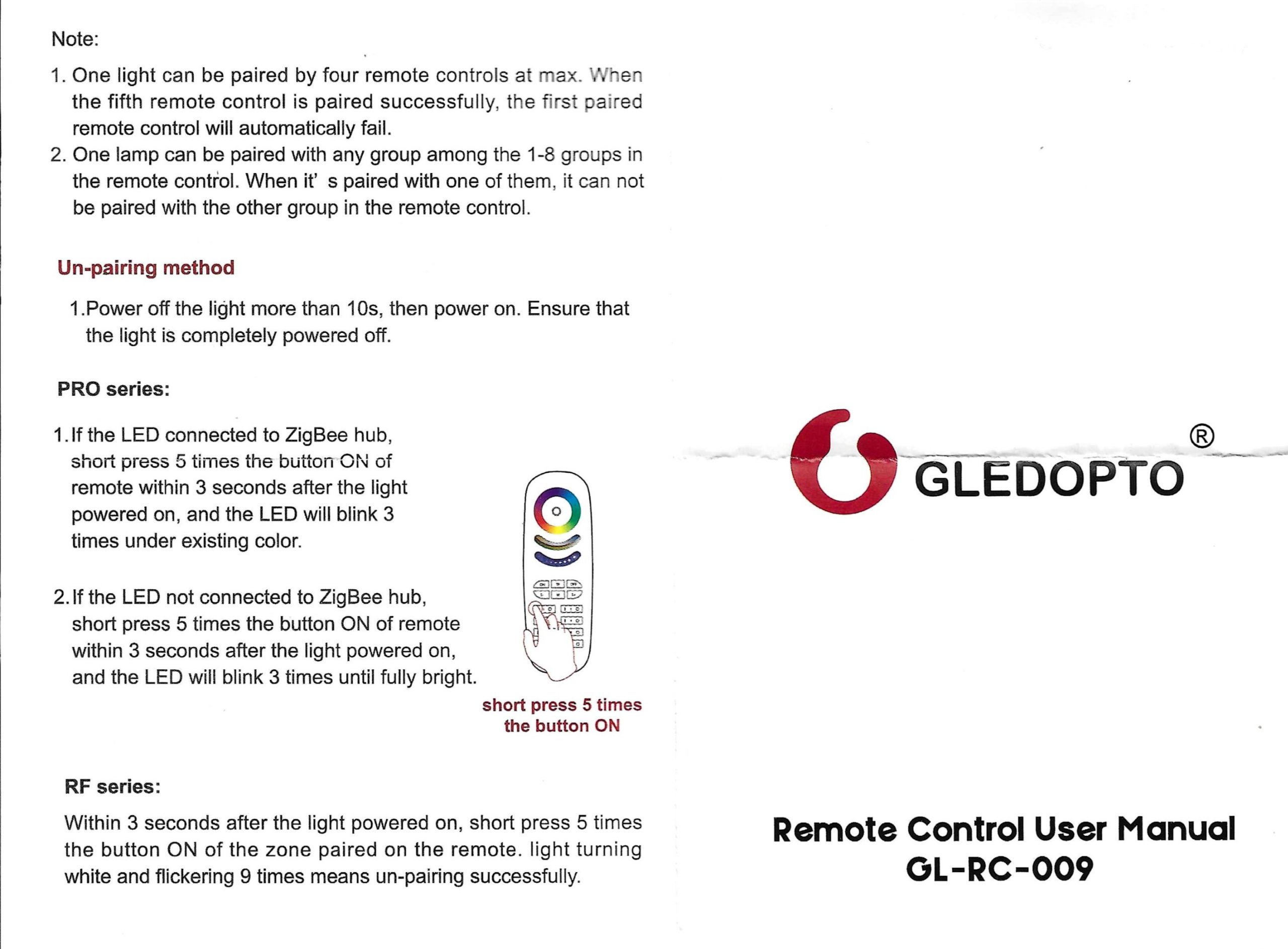
This remote control GL-RC-009 RF pair directly to the receiver of GL-C-601P (No need Z2M here). I struggled a bit to find the right procedure, the English versions of the manuals are not very clear ‘Ensure that the light is completely powered off’, whereas you must not turn off or unplug. Here's what worked for me.
- I disconnected the GL-C-601P sector 10s.
- I plugged it back in and during the initialisation phase, on the first few seconds, I quickly pressed the ON button in zone 1 five times.

Once the remote control is connected to the GL-C-601P I play with it a little bit and I can see, at my great regret the controller does not send its status changes to the Zigbee network. This is really a concern or even a defect of this type of installation. I am therefore thinking of removing the remote control from my installation to prioritise the use of Home Assistant to control it. Little disappointment on this one, but Zigbee largely compensates.
📡 Piloting by smartphone applications
The documentation specifies compatibility.

- For Smarthings, you need a SmartThings Zigbee hub (V2/V3/Aeotec).
- For Philips Hue, you need a Hue Bridge (1/2/Pro).
- For Amazon Echo Plus, Amazon Echo Plus is an Amazon connected speaker (2nd generation) with integrated Zigbee hub, from 2018, replaced since then by Echo 4th generation which lost the Zigbee, Amazon having moved back on the Zigbee since. At home I do not need it, I use the NabuCasa link to connect HA and Alexa, so if I want to drive the LEDS ribbon via the android Alexa app, I declare the LEDS sensor in voice assistants, I tick Amazon Alexa and a few seconds later I have the LEDS ribbon on my phone.
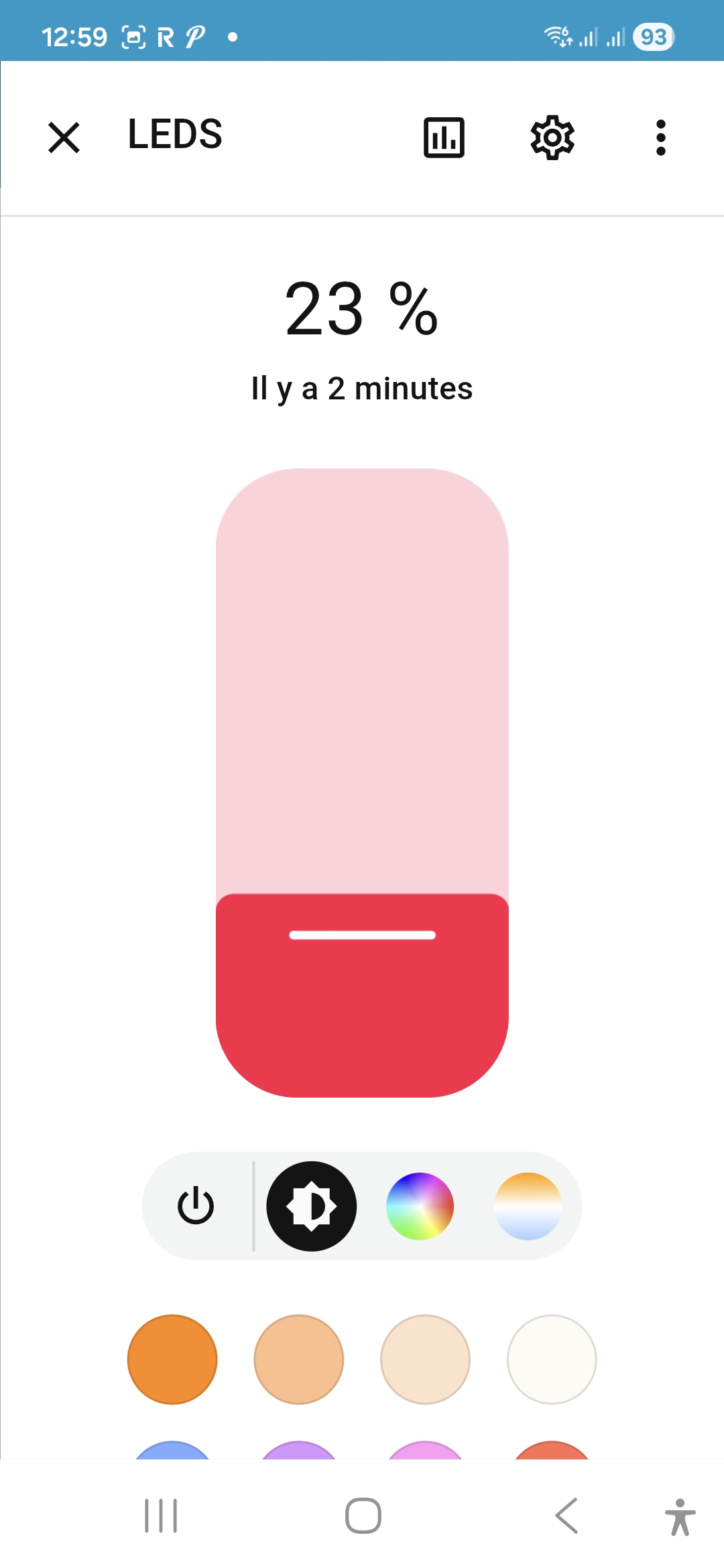
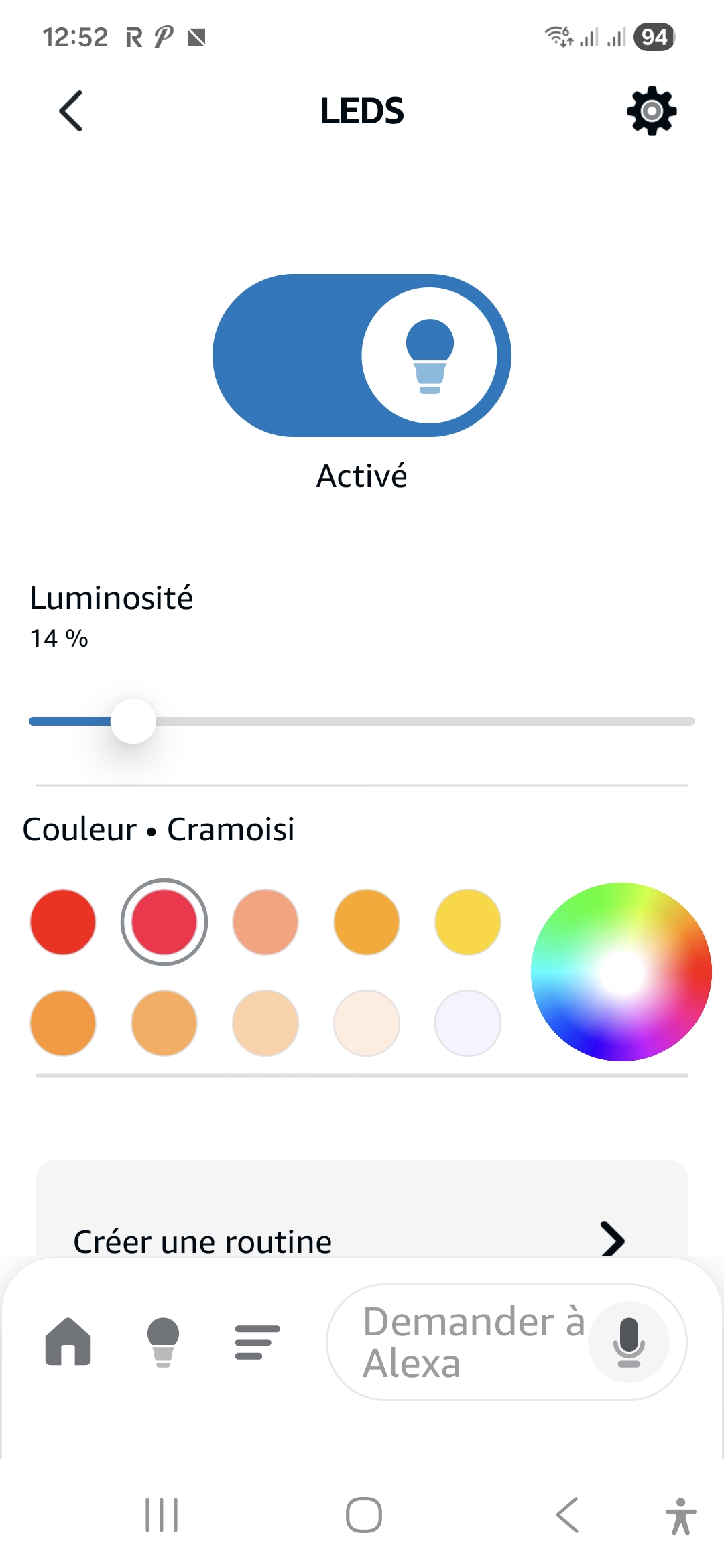 And of course, the best thing is to use theHome Assistant Smartphone App by adding a button for the LEDS headband.
⚙ Automations I Can Imagine Programming
- Cosy evening : 19h cron → CCT 3200K, 40% brightness, bland 10s.
- Cinema : TV on → red 2700K 25%, Philips Hue sync so extensive.
- Party Mode : Physical button → "rainbow cycle" effect 1h.
- Total night : 23h → progressive off, unless presence.
📅 Schedule installation and monitoring in production
- 09/01/2026 : Unpacking, electrical connection, pure RF test.
- 10/01/2026 : Zigbee + HA pairing, basic automations.
- Remote control batteries: AAA new.
💬 My opinion after a few days
✅ What I love: Ultra bright and pure colors, natural CCT whites without green hue, fluid effects without jerk, dual RF control + HA app, impressive RF range.
❌ What could improve: Unexposed RF remote control MQTT (damage!!), powerful external alim need, zero manual (no FR diagrams), RF areas to re-pair if reset controller Zigbee.
My verdict: GL-C-601P + LEDS-24V-RGBCCT = Most cost-effective Zigbee multicolor LED combo 2026. Pro quality at low prices. I put 9.5/10 and order one for kitchen! After a week, it rotates non-stop flawlessly.
- User instruction GL-C-I-601P (Full manual PDF 32MB)
- Link to the Remote Control Online Manual

 English
  French
  Spanish
  Chinese
  German